Establishing secure connection…Loading editor…Preparing document…

Venture Capital Finder's Fee Agreement

This template is fully customizable. Edit the text, fill out the fields, and send it for signature. Give it a try!
Venture Capital Finder's Fee Agreement

What the Venture Capital Finder's Fee Agreement Is

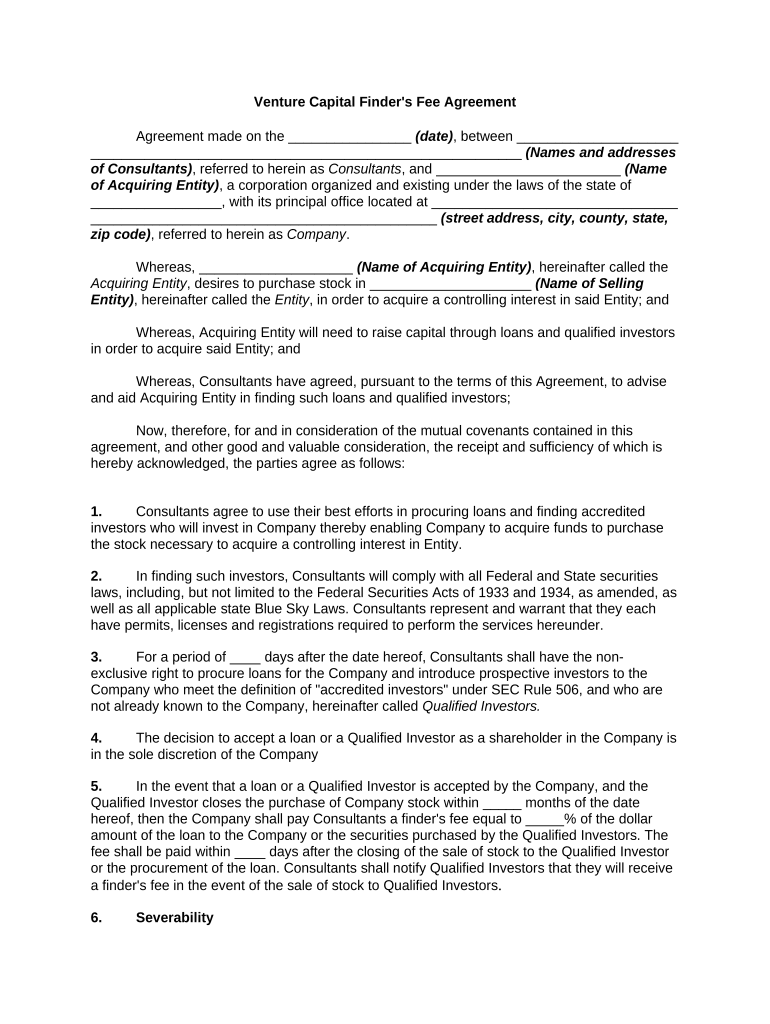
A Venture Capital Finder's Fee Agreement is a written contract between a finder (individual or firm) and a company or investor that documents the terms under which the finder will be paid for introducing a startup to venture capital sources. Typical provisions specify the triggering event (closed investment, executed term sheet, or funded round), the fee calculation (percentage, fixed amount, or success fee), payment timing, and any obligations the finder must meet to qualify for payment.

Why a Clear Finder's Fee Agreement Matters

A clear, signed agreement reduces disputes, sets measurable triggers for payment, and protects both the finder and the company by documenting expectations for introductions, exclusivity, and confidentiality.

Why a Clear Finder's Fee Agreement Matters

Who Typically Uses This Agreement and When

Use this agreement when a third party will be compensated for sourcing or facilitating venture capital introductions.

  • Independent finders and placement agents who introduce startups to VC firms or angel groups.
  • Startup founders and corporate development teams engaging external networks for capital introductions.
  • Venture firms and family offices documenting referral arrangements or co-investor sourcing fees.

Who Can Sign on Behalf of Each Party

Authorized Finder

The finder should be represented by a person who has authority to bind the finder entity, typically the principal, managing partner, or an authorized officer. That signer should be identified by name and title and, if representing a firm, include a printed firm name and corporate designation.

Authorized Company

The company or issuer is usually signed by the CEO, CFO, or another officer with contracting authority. For entities, include the signer’s printed name, title, and the corporate or LLC name; if signing under power of attorney, attach the power of attorney documentation.

Core Clauses to Include in a Professional Finder's Fee Agreement

A robust agreement addresses fee triggers, calculation and payment mechanics, representation and warranties, confidentiality, exclusivity or non-solicitation, termination, and dispute resolution.

Fee Trigger

Define the precise event that creates entitlement (e.g., executed financing agreement, funds wired, or a signed binding term sheet). Avoid vague phrases like 'introduction leads to financing.'
Fee Calculation

State percentage or fixed fee, base on total capital raised or equity sold, and specify gross vs. net basis plus any caps or minimums.

Payment Terms

Specify timing (upon funding, within X days of closing), accepted payment methods, and who is responsible for taxes or withholdings.

Exclusivity

If applicable, define the geographic or temporal exclusivity and the scope of the finder's exclusive rights to introductions.

Representations

Include finder and company representations on authority, compliance with securities laws, and absence of conflicting agreements.

Dispute Resolution

Specify governing law, venue, and whether disputes go to arbitration or court; include attorney fee allocation if desired.

Step-by-Step: Completing the Agreement

Follow these steps to prepare, sign, and deliver an enforceable finder’s fee agreement.

  • 01
    Draft Terms: Define fee, trigger, and calculation precisely.
  • 02
    Identify Signers: Confirm authorized signatories for each party.
  • 03
    Review Compliance: Check securities and tax reporting implications.
  • 04
    Execute and Record: Sign, date, and retain executed copies for records.

How the Finder's Fee Process Typically Works

The typical lifecycle runs from introduction through financing and payment; document the flow so each party understands obligations and timing.

  • Introduction: Finder introduces company to investor or VC.
  • Engagement: Parties document terms in the signed agreement.
  • Financing Event: Investor signs term sheet or wiring occurs.
  • Fee Payment: Company pays the finder per agreed mechanics.

Setting Up an Online Signing Workflow

Configure e-signature workflows to enforce signer order, authentication, and document storage for auditability.

Signer Order Set sequential or parallel signing as required.
Authentication Level Use email or SMS code; add ID verification if needed.
Reminders Enable automatic reminders and expiry settings.
Template Create reusable template for consistent terms.
Integrations Link signed PDFs to CRM or document storage.

Digital Signing Considerations for Finder Agreements

Choose a platform that provides tamper-evident signed PDFs, a clear audit trail, and flexible authentication options.

  • Integrations: Salesforce, NetSuite, Google Workspace
  • File Formats: PDF, DOCX supported
  • Authentication: Email, SMS, KBA

eSignature Pricing Snapshot — signNow First

Representative vendor pricing and capabilities for signing and managing the Venture Capital Finder's Fee Agreement. Verify vendor plan details before purchase.

signNow DocuSign Adobe Sign PandaDoc HelloSign
Starting Price $8/user/mo $15/user/mo $14/user/mo $19/user/mo $15/user/mo
Free Trial Yes, 7-day trial Varies by plan Varies by plan Varies by plan Varies by plan
Bulk Send Yes (Business Premium) Yes Yes Yes No
Audit Trail Yes Yes Yes Yes Yes
HIPAA Compliant Yes Yes Yes No No
Envelope Cap No cap 100 envelopes/user/year Varies Varies Varies

Common Preparation Mistakes to Avoid

  • Vague fee triggers that fail to specify the exact event creating entitlement lead to disputes and delayed payment.
  • Using informal or inconsistent legal names for parties causes enforceability and 1099 reporting problems.
  • Failing to confirm signer authority can render the agreement voidable or lead to repudiation claims.
  • Not addressing securities compliance and broker-dealer rules can expose parties to regulatory enforcement.

Penalties and Practical Risks from Errors

Backup Withholding: 24% rate when missing or incorrect TIN
1099 Reporting Risk: Late or incorrect 1099s may trigger penalties under IRC §6721
Contract Dispute: Litigation or arbitration costs and potential damages
Regulatory Exposure: Securities or broker-dealer rule violations
Notarization Errors: Improper notarization may limit enforceability in some jurisdictions
Tax Withholding: Mischaracterizing payments can create tax liabilities

Security and Compliance Considerations for Signed Agreements

Encryption: TLS 1.2/1.3 in transit; AES-256 at rest
Certifications: SOC 2 Type II; ISO 27001
HIPAA: BAA required for PHI handling
ESIGN / UETA: Compliant with ESIGN and UETA standards
Audit Trail: Timestamps, IP, and action logs retained
Accessibility: WCAG 2.0 Level AA support

Real-World Examples of Finder Agreements in Use

Two examples illustrate how finders, companies, and platforms typically document and execute fee arrangements.

Case Study 1

A single-founder startup engaged a placement agent for introductions to seed investors.

  • The fee was 4% of capital raised payable at closing.
  • The clear trigger and payment schedule helped avoid disputes and enabled rapid payment once escrow confirmed fund receipt.

Case Study 2

An early-stage company contracted a finder for strategic introductions to Series A investors.

  • Fee was a fixed $25,000 on a successful funding round.
  • Documented exclusivity for 90 days and a representation that the finder was not a registered broker prevented later regulatory scrutiny.

Practical Tips for Accurate and Efficient Completion

Adopt these practices to reduce risk and streamline execution of finder agreements.

Use a Template
Start with a standard template that includes clear fee triggers, payment mechanics, and signer blocks to avoid drafting errors.
Confirm Authority
Obtain written confirmation of each signer’s authority and, when needed, include corporate resolutions or POAs.
Address Securities Risks
Include representations limiting finder activities to introductions and avoiding activities that would require broker registration.
Preserve Audit Trail
Use an eSignature provider that captures timestamps, IP addresses, and an unalterable certificate of completion.

Timelines and Expected Processing Steps

Key dates include execution, funding trigger, payment due date, and applicable tax reporting deadlines.

Execution Date:

Document effective date as MM/DD/YYYY and record when all signatures are complete.

Funding Trigger:

Define event (e.g., wire confirmed) that activates fee payment obligations.

Payment Window:

Specify payment due within X days (commonly 10–30 days) after trigger.

1099 Reporting:

Provide payee information for 1099-NEC reporting if applicable by Jan 31 each year

Record Retention:

Retain executed agreement according to retention timetable and tax rules

How a Finder's Fee Agreement Differs from Similar Documents

Compare features and common uses to understand when to use a finder agreement versus referral letters or finder invoices.

Document Type Finder's Fee Agreement Referral Letter
Binding Fee Obligation
Trigger Specified often implied
Signatures Required sometimes
Use Case formal introductions and payment terms informal referrals or acknowledgements

Frequently Asked Questions About the Venture Capital Finder's Fee Agreement

Answers to common questions about enforceability, electronic signing, and tax reporting for finder agreements.


Need help? Contact support

be ready to get more
Join over 28 million airSlate SignNow users