Scope
Define what content the disclaimer covers, which pages or features are excluded, and whether third-party content is embraced or disclaimed.
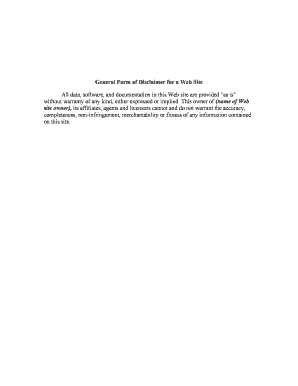
A web disclaimer reduces legal risk by clearly documenting the site owner's intent and limits on liability, helps satisfy consumer disclosure obligations, and guides user behavior. It is an important risk-management tool that works alongside privacy and terms of service.

Various site operators rely on disclaimers to set user expectations and limit liability.
Define what content the disclaimer covers, which pages or features are excluded, and whether third-party content is embraced or disclaimed.
State that site content is informational only and not professional, medical, legal, or financial advice; recommend seeking qualified professionals.
Disclaim express or implied warranties for accuracy, completeness, uptime, or fitness for a particular purpose.
Explain that links to external sites are provided for convenience and do not imply endorsement or liability for third-party content.
If applicable, disclose financial relationships or affiliate links clearly so users understand potential conflicts of interest.
Reserve the right to modify or remove content and the disclaimer itself, and state how updates will be communicated to users.
| Setting | Recommendation | Rationale |
|---|---|
| Visibility | Footer link | Accessible from every page |
| Placement | Dedicated page | Improves discoverability and indexing |
| Acceptance | Passive display | No click required unless consumer-facing transaction |
| Versioning | Maintain changelog | Store prior versions for audit trail |
Choose publishing and tracking tools that support version control, easy editing, and accessibility.
Ensure integrations (site CMS, help center, archival storage) preserve dated copies and make updates traceable.
Record the original posting date on the disclaimer page.
Review at least annually or when laws change.
Respond to legal or consumer notices within 30 days.
Post updates with an updated effective date.
Retain prior versions for dispute support.
| Criteria | Disclaimer | Terms of Use |
|---|---|---|
| Purpose | limit liability | regulate user conduct |
| Legal weight | advisory | contractual |
| Typical placement | footer page | footer + signup modal |
| Required elements | clear limits | acceptance mechanism |
| signNow | DocuSign | Adobe Sign | PandaDoc | HelloSign | |
|---|---|---|---|---|---|
| Starting Price | $8/user/mo | $15/user/mo | $14/user/mo | $19/user/mo | $15/user/mo |
| Free Trial | 7-day free trial | Varies | Varies | Varies | Varies |
| Bulk Send | Yes | Yes | Yes | Yes | No |
| Audit Trail | Yes | Yes | Yes | Yes | Yes |
| HIPAA Compliant | Yes | Yes | Yes | No | No |
A blog publishes financial summaries and clarifies the content is informational only, not investment advice.
A clinic posts general wellness articles and a disclaimer about clinical limitations.
The legal entity or authorized officer should approve the final text; maintain responsibility for updates and public posting, and coordinate with operations to ensure consistent placement across digital properties.
In-house or external counsel should review language for industry-specific compliance, advise on governing law, and retain review notes and dated drafts for future dispute defense.