Establishing secure connection… Loading editor… Preparing document…
Navigation

Fill and Sign the Form of Employee Matters Agreement Secgov
Fill and Sign the Form of Employee Matters Agreement Secgov

How it works

Open the document and fill out all its fields.
Apply your legally-binding eSignature.
Save and invite other recipients to sign it.

Rate template

4.5
61 votes
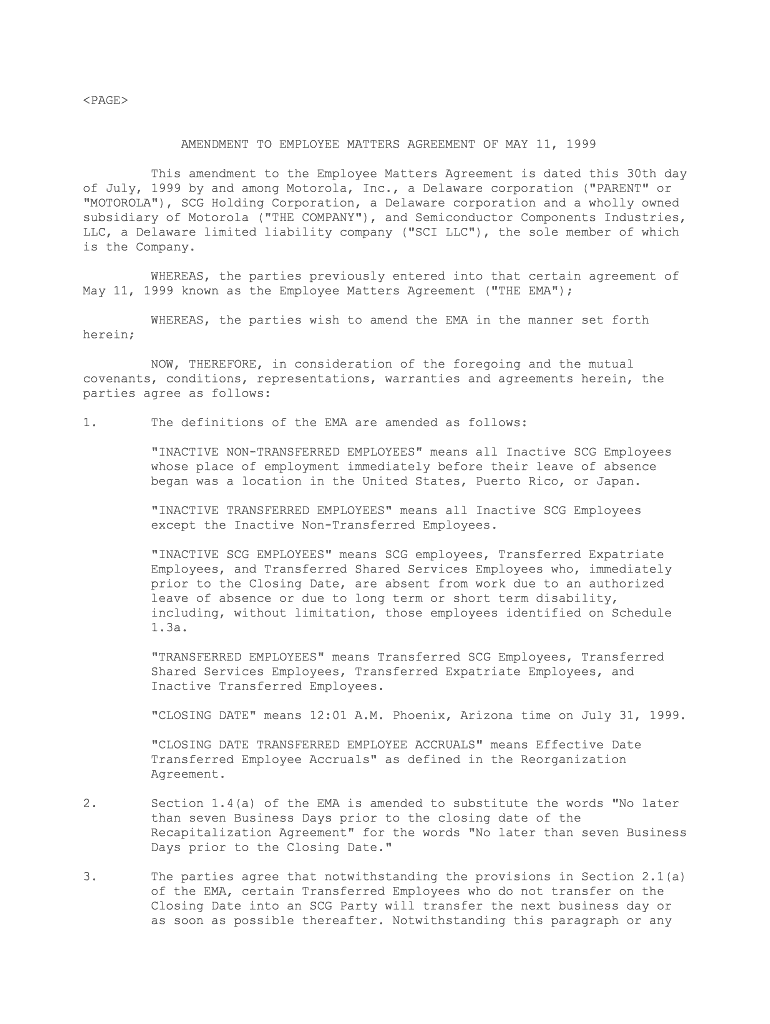
AMENDMENT TO EMPLOYEE MATTERS AGREEMENT OF MAY 11, 1999 This amendment to the Employee Matters Agreement is dated this 30th day of July, 1999 by and among Motorola, Inc., a Delaware corporation ("PARENT" or "MOTOROLA"), SCG Holding Corporation, a Delaware corporation and a wholly owned subsidiary of Motorola ("THE COMPANY"), and Semiconductor Components Industries, LLC, a Delaware limited liability company ("SCI LLC"), the sole member of which is the Company. WHEREAS, the parties previously entered into that certain agreement of May 11, 1999 known as the Employee Matters Agreement ("THE EMA"); WHEREAS, the parties wish to amend the EMA in the manner set forth herein; NOW, THEREFORE, in consideration of the foregoing and the mutual covenants, conditions, representations, warranties and agreements herein, the parties agree as follows: 1. The definitions of the EMA are amended as follows: "INACTIVE NON-TRANSFERRED EMPLOYEES" means all Inactive SCG Employees whose place of employment immediately before their leave of absence began was a location in the United States, Puerto Rico, or Japan. "INACTIVE TRANSFERRED EMPLOYEES" means all Inactive SCG Employees except the Inactive Non-Transferred Employees. "INACTIVE SCG EMPLOYEES" means SCG employees, Transferred Expatriate Employees, and Transferred Shared Services Employees who, immediately prior to the Closing Date, are absent from work due to an authorized leave of absence or due to long term or short term disability, including, without limitation, those employees identified on Schedule 1.3a. "TRANSFERRED EMPLOYEES" means Transferred SCG Employees, Transferred Shared Services Employees, Transferred Expatriate Employees, and Inactive Transferred Employees. "CLOSING DATE" means 12:01 A.M. Phoenix, Arizona time on July 31, 1999. "CLOSING DATE TRANSFERRED EMPLOYEE ACCRUALS" means Effective Date Transferred Employee Accruals" as defined in the Reorganization Agreement. 2. Section 1.4(a) of the EMA is amended to substitute the words "No later than seven Business Days prior to the closing date of the Recapitalization Agreement" for the words "No later than seven Business Days prior to the Closing Date." 3. The parties agree that notwithstanding the provisions in Section 2.1(a) of the EMA, certain Transferred Employees who do not transfer on the Closing Date into an SCG Party will transfer the next business day or as soon as possible thereafter. Notwithstanding this paragraph or any provision in the EMA, the parties agree that the 2 transfer of Transferred Employees in China will be carried out pursuant to the terms of the side letter between the parties on this subject to be executed no later than August 31, 1999. 4. Section 2.6 of the EMA is amended to substitute the term "Inactive Non-Transferred Employees" for each and every reference to "Inactive SCG Employees." 5. Notwithstanding anything to the contrary in the EMA, Motorola hereby agrees to indemnify SCI LLC and the SCG Parties (collectively, "SCI") and hold SCI harmless from and against, and promptly pay or reimburse SCI for, any and all liabilities, obligations, costs or expenses in respect of the Inactive Transferred Employees incurred by SCI or any Employee Benefit Plan established, maintained or contributed to by SCI that relate to or arise in connection with or as a result of (w) the transfer of the employment of any such Inactive Transferred Employee to SCI on or after the Closing Date, (x) any compensation or benefits paid, payable or required to be provided to any such Inactive Transferred Employee in respect of the period commencing at the Closing Date and ending upon the expiration of such employee's authorized leave or termination of disability, as applicable, including, without limitation, all wages, salaries, compulsory or statutory contributions, income or other employment taxes, benefit plan contributions, premiums, and similar amounts, (y) any severance or other termination compensation or benefits paid, payable or required to be provided to any such Inactive Transferred Employee who does not return to active employment with the applicable SCG Party on the expiration of such employee's authorized leave or termination of disability unless such severance or other termination compensation or benefits are the responsibility of SCI LLC or the applicable SCG Party under Paragraph 6.3(b) of the EMA, and (z) the event or events resulting in such Inactive Transferred Employee's leave of absence or disability. Within ten (10) days following the closing date of the Recapitalization Agreement, Motorola shall deliver to SCI LLC a correct and complete list identifying all Inactive Transferred Employees. No indemnifiabIe amount hereunder shall be counted towards the Deductible Amount or Marginal Amount. 6. The Transferred Employees employed by SCI LLC UK will be eligible to continue to participate in the Employee Benefit Plans maintained by Motorola Ltd. for no more than four (4) calendar months after the Closing Date; provided, however, that with respect to the Retirement Plan maintained by Motorola Ltd., continued participation by the Transferred Employees employed by SCI LLC UK is subject to the approval of the trustees of the said Retirement Plan, in accord with all applicable laws, rules, practices and the terms of the said Retirement Plan. SCI LLC will cause SCI LLC UK to reimburse Motorola, Ltd. for the actual cost to Motorola or Motorola, Ltd. of providing such continued benefits to the Transferred Employees, including a proportionate share of administrative fees, which payment shall be made no later than the twenty-fifth (25th) day of the month preceding the month for which coverage shall continue; provided, however, that payment with respect to coverage for the month of August shall be due no later than August 15, 1999 and provided further that Motorola, Ltd. has provided reasonable evidence to SCI LLC UK of the amount and incurrence of all such costs and fees, including those relating to the continued Retirement Plan coverage referred to below. Motorola, Ltd. shall inform SCI LLC UK of the amount to be reimbursed 3 pursuant to this Agreement no later than the twentieth (20th) day of the month preceding the month for which coverage shall continue; provided, however, that Motorola, Ltd. shall inform SCI LLC UK of the amount to be reimbursed pursuant to this Agreement for the month of August 1999 no later than August 5, 1999. The parties agree that if the trustees approve continued participation of the Transferred Employees employed by SCI LLC UK in the Retirement Plan maintained by Motorola Ltd., the parties will enter into an interim participation agreement to be executed no later than August 31, 1999. Notwithstanding the foregoing, if the trustees approve continued participation of the Transferred Employees employed by SCI LLC UK in the Retirement Plan maintained by Motorola Ltd., Motorola Ltd. shall inform SCI LLC UK of the amount to be reimbursed pursuant to this Agreement for the actual costs of providing continued Retirement Plan benefits, including a proportionate share of the administrative fees, for the month of August 1999 no later than ten (10) Business Days after the trustee approval and SCI LLC UK shall pay that amount to Motorola Ltd. within ten (10) days of such notice. 7. Notwithstanding anything to the contrary in the EMA, with respect to the transfer of assets and liabilities from the trust for the Motorola Japan, Limited Tax Qualified Pension Plan (Retirement Pension Rule) (the "MJL Plan") to the trust for the substantially identical defined benefit Foreign Retirement Plan (the "SCG Japan Foreign Retirement Plan") established by SCG Japan (as defined in Section 6.3(b) of the EMA), and if necessary, from MJL (as defined in Section 6.3(b) of the EMA) to SCG Japan, the aggregate amount to be transferred from the trust for the MJL Plan and from MJL to the SCG Japan Foreign Retirement Plan and to SCG Japan shall be equal to the greater of (i) the Applicable DB Transfer Amount (as defined in Section 4.2(a) and Schedule B of the EMA) and (ii) the amount legally allowed to be transferred under the Corporate Income Tax Law of Japan with respect to qualified pension plans (the "Transfer Amount") to the SCG Japan Foreign Retirement Plan, and if applicable, SCG Japan in respect of the pension liabilities to be assumed by the SCG Japan Foreign Retirement Plan and SCG Japan pursuant to the EMA, in accordance with the applicable Foreign Retirement Plan Transfer Agreement. If such Transfer Amount is greater than the Applicable DB Transfer Amount, then SCI LLC shall pay to Motorola (and not to MJL), no later than thirty-five (35) days after the Closing Date, the difference between the Transfer Amount and the Applicable DB Transfer Amount. Notwithstanding anything to the contrary in Section 4.2(a) of the EMA, the portion of the Applicable DB Transfer Amount payable from the trust of the MJL Plan to the trust of the SCG Japan Foreign Retirement Plan shall be paid no later than sixty (60) days after the Closing Date. 8. Notwithstanding Section 4.2(b) of the EMA or the Foreign Retirement Plan Transfer Agreement for the Retirement Benefit Fund maintained by the Existing Motorola Entity in Malaysia ("MSSB"), the Applicable DC Transfer Amount shall not include the individual account balances accrued as of the Closing Date for the Transferred Employees in Motorola Semiconductor Sdn. Blid. who are "RF Employees" within the meaning of the Motorola Assembly Services Agreement. If (i) an RF Employee's employment with the SCI LLC Party in Malaysia ("SCI Malaysia") terminates prior to or upon the termination of the RF assembly services under the Motorola Assembly Services Agreement and (ii) such RF Employee is not reemployed by Motorola promptly after the earlier of (a) the date the RF Employee's service with SCI Malaysia terminates and (b) 4 the date the assembly services under the Motorola Assembly Services Agreement is terminated, then Motorola shall pay to SCI Malaysia, within thirty (30) days of receiving the notice referred to in the next sentence, an amount in cash equal to the Applicable DC Transfer Amount relating to the accrued benefits of such RF Employee as of the Closing Date. SCI Malaysia shall provide prompt notice to Motorola of the Applicable DC Transfer Amount of such RF Employee. If an RF Employee's employment with SCI Malaysia does not terminate upon the termination of the RF assembly services under the Motorola Assembly Services Agreement, and within six (6) months of the date the RF assembly services terminate SCI Malaysia provides Motorola with a one-time written list of employees who shall remain in its employ, Motorola shall transfer to SCI Malaysia, within thirty (30) days of receiving the list, an amount in cash equal to the Applicable DC Transfer Amount relating to the accrued benefits of such RF Employees as of the Closing Date using such RF Employee's service and compensation earned as of the Closing Date. 9. Coverage under Employee Benefit Plans maintained by SCG Parties for Transferred Employees in China, Hong Kong, Japan, Korea, Singapore, Taiwan, Thailand and the United States shall be effective August 1, 1999 at 12:01 a.m. (local time). 10. For any Transferred Employee who is age fifty (50) or older on the Closing Date and who terminates employment at age 60 or older from the SCG Party in France, Motorola or the Existing SCG Entity in France shall promptly reimburse the SCG Party in France for the portion of the cost of the Retirement Indemnity payable to such Transferred Employee under the applicable industry agreement in effect on the Closing Date relating to the Transferred Employee's service with the Existing SCG Entity in France completed prior to the Closing Date. The above does not require payment of any termination indemnity in France other than the retirement indemnity specified here. 11. Notwithstanding the provisions in Section 4.2(b) of the EMA, the parties agree that, with respect to Brazil, the transfer of any assets and liabilities from a Retirement Plan maintained by Motorola Brazil to a Retirement Plan maintained by the Brazil Sub shall occur no later than the date permissible under local law, the Retirement Plan maintained by Motorola Brazil and the Foreign Retirement Plan Transfer Agreement. Motorola Brazil and the Brazil Sub shall use commercially reasonable efforts to enter into a Foreign Retirement Plan Transfer Agreement by August 31, 1999. 12. Section 4.2(b) of the EMA is amended so as not to require the transfer of retirement plan assets from the Foreign DC Retirement Plan of the Existing SCG Entity in Puerto Rico to an SCG Foreign DC Retirement Plan maintained by an SCG Party in Puerto Rico. This provision shall not relieve SCI LLC or any SCG entity operating in Puerto Rico of any of their other obligations under the EMA, including their obligation under Paragraph 2.4 and their obligations under 4.2(b), to establish an SCG Foreign DC Retirement Plan for applicable Transferred Employees that contains terms that are substantially identical to the terms of the defined contribution plan of the corresponding Existing SCG Entity. SCI LLC or any SCG Party operating in Puerto Rico shall reimburse the Transferred Employees in Puerto Rico for any 1999 or Year 2000 tax consequences of such amendment to such Transferred Employees derived from the Transferred Employees' decisions as to the disposition of their respective retirement assets, as of the Closing Date, 5 in the Foreign DC Retirement Plan of the Existing SCG Entity. Motorola agrees that it will take no affirmative steps to notify the Transferred Employees that they will be reimbursed for such tax consequences, if any, and Motorola agrees further that it will not distribute the Transferred Employees' account balances, except at the request of the Transferred Employees. 13. Notwithstanding the change of the definition of the Closing Date pursuant to Section 1 of this Amendment, the definition of the Closing Date shall be the closing date of the Recapitalization Agreement for purposes of (a) determining the amount of assets and liabilities to be transferred from Retirement Plans maintained by the Existing SCG Entities in Hong Kong, Thailand and the United States and (b) the timeframe for transferring such assets and liabilities pursuant to the EMA, the US Retirement Plan Transfer Agreements and the Foreign Retirement Plan Transfer Agreements. With respect to Japan, the definition of Closing Date for purposes of (a) and (b), above, shall be August 1, 1999. 14. Section 6.3(a) of the EMA is amended by adding a new clause (x) at the end of the first sentence thereof reading as follows: "(x) the continued participation of the SCI LLC UK employees in the Employee Benefit Plans of Motorola, Ltd, for events that occur during the transition period described in Section 6 of this Amendment." 15. With respect to the Retirement Plan maintained by Motorola de Mexico ("Motorola Mexico Retirement Plan"), Motorola shall indemnify and reimburse SCGM, the SCG Party in Mexico, for (x) payments made by SCGM (pursuant to a final judgment issued by a competent authority or by agreement by and between Motorola and SCGM or by settlement of any claim for such payments) in accordance with Article Sixth of the Motorola Plan to the Active Participants, as defined in the Motorola Mexico Retirement Plan, who have been transferred to SCGM through an employer substitution; provided that such payment obligation has been owing before the effective date of the employer substitution (July 31, 1999), or as a consequence of the employer substitution and (y) for reasonable expenses incurred by SCGM for the defense of any claim in such regard, including without limitation reasonable attorneys fees. Notwithstanding the above, should SCGM receive a claim under Article Sixth of the Motorola Mexico Retirement Plan, it shall immediately tender the defense of such claim to Motorola or the Existing SCG Entity in Mexico and shall grant Motorola or the Existing SCG Entity in Mexico all appropriate documentation, including powers of attorney, necessary to select counsel and otherwise fully control the defense and/or settlement of said claim. SCGM shall cooperate in the defense of said claim, including but not limited to making witnesses available upon reasonable request of Motorola or the Motorola SCG Entity. Any payment obligation arising under the SCGM Plan after the effective date of the employer substitution will be the sole and exclusive responsibility of SCGM under the SCGM Plan and in its capacity as substitute employer of Motorola. SCGM shall keep Motorola currently and promptly abreast of any claim made under Article Sixth of the Motorola Mexico Retirement Plan. 16. Except as amended hereby, the EMA shall continue in full force and effect between the parties. 6 17. Notwithstanding Paragraph 8.5 of the EMA, this Agreement shall be binding upon, inure to the benefit of, and be enforceable by or against the parties hereto and their respective successors and assigns; provided, however, that neither party hereto may assign this Agreement except to a party that acquires all or substantially all of the assets of the assigning party or to or for the account of the lenders providing bank financing solely and specificially for the purpose of securing such bank financing in connection with the Recapitalization Agreement and the transactions related thereto. 7 IN WITNESS WHEREOF, each of the parties has caused this amendment to the Employee Matters Agreement to be duly executed on its behalf by its duly authorized officer as of the day and year first written above. MOTOROLA INC. By: /s/ CARL F. KOENEMANN ----------------------------------------- Title: EXECUTIVE VICE PRESIDENT AND CHIEF ------------------------------------- FINANCIAL OFFICER -------------------------------------------- SCG HOLDING CORPORATION By: /s/ THEODORE W. SCHAFFNER ----------------------------------------- Title: VICE-PRESIDENT -------------------------------------- SEMICONDUCTOR COMPONENTS INDUSTRIES, LLC By: /s/ THEODORE W. SCHAFFNER ----------------------------------------- Title: VICE-PRESIDENT -------------------------------------- 8

Valuable tips on setting up your ‘Form Of Employee Matters Agreement Secgov’ online

Frustrated with the burden of handling paperwork? Look no further than airSlate SignNow, the premier electronic signature solution for individuals and small to medium-sized businesses. Bid farewell to the monotonous routine of printing and scanning documents. With airSlate SignNow, you can seamlessly complete and authorize paperwork online. Utilize the robust features embedded in this user-friendly and budget-conscious platform and transform your document management strategy. Whether you require to authorize forms or gather electronic signatures, airSlate SignNow can manage everything effortlessly, all with just a few clicks.

Follow this detailed guide:

  1. Access your account or initiate a free trial with our service.
  2. Tap +Create to upload a file from your device, cloud storage, or our template repository.
  3. Open your ‘Form Of Employee Matters Agreement Secgov’ in the editor.
  4. Click Me (Fill Out Now) to finalize the document on your end.
  5. Add and assign fillable fields for others (if needed).
  6. Continue with the Send Invite settings to solicit eSignatures from others.
  7. Download, print your version, or convert it into a reusable template.

No need to worry if you want to collaborate with your colleagues on your Form Of Employee Matters Agreement Secgov or send it for notarization—our platform equips you with all the tools necessary to achieve those objectives. Sign up with airSlate SignNow today and take your document management to the next level!

Here is a list of the most common customer questions. If you can’t find an answer to your question, please don’t hesitate to reach out to us.

Need help? Contact Support

The best way to complete and sign your form of employee matters agreement secgov
Save time on document management with airSlate SignNow and get your form of employee matters agreement secgov eSigned quickly from anywhere with our fully compliant eSignature tool.
How to Sign a PDF Online How to Sign a PDF Online

How to complete and sign documents online

In the past, coping with paperwork required lots of time and effort. But with airSlate SignNow, document management is quick and easy. Our powerful and easy-to-use eSignature solution lets you easily fill out and eSign your form of employee matters agreement secgov online from any internet-connected device.

Follow the step-by-step guidelines to eSign your form of employee matters agreement secgov template online:

  • 1.Sign up for a free trial with airSlate SignNow or log in to your account with password credentials or SSO authentication.
  • 2.Click Upload or Create and add a form for eSigning from your device, the cloud, or our form catalogue.
  • 3.Click on the file name to open it in the editor and utilize the left-side menu to complete all the empty fields appropriately.
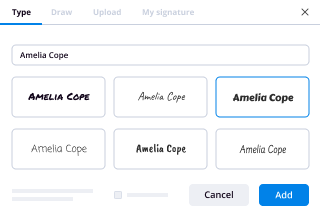
  • 4.Place the My Signature field where you need to approve your form. Provide your name, draw, or upload an image of your handwritten signature.
  • 5.Click Save and Close to finish modifying your completed form.

After your form of employee matters agreement secgov template is ready, download it to your device, save it to the cloud, or invite other parties to eSign it. With airSlate SignNow, the eSigning process only takes several clicks. Use our robust eSignature tool wherever you are to handle your paperwork productively!
How to Sign a PDF Using Google Chrome How to Sign a PDF Using Google Chrome

How to complete and sign paperwork in Google Chrome

Completing and signing paperwork is simple with the airSlate SignNow extension for Google Chrome. Installing it to your browser is a quick and productive way to deal with your forms online. Sign your form of employee matters agreement secgov sample with a legally-binding electronic signature in a few clicks without switching between applications and tabs.

Follow the step-by-step guidelines to eSign your form of employee matters agreement secgov form in Google Chrome:

  • 1.Navigate to the Chrome Web Store, find the airSlate SignNow extension for Chrome, and add it to your browser.
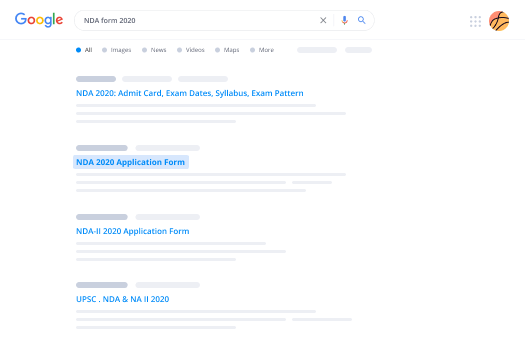
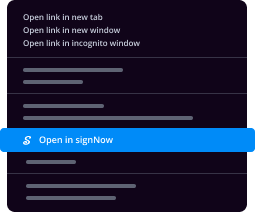
  • 2.Right-click on the link to a document you need to eSign and select Open in airSlate SignNow.
  • 3.Log in to your account with your credentials or Google/Facebook sign-in buttons. If you don’t have one, you can start a free trial.
  • 4.Utilize the Edit & Sign menu on the left to fill out your sample, then drag and drop the My Signature field.
  • 5.Insert a photo of your handwritten signature, draw it, or simply enter your full name to eSign.
  • 6.Verify all data is correct and click Save and Close to finish editing your paperwork.

Now, you can save your form of employee matters agreement secgov template to your device or cloud storage, email the copy to other people, or invite them to eSign your form via an email request or a protected Signing Link. The airSlate SignNow extension for Google Chrome improves your document processes with minimum time and effort. Start using airSlate SignNow today!
How to Sign a PDF in Gmail How to Sign a PDF in Gmail How to Sign a PDF in Gmail

How to fill out and sign documents in Gmail

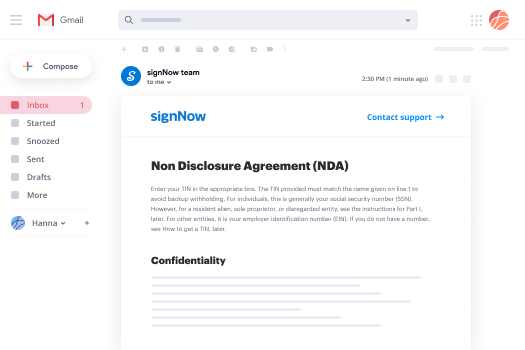
When you receive an email with the form of employee matters agreement secgov for approval, there’s no need to print and scan a document or save and re-upload it to a different tool. There’s a better solution if you use Gmail. Try the airSlate SignNow add-on to quickly eSign any paperwork right from your inbox.

Follow the step-by-step guidelines to eSign your form of employee matters agreement secgov in Gmail:

  • 1.Visit the Google Workplace Marketplace and find a airSlate SignNow add-on for Gmail.
  • 2.Set up the program with a corresponding button and grant the tool access to your Google account.
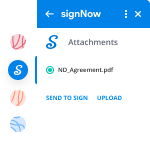
  • 3.Open an email with an attachment that needs signing and use the S sign on the right sidebar to launch the add-on.
  • 4.Log in to your airSlate SignNow account. Choose Send to Sign to forward the file to other people for approval or click Upload to open it in the editor.
  • 5.Place the My Signature option where you need to eSign: type, draw, or upload your signature.

This eSigning process saves efforts and only takes a couple of clicks. Utilize the airSlate SignNow add-on for Gmail to adjust your form of employee matters agreement secgov with fillable fields, sign forms legally, and invite other people to eSign them al without leaving your mailbox. Boost your signature workflows now!
How to Sign a PDF on a Mobile Device How to Sign a PDF on a Mobile Device How to Sign a PDF on a Mobile Device

How to fill out and sign documents in a mobile browser

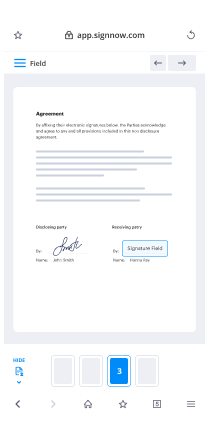
Need to rapidly submit and sign your form of employee matters agreement secgov on a mobile phone while doing your work on the go? airSlate SignNow can help without needing to set up additional software programs. Open our airSlate SignNow tool from any browser on your mobile device and create legally-binding electronic signatures on the go, 24/7.

Follow the step-by-step guide to eSign your form of employee matters agreement secgov in a browser:

  • 1.Open any browser on your device and follow the link www.signnow.com
  • 2.Sign up for an account with a free trial or log in with your password credentials or SSO authentication.
  • 3.Click Upload or Create and pick a file that needs to be completed from a cloud, your device, or our form library with ready-to go templates.
  • 4.Open the form and complete the empty fields with tools from Edit & Sign menu on the left.
  • 5.Put the My Signature field to the form, then enter your name, draw, or upload your signature.

In a few simple clicks, your form of employee matters agreement secgov is completed from wherever you are. When you're finished editing, you can save the file on your device, build a reusable template for it, email it to other individuals, or invite them electronically sign it. Make your documents on the go quick and productive with airSlate SignNow!
How to Sign a PDF on iPhone How to Sign a PDF on iPhone

How to fill out and sign documents on iOS

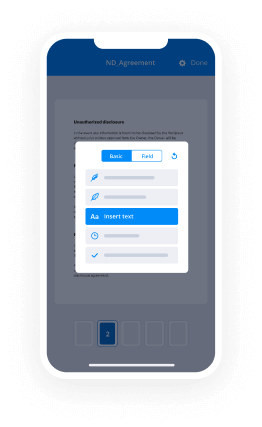
In today’s corporate environment, tasks must be completed rapidly even when you’re away from your computer. Using the airSlate SignNow app, you can organize your paperwork and approve your form of employee matters agreement secgov with a legally-binding eSignature right on your iPhone or iPad. Install it on your device to conclude agreements and manage documents from anyplace 24/7.

Follow the step-by-step guidelines to eSign your form of employee matters agreement secgov on iOS devices:

  • 1.Open the App Store, search for the airSlate SignNow app by airSlate, and install it on your device.
  • 2.Open the application, tap Create to import a form, and select Myself.
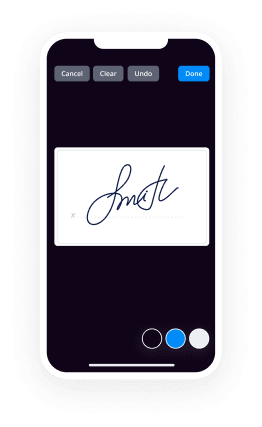
  • 3.Opt for Signature at the bottom toolbar and simply draw your signature with a finger or stylus to eSign the form.
  • 4.Tap Done -> Save after signing the sample.
  • 5.Tap Save or take advantage of the Make Template option to re-use this document in the future.

This process is so simple your form of employee matters agreement secgov is completed and signed in just a few taps. The airSlate SignNow application works in the cloud so all the forms on your mobile device are kept in your account and are available any time you need them. Use airSlate SignNow for iOS to enhance your document management and eSignature workflows!
How to Sign a PDF on Android How to Sign a PDF on Android

How to complete and sign forms on Android

With airSlate SignNow, it’s simple to sign your form of employee matters agreement secgov on the go. Install its mobile application for Android OS on your device and start boosting eSignature workflows right on your smartphone or tablet.

Follow the step-by-step guide to eSign your form of employee matters agreement secgov on Android:

  • 1.Go to Google Play, find the airSlate SignNow application from airSlate, and install it on your device.
  • 2.Sign in to your account or create it with a free trial, then upload a file with a ➕ key on the bottom of you screen.
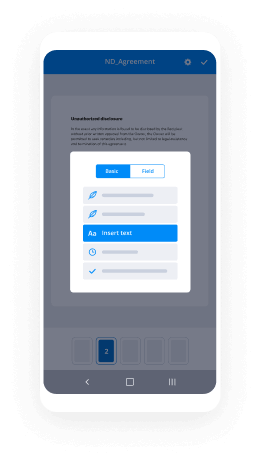
  • 3.Tap on the uploaded document and choose Open in Editor from the dropdown menu.
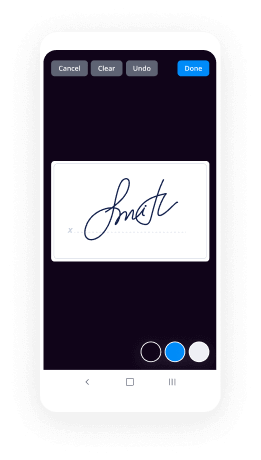
  • 4.Tap on Tools tab -> Signature, then draw or type your name to electronically sign the form. Complete blank fields with other tools on the bottom if needed.
  • 5.Utilize the ✔ button, then tap on the Save option to end up with editing.

With an intuitive interface and total compliance with major eSignature requirements, the airSlate SignNow app is the perfect tool for signing your form of employee matters agreement secgov. It even operates offline and updates all record changes once your internet connection is restored and the tool is synced. Fill out and eSign documents, send them for eSigning, and create multi-usable templates anytime and from anywhere with airSlate SignNow.

Sign up and try Form of employee matters agreement secgov
  • Close deals faster
  • Improve productivity
  • Delight customers
  • Increase revenue
  • Save time & money
  • Reduce payment cycles