Establishing secure connection…Loading editor…Preparing document…

Foster Care Forms

This template is fully customizable. Edit the text, fill out the fields, and send it for signature. Give it a try!
Foster Care Forms

What Foster Care Forms Are and why they matter

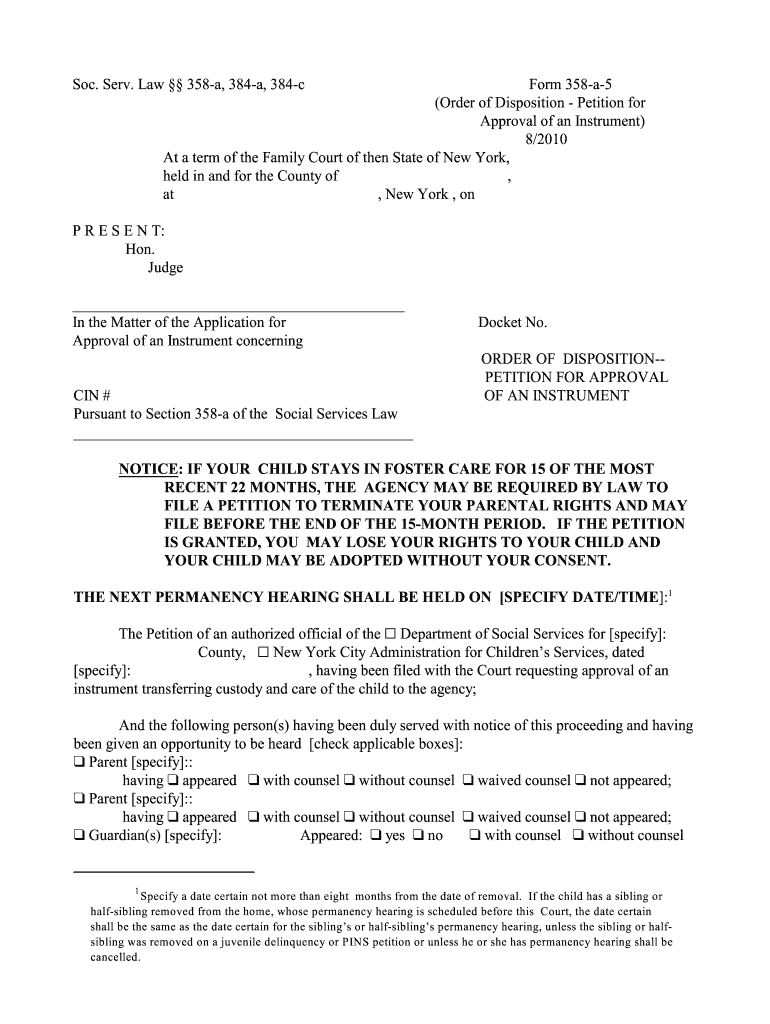
Foster Care Forms are the set of standardized documents used by child welfare agencies, licensing bodies, foster families, and caregivers to apply for, approve, monitor, and document foster placements. Typical forms include foster parent applications, home study reports, placement agreements, medical authorizations, background-check consent, and renewal or monitoring reports. These documents record legal custody arrangements, permission for medical care, and compliance with state licensing rules. Accurate forms protect child safety, support case management, and provide a verifiable record for agencies and courts involved in placement decisions.

Why accurate Foster Care Forms matter for child safety and compliance

Complete, accurate forms ensure legal compliance, document caregiver suitability, and permit timely placements. Clear records reduce rework, speed approvals, and protect children by documenting background checks, medical releases, and home-safety findings.

Why accurate Foster Care Forms matter for child safety and compliance

Who commonly completes and relies on Foster Care Forms

Typical users include a mix of individual caregivers, agency staff, and professionals who must provide or verify information before and after placement.

  • Foster parents: Complete application sections, list household members, and submit documents for background checks and home inspection.
  • Caseworkers and supervisors: Review applications, perform home studies, verify training, and approve or deny licensing.
  • Licensing & county agencies: Maintain records, run background checks, issue licenses, and schedule renewals or monitoring visits.

Step-by-step: Completing a foster care application

Follow these core steps in order to prepare a complete file for submission and review by the licensing authority.

  • 01
    Gather documents: Collect IDs, proof of residence, training certificates, and medical releases.
  • 02
    Complete application: Fill all required fields, attach supporting documents, and sign where indicated.
  • 03
    Background checks: Submit fingerprints and consent forms for all adult household members.
  • 04
    Submit to agency: Send the packet to the county or state licensing unit for review.

How to update or amend existing Foster Care Forms

Use this grid-style checklist to make common updates, correct errors, or submit renewal materials without restarting the licensing process.

01

Edit contact info:

Update phone, email, and address; include effective date.
02

Add household member:

Provide new member details and submit background-check consent.
03

Correct name mismatch:

Attach supporting ID and a brief explanation of the correction.
04

Update medical forms:

Replace expired authorizations with current signatures and dates.
05

Resubmit training:

Upload completed training certificates and course details.
06

Renew license:

Complete renewal packet before license expiration.

Configuring online workflows for Foster Care Forms

Set up an online workflow that captures signatures, enforces required fields, and routes forms to the correct agency contacts.

Field Configuration
Authentication Email or SMS code; consider stronger ID for sensitive records
Required Fields Mark SSN, DOB, consent, and signature fields as mandatory
Conditional Logic Show background-check fields only if adult household present
Integrations Connect to agency case management systems or cloud storage

Digital submission and eSignature considerations

Choose a platform that supports secure uploads, audit trails, and the file formats your agency accepts before you begin.

  • File formats: PDF and DOCX are widely accepted for official records
  • Integrations: CRM/Case systems and cloud storage simplify routing and retention
  • Authentication: Use email, SMS OTP, or higher-assurance methods for sensitive forms

Where to send or file completed Foster Care Forms

Different documents route to different recipients; use the agency's instructions to ensure timely processing.

  • State child welfare: Submit licensing packets to the state or delegated county unit
  • County licensing office: Local office receives home study and inspection reports
  • Assigned caseworker: Email signed placement agreements to the caseworker on record
  • Secure portal: Upload records to the agency's secure document portal when available

Typical timelines and processing expectations

Processing times vary by state and caseload; plan for background checks and home studies to take multiple weeks.

Application intake:

Initial intake acknowledgement often within 7–14 days

Background checks:

Typically 30–90 days depending on fingerprinting and agency backlog

Home study completion:

Home inspections and interviews usually completed within 30–90 days

Licensing decision:

Approval or denial often issued after home study and checks

Renewal schedule:

Licenses commonly require periodic renewal (state-specific timing)

Key milestones from application to placement

Track these sequential milestones to monitor progress and prepare required evidence ahead of each stage.

01

Pre-Application

Collect IDs, proof of residence, and training records before applying.

02

Application Submitted

Agency logs application and starts pre-screening steps.

03

Home Study

Home inspection, interviews, and safety checks are conducted.

04

Licensing Outcome

Agency issues license or requests corrective actions for approval.

Common mistakes to avoid when preparing Foster Care Forms

  • Incomplete fields and unsigned pages that return the packet for correction, delaying placement and review.
  • Mismatched names or dates between IDs and forms that trigger additional verification or denial.
  • Missing background-check consent or fingerprint cards that prevent clearance of household members.
  • Uploading unreadable scans or incorrect file types that agency systems cannot process.

Consequences of incorrect or incomplete Foster Care Forms

Application delay: Processing postponed until corrections are received
License denial: Incomplete evidence can result in refusal to license
Placement risk: Insufficient vetting may expose children to safety issues
Funding impact: Missing documentation can delay benefit eligibility
Legal exposure: Noncompliance with statutory rules risks agency action
Record errors: Data mistakes complicate future reviews and audits

Required personal and sensitive information fields

Child Name: Full legal name
Date of Birth: MM/DD/YYYY
SSN: 9-digit number when requested
Home Address: Street, city, state, ZIP
Background Results: Criminal-check outcomes
Medical Authorization: Signed permission for care

Core components of professional Foster Care Forms

A complete foster care file combines application materials, investigative findings, and legally effective authorizations to support safe placement and agency oversight.

Application

Captures applicant identity, household composition, employment, references, and prior foster or adoptive history for initial eligibility review.
Home Study

Detailed narrative and checklist completed by a caseworker including visits, interviews, safety items, and suitability findings.

Background Checks

Fingerprint-based criminal-history checks and child abuse registry verifications for all adult household members; documented consent required.

Medical Releases

Authorizations enabling emergency and routine medical care for placed children, including insurance and provider details where applicable.

Placement Agreement

Document that sets placement terms, responsibilities, duration, visitation, case goals, and reporting requirements between agency and caregivers.

Renewal & Monitoring

Periodic updates, training confirmations, and monitoring reports required to maintain licensing and to document ongoing suitability.

Saving, exporting, and essential supporting documents

Use standard formats and include key attachments to avoid processing delays and ensure records are accessible to reviewers and courts.

Preferred Formats

Save completed forms as PDF/A or PDF to preserve formatting and metadata; DOCX is acceptable for editable drafts if agency permits.

Photo ID

Include government-issued ID scans for all adult household members to verify identity during intake.

Proof of Residence

Utility bills or lease agreements with current address to confirm dwelling and contact information.

Training Certificates

Upload completion certificates for mandated foster-parent training to meet licensing prerequisites.

Who can sign Foster Care Forms and their authority

Foster Parent

An applicant or licensed caregiver who must sign applications, medical authorizations, and placement agreements; their signature attests to truthfulness and consent to background checks and home visits.

Caseworker

A licensed agency representative who signs home studies, placement authorizations, and monitoring reports to confirm findings, recommendations, and agency approval or oversight actions.

eSignature vendor pricing and capabilities to consider

Compare entry-level pricing, bulk send capability, audit trails, and HIPAA support when selecting an eSignature provider for foster care workflows.

signNow DocuSign Adobe Sign PandaDoc HelloSign
Starting Price $8/user/mo $15/user/mo $14/user/mo $19/user/mo $15/user/mo
Free Trial 7-day free trial Varies by vendor Varies by vendor Varies by vendor Varies by vendor
Bulk Send Yes Yes Yes Yes No
Audit Trail Yes Yes Yes Yes Yes
HIPAA Compliant Yes Yes Yes No No

Frequently asked questions about Foster Care Forms and eSignatures

Answers to common questions about validity, notarization, signature authority, and electronic submission for Foster Care Forms.


Need help? Contact support

be ready to get more
Join over 28 million airSlate SignNow users