Establishing secure connection… Loading editor… Preparing document…
Navigation

Fill and Sign the Health Care Directive Including Living Will New Jersey Form
Fill and Sign the Health Care Directive Including Living Will New Jersey Form

How it works

Open the document and fill out all its fields.
Apply your legally-binding eSignature.
Save and invite other recipients to sign it.

Rate template

4.7
66 votes
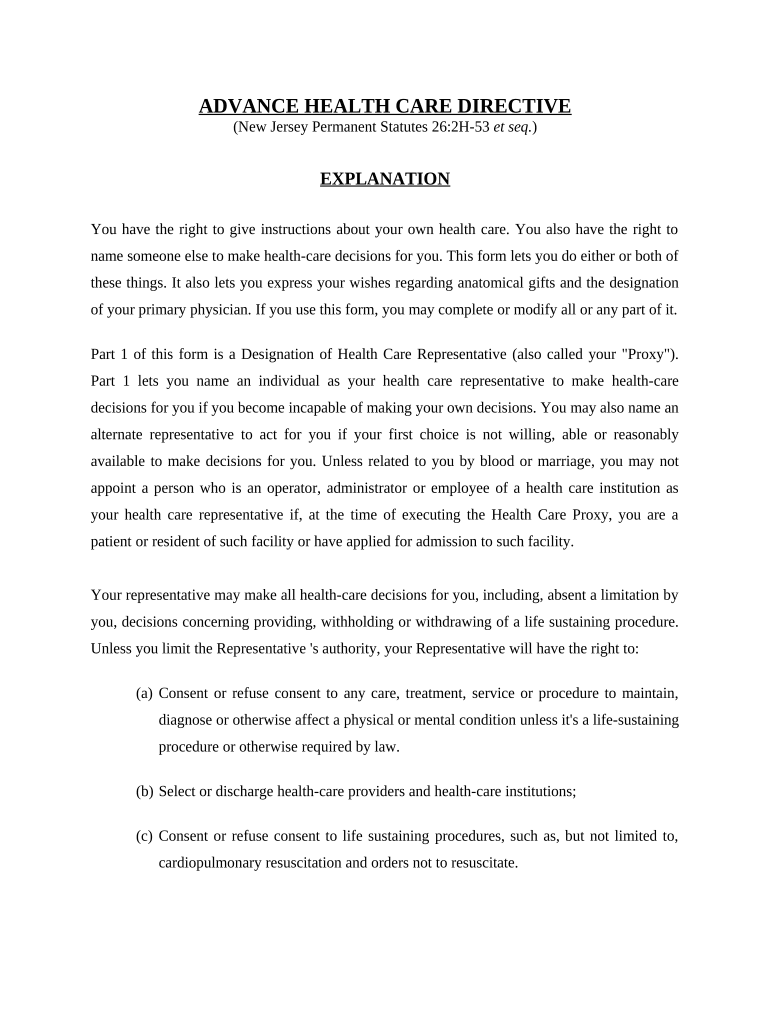
ADVANCE HEALTH CARE DIRECTIVE (New Jersey Permanent Statutes 26:2H-53 et seq. ) EXPLANATION You have the right to give instructions about your own health care. You also have the right to name someone else to make health-care decisions for you. This form lets you do either or both of these things. It also lets you express your wishes regarding anatomical gifts and the designation of your primary physician. If you use this form, you may complete or modify all or any part of it. Part 1 of this form is a Designation of Health Care Representative (also called your "Proxy"). Part 1 lets you name an individual as your health care representative to make health-care decisions for you if you become incapable of making your own decisions. You may also name an alternate representative to act for you if your first choice is not willing, able or reasonably available to make decisions for you. Unless related to you by blood or marriage, you may not appoint a person who is an operator, administrator or employee of a health care institution as your health care representative if, at the time of executing the Health Care Proxy, you are a patient or resident of such facility or have applied for admission to such facility. Your representative may make all health-care decisions for you, including, absent a limitation by you, decisions concerning providing, withholding or withdrawing of a life sustaining procedure. Unless you limit the Representative 's authority, your Representative will have the right to: (a) Consent or refuse consent to any care, treatment, service or procedure to maintain, diagnose or otherwise affect a physical or mental condition unless it's a life-sustaining procedure or otherwise required by law. (b) Select or discharge health-care providers and health-care institutions; (c) Consent or refuse consent to life sustaining procedures, such as, but not limited to, cardiopulmonary resuscitation and orders not to resuscitate. (d) Direct the providing, withholding or withdrawal of artificial nutrition and hydration and all other forms of health care. Part 2 of this form is your Instruction Directive and lets you give specific instructions about any aspect of your health care. Choices are provided for you to express your wishes regarding the provision, withholding or withdrawal of treatment to keep you alive, including the provision of artificial nutrition and hydration as well as the provision of pain relief. Space is also provided for you to add to the choices you have made or for you to write out any additional instructions. Part 3 of this form lets you express an intention to donate your bodily organs and tissues following your death. Part 4 of this form lets you designate a physician to have primary responsibility for your health care. After completing this form, sign and date the form either in the presence of two witnesses or in the presence of a Notary Public. You should give a copy of the signed and completed form to your physician, to any other health-care providers you may have, to any health-care institution at which you are receiving care and to any person(s) you name as your Health Care Representative. You should talk to the person(s) you have named as your Representative to make sure that your wishes are understood and that the person(s) is willing to take the responsibility of being your Health Care Representative. You may revoke all or part of this Advanced Health Care Directive at any time by notifying, orally or in writing, your health care representative or a reliable witness or your physician of your intent to revoke the document. Also, you make revoke a health care directive by executing a new health care directive. You may replace this form at any time. PART 1: DESIGNATION OF HEALTH CARE REPRESENTATIVE (1) DESIGNATION OF REPRESENTATIVE: I designate the following individual as my Representative to make health-care decisions for me: __________________________________________________________________________ (name of individual you choose as Representative) __________________________________________________________________________ (address)(city)(state)(zip code) ____________________ ____________________ (home phone) (work phone) OPTIONAL: If I revoke my Representative's authority or if my Representative is not willing, able, or reasonably available to make a health-care decision for me, I designate as my first alternate Representative: __________________________________________________________________________ (name of individual you choose as first alternate Representative) __________________________________________________________________________ (address)(city)(state)(zip code) ____________________ ____________________ (home phone) (work phone) OPTIONAL: If I revoke the authority of my Representative and first alternate Representative or if neither is willing, able, or reasonably available to make a health-care decision for me, I designate as my second alternate Representative: __________________________________________________________________________ (name of individual you choose as second alternate Representative) __________________________________________________________________________ (address)(city)(state)(zip code) ____________________ ____________________ (home phone) (work phone) (2) REPRESENTATIVE'S AUTHORITY: My Representative is authorized to make all health-care decisions for me, except as I state here: __________________________________________________________________________ __________________________________________________________________________ __________________________________________________________________________ __________________________________________________________________________ (Add additional sheets if necessary.) INSPECTION AND DISCLOSURE OF INFORMATION RELATING TO MY PHYSICAL OR MENTAL HEALTH. A. General Grant of Power and Authority. Subject to any limitations in this Directive, my agent has the power and authority to do all of the following: (1) Request, review and receive any information, verbal or written, regarding my physical or mental health including, but not limited to, medical and hospital records; (2) Execute on my behalf any releases or other documents that may be required in order to obtain this information; (3) Consent to the disclosure of this information; and (4) Consent to the donation of any of my organs for medical purposes. (If you want to limit the authority of your agent to receive and disclose information relating to your health, you must state the limitations in section 2, “Representative’s Authority”, above.) B. HIPAA Release Authority. My agent shall be treated as I would be with respect to my rights regarding the use and disclosure of my individually identifiable health information or other medical records. This release authority applies to any information governed by the Health Insurance Portability and Accountability Act of 1996 (HIPAA), 42 U.S.C. 1320d and 45 CFR 160 through 164. I authorize any physician, health care professional, dentist, health plan, hospital, clinic, laboratory, pharmacy, or other covered health care provider, any insurance company, and the Medical Information Bureau, Inc. or other health care clearinghouse that has provided treatment or services to me, or that has paid for or is seeking payment from me for such services, to give, disclose and release to my agent, without restriction, all of my individually identifiable health information and medical records regarding any past, present or future medical or mental health condition, including all information relating to the diagnosis of HIV/AIDS, sexually transmitted diseases, mental illness, and drug or alcohol abuse. The authority given my agent shall supersede any other agreement that I may have made with my health care providers to restrict access to or disclosure of my individually identifiable health information. The authority given my agent has no expiration date and shall expire only in the event that I revoke the authority in writing and deliver it to my health care provider. (3) WHEN REPRESENTATIVE'S AUTHORITY BECOMES EFFECTIVE: My Representative's authority becomes effective when my primary physician determines I lack the capacity to make my own health-care decisions. As to decisions concerning the providing, withholding and withdrawal of life-sustaining procedures my Representative's authority becomes effective when my primary physician determines I lack the capacity to make my own health-care decisions and my primary physician and another physician determine I am in a terminal condition or permanently unconscious. (4) REPRESENTATIVE'S OBLIGATION: My Representative shall make health-care decisions for me in accordance with this power of attorney for health care, any instructions I give in Part 2 of this form, and my other wishes to the extent known to my Representative. To the extent my wishes are unknown, my Representative shall make health-care decisions for me in accordance with what my Representative determines to be in my best interest. In determining my best interest, my Representative shall consider my personal values to the extent known to my Representative. (5) NOMINATION OF GUARDIAN: If a guardian of my person needs to be appointed for me by a court, (please check one): I nominate the Representative(s) whom I named in this form in the order designated to act as guardian. I nominate the following to be guardian in the order designated: ___________________________________________ I do not nominate anyone to be guardian. PART 2: INSTRUCTION DIRECTIVE If you are satisfied to allow your Representative to determine what is best for you in making end- of-life decisions, you need not fill out this part of the form. If you do fill out this part of the form, you may strike any wording you do not want. (6) END-OF-LIFE DECISIONS: I direct that my health-care providers and others involved in my care provide, withhold, or withdraw treatment in accordance with the choice I have marked below: Choice Not To Prolong Life I do not want my life to be prolonged if: (please check all that apply) (i) I have a terminal condition (an incurable condition caused by injury, disease, or illness which, to a reasonable degree of medical certainty, makes death imminent and from which, despite the application of life- sustaining procedures, there can be no recovery) and regarding artificial nutrition and hydration, I make the following specific directions: I want used I do not want used Artificial nutrition through a conduit Hydration through a conduit (ii) I become permanently unconscious ("Permanently unconscious" means a medical condition that has been diagnosed in accordance with currently accepted medical standards and with reasonable medical certainty as total and irreversible loss of consciousness and capacity for interaction with the environment. The term "permanently unconscious" includes without limitation a persistent vegetative state or irreversible coma.) and regarding artificial nutrition and hydration, I make the following specific directions: I want used I do not want used Artificial nutrition through a conduit Hydration through a conduit Choice To Prolong Life I want my life to be prolonged as long as possible within the limits of generally accepted health-care standards. RELIEF FROM PAIN: Except as I state in the following space, I direct treatment for alleviation of pain or discomfort be provided at all times, even if it hastens my death: __________________________________________________________________________ __________________________________________________________________________ __________________________________________________________________________ (7) OTHER MEDICAL INSTRUCTIONS: (If you do not agree with any of the optional choices above and wish to write your own, or if you wish to add to the instructions you have given above, you may do so here.) I direct that: __________________________________________________________________________ __________________________________________________________________________ __________________________________________________________________________ (Add additional sheets if necessary.) PART 3: ANATOMICAL GIFTS AT DEATH (OPTIONAL) (8) I am mentally competent and 18 years or more of age. I hereby make this anatomical gift to take effect upon my death. The marks in the appropriate squares and words filled into the blanks below indicate my desires. I give: my body; any needed organs or parts; the following organs or parts; __________________________________________________________________________ __________________________________________________________________________ __________________________________________________________________________ To the following person or institutions the physician in attendance at my death; the hospital in which I die; the following named physician, hospital, storage bank or other medical institution; __________________________________________________________________________ the following individual for treatment; __________________________________________________________________________ for the following purposes: any purpose authorized by law; transplantation; therapy; research; medical education. PART 4: PRIMARY PHYSICIAN (OPTIONAL) (9) I designate the following physician as my primary physician: __________________________________________________________________________ (name of physician) __________________________________________________________________________ (address)(city)(state)(zip code) __________________________________________________________________________ (phone) OPTIONAL: If the physician I have designated above is not willing, able or reasonably available to act as my primary physician, I designate the following physician as my __________________________________________________________________________ (name of alternate physician) __________________________________________________________________________ (address)(city)(state)(zip code) __________________________________________________________________________ (phone) Primary Physician shall mean a physician designated by an individual or the individual's Representative or guardian, to have primary responsibility for the individual's health care or, in the absence of a designation or if the designated physician is not reasonably available, a physician who undertakes the responsibility. (10) EFFECT OF COPY: A copy of this form has the same effect as the original. (11) SIGNATURE: Sign and date the form here: I understand the purpose and effect of this document. Date:       Sign Your Name:_____ Print Your Name: ________________________________________ __________________________________________________________________________ (address)(city)(state)(zip code) (12) SIGNATURES OF WITNESSES: Statement Of Witnesses SIGNED AND DECLARED by the above-named declarant as and for his/her Advance health Care Directive, who in his/her presence, at his/her request, and in the presence of each other, have hereunto subscribed our names as witnesses, and state and affirm: That the Principal appeared to be at least eighteen years of age, of sound mind and under no constraint or undue influence. Further, neither witness is named as a Health Care Representative in this document. First witness: ___________________________________________ (print name) (address) (city) (state) (zip code) (signature of witness) (date) Second witness: ___________________________________________ (print name) _________________________________________________________________________ (address) (city) (state) (zip code) (signature of witness) (date) State of New Jersey County of ___________________________________________ Personally appeared before me ___________________________________________ (name of person taking acknowledgment) the within Named ___________________________________________ (name of person acknowledging document) who, being known personally to me or having provided satisfactory proof as to his/her identity, acknowledged that he/she signed the above and foregoing document on the day and year and for the purposes stated therein as his/her own act and deed. Witness my signature, this the ___________ day of ____________, 20_______. Notary Public My Commission Expires:

Valuable advice on preparing your ‘Health Care Directive Including Living Will New Jersey’ online

Are you fed up with the inconvenience of handling paperwork? Look no further than airSlate SignNow, the premier electronic signature solution for individuals and organizations. Bid farewell to the laborious task of printing and scanning documents. With airSlate SignNow, you can effortlessly finalize and approve paperwork online. Leverage the extensive features integrated into this user-friendly and cost-effective platform and transform your paperwork management process. Whether you need to authorize forms or gather eSignatures, airSlate SignNow manages it all seamlessly, needing just a few clicks.

Follow this comprehensive guide:

  1. Sign in to your account or sign up for a free trial with our service.
  2. Click +Create to upload a document from your device, cloud, or our template library.
  3. Access your ‘Health Care Directive Including Living Will New Jersey’ in the editor.
  4. Click Me (Fill Out Now) to finalize the document on your end.
  5. Add and assign fillable fields for others (if required).
  6. Proceed with the Send Invite settings to solicit eSignatures from others.
  7. Save, print your version, or convert it into a multi-use template.

Don’t be concerned if you need to collaborate with your colleagues on your Health Care Directive Including Living Will New Jersey or send it for notarization—our solution provides everything you require to execute such tasks. Enroll with airSlate SignNow today and elevate your document management to a new standard!

Here is a list of the most common customer questions. If you can’t find an answer to your question, please don’t hesitate to reach out to us.

Need help? Contact Support

The best way to complete and sign your health care directive including living will new jersey form


Save time on document management with airSlate SignNow and get your health care directive including living will new jersey form eSigned quickly from anywhere with our fully compliant eSignature tool.

How to Sign a PDF Online How to Sign a PDF Online

How to fill out and sign documents online

Previously, coping with paperwork took lots of time and effort. But with airSlate SignNow, document management is quick and easy. Our robust and user-friendly eSignature solution enables you to easily fill out and eSign your health care directive including living will new jersey form online from any internet-connected device.

Follow the step-by-step guidelines to eSign your health care directive including living will new jersey form template online:

  • 1.Sign up for a free trial with airSlate SignNow or log in to your account with password credentials or SSO authorization option.
  • 2.Click Upload or Create and import a file for eSigning from your device, the cloud, or our form collection.
  • 3.Click on the file name to open it in the editor and utilize the left-side menu to fill out all the blank areas appropriately.
  • 4.Put the My Signature field where you need to eSign your form. Provide your name, draw, or upload a picture of your handwritten signature.
  • 5.Click Save and Close to accomplish editing your completed form.

Once your health care directive including living will new jersey form template is ready, download it to your device, export it to the cloud, or invite other parties to eSign it. With airSlate SignNow, the eSigning process only requires a couple of clicks. Use our robust eSignature tool wherever you are to manage your paperwork efficiently!


How to Sign a PDF Using Google Chrome How to Sign a PDF Using Google Chrome

How to fill out and sign paperwork in Google Chrome

Completing and signing paperwork is simple with the airSlate SignNow extension for Google Chrome. Adding it to your browser is a quick and efficient way to manage your paperwork online. Sign your health care directive including living will new jersey form sample with a legally-binding eSignature in just a few clicks without switching between tools and tabs.

Follow the step-by-step guidelines to eSign your health care directive including living will new jersey form template in Google Chrome:

  • 1.Go to the Chrome Web Store, search for the airSlate SignNow extension for Chrome, and add it to your browser.
  • 2.Right-click on the link to a form you need to sign and select Open in airSlate SignNow.
  • 3.Log in to your account with your password or Google/Facebook sign-in buttons. If you don’t have one, sign up for a free trial.
  • 4.Utilize the Edit & Sign menu on the left to fill out your template, then drag and drop the My Signature option.
  • 5.Upload an image of your handwritten signature, draw it, or simply enter your full name to eSign.
  • 6.Make sure all data is correct and click Save and Close to finish modifying your paperwork.

Now, you can save your health care directive including living will new jersey form sample to your device or cloud storage, send the copy to other individuals, or invite them to eSign your document via an email request or a protected Signing Link. The airSlate SignNow extension for Google Chrome enhances your document workflows with minimum time and effort. Try airSlate SignNow today!


How to Sign a PDF in Gmail How to Sign a PDF in Gmail How to Sign a PDF in Gmail

How to fill out and sign documents in Gmail

Every time you get an email with the health care directive including living will new jersey form for approval, there’s no need to print and scan a document or download and re-upload it to a different program. There’s a better solution if you use Gmail. Try the airSlate SignNow add-on to quickly eSign any paperwork right from your inbox.

Follow the step-by-step guidelines to eSign your health care directive including living will new jersey form in Gmail:

  • 1.Visit the Google Workplace Marketplace and locate a airSlate SignNow add-on for Gmail.
  • 2.Install the program with a related button and grant the tool access to your Google account.
  • 3.Open an email containing an attached file that needs signing and utilize the S sign on the right panel to launch the add-on.
  • 4.Log in to your airSlate SignNow account. Select Send to Sign to forward the file to other parties for approval or click Upload to open it in the editor.
  • 5.Drop the My Signature field where you need to eSign: type, draw, or upload your signature.

This eSigning process saves efforts and only takes a few clicks. Utilize the airSlate SignNow add-on for Gmail to adjust your health care directive including living will new jersey form with fillable fields, sign forms legally, and invite other people to eSign them al without leaving your inbox. Improve your signature workflows now!


How to Sign a PDF on a Mobile Device How to Sign a PDF on a Mobile Device How to Sign a PDF on a Mobile Device

How to complete and sign paperwork in a mobile browser

Need to quickly submit and sign your health care directive including living will new jersey form on a smartphone while working on the go? airSlate SignNow can help without needing to install extra software apps. Open our airSlate SignNow tool from any browser on your mobile device and add legally-binding electronic signatures on the go, 24/7.

Follow the step-by-step guide to eSign your health care directive including living will new jersey form in a browser:

  • 1.Open any browser on your device and follow the link www.signnow.com
  • 2.Create an account with a free trial or log in with your password credentials or SSO option.
  • 3.Click Upload or Create and pick a file that needs to be completed from a cloud, your device, or our form collection with ready-made templates.
  • 4.Open the form and complete the blank fields with tools from Edit & Sign menu on the left.
  • 5.Put the My Signature area to the sample, then type in your name, draw, or add your signature.

In a few simple clicks, your health care directive including living will new jersey form is completed from wherever you are. When you're done with editing, you can save the file on your device, create a reusable template for it, email it to other people, or invite them electronically sign it. Make your paperwork on the go fast and effective with airSlate SignNow!


How to Sign a PDF on iPhone How to Sign a PDF on iPhone

How to fill out and sign forms on iOS

In today’s business world, tasks must be done rapidly even when you’re away from your computer. Using the airSlate SignNow app, you can organize your paperwork and approve your health care directive including living will new jersey form with a legally-binding eSignature right on your iPhone or iPad. Install it on your device to conclude agreements and manage documents from anywhere 24/7.

Follow the step-by-step guide to eSign your health care directive including living will new jersey form on iOS devices:

  • 1.Open the App Store, find the airSlate SignNow app by airSlate, and set it up on your device.
  • 2.Open the application, tap Create to upload a template, and choose Myself.
  • 3.Opt for Signature at the bottom toolbar and simply draw your signature with a finger or stylus to eSign the sample.
  • 4.Tap Done -> Save right after signing the sample.
  • 5.Tap Save or take advantage of the Make Template option to re-use this paperwork later on.

This process is so easy your health care directive including living will new jersey form is completed and signed within a couple of taps. The airSlate SignNow app works in the cloud so all the forms on your mobile device are kept in your account and are available any time you need them. Use airSlate SignNow for iOS to enhance your document management and eSignature workflows!


How to Sign a PDF on Android How to Sign a PDF on Android

How to fill out and sign documents on Android

With airSlate SignNow, it’s easy to sign your health care directive including living will new jersey form on the go. Install its mobile application for Android OS on your device and start boosting eSignature workflows right on your smartphone or tablet.

Follow the step-by-step guidelines to eSign your health care directive including living will new jersey form on Android:

  • 1.Navigate to Google Play, search for the airSlate SignNow application from airSlate, and install it on your device.
  • 2.Sign in to your account or create it with a free trial, then import a file with a ➕ key on the bottom of you screen.
  • 3.Tap on the imported file and choose Open in Editor from the dropdown menu.
  • 4.Tap on Tools tab -> Signature, then draw or type your name to eSign the template. Fill out empty fields with other tools on the bottom if necessary.
  • 5.Utilize the ✔ key, then tap on the Save option to finish editing.

With a user-friendly interface and total compliance with main eSignature standards, the airSlate SignNow app is the perfect tool for signing your health care directive including living will new jersey form. It even works without internet and updates all form adjustments when your internet connection is restored and the tool is synced. Complete and eSign forms, send them for eSigning, and create multi-usable templates anytime and from anywhere with airSlate SignNow.

Sign up and try Health care directive including living will new jersey form
  • Close deals faster
  • Improve productivity
  • Delight customers
  • Increase revenue
  • Save time & money
  • Reduce payment cycles

