Establishing secure connection…Loading editor…Preparing document…

Letter Submitting Motion to Quash Subpoena

This template is fully customizable. Edit the text, fill out the fields, and send it for signature. Give it a try!
Letter Submitting Motion to Quash Subpoena

What the Letter Submitting Motion to Quash Subpoena Is

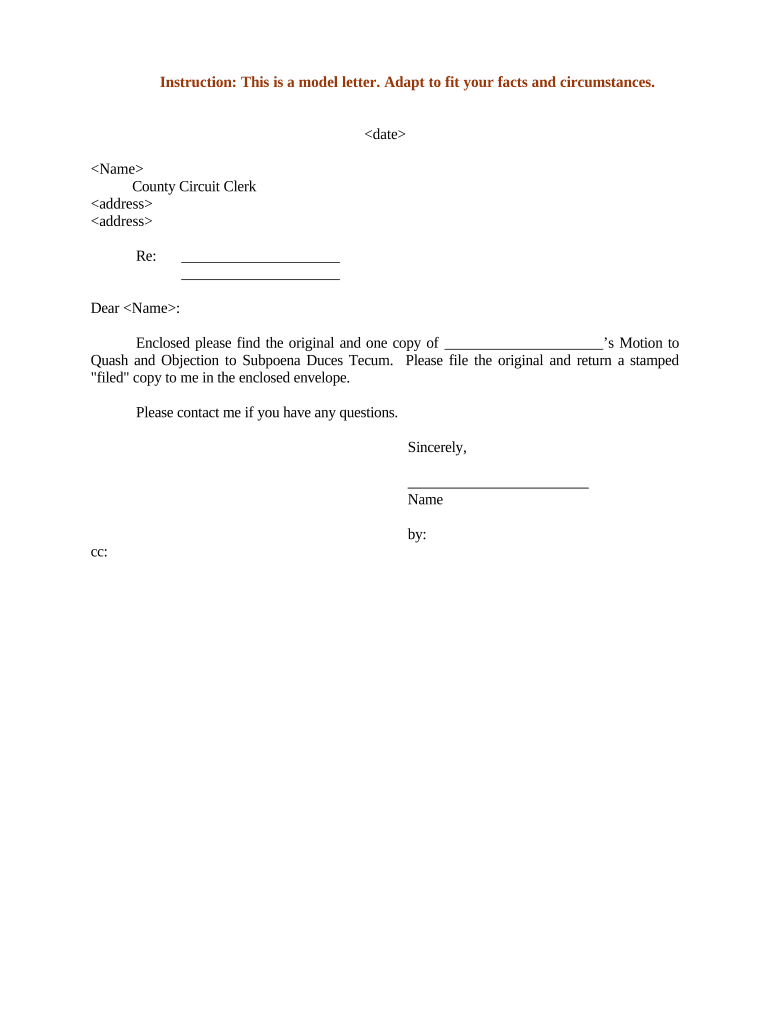
A Letter Submitting Motion to Quash Subpoena is a formal filing submitted to a court along with a motion to quash a subpoena. It identifies the case caption, explains the legal and factual grounds for quashing the subpoena, lists supporting exhibits, and certifies service on opposing parties. The letter frames the relief requested, highlights controlling authorities or privilege assertions, and points the court to where evidentiary material appears in attached exhibits and declarations.

Why a Clear Submitting Letter Matters

A concise submission helps the court understand the specific relief requested and reduces procedural friction; it highlights privilege or overbreadth issues and directs the judge to key exhibits. Proper format and clear citations support enforceability under ESIGN/UETA considerations when electronic processes are used.

Why a Clear Submitting Letter Matters

Who Typically Prepares and Uses This Letter

Law firms, in-house counsel, paralegals, and litigants use this letter to accompany a motion to quash and to make service plain to the court and opposing counsel.

  • Defense counsel preparing objections and privilege logs on behalf of a client.
  • In-house legal teams coordinating litigation holds and document production disputes.
  • Solo practitioners or pro se litigants submitting a streamlined request to limit discovery.

Who Signs and Submits the Letter

Lead Counsel

Lead counsel of record signs the letter and files it with the court. The signature certifies counsel has reviewed the motion, affirms compliance with meet-and-confer obligations if required, and confirms service on all parties.

Authorized Representative

An authorized in-house attorney, paralegal under supervision, or a pro se litigant may sign when permitted by court rules; signing binds the signatory to accuracy and certification requirements.

Essential Parts of a Professional Submission Letter

A well-structured letter keeps the court focused. Include a clear caption, concise statement of relief, legal grounds, exhibit index, certificate of service, and a dated signature block signed by the responsible counsel or party.

Court Caption

Place the full court name, docket number, and case caption at the top so the clerk and judge know precisely which matter is affected and to ensure correct docketing.
Relief Requested

State clearly that the filing is a motion to quash the subpoena and specify the exact subpoena(s) or requests to be quashed rather than broad or vague descriptions.

Legal Grounds

Summarize statutory or case-law grounds—e.g., privilege, undue burden, overbreadth—and identify controlling authority succinctly for quick judicial review.

Exhibit Index

Number and describe each attached exhibit (declarations, privilege logs, redacted examples) and reference exhibit pages within the letter.

Certificate of Service

Confirm how and when opposing counsel and other parties were served in compliance with local rules, including e-service details if applicable.

Signature Block

Provide signer name, bar number, firm or organization, mailing address, telephone, email, and handwritten or electronic signature with date.

Step-by-Step: Preparing and Filing the Letter

Follow a consistent process to reduce defects: draft, assemble exhibits, confirm service, file with the court, and retain proof of filing and service.

  • 01
    Draft Letter: Compose concise, numbered points referencing exhibits and legal authority.
  • 02
    Attach Exhibits: Include declarations, privilege logs, and redacted samples as separate exhibits.
  • 03
    File With Court: E-file or deliver per local rules and include document cover sheet if required.
  • 04
    Serve Parties: Serve opposing counsel by approved method and immediately record the certificate of service.

Where to File and How the Letter Reaches the Court

Filing and service depend on court rules. Use the court’s electronic filing system when required and follow local service rules for opposing parties.

  • Electronic Filing: Upload PDF to the court e-file system and confirm submission notice.
  • Clerk’s Office: Deliver in-person filings to the clerk where permitted and obtain stamped copies.
  • Email Service: If authorized, email opposing counsel and archive delivery receipts.
  • Mail or Courier: Use certified mail or overnight courier when e-service is not available.

Customizing an Online Workflow for This Letter

Configure fields and authentication in your e-sign or document platform to match court and service requirements before sending for signature or filing.

Field Recommended setting
Authentication Method Email link plus SMS code for signer verification
Signature Type Adopt typed name plus digital audit trail
Required Attachments Enforce PDF exhibits upload before completion
Notifications Automatic email on completion to all listed parties

Technical and Format Requirements for eSubmission

Keep an auditable trail of uploads, signings, and service receipts to satisfy court recordkeeping and potential appellate review.

  • File Formats: PDF/A preferred; support for DOCX and PDF
  • Integrations: Connectors for cloud storage and case management
  • Authentication: Email, SMS, or advanced signer verification

Typical Timing and Deadlines to Track

Court-specific rules control response and briefing deadlines. Observe local rules for service timing, opposition periods, and hearing scheduling to avoid waiver.

Service Deadline:

Serve within the period required by local rules, commonly 14 to 30 days

Opposition Period:

Opposition often due 14 or 21 days after service per local rule

Reply Period:

Reply briefs typically due 7 to 14 days after opposition

Hearing Scheduling:

Hearing set by court notice; times vary widely by docket

Record Retention:

Keep filing and service proof permanently until case closure

Common Preparation Errors to Avoid

  • Failing to identify the exact subpoena by date and request number, causing ambiguity and possible denial.
  • Neglecting to attach a privilege log or supporting declaration, leaving the motion unsupported and vulnerable to challenge.
  • Using noncompliant file formats or failing to follow e-filing procedures, which can lead to rejection by the clerk’s office.
  • Omitting a certificate of service or using an improper service method that results in set-aside filings or sanctions.

Risks and Consequences of Errors

Late Filing: May be denied or deemed untimely
Waiver Risk: Failure to timely object can waive defenses
Sanctions: Court may impose fees or other sanctions
Attorney Fees: Potential award to opposing party
Evidence Exclusion: Risk of compelled disclosure if motion denied
Contempt Risk: Refusal to comply after order may invite contempt

Security and Compliance Elements to Preserve the Record

Encryption: TLS 1.2/1.3 in transit; AES-256 at rest
Audit Trail: Timestamps, IP, and action log retention
Certifications: SOC 2 Type II and ISO 27001 controls
HIPAA Support: BAA available when PHI is involved
ESIGN/UETA: Compliant for most interstate electronic records
21 CFR Part 11: Support for regulated workflows as required

eSignature Vendor Pricing and Feature Snapshot

Basic pricing and common feature availability across major eSignature vendors to inform platform selection for document preparation and secure submission.

signNow DocuSign Adobe Sign PandaDoc HelloSign
Starting Price $8/user/mo $15/user/mo $14/user/mo $19/user/mo $15/user/mo
Free Trial 7-day free trial Varies Varies Varies Varies
Bulk Send Yes Yes Yes Yes Varies
Audit Trail Yes Yes Yes Yes Yes
HIPAA Compliant Yes Yes Yes No No

Frequently Asked Questions About Submitting a Motion to Quash

Answers to common procedural and technical questions about preparing, signing, filing, and serving a motion to quash subpoena.


Need help? Contact support

be ready to get more
Join over 28 million airSlate SignNow users