Establishing secure connection…Loading editor…Preparing document…

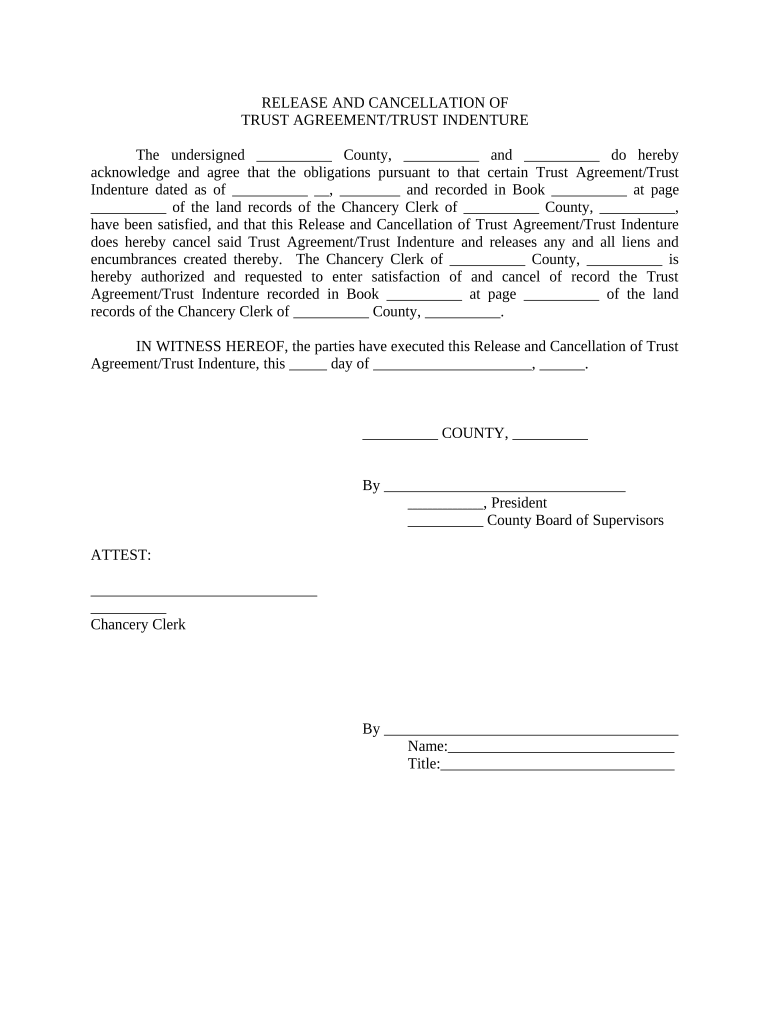
Indenture

This template is fully customizable. Edit the text, fill out the fields, and send it for signature. Give it a try!
Indenture

What an Indenture Is and When it’s Used

An indenture is a formal written agreement, contract, or deed between parties that sets terms for debt instruments, such as bonds, or establishes duties between a trustee and obligor. Typical indentures specify principal, interest, maturity, covenants, events of default, and remedies, and they often create security interests. In U.S. practice an indenture governs issuer–trustee relationships and investor protections; it can be executed electronically where permitted by ESIGN (15 U.S.C. ch. 96) and applicable state law.

Why a Clear Indenture Matters

A well-drafted indenture clarifies payment obligations, preserves investor protections, reduces litigation risk, and documents remedies and trustee duties. Clarity supports enforceability, eases regulatory reporting, and simplifies trustee administration across the life of the instrument.

Why a Clear Indenture Matters

Who Typically Prepares or Signs an Indenture

Indentures are prepared and signed by commercial parties who issue or guarantee debt and by trustees who represent note- or bond-holders.

  • Issuers and corporate finance teams responsible for issuing bonds and specifying repayment terms and covenants.
  • Trustees and trust counsel who accept fiduciary duties and administer remedies on behalf of investors.
  • Lenders, underwriters, and outside counsel who negotiate terms, perform due diligence, and ensure recordation of security interests.

Parties should confirm signatory authority and any notarization or filing steps required in the governing jurisdiction before execution.

Essential Parts of a Professional Indenture

A complete indenture organizes obligations, protections, and administrative mechanics so trustees and holders can enforce rights without ambiguity.

Parties

Clear legal names for issuer, trustee, guarantors, and any co-obligors; include entity type and jurisdiction of formation.
Principal Terms

Principal amount, interest rate, payment schedule, maturity date, and any sinking-fund provisions or amortization schedules.

Security Description

Precise collateral description, UCC lien mechanics, and attachment/perfection steps including filing locations.

Covenants

Affirmative and negative covenants, financial covenants, and reporting obligations with measurement and cure provisions.

Events of Default

Detailed default triggers, cure periods, acceleration mechanics, and step-in rights for the trustee.

Trustee Powers

Trustee duties, indemnities, removal/replacement procedures, fee structure, and dispute-resolution provisions.

Required Information to Include

Issuer Name: Legal entity name
Trustee Name: Trustee legal name
Principal Amount: Numeric principal value
Maturity Date: MM/DD/YYYY format
Interest Terms: Rate and payment timing
Collateral Details: Collateral type and UCC filing info

Step-by-Step: Prepare, Sign, and Execute an Indenture

Follow this sequential checklist to assemble, review, execute, and distribute a legally enforceable indenture with electronic signatures where allowed.

  • 01
    Drafting: Assemble terms, covenants, and collateral descriptions for review.
  • 02
    Legal Review: Have counsel confirm governing law, trustee duties, and regulatory filings.
  • 03
    Signatures: Execute by authorized officers and trustee with required witnessing or notarization.
  • 04
    Recordation: File UCC or related filings and distribute executed copies to stakeholders.

Setting Up an Online Indenture Workflow

Configure a secure signing workflow that preserves audit trails, captures signer identity, and routes final copies to all parties and filing agents.

Field Configuration
Signature Order Sequential signing by issuer then trustee by email or signing link
Authentication Email plus SMS code or KBA for higher assurance
Document Retention Enable downloadable PDF plus audit trail storage
UCC Attachment Attach exhibit with collateral details for filing

Where to Send an Executed Indenture

After execution, distribute final copies to the trustee, issuer records, counsel, and any filing authority or registrar required by the transaction.

  • Trustee: Primary custodian of the executed indenture and trustee records.
  • Issuer Records: Corporate records department holds original instrument or certified copy.
  • Filing Agent: UCC or registrar receives exhibits for perfection or public record.
  • Investor Notice: Provide authenticated copies to bondholders or their nominee agents.

Digital Signing and Integration Considerations

Use an e-signature platform that preserves an audit trail, supports required authentication, and integrates with corporate systems for distribution.

  • Authentication: Email, SMS, KBA, or advanced methods
  • Integrations: Salesforce, NetSuite, Microsoft 365, Box
  • Document Formats: PDF, DOCX, and audit-trail export

Common Timelines and Critical Dates to Track

Track execution deadlines, filing windows, and ongoing reporting obligations to maintain perfection and compliance throughout the life of the debt instrument.

Effective Date:

Execution date establishes obligations and timing for payments.

Closing Date:

Date funds transfer and title or collateral attachment occurs.

UCC Filing Window:

File promptly after execution to perfect security interests.

Reporting Dates:

Quarterly or annual covenant reporting deadlines set in the indenture.

Amendment Deadlines:

Timeframes for consent solicitations and creditor voting periods.

Key Milestones from Negotiation to Post-Closing

A milestone timeline helps coordinate counsel, trustee, underwriters, and filing agents during issuance and post-closing administration.

01

Negotiation Complete

Final terms agreed and draft indenture prepared for counsel review.

02

Execution & Closing

Authorized signatories execute and funds exchange occurs.

03

Perfection Filing

UCC or registrar filing to secure collateral takes place.

04

Ongoing Compliance

Issuer submits required reports and trustee monitors covenants.

Common Mistakes to Avoid When Preparing an Indenture

  • Using informal or inconsistent party names that complicate UCC filings and title perfection, leading to priority losses.
  • Omitting a clear collateral description or filing jurisdiction, which may render a security interest unperfected or subordinate.
  • Failing to confirm authorized signatories and corporate authority, risking invalid execution or later challenges to enforceability.
  • Neglecting to document trustee acceptance and indemnities, creating uncertainty about trustee remedies and fee recovery.

Risks and Potential Consequences of Errors

Unperfected Lien: Loss of priority
Enforceability Risk: Challenge to remedies
Regulatory Fines: Filing or reporting violations
Trustee Liability: Breach of fiduciary duty
Tax Exposure: Incorrect reporting penalties
Investor Disputes: Litigation costs

eSignature Pricing and Feature Comparison

The table compares starting prices and common feature availability for popular eSignature vendors; choose based on required compliance, volume, and integrations.

signNow DocuSign Adobe Sign PandaDoc HelloSign
Starting Price $8/user/mo $15/user/mo $14/user/mo $19/user/mo $15/user/mo
Free Trial Yes, 7-day free trial Varies Varies Varies Varies
Bulk Send Yes Varies Varies Varies Varies
Audit Trail Yes Yes Yes Yes Yes
HIPAA Compliant Yes Yes Yes No No

Frequently Asked Questions About Indentures and eSigning

Answers to common execution, enforceability, and filing questions about indentures, with references to U.S. legal frameworks and practical steps to mitigate risk.


Need help? Contact support

be ready to get more
Join over 28 million airSlate SignNow users