Establishing secure connection… Loading editor… Preparing document…
Navigation

Fill and Sign the Instruction Reasonable Form
Fill and Sign the Instruction Reasonable Form

How it works

Open the document and fill out all its fields.
Apply your legally-binding eSignature.
Save and invite other recipients to sign it.

Rate template

4.8
47 votes
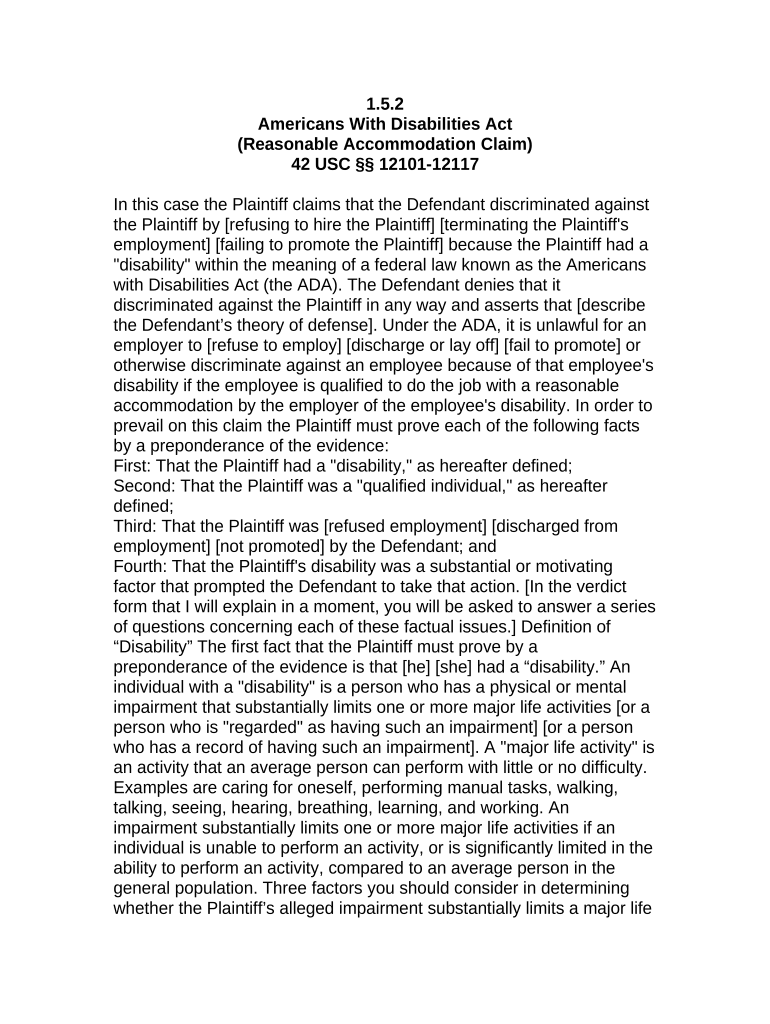
1.5.2 Americans With Disabilities Act (Reasonable Accommodation Claim) 42 USC §§ 12101-12117 In this case the Plaintiff claims that the Defendant discriminated against the Plaintiff by [refusing to hire the Plaintiff] [terminating the Plaintiff's employment] [failing to promote the Plaintiff] because the Plaintiff had a "disability" within the meaning of a federal law known as the Americans with Disabilities Act (the ADA). The Defendant denies that it discriminated against the Plaintiff in any way and asserts that [describe the Defendant’s theory of defense]. Under the ADA, it is unlawful for an employer to [refuse to employ] [discharge or lay off] [fail to promote] or otherwise discriminate against an employee because of that employee's disability if the employee is qualified to do the job with a reasonable accommodation by the employer of the employee's disability. In order to prevail on this claim the Plaintiff must prove each of the following facts by a preponderance of the evidence: First: That the Plaintiff had a "disability," as hereafter defined; Second: That the Plaintiff was a "qualified individual," as hereafter defined; Third: That the Plaintiff was [refused employment] [discharged from employment] [not promoted] by the Defendant; and Fourth: That the Plaintiff's disability was a substantial or motivating factor that prompted the Defendant to take that action. [In the verdict form that I will explain in a moment, you will be asked to answer a series of questions concerning each of these factual issues.] Definition of “Disability” The first fact that the Plaintiff must prove by a preponderance of the evidence is that [he] [she] had a “disability.” An individual with a "disability" is a person who has a physical or mental impairment that substantially limits one or more major life activities [or a person who is "regarded" as having such an impairment] [or a person who has a record of having such an impairment]. A "major life activity" is an activity that an average person can perform with little or no difficulty. Examples are caring for oneself, performing manual tasks, walking, talking, seeing, hearing, breathing, learning, and working. An impairment substantially limits one or more major life activities if an individual is unable to perform an activity, or is significantly limited in the ability to perform an activity, compared to an average person in the general population. Three factors you should consider in determining whether the Plaintiff’s alleged impairment substantially limits a major life activity are (1) its nature and severity; (2) how long it will last or is expected to last; and (3) its permanent or long term impact, or expected impact. Temporary injuries and impairments of limited duration are not considered to be disabilities under the ADA. [Plaintiff has alleged that [his] [her] impairment substantially limited Plaintiff’s ability to work. Working is a major life activity; however, an inability to perform a single, particular job does not constitute a substantial limitation in the major life activity of working. Indeed, an individual is substantially limited in the major life activity of working only if [he] [she] is significantly restricted in the ability to perform either a class of jobs or a broad range of jobs in various classes as compared to the average person having comparable training, skills, and abilities. In deciding whether the Plaintiff’s impairment substantially limited [his] [her] ability to work, you should consider the three factors already mentioned relating to the severity, duration and lasting effect of the impairment. In addition, you may also consider: (1) the geographical area to which the individual has reasonable access; (2) the number and types of jobs, if any, utilizing similar training, knowledge, skill or abilities, within that geographical area, from which the individual is also disqualified because of the impairment; and (3) the number and types of jobs, if any, not utilizing similar training, knowledge, skills or abilities, within that geographical area from which the individual is also disqualified because of the impairment. Definition of “Qualified” The second fact that the Plaintiff must prove by a preponderance of the evidence is that [he] [she] was qualified for the job in question at the time of the challenged employment decision notwithstanding [his] [her] disability. The ADA does not require an employer to hire or retain or promote an individual who cannot perform the job. In order to prove that [he] [she] was qualified, the Plaintiff must establish: (1) that the Plaintiff possessed the requisite skill, experience, education and other job-related requirements of the job in question; and (2) that the Plaintiff was capable of performing all of the essential functions of the job in question, despite any disability, with or without reasonable accommodation by Plaintiff’s employer. To the extent that the Plaintiff contends that a particular function is not essential to the job, the Plaintiff also bears the burden of proving that this function is not, in fact essential. (a) Definition of “Essential Functions” The essential functions of a position are the fundamental job duties of that position. The term “essential functions” does not include the marginal functions of the position. A job duty or function may be considered essential because, among other things, one of the reasons the job exists is to perform that function; or because there are a limited number of employees available among whom the performance of that job function can be distributed; or because the function is highly specialized and the incumbent in the position was hired for his or her expertise or ability to perform that particular function. Evidence of whether a particular function is essential includes, but is not limited to, the employer’s own judgment as to which functions are essential; the existence of written job descriptions prepared before advertising or interviewing applicants for the job; the amount of time spent on the job performing the function; the consequences of not requiring the incumbent to perform the function; the terms of a collective bargaining agreement, if applicable; the work experience of past incumbents in the job; and/or the current work experience of incumbents in similar jobs. [Further, in addition to the particular requirements of a specific job, an employer may have general requirements for an employee in any position. For example, the employer may expect employees to refrain from abusive or threatening conduct toward co-workers or the public, or may require a regular and reliable level of attendance by the employee.] (b) Definition of “Reasonable Accommodation” Even if the Plaintiff was not able to perform all of the essential functions of the job due to limitations arising from a disability, the Plaintiff may still prove that [he] [she] was “qualified” for the job if the Plaintiff has proved (1) that the Plaintiff could have performed all of the essential functions of the position with a “reasonable accommodation;” and (2) that the Plaintiff identified and requested this accommodation from the employer. A “reasonable accommodation” is a change that can reasonably be made without undue hardship to the employer in the employer’s ordinary work rules, facilities, or terms and conditions of employment. In order to prove that [he] [she] would have been qualified for the job if the Plaintiff had received a reasonable accommodation, the Plaintiff must prove each of the following facts: First: That the Plaintiff informed the Defendant of the substantial limitations arising out of the Plaintiff’s disability; Second: That the Plaintiff identified and requested an accommodation; Third: That the requested accommodation was reasonable, was available and would have allowed the Plaintiff to perform the essential functions of the job; and Fourth: That the Defendant unreasonably refused to provide that accommodation. So, the first fact that the Plaintiff must prove is that [he] [she] informed the Defendant of the substantial limitations that arose out of [his] [her] disability. An employer is not required to assume that an employee with an impairment suffers from a particular limitation, but may assume instead that the individual can perform [his] [her] job unless otherwise notified by the employee. The second fact that the Plaintiff must prove is that the Plaintiff identified and requested an accommodation; and the third fact that the Plaintiff must prove is that the requested accommodation was reasonable, was available and would have allowed the Plaintiff to perform the essential functions of the job. [The Plaintiff contends that the Defendant should have reasonably accommodated the Plaintiff by reassigning the Plaintiff to another position. Reassignment may constitute a reasonable accommodation under certain circumstances, but an employer is not required to create or re-establish a job where one would otherwise not exist. Moreover, an employer is not required to promote an employee with a disability as an accommodation; and, to show that lateral reassignment to another job would have been a reasonable accommodation, the Plaintiff must prove that the job was vacant or available and that [he] [she] was qualified for the vacant job to which [he] [she] requested reassignment.] [The Plaintiff contends that the Defendant should have reasonably accommodated the Plaintiff by requiring another employee to perform those duties of the Plaintiff’s job that [he] [she] could not perform because of the Plaintiff’s disability. Reallocation of marginal job duties can sometimes constitute a reasonable accommodation; however, an employer does not have to transfer any of the Plaintiff’s essential job duties to another employee to perform. Essential job duties are those duties that the person holding the job would have to perform in order to be considered qualified for the position. Thus, if you conclude that the Plaintiff, in effect, is arguing that another employee should have been required to perform an essential function or functions of the Plaintiff’s job, then the accommodation that the Plaintiff sought was not a reasonable accommodation. If, however, the Plaintiff only sought the reallocation of marginal job duties to another employee, and if you further find that it would have been reasonable for the employer to require another employee to perform these marginal duties without imposing an excessive burden on the employer or that employee, then you may conclude that the specified accommodation was a reasonable one.] [The Plaintiff contends that the Defendant should have reasonably accommodated the Plaintiff by modifying the Plaintiff’s work schedule. You must decide first whether the Plaintiff would have been able to perform the essential functions of the job with a modified work schedule. Essential job duties are those duties that the person holding the job would have to perform in order to be considered qualified for the position. Second, you must determine whether it would have been reasonable to require the Defendant, under all of the circumstances, to modify the Plaintiff’s work schedule; and, in that regard, I caution you that an employer’s duty to reasonably accommodate a disabled employee does not require the employer to excessively burden other employees.] [Also, while an employer may be required to modify work schedules to accommodate a disabled employee, it is not required to wait an indefinite period of time for the employee to be able to perform the essential functions of the job.] [The fact that an employer may have offered certain accommodations to the Plaintiff, in the past, as a temporary experiment or as an act of compassion toward the employee does not mean that the same accommodations must be forever extended to the Plaintiff as a matter of law, or that those accommodations are necessarily reasonable under the ADA. Otherwise, an employer would be reluctant to offer benefits or concessions to disabled employees for fear that, by once providing the benefit or concession, the employer would forever be required to provide that accommodation. Thus, the fact that an accommodation that the Plaintiff argues for has been provided by the Defendant in the past to the Plaintiff, or to another disabled employee, does not necessarily mean that the particular accommodation is a reasonable one. Instead, you must determine its reasonableness under all the evidence in the case.] [Also, you should be mindful that while the employer is required to provide reasonable accommodations that would allow the Plaintiff to perform the essential functions of the job, the employer does not have to provide the particular accommodation that the Plaintiff prefers or requests. There may be more than one reasonable accommodation, and if the Plaintiff refused to accept an accommodation that was offered by the Defendant that would have allowed the Plaintiff to perform the essential functions of the job, then the Plaintiff has failed in carrying [his] [her] burden of demonstrating that the Defendant refused to offer the Plaintiff a reasonable accommodation.] Definition of “Substantial or Motivating Factor” Finally, the Plaintiff must prove that the Plaintiff’s disability was a substantial or motivating factor that prompted the Defendant to take the challenged employment action. It is not necessary for the Plaintiff to prove that disability was the sole or exclusive reason for the Defendant's decision. It is sufficient if the Plaintiff proves that the alleged disability was a determining factor that made a difference in the employer’s decision. You should be mindful, however, that the law applicable to this case requires only that an employer not discriminate against an employee because of the employee's disability. So far as you are concerned in this case, an employer may [discharge] [refuse to hire] [fail to promote] or otherwise adversely affect an employee for any other reason, good or bad, fair or unfair, and you must not second guess that decision or permit any sympathy for the employee to lead you to substitute your own judgment for that of the Defendant even though you personally may not approve of the action taken and would have acted differently under the circumstances. If you find in favor of the Plaintiff and against the Defendant you must then consider the issue of the Plaintiff’s damages. In considering the issue of the Plaintiff's damages, you are instructed that you should assess the amount you find to be justified by a preponderance of the evidence as full, just and reasonable compensation for all of the Plaintiff's damages, no more and no less. Compensatory damages are not allowed as a punishment and must not be imposed or increased to penalize the Defendant. Damages must not be based on speculation or guesswork because it is only actual damages that are recoverable. On the other hand, compensatory damages are not restricted to actual loss of time or money; they cover both the mental and physical aspects of injury - - tangible and intangible. Thus, no evidence of the value of such intangible things as emotional pain and mental anguish has been or need be introduced. In that respect it is not value you are trying to determine, but an amount that will fairly compensate the Plaintiff for those claims of damage. There is no exact standard to be applied; any such award should be fair and just in the light of the evidence. You should consider the following elements of damage, to the extent you find them proved by a preponderance of the evidence, and no others: (a) Net lost wages and benefits to the date of trial; (b) Emotional pain and mental anguish. [(c) Punitive damages, if any (as explained in the Court’s instructions)] [You are instructed that any person who claims damages as a result of an alleged wrongful act on the part of another has a duty under the law to "mitigate" those damages - - that is, to take advantage of any reasonable opportunity that may have existed under the circumstances to reduce or minimize the loss or damage. So, if you should find from a preponderance of the evidence that the Plaintiff failed to seek out or take advantage of a business or employment opportunity that was reasonably available under all the circumstances shown by the evidence, then you should reduce the amount of the Plaintiff's damages by the amount that could have been reasonably realized if the Plaintiff had taken advantage of such opportunity.] [The Plaintiff also claims that the acts of the Defendant were done with malice or reckless indifference to the Plaintiff's federally protected rights so as to entitle the Plaintiff to an award of punitive damages in addition to compensatory damages. In some cases punitive damages may be awarded for the purpose of punishing the Defendant for its wrongful conduct and to deter others from engaging in similar wrongful conduct. However, an employer may not be held liable for punitive damages because of discriminatory acts on the part of its managerial employees where those acts by such employees are contrary to the employer’s own good faith efforts to comply with the law by implementing policies and programs designed to prevent such unlawful discrimination in the workplace. So, an award of punitive damages would be appropriate only if you find for the Plaintiff and then further find from a preponderance of the evidence (1) that a higher management official of the Defendant personally acted with malice or reckless indifference to the Plaintiff’s federally protected rights, and (2) that the employer itself had not acted in a good faith attempt to comply with the law by adopting policies and procedures designed to prohibit such discrimination in the workplace. If you find that punitive damages should be assessed against the Defendant, you may consider the financial resources of the Defendant in fixing the amount of such damages [and you may assess punitive damages against one or more of the Defendants, and not others, or against more than one Defendant in different amounts].] 1.5.2 Americans With Disabilities Act (Reasonable Accommodation Claim) 42 USC §§ 12101 - 12117 SPECIAL INTERROGATORIES TO THE JURY Do you find from a preponderance of the evidence: 1. That the Plaintiff had a “disability,” as defined in the Court’s Instructions? Answer Yes or No 2. That the Plaintiff was a “qualified individual,” as defined in the Court’s Instructions? Answer Yes or No 3. That the Plaintiff was [refused employment] [discharged from employment] [not promoted] by the Defendant? Answer Yes or No 4. That the Plaintiff’s disability was a substantial or motivating factor that prompted the Defendant to take that action? Answer Yes or No [Note: If you answered No to any of the preceding questions you need not answer the remaining questions.] 5. That the Plaintiff should be awarded damages to compensate for a net loss of wages and benefits to the date of trial? Answer Yes or No If your answer is Yes, in what amount? $ 6. That the Plaintiff should be awarded damages to compensate for emotional pain and mental anguish? Answer Yes or No If your answer is Yes, in what amount? $ 7(a). That a higher management official of the Defendant acted with malice or reckless indifference to the Plaintiff’s federally protected rights? Answer Yes or No (b) If your answer is Yes, that the Defendant itself had not acted in a good faith attempt to comply with the law by adopting policies and procedures designed to prohibit such discrimination in the workplace? Answer Yes or No (c) If your answer is Yes, what amount of punitive damages, if any, should be assessed against the Defendant? $ . SO SAY WE ALL. Foreperson DATED: ANNOTATIONS AND COMMENTS The definitions of the various terms given in this instruction were derived primarily from 29 CFR § 1630.2. See the Annotations and Comments following Federal Claims Instruction 1.5.1, supra.

Valuable tips on finalizing your ‘Instruction Reasonable’ online

Are you fed up with the inconvenience of handling paperwork? Search no further than airSlate SignNow, the premier eSignature platform for individuals and businesses. Bid farewell to the lengthy process of printing and scanning documents. With airSlate SignNow, you can conveniently finalize and sign documents online. Take advantage of the extensive features embedded in this user-friendly and cost-effective platform and transform your method of document management. Whether you need to approve forms or gather electronic signatures, airSlate SignNow manages everything effortlessly, needing just a few clicks.

Follow this detailed guide:

  1. Access your account or register for a free trial with our service.
  2. Click +Create to upload a file from your device, the cloud, or our template library.
  3. Open your ‘Instruction Reasonable’ in the editor.
  4. Click Me (Fill Out Now) to finalize the document on your end.
  5. Insert and designate fillable fields for other participants (if needed).
  6. Continue with the Send Invite settings to solicit eSignatures from others.
  7. Download, print your version, or convert it into a reusable template.

No need to worry if you need to collaborate with your coworkers on your Instruction Reasonable or send it for notarization—our platform has everything you need to achieve those tasks. Create an account with airSlate SignNow today and take your document management to the next level!

Here is a list of the most common customer questions. If you can’t find an answer to your question, please don’t hesitate to reach out to us.

Need help? Contact Support

The best way to complete and sign your instruction reasonable form

Save time on document management with airSlate SignNow and get your instruction reasonable form eSigned quickly from anywhere with our fully compliant eSignature tool.

How to Sign a PDF Online How to Sign a PDF Online

How to complete and sign forms online

Previously, coping with paperwork took pretty much time and effort. But with airSlate SignNow, document management is quick and easy. Our powerful and easy-to-use eSignature solution allows you to easily fill out and eSign your instruction reasonable form online from any internet-connected device.

Follow the step-by-step guide to eSign your instruction reasonable form template online:

  • 1.Sign up for a free trial with airSlate SignNow or log in to your account with password credentials or SSO authorization option.
  • 2.Click Upload or Create and import a file for eSigning from your device, the cloud, or our form library.
  • 3.Click on the document name to open it in the editor and utilize the left-side menu to complete all the blank fields appropriately.
  • 4.Place the My Signature field where you need to approve your form. Type your name, draw, or import a photo of your handwritten signature.
  • 5.Click Save and Close to finish modifying your completed form.

After your instruction reasonable form template is ready, download it to your device, save it to the cloud, or invite other people to electronically sign it. With airSlate SignNow, the eSigning process only requires several clicks. Use our robust eSignature solution wherever you are to handle your paperwork effectively!

How to Sign a PDF Using Google Chrome How to Sign a PDF Using Google Chrome

How to fill out and sign forms in Google Chrome

Completing and signing documents is simple with the airSlate SignNow extension for Google Chrome. Installing it to your browser is a fast and productive way to manage your forms online. Sign your instruction reasonable form template with a legally-binding eSignature in just a couple of clicks without switching between programs and tabs.

Follow the step-by-step guidelines to eSign your instruction reasonable form in Google Chrome:

  • 1.Navigate to the Chrome Web Store, search for the airSlate SignNow extension for Chrome, and add it to your browser.
  • 2.Right-click on the link to a document you need to eSign and select Open in airSlate SignNow.
  • 3.Log in to your account with your password or Google/Facebook sign-in buttons. If you don’t have one, sign up for a free trial.
  • 4.Utilize the Edit & Sign toolbar on the left to fill out your sample, then drag and drop the My Signature option.
  • 5.Add a photo of your handwritten signature, draw it, or simply type in your full name to eSign.
  • 6.Verify all data is correct and click Save and Close to finish editing your paperwork.

Now, you can save your instruction reasonable form sample to your device or cloud storage, send the copy to other individuals, or invite them to electronically sign your document with an email request or a protected Signing Link. The airSlate SignNow extension for Google Chrome enhances your document workflows with minimum time and effort. Start using airSlate SignNow today!

How to Sign a PDF in Gmail How to Sign a PDF in Gmail How to Sign a PDF in Gmail

How to fill out and sign forms in Gmail

When you receive an email with the instruction reasonable form for approval, there’s no need to print and scan a file or save and re-upload it to a different program. There’s a better solution if you use Gmail. Try the airSlate SignNow add-on to promptly eSign any paperwork right from your inbox.

Follow the step-by-step guidelines to eSign your instruction reasonable form in Gmail:

  • 1.Visit the Google Workplace Marketplace and find a airSlate SignNow add-on for Gmail.
  • 2.Install the tool with a corresponding button and grant the tool access to your Google account.
  • 3.Open an email with an attached file that needs signing and use the S key on the right panel to launch the add-on.
  • 4.Log in to your airSlate SignNow account. Choose Send to Sign to forward the document to other parties for approval or click Upload to open it in the editor.
  • 5.Put the My Signature field where you need to eSign: type, draw, or upload your signature.

This eSigning process saves time and only requires a couple of clicks. Use the airSlate SignNow add-on for Gmail to adjust your instruction reasonable form with fillable fields, sign forms legally, and invite other people to eSign them al without leaving your inbox. Enhance your signature workflows now!

How to Sign a PDF on a Mobile Device How to Sign a PDF on a Mobile Device How to Sign a PDF on a Mobile Device

How to fill out and sign documents in a mobile browser

Need to quickly fill out and sign your instruction reasonable form on a mobile phone while working on the go? airSlate SignNow can help without needing to set up additional software apps. Open our airSlate SignNow solution from any browser on your mobile device and add legally-binding eSignatures on the go, 24/7.

Follow the step-by-step guidelines to eSign your instruction reasonable form in a browser:

  • 1.Open any browser on your device and go to the www.signnow.com
  • 2.Sign up for an account with a free trial or log in with your password credentials or SSO authentication.
  • 3.Click Upload or Create and add a file that needs to be completed from a cloud, your device, or our form collection with ready-made templates.
  • 4.Open the form and fill out the blank fields with tools from Edit & Sign menu on the left.
  • 5.Put the My Signature field to the sample, then enter your name, draw, or add your signature.

In a few simple clicks, your instruction reasonable form is completed from wherever you are. As soon as you're finished editing, you can save the file on your device, generate a reusable template for it, email it to other individuals, or ask them to electronically sign it. Make your documents on the go fast and productive with airSlate SignNow!


How to Sign a PDF on iPhone How to Sign a PDF on iPhone

How to complete and sign forms on iOS

In today’s business world, tasks must be done rapidly even when you’re away from your computer. With the airSlate SignNow application, you can organize your paperwork and sign your instruction reasonable form with a legally-binding eSignature right on your iPhone or iPad. Set it up on your device to close deals and manage documents from just about anywhere 24/7.

Follow the step-by-step guide to eSign your instruction reasonable form on iOS devices:

  • 1.Open the App Store, find the airSlate SignNow app by airSlate, and set it up on your device.
  • 2.Launch the application, tap Create to upload a template, and choose Myself.
  • 3.Choose Signature at the bottom toolbar and simply draw your signature with a finger or stylus to eSign the sample.
  • 4.Tap Done -> Save after signing the sample.
  • 5.Tap Save or use the Make Template option to re-use this paperwork in the future.

This process is so easy your instruction reasonable form is completed and signed in just a couple of taps. The airSlate SignNow app works in the cloud so all the forms on your mobile device remain in your account and are available any time you need them. Use airSlate SignNow for iOS to improve your document management and eSignature workflows!


How to Sign a PDF on Android How to Sign a PDF on Android

How to fill out and sign paperwork on Android

With airSlate SignNow, it’s simple to sign your instruction reasonable form on the go. Install its mobile application for Android OS on your device and start enhancing eSignature workflows right on your smartphone or tablet.

Follow the step-by-step guide to eSign your instruction reasonable form on Android:

  • 1.Go to Google Play, find the airSlate SignNow app from airSlate, and install it on your device.
  • 2.Log in to your account or create it with a free trial, then add a file with a ➕ option on the bottom of you screen.
  • 3.Tap on the uploaded document and select Open in Editor from the dropdown menu.
  • 4.Tap on Tools tab -> Signature, then draw or type your name to electronically sign the sample. Complete blank fields with other tools on the bottom if needed.
  • 5.Utilize the ✔ button, then tap on the Save option to end up with editing.

With an intuitive interface and total compliance with primary eSignature requirements, the airSlate SignNow app is the perfect tool for signing your instruction reasonable form. It even works offline and updates all document adjustments when your internet connection is restored and the tool is synced. Complete and eSign forms, send them for eSigning, and make re-usable templates whenever you need and from anywhere with airSlate SignNow.

Sign up and try Instruction reasonable form
  • Close deals faster
  • Improve productivity
  • Delight customers
  • Increase revenue
  • Save time & money
  • Reduce payment cycles







