Establishing secure connection…Loading editor…Preparing document…

Georgia Probate Court Standard Forms Instructions

This template is fully customizable. Edit the text, fill out the fields, and send it for signature. Give it a try!
Georgia Probate Court Standard Forms Instructions

What the Georgia Probate Court Standard Forms Instructions Cover

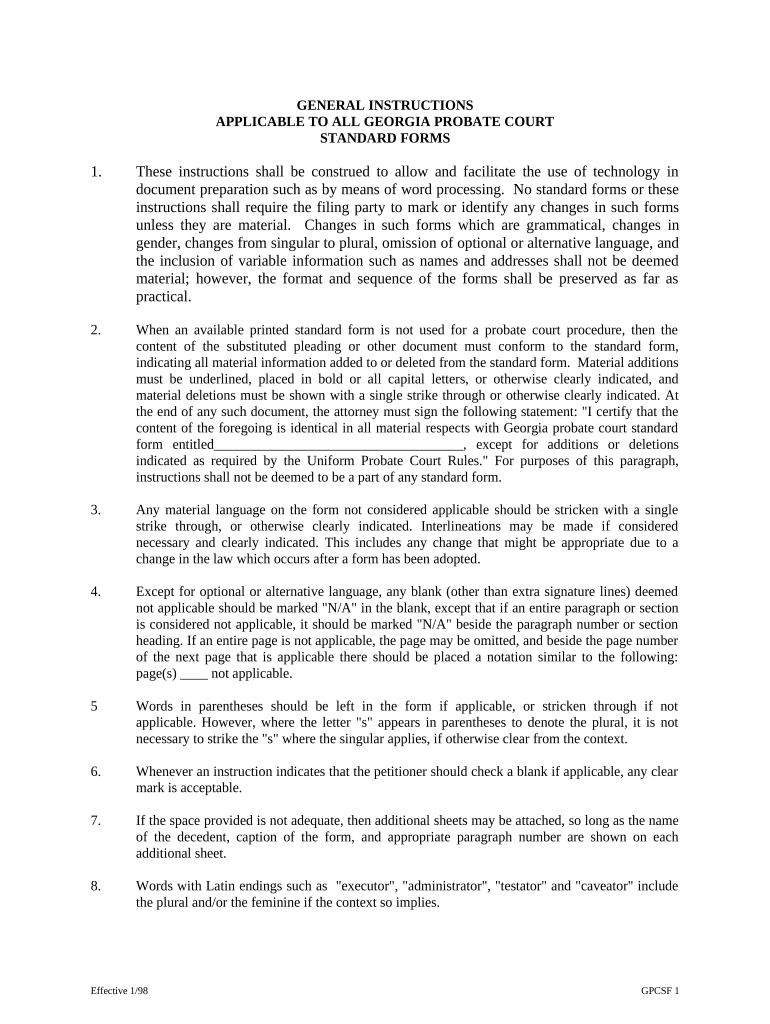
The Georgia Probate Court Standard Forms Instructions provide step-by-step guidance and standardized templates used in Georgia probate filings, including petitions for probate, letters of administration, estate inventories, and decedent notices. These instructions explain required attachments, signature and notarization norms, witness protocols, and recommended jurat and affidavit language. They are intended to help attorneys, executors, and self-represented parties prepare compliant documents for superior and probate courts across Georgia and reduce rejections for clerical or substantive deficiencies. They also summarize filing locations, fee ranges, and timelines to guide submission and retention planning.

Why Use These Standardized Instructions

Using Georgia Probate Court Standard Forms Instructions reduces errors, clarifies required attachments, and aligns filings with county clerk expectations. Standardized forms speed processing, lower the risk of rejection, and help executors and attorneys meet statutory and procedural requirements efficiently.

Why Use These Standardized Instructions

Who Typically Uses These Probate Instructions

Primary users include executors, estate attorneys, probate clerks, and self-represented petitioners who submit Georgia probate paperwork.

  • Executors and administrators prepare petitions, inventories, and creditor notices; ensure compliance with probate timelines and court rules.
  • Estate attorneys draft complex petitions, represent clients at hearings, and advise on contested claims and estate tax issues.
  • Probate clerks and staff review filings for completeness, assign case numbers, collect fees, and provide procedural guidance to filers.

Step-by-Step: Complete and File Georgia Probate Forms

Follow this sequential guide to complete Georgia probate standard forms accurately, meet notarization and witness requirements, and avoid processing delays.

  • 01
    Prepare case caption: Enter court, county, decedent name, and case number exactly as required.
  • 02
    Attach death certificate: Include certified copy of death certificate with petition to prove death.
  • 03
    Notarize signatures: All signatures needing jurat must be notarized; check for remote notarization allowance.
  • 04
    File with clerk: Submit originals and required copies to the probate clerk and pay filing fees.

Core Elements Included in the Instructions

Core elements of the instructions cover form templates, required attachments, signature and notarization guidance, filing steps, county-specific notes, and sample completed forms for reference.

Form Templates

Includes standardized petitions for probate, letters of administration, estate inventories, creditor notice templates, and optional exhibits; designed to match Georgia clerk expectations and minimize omissions that trigger rejections.
Required Attachments

Specifies attachments commonly required: certified death certificate, original will, affidavit of heirs, property inventories, creditor lists, and proof of service when statutory notice or publication is necessary.

Signature Rules

Defines signature blocks, witness attestation, notary jurat wording, and when a self-proving affidavit is appropriate; clarifies remote notarization and electronic signature acceptance per clerk policy.

Filing Steps

Step-by-step checklist for assembling original and certified copies, filing forms with the probate clerk, fee payment options, and instructions for requesting certified letters or certified copies.

County Notes

Summarizes common county variations: local fee ranges, whether e-filing is accepted, required local coversheets, and any county-specific forms or processing timelines to expect, and notes when requirements are regularly updated.

Sample Examples

Provides annotated examples of completed petitions, inventories, and affidavits that show typical entries, red flags to avoid, and clerk comments to guide accurate resubmission and best practices.

Security and Compliance Considerations

Encryption: TLS 1.2/1.3 in transit; AES-256 at rest.
Audit Trail: Timestamps, IP, signer identity logs.
HIPAA: BAA required for PHI handling.
ESIGN/UETA: Legally recognized e-signature frameworks.
Access Controls: Role-based access and SSO options.
Certification: SOC 2 Type II and ISO 27001.

Common Risks and Potential Penalties

Filing Rejection: Clerks may return incomplete petitions.
Probate Delay: Administrator appointment delayed.
Creditor Claims: Missed notice triggers liability.
Fee Forfeit: Filing fees non-refundable.
Estate Exposure: Errors can increase litigation risk.
Perjury Risk: False affidavits carry criminal penalties.

Digital Filing and eSignature Compatibility

Electronic submission options and eSignature compatibility matter; confirm clerk acceptance for e-filed probate documents and notarization methods.

  • Accepted Formats: PDF/A preferred; paper originals may be required.
  • Authentication: Email link, SMS code, or in-person ID.
  • Notary Support: In-person and RON policies vary by county.

Typical eSignature Workflow Settings for Probate Forms

This table shows typical online workflow settings for completing and routing Georgia probate forms through an eSignature platform.

Field Configuration
Signers Executor, witnesses, attorney; specify signing order.
Authentication Email or SMS OTP; KBA if required.
Notary Support for in-person and remote online notarization.
Notifications Email confirmations to all parties and clerk.

How Electronic Submission Typically Works

Overview of the submission flow from preparing forms to receiving certified letters from the probate court.

  • Prepare Document: Use templates and attach supporting certificates.
  • Place Fields: Add signature, date, and notary fields in correct locations.
  • Signer Auth: Choose authentication method required by clerk.
  • Submit & Track: File with clerk and retain audit trail.

eSignature Pricing and Feature Snapshot for Probate Filing Workflows

Comparative pricing and feature snapshot for eSignature solutions commonly used to complete and submit probate documents.

signNow DocuSign Adobe Sign PandaDoc HelloSign
Starting Price $8/user/mo $15/user/mo $14/user/mo $19/user/mo $15/user/mo
Free Trial 7-day trial Varies by plan Varies by plan Varies by plan Varies by plan
Bulk Send Yes Yes Yes Yes No
Audit Trail Yes Yes Yes Yes Yes
HIPAA Compliant Yes Yes Yes No No
Envelope Cap No cap 100 envelopes/user/year No cap noted No cap noted No cap noted

Common Questions and Troubleshooting for Georgia Probate Forms

Answers to common questions about filling, signing, notarization, filing locations, and when to consult an attorney during Georgia probate proceedings.


Need help? Contact support

be ready to get more
Join over 28 million airSlate SignNow users