Establishing secure connection…Loading editor…Preparing document…

Internet Email Policy

This template is fully customizable. Edit the text, fill out the fields, and send it for signature. Give it a try!
Internet Email Policy

What an Internet Email Policy Covers

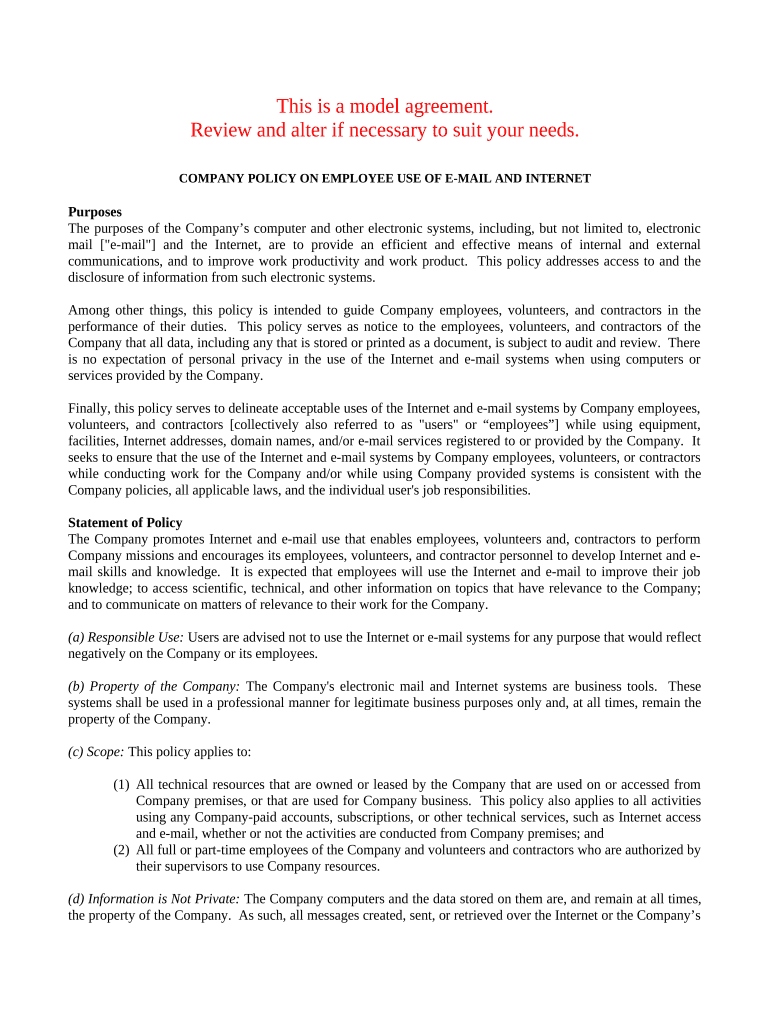
An Internet Email Policy is an organizational document that sets rules and expectations for using workplace email on internet-connected systems. It defines acceptable use, data classification, message retention, encryption and incident reporting procedures, and the responsibilities of senders, recipients, and IT administrators. The policy clarifies personal versus business use, automated monitoring, and handling of sensitive information such as protected health information or student records. It also explains disciplinary consequences for violations and integrates with broader information security, records retention, and privacy compliance programs.
Why a Clear Email Policy Matters

A clear Internet Email Policy reduces legal and operational risk by establishing consistent handling of confidential data, email retention, and monitoring practices. It supports compliance with ESIGN, HIPAA, FERPA, and state privacy laws while protecting organizational reputation and facilitating incident response.

Why a Clear Email Policy Matters

Teams and Roles Involved

Primary users include IT, legal, HR, compliance teams, and managers responsible for policy enforcement across departments and locations.

  • IT administrators who configure email systems, monitoring, and technical controls.
  • Legal and compliance staff who align policy to regulations and handle disputes.
  • Managers and employees who must follow acceptable use and reporting obligations.

Essential Sections to Include

Core sections of an Internet Email Policy define scope, permitted use, security controls, retention, monitoring, incident response, and roles to ensure consistent organizational practices.

Scope

Describe which users, systems, and accounts the policy covers, including personal devices, third-party email services, and exceptions for contractors or guest accounts, and cross-references to related policies such as acceptable use and data classification.

Acceptable Use

Specify permitted business uses, limitations on personal use, prohibited activities (spam, bulk marketing, unauthorized sharing), and rules for confidential information transmission over email, including encryption and approval workflows.

Security Controls

Outline required technical safeguards such as TLS for transport, encryption at rest, strong passwords, multi-factor authentication, and approved client software configurations, and vendor patching and incident logging practices.

Retention

Set retention schedules for inbound and outbound email, specify archival versus deletion rules, and align retention with IRS, HIPAA, and other regulatory obligations, including legal holds and litigation preservation procedures.

Monitoring

Explain acceptable monitoring practices, automated scanning for malware and DLP, conditions for human review, and employee notification about monitoring scope and retention of monitoring logs for audits.

Incident Response

Define reporting procedures for suspected breaches, steps for containment and notification, escalation paths, roles and timelines for investigating email security incidents, and regulatory reporting obligations under HIPAA and state breach laws.

Required Policy Metadata

Policy Owner: IT Security or Compliance manager
Effective Date: Use MM/DD/YYYY format and record history
Review Cycle: Annually or upon major change
Scope: Users, devices, systems, and account types
Retention Period: See records retention schedule
Contact: Security incident reporting contact info

Common Preparation Errors to Avoid

  • Vague scope failing to specify personal vs business accounts causes enforcement inconsistencies and confuses employees about prohibited activities and acceptable personal use.
  • Retention schedules left undefined or misaligned with IRS, HIPAA, or litigation hold obligations creates legal and operational exposure during audits or discovery.
  • Overly broad monitoring without notice can violate state privacy laws and undermine employee trust; always balance security with lawful disclosure.
  • Using unsupported email clients or weak encryption leaves messages vulnerable; technical controls and approved client lists should be enforced centrally.

Key Risks and Potential Consequences

Data Breach Risk: Regulatory fines and remediation costs
Unauthorized Disclosure: Loss of client trust and legal claims
Policy Violation: Discipline up to termination
Noncompliance Fines: State privacy penalties vary
Litigation Exposure: Increased discovery costs
Operational Disruption: Email outages and productivity loss

Step-by-Step: Create and Roll Out Your Policy

Follow these steps to draft, approve, publish, and enforce an Internet Email Policy across your organization.

  • 01
    Draft Policy: Collect legal, IT, HR input and define scope.
  • 02
    Review: Validate against ESIGN, HIPAA, FERPA and state laws.
  • 03
    Approve: Obtain sign-off from legal and executive leadership.
  • 04
    Publish: Distribute policy, train staff, and monitor compliance.

Configure Digital Acknowledgement and Reporting Workflows

Configure digital workflows to automate policy acknowledgements, periodic reviews, and breach reporting for compliant email management.

Field Configuration
Acknowledgement Method eSignature or checkbox with timestamp
Authentication Level Single sign-on with MFA recommended
Retention Automation Auto-archive per retention schedule and legal-hold override
Incident Routing Escalate to security and legal teams
Training Delivery Annual online module with completion tracking

How Incident Reporting and Email Requests Flow

Typical routing for email policy incidents and requests, showing who receives reports and how actions proceed through the organization.

  • Report Incident: Employee files incident through helpdesk or designated email
  • Triage: Security reviews, categorizes risk, and assigns priority
  • Investigate: Forensics, log analysis, and containment steps
  • Notify: Legal assesses notification obligations and external reporting

Platform and Integration Requirements

Email policy distribution and compliance systems need supported platforms, integrations, and security features for auditability and automation.

  • Email Platforms: Gmail, Microsoft 365, hosted servers
  • Integrations: SIEM, DLP, identity providers, SSO
  • Security Standards: TLS 1.2/1.3, AES-256 at rest

Timelines and Reporting Deadlines

Key timeline items for adoption, review cycles, incident reporting, and retention deadlines that affect compliance and litigation readiness.

Adoption Date:

Date policy becomes effective organization-wide

Annual Review:

Scheduled yearly review and approval of policy

Incident Reporting Window:

Report suspected breaches within 72 hours to security

Retention Trigger:

Retention periods start at message creation or receipt

Legal Hold Notice:

Immediately suspend deletion when litigation hold issued

Frequently Asked Questions and Practical Answers

Answers to common questions about policy scope, encryption, monitoring, retention, and how to respond to suspected email incidents.


Need help? Contact support

be ready to get more
Join over 28 million airSlate SignNow users