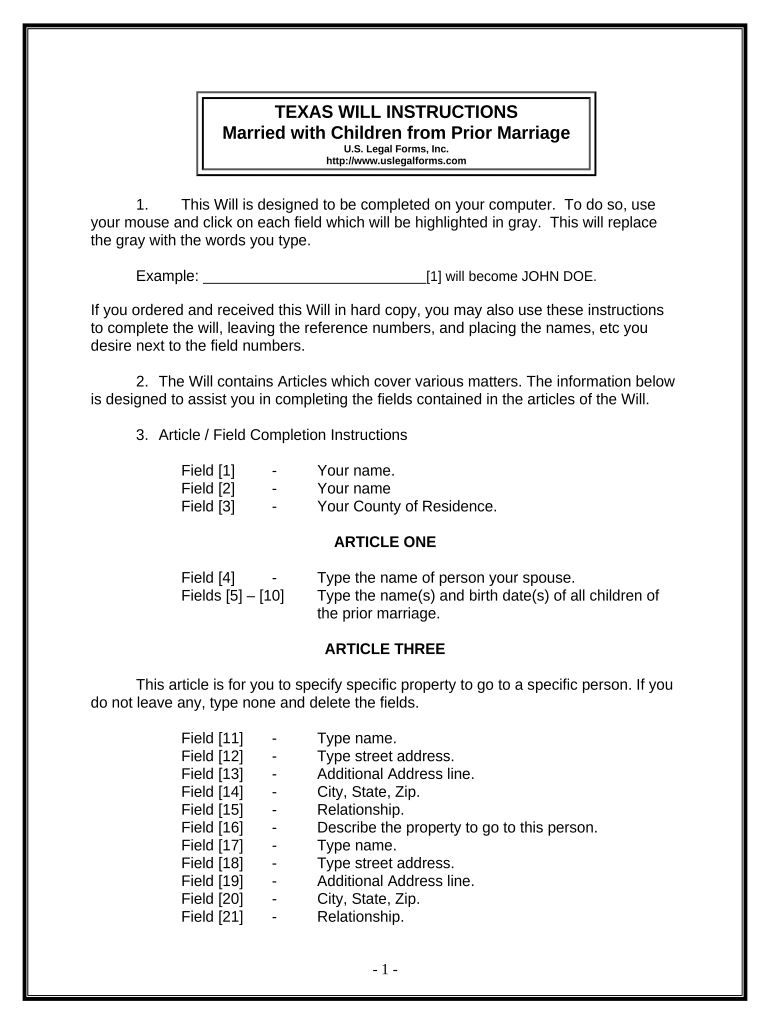
TEXAS WILL INSTRUCTIONS
Married with Children from Prior Marriage
U.S. Legal Forms, Inc.
http://www.uslegalforms.com
1. This Will is designed to be completed on your computer. To do so, use
your mouse and click on each field which will be highlighted in gray. This will replace
the gray with the words you type.
Example: _____________________________[1] will become JOHN DOE.
If you ordered and received this Will in hard copy, you may also use these instructions
to complete the will, leaving the reference numbers, and placing the names, etc you
desire next to the field numbers.
2. The Will contains Articles which cover various matters. The information below
is designed to assist you in completing the fields contained in the articles of the Will.
3. Article / Field Completion Instructions
Field [1] - Your name.
Field [2] - Your name
Field [3] - Your County of Residence.
ARTICLE ONE
Field [4] - Type the name of person your spouse.
Fields [5] – [10] Type the name(s) and birth date(s) of all children of
the prior marriage.
ARTICLE THREE
This article is for you to specify specific property to go to a specific person. If you
do not leave any, type none and delete the fields.
Field [11] - Type name.
Field [12] - Type street address.
Field [13] - Additional Address line.
Field [14] - City, State, Zip.
Field [15] - Relationship.
Field [16] - Describe the property to go to this person.
Field [17] - Type name.
Field [18] - Type street address.
Field [19] - Additional Address line.
Field [20] - City, State, Zip.
Field [21] - Relationship.
- 1 -
Field [22] - Describe the property
Field [23] - Type name.
Field [24] - Type street address.
Field [25] - Additional Address line.
Field [26] - City, State, Zip.
Field [27] - Relationship.
Field [28] - Describe the property
ARTICLE FOUR
This article is for you to leave your homestead, if you have one on the date of
death to persons designated. Check the appropriate box to indicate your selection.
Field [29] - Type name of your spouse if this option is chosen.
Field [30] - Type name(s) of child(ren) if this option is chosen.
Fields [31-32] Omitted
If the children option is chosen, check the box which indicates whether the
spouse is to have a life estate in the property.
Note: If your home is jointly owned with another and held as joint tenants with
rights of survivorship, the home will pass to the survivor and will not be controlled by
your will. If this is the case, name the joint tenant in field 29.
ARTICLE FIVE
This article is for you to leave all the rest and remainder of your property except
your homestead and any special items you listed in Article Three. Check the
appropriate box to indicate your selection.
Field [33] - Type name of children to receive all other property if
this option is chosen
Field [34-35] Omitted
Field [36] - Type the name of your spouse if this option is chosen.
ARTICLE SIX
This article is to provide an alternate distribution of the rest and remainder of your
property should your spouse predecease you and the provisions for distribution
contained in Article Five cannot be carried out. Check the appropriate box to indicate
your selection.
Field [37] - Type the name of children to receive all other property
if this provision is to be enacted.
Fields [38-39] Omitted
- 2 -
ARTICLE SEVEN
This article is for you establish a trust on behalf of minor beneficiaries until they
reach an age determined by you, at which time their share of the estate may be
distributed to them.
Field [40] Enter the age, below which you desire property be
placed in trust for minor beneficiaries.
Fields [41-44] Enter age at which children will receive property from
the trust.
ARTICLE NINE
This article provides for the appointment of a Trustee and Successor Trustee.
Field [45] Type the name of the Trustee
Field [46] Type the name of the Successor Trustee.
ARTICLE TEN
This article provides for the appointment of a guardian of any minor children.
Field [47] Type the age below which you desire a guardian to be
appointed
Field [48] Type the name of the Guardian.
ARTICLE ELEVEN
This article is for you to name your personal representative. This must be an
adult and can be the person with whom you live.
Field [49] - Type name of Personal Representative.
Field [50] - Type name of successor Personal Representative.
ARTICLE FOURTEEN
This article provides instructions relating to the interpretation of your will.
Field [51] Type the name of your spouse.
- 3 -
ARTICLE FIFTEEN
All parts of Article 15 are optional. Complete as desired. Be sure to write your
initials for any of these items you desire to apply.
Field [52] - Type name of Cemetery.
Field [53] - Type County.
Field [54] - Type State.
All other blanks in the Will are typically completed by hand, such as the names of
the witnesses, day, month and year executed, etc.
Once you have completed the Will, double-check all entries and then print. The
Will should be signed by you in front of two witnesses, not related to you, and a notary.
Please sign the Will in the places designated.
You should keep your Will in a safe place once executed. It is also
recommended that you give a copy to your executor or other person as additional proof
of execution.
- 4 -
ADDITIONAL INFORMATION ABOUT YOUR WILL FORM
This section will briefly explain some of the articles of your will and provide other
information. Articles of the Will which are basically self explanatory are not discussed
here. In addition, information which is already provided in the instructions above is not
repeated.
First Paragraph: The first paragraph of the Will, provides your name,
residence information and provides that all prior Wills, if any, are revoked since you
have now made a new Will.
Article Three: Some people have specific property that they desire to leave
to a specific person, such as a ring or antique. This Article is for you to leave such
property. You do not have to name specific property and may simply state none if no
property is to be left under this Article.
Article Eleven: This Article is for you to name a personal representative,
also called executor or executrix. The person named should be an adult and may be
your spouse or relative.
Article Twelve: If not waived, some Courts will require your Personal
Representative post a bond, and file an inventory, accounting and/or appraisal. All can
be costly and time consuming. This Article states your intention that your Personal
Representative not be required to post a bond or file an inventory or accounting.
Article Thirteen: This Article sets forth powers of your Personal
Representative and is designed to give broad powers without the requirement that Court
approval be sought for action by the Representative to the extent permitted by the laws
of your State.
Article Fourteen: This article sets forth some legal construction intentions to
clarify some of the issues which may arise. It also contains a common disaster clause
which provides that if you and your spouse die in a common disaster, your Will is to
have precedence. In cases where you and your wife are making Wills, you would only
include this paragraph in one Will, or state in both which Will is to control.
- 5 -
BASIC INFORMATION
What is a Will? A Will is a document
which provides who is to receive your
property at death, who will administer your
estate, the appointment of trustees and
guardians, if applicable, and other
provisions.
Who may make a Will? Generally, any
person 18 years or older of sound mind
may make a Will. (Some states allow
persons under 18 to make a Will)
What happens if I die without a Will? If
you die without a will you are an intestate.
In such a case, state laws govern who
receives your property. These laws are
called "intestate succession laws". If you
die without a Will, the Court decides who
will administer your estate. Generally, it is
more expensive to administer an estate of
a person who died without a Will, than a
person who dies with a Will.
General
When making a Will you need to consider
who will be named as your personal
representative or executor to administer
your estate, who you will name as guardian
and trustee of minor children if your spouse
does not survive you and who will receive
your property. You should also consider
tax issues. The person appointed as
executor or administrator is often your
spouse, but you should also name an
alternate, in case your spouse
predeceases you. The person you name
should be a person you can trust and who
will get along with the beneficiaries named
in the Will.
In the event your spouse predeceases you,
the guardian you name will have actual
custody of your minor children unless a
court appoints someone else. The trustee
you appoint to administer a trust you
established will be in charge of the assets
of the trust for the benefit of the minor
beneficiaries.
Generally, a Will must be signed in the
presence of at least two witnesses (three
for Vermont) who also sign the Will. A
notary public will also need to sign if the
Will contains a self-proving affidavit.
Generally, a self-proving affidavit allows
the Will to be admitted to probate without other evidence of execution.
Joint Property: Many people do not
understand that joint property may pass
outside your Will and also sometimes
assume that it will pass through their Will.
They do not understand the significance of
joint ownership. The issue is common in
the following areas, provided as examples:
(a) Real Estate: Often, a husband
and wife will own real estate as joint
tenants with rights of survivorship. If one
party dies, the surviving party receives the
property regardless of what the Will
provides. This is common and generally
acceptable. However, if this is not your
desire you should change the ownership of
the property to tenants in common or other
form of ownership. If you own real estate
as tenants in common, then you may
designate who will receive your share of
the property at your death. This issue can
be a problem when uninformed persons
take title to real estate as joint tenants with
rights of survivorship but really intended to
leave their share to, for example, children
of a prior marriage.
(b) Bank Accounts/Certificates of
Deposit, Stock, Retirement Plans, IRA’s
and other type Property: The same
ownership as real estate can be made of
these investments. In fact, many Banks
routinely place Bank accounts and
Certificates of Deposit in the joint tenant
with right of survivorship form of ownership
if more than one person is on the account
or CD, without advising you of the
consequence of same. In situations where
the persons are husband and wife and
there is no issue or concern over divorce or
children from previous marriages, this may
be the best course of action. However,
with divorce on the rise, premarital
agreements and multiple marriages being
common, the parties may be doing
something that was not their intent.
Another common problematic situation is
where a parent has more than one child
but only one child resides in the home town
of the parent. The parent may place the
name of the child who resides there on all
accounts, CD’s and other investments for
convenience reasons and establish a joint
tenant with right of survivorship situation
without realizing that only that child will be
- 6 -
entitled to those assets at the parent’s
death. Simply put, you should be aware
when you acquire an asset or investment
exactly how it is titled.
- 7 -
For additional information, see the Law Summary and Information and Preview links in
the search results for this form. A Definitions section is also linked on the Information
and Preview page.
DISCLAIMER/LICENSE/LIABILITY LIMITATION
All forms in this package are provided without any warranty, express or implied, as
to their legal efect and completeness. Please use at your own risk. If you have a
serious legal problem we suggest that you consult an attorney. U.S. Legal Forms,
Inc. does not provide legal advice. The products ofered by U.S. Legal Forms (USLF)
are not a substitute for the advice of an attorney.
Your Will starts on the next page.
- 8 -
LAST WILL AND TESTAMENT OF
___________________________________[1]
BE IT KNOWN THIS DAY THAT,
I, _____________________________[2] , of __________________[3] County, Texas,
being of legal age and of sound and disposing mind and memory, and not acting under duress,
menace, fraud, or undue influence of any person, do make, declare and publish this to be my
Will and hereby revoke any Will or Codicil I may have made.
ARTICLE ONE
Marriage and Children
I am married to _____________________________[4] and have the following child(ren)
from a prior marriage:
Name: _____________________________[5] Date of Birth: __________________[6]
Name: _____________________________[7] Date of Birth: __________________[8]
Name: _____________________________[9] Date of Birth: _________________[10]
ARTICLE TWO
Debts and Expenses
I direct my Personal Representative to pay all costs and expenses of my last illness and
funeral expenses. I further direct my Personal Representative to pay all of my just debts that
may be probated, registered and allowed against my estate. However, this provision shall not
extend the statute of limitations for the payment of debts, or enlarge upon my legal obligation or
any statutory duty of my Personal Representative to pay debts.
ARTICLE THREE
Specific Bequests of Real and/or Personal Property
I will, give and bequeath unto the persons named below, if he or she survives me, the
Property described below:
Name Address Relationship
[11] [12]
[13]
[14] [15]
Property: [16]
Name Address Relationship
[17] [18]
[19]
[20] [21]
Property: [22]
Signed by Testator/Testatrix: __________________________________ - 1 -
Name Address Relationship
[23] [24]
[25]
[26] [27]
Property: [28]
[LIST OR STATE NO PROPERTY LEFT UNDER THIS ARTICLE]
In the event I name a person in this Article and said person predeceases me, the
bequest to such person shall lapse and the property shall pass under the other provisions of this
Will. In the event that I do not possess or own any property listed above on the date of my
death, the bequest of that property shall lapse.
ARTICLE FOUR
Homestead or Primary Residence
I will, devise and bequeath all my interest in my homestead or primary residence, if I own
a homestead or primary residence on the date of my death that passes through this Will,
to my spouse, _____________________________[29] , if he or she survives me. If he
or she does not survive me, then my homestead or primary residence shall pass under
the residuary clause of this Will.
Signed if Selected: _______________________________
OR
I will, devise and bequeath all my interest in my homestead or primary residence, if I own
a homestead or primary residence on the date of my death that passes through this Will,
to my child(ren), _______________________________________________[30] . If I
have more than one child and name them here, they shall receive my property equally,
per stirpes. If I select this option the interest to my child(ren) shall be or shall not
be subject to a life estate in my spouse so long as my spouse occupied said property as
his or her primary residence for at least 8 months of every year.
Signed if Selected: _______________________________
ARTICLE FIVE
All Remaining Property – Residuary Clause
I will, devise, bequeath and give all the rest and remainder of my property and estate of
every kind and character, including, but not limited to, real and personal property in which I may
have an interest at the date of my death and which is not otherwise effectively disposed of, to I
will, devise, bequeath and give all the rest and remainder of my property and estate of every
kind and character, including, but not limited to, real and personal property in which I may have
an interest at the date of my death and which is not otherwise effectively disposed of, to
My child(ren), ________________________________________________[33] . If I have
more than one child and name them here, they shall receive such property equally, per
stirpes. [Name children to receive residuary estate. Per stirpes means the descendents
of the persons you name will receive the property left to that person if they predecease
you] Signed if Selected: _______________________________
Signed by Testator/Testatrix: __________________________________ - 2 -
OR
My spouse named _____________________________[36] .
Signed if Selected : _________________________
ARTICLE SIX
Contingent - All Remaining Property – Residuary Clause
Not applicable because I named my child(ren) in article Five.
Signed if Selected: _______________________________
OR
In the event that my spouse shall predecease me, I will, devise, bequeath and give all
the rest and remainder of my property and estate of every kind and character, including,
but not limited to, real and personal property in which I may have an interest at the date
of my death and which is not otherwise effectively disposed of, to my children
_____________________________[37] . If I have more than one child and name them
here, they shall receive my property equally, per stirpes.
Signed if Selected : _______________________________
ARTICLE SEVEN
Property To Vest In Trustee for Child Beneficiary
In the event that my spouse predeceases me as provided in Article Six, and any of my
children are under the age of __________________[40] years of age, then I direct that my
Personal Representative shall transfer, assign and deliver over to my Trustee, named below,
such beneficiary’s share of my estate and the objects of property described herein. I direct my
Trustee to hold said Beneficiaries share of my estate on the following terms and conditions:
A.
The Trustee shall hold and administer the assets of the Trust for the use and benefit of
the Beneficiaries for the purpose of providing for their health, education and general welfare in
accordance with their accustomed standard of living as much as is possible, considering the
value of the Trust property and their other sources of income.
B.
The Trustee, may in his or her discretion, distribute to or for the benefit of the named
Beneficiaries, such portions of the income and principal of the Trust as he or she in his or her
sole discretion shall determine to be necessary to accomplish the purposes of this Trust. The
Trustee may make such distributions as often or as seldom as he or she may determine in his
or her sole discretion without the necessity of any court authority or approval, this being a
private trust.
C.
As each Beneficiary herein reaches the age of ______[41] years, the Trustee shall
Signed by Testator/Testatrix: __________________________________ - 3 -
distribute to said beneficiary his or her share of the trust principal and income as of the
distribution date. When the youngest Beneficiary reaches the age of ______[42] years, the
Trustee shall distribute all of the remaining Trust property including principal and accumulated
income to the Beneficiary and this Trust shall terminate. In making said distributions, the
Trustee may make distributions in kind and shall have the sole discretion as to valuation of the
Trust property in determining and apportioning distributions among the Beneficiaries.
D.
In the event of the death of any of the above named Beneficiary prior to the final date of
distribution, and said deceased Beneficiary shall leave living issue, the Trustee shall hold only
that portion of the Trust property attributable to said deceased Beneficiary beyond the
distribution dates as provided in Subparagraph C above, and administer said Trust property for
the use and benefit of said living issue. When said youngest living issue reaches the age of
__________________[43] years, the Trust as to said living issue shall terminate and the
Trustee shall distribute all of the remaining Trust property in equal shares to said living issue. In
the event of the death of any of the above named Beneficiaries prior to the final date of
distribution and said deceased Beneficiaries leave no living issue, then that portion of the Trust
property to be distributed to the deceased Beneficiaries as provided for in Subparagraph C
above, shall instead be distributed to the surviving Beneficiaries in equal shares.
E.
Personal and real property may be maintained for my Beneficiaries or converted to cash
as my Trustee shall determine. I direct that my Trustee administer hereunder any funds coming
into the hands of my Beneficiaries pursuant to any life insurance policy insuring my life.
F.
In the event that on the date of my death, my spouse shall have predeceased me and
my youngest Beneficiary is over _______[44] years of age, then this Trust shall be inoperative
and my entire estate shall be distributed to said Beneficiaries as provided in Article Six.
ARTICLE EIGHT
Creditors of Beneficiaries
Neither the principal nor the income of any Trust provision contained in this Will nor any
part of same shall be liable for the debts of any Beneficiary hereunder, nor shall the same be
subject to seizure by any Creditor of any Beneficiary, and no Beneficiary therein shall have any
power to sell, assign, transfer, encumber, or in any manner to anticipate or dispose of his or her
interest in the Trust fund, nor any part of same nor the income produced from said fund nor any
part of same.
ARTICLE NINE
Appointment of Trustee
I appoint _____________________________[45] , or if the appointee fails to qualify or
cease to act, I appoint _____________________________[46] , as Trustee of the Trust
provisions of this Will to serve in said capacity with all the powers during the administration of
the Trust as are granted to Trustees under Texas law including the power to sell any of the real
Signed by Testator/Testatrix: __________________________________ - 4 -
or personal property of the Trust for cash or on credit or to mortgage it or to lease it, all to be
exercised without Court order. The Trustee named herein shall also have all powers as are
granted to my Personal Representative under the provisions of this Will during the
administration of this private Trust.
ARTICLE TEN
Appointment of Guardian
In the event that a guardian is necessary for any of my children that may be under the age
of __________________[47] years, then on the date of my death, I appoint
_____________________________[48] , as Guardian of said children.
ARTICLE ELEVEN
Appointment of Personal Representative, Executor or Executrix
I hereby appoint _____________________________[49] , as Personal Representative of
my estate and this Will. In the event my Personal Representative shall predecease me, or, for
any reason, shall fail to qualify or cease to act as my Personal Representative, then I hereby
appoint _____________________________[50] to serve as successor Personal Representative
of my estate and Will.
The term “Personal Representative”, as used in this Will, shall be deemed to mean and
include “Personal Representative”, “Executor” or “Executrix”.
ARTICLE TWELVE
Waiver of Bond, Inventory, Accounting, Reporting and Approval
My Personal Representative and successor Personal Representative shall serve without
any bond. I direct that no action shall be had in any court exercising probate jurisdiction in
relation to the settlement of my estate other than the probating and recording of my will and the
return of an inventory, appraisement and list of claims of my estate; provided that, if the
Personal Representative is permitted to file an affidavit in lieu of inventory under Texas law, I do
not require the Personal Representative to file the inventory, appraisement and list of claims
with the court if required by law.
ARTICLE THIRTEEN
Powers of Personal Representative, Executor and Executrix
I direct that my Personal Representative shall have broad discretion in the administration
of my Estate, without the necessity of Court approval. I grant unto my Personal Representative,
all powers that are allowed to be exercised by Personal Representatives by the laws of the
State of Texas and to the extent not prohibited by the laws of Texas, the following additional
powers:
1. To exercise all of the powers, rights and discretions granted by virtue of any
"Uniform Trustees' Powers Law," and/or “Probate Code” adopted by the State of Texas.
2. To compromise claims and to abandon property which, in my Executor’s opinion
is of little or no value.
Signed by Testator/Testatrix: __________________________________ - 5 -
3. To purchase or otherwise acquire and to retain any and all stocks, bonds, notes
or other securities, or shares or interests in investment trusts and common trust funds, or in any
other property, real, personal or mixed, as my Personal Representative may deem advisable,
whether or not such investments or property be of the character permissible by fiduciaries,
without being liable to any person for such retention or investment.
4. To settle, adjust, dissolve, windup or continue any partnership or other entity in
which I may own a partnership or equity interest at the time of my death, subject, however, to
the terms of any partnership or other agreement to which I am a party at the time of my death. I
authorize my Personal Representative to continue in any partnership or other entity for such
periods and upon such terms as they shall determine. My Personal Representative shall not be
disqualified by reason of being a partner, equity owner or title holder in such firm from
participating on behalf of my estate in any dealings herein authorized to be carried on between
my Personal Representative and the partners or equity owners of any such partnership or other
entity.
5. To lease, sell, or offer on a lease purchase, any real or personal property for such
time and upon such terms and conditions in such manner as may be deemed advisable by my
Personal Representative, all without court approval.
6. To sell, exchange, assign, transfer and convey any security or property, real or
personal, held in my estate, or in any trust, at public or private sale, at such time and price and
upon such terms and conditions (including credit) as my Personal Representative may deem
advisable and for the best interest of my estate, or any trust. I hereby waive any requirement of
issuing summons, giving notice of any hearing, conducting or holding any such hearing, filing
bond or other security, or in any way obtaining court authority or approval for any such sale,
exchange, assignment, transfer or conveyance of any real or personal property.
7. To pay all necessary expenses of administering the estate and any trust
including taxes, trustees' fees, fees for the services of accountants, agents and attorneys, and
to reimburse said parties for expenses incurred on behalf of the estate or any trust hereunder.
8. Unless otherwise specifically provided, to make distributions (including the
satisfaction of any pecuniary bequest) in cash or in specific property, real or personal, or in an
undivided interest therein, or partly in cash and partly in other property, and to do so with or
without regard to the income tax basis of specific property allocated to any beneficiary and
without making pro rata distributions of specific assets.
9. To determine what is principal and what is income with respect to all receipts and
disbursements; to establish and maintain reserves for depreciation, depletion, obsolescence,
taxes, insurance premiums, and any other purpose deemed necessary and proper by them and
to partite and to distribute property of the estate or trust in kind or in undivided interests, and to
determine the value of such property.
10. To participate in any plan of reorganization, consolidation, dissolution,
redemption, or similar proceedings involving assets comprising my estate or any trust created
hereunder, and to deposit or withdraw securities under any such proceedings.
11. To perform such acts, to participate in such proceedings and to exercise such
other rights and privileges in respect to any property, as if she or he were the absolute owner
thereof, and in connection therewith to enter into and execute any and all agreements binding
Signed by Testator/Testatrix: __________________________________ - 6 -
my estate and any trust created hereunder.
12. To compromise, settle or adjust any claim or demand by or against my estate, or
any trust, to litigate any such claims, including, without limitation, any claims relating to estate or
income taxes, or agree to rescind or modify any contract or agreement.
13. To borrow money from such source or sources and upon such terms and
conditions as my Personal Representative shall determine, and to give such security therefore
as my Personal Representative may determine.
All authorities and powers hereinabove granted unto my Personal Representative shall
be exercised from time to time in her or his sole and absolute discretion and without prior
authority or approval of any Court, and I intend that such powers be construed in the broadest
possible extent.
ARTICLE FOURTEEN
Construction Intentions
It is my intent that this Will be interpreted according to the following provisions:
1. The masculine gender shall be deemed to include the feminine as well as the
neuter, and vice versa, as to each of them; the singular shall be deemed to include the plural,
and vice versa.
2. The term “testator” as used herein is deemed to include me as Testator or
Testatrix.
3. This Will is not a result of a contract between myself and any beneficiary,
fiduciary or third party and I may revoke this Will at any time.
4. If any part of this Will shall be declared invalid, illegal, or inoperative for any
reason, it is my expressed intent that the remaining parts shall be effective and fully operative
and it is my intent that any Court so interpreting same construct this Will and any provision in
favor of survival.
5. In the event that my spouse, _____________________________[51] , and I die
under circumstances where it is difficult to determine who died first, I direct that I be deemed to
have survived her/him and the terms of my Will shall take precedence over any Will or Codicil
that he/she may have made, notwithstanding any provisions of the law to the contrary.
ARTICLE FIFTEEN
Misc. Provisions
I direct that this Will and the construction thereof shall be governed by the Laws of the
State of Texas.
(I have placed my initials next to the provisions below that I desire to adopt. Unmarked
provisions are not adopted by me and are not a part of this Will)
________ If any person named herein is indebted to me at the time of my death and such
Signed by Testator/Testatrix: __________________________________ - 7 -
indebtedness be evidenced by a valid Promissory Note payable to me, then such
person’s portion of my estate shall be diminished by the amount of such debt.
________ Any and all debts of my estate shall first be paid from my residuary estate. Any
debts on any real property left herein shall be assumed by the person to receive
such real property and not paid by my Personal Representative.
_________ I desire to be buried in the _____________________________[52] cemetery in
__________________[53] County, __________________[54] .
_________ I direct that my remains be cremated and that the ashes be disposed of
according to the wishes of my Executor.
I, ___________________________________ , having signed this Will in the presence of
_____________________________ and ________________________________ who attested
it at my request on this the _____ day of _____________, 20_____ at
____________________________________________________________(address), declare
this to be my Last Will and Testament.
________________________________
_____________________________
Testator/Testatrix
The above and foregoing Will of _____________________________ was declared by
_____________________________ in our view and presence to be his Will and was signed
and subscribed by the said _____________________________ in our view and presence and
at his request and in the view and presence of _____________________________ and in the
view and presence of each other, we, the undersigned, witnessed and attested the due
execution of the Will of _____________________________ on this the _____day of
__________________, 20___.
Witness Signature Witness Signature
Print Name: Print Name:
Address: Address:
City, State, Zip: City, State, Zip:
Phone: Phone:
Signed by Testator/Testatrix: __________________________________ - 8 -
THE STATE OF TEXAS
COUNTY OF ______________________________
BEFORE ME, the undersigned authority, on this day personally appeared
______________________________ , ______________________________ and
______________________________ , known to me to be the Testator/Testatrix and Witnesses,
respectively, whose names are subscribed to the annexed or foregoing instrument in their
respective capacities, and all of said persons being by me duly sworn, the said
______________________________ Testator/Testatrix, declared to me and to the said
Witnesses in my presence, that said instrument is the Last Will and Testament, and that he or
she had willingly made and executed it as his or her free act and deed for the purposes therein
expressed; and the said Witnesses, each on their oath, stated to me in the presence and
hearing of the said Testator/Testatrix that the said Testator/Testatrix had declared to them the
said instrument is his or her Last Will and Testament and that he or she executed the same as
such and wanted each of them to sign it as a Witness; and upon, their oaths each Witness
stated further that they did sign the same as Witnesses in the presence of the said
Testator/Testatrix and at his or her request; and that he or she was at that time eighteen (18)
years of age or over (or being under such age, was or had been lawfully married , or was then a
member of the armed forces of the United States or of an auxiliary thereof or of the maritime
Service) and was of sound mind; and that each of said Witnesses was then at least fourteen
(14) years of age.
______________________________
Testator/Testatrix
Typed Name:
______________________________
______________________________
Witness
_____________________________
Witness
SUBSCRIBED AND ACKNOWLEDGED before me by the said
______________________________ , Testator/Testatrix and subscribed and sworn to before me
by the said ______________________________ and ______________________________ ,
Witnesses, this _____ day of __________ , 20 _____ .
_______________________________
Notary Public, State of Texas
Print Name:
_________________________________
Commission Expires: ______________________________
TS Probate Code, Chapter IV, §59 Self-Proving Affidavit
Signed by Testator/Testatrix : __________________________________ - 2 -