Establishing secure connection…Loading editor…Preparing document…

Letter Complaining About Product Change

This template is fully customizable. Edit the text, fill out the fields, and send it for signature. Give it a try!
Letter Complaining About Product Change

What a Letter Complaining About Product Change Is

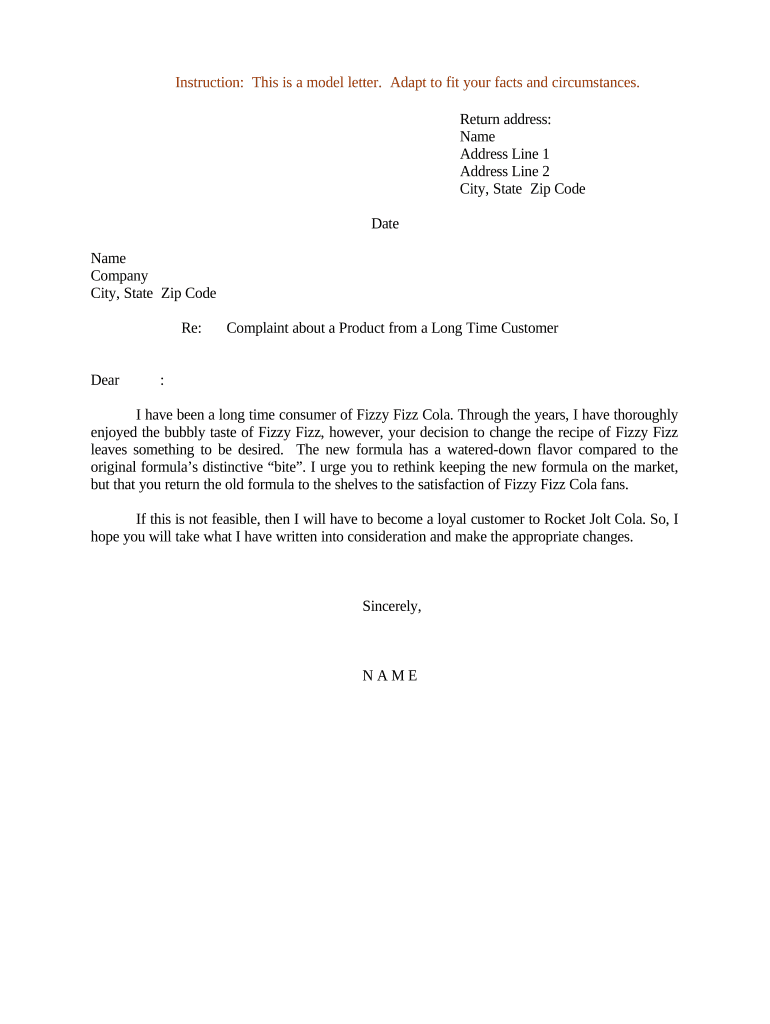
A Letter Complaining About Product Change is a formal written notice from a customer to a seller or manufacturer describing a material or functional change to a product that affects expectations, usability, or value. It documents the original product specifications or packaging, explains how the recent change differs from those expectations, and requests corrective action, compensation, or clarification. The letter creates a written record that can support warranty claims, refunds, regulatory complaints, or future dispute resolution and helps the recipient identify and remedy the issue while preserving evidence.

Why sending this letter matters

A clear written complaint preserves facts, establishes a timeline, and signals intent to resolve the issue without litigation; it can accelerate a remedy, support warranty or consumer-protection claims, and reduce misunderstandings between buyer and seller.

Why sending this letter matters

Who typically prepares or needs this letter

The letter is used by individual consumers, purchasing managers, resellers, and procurement teams when a product change affects performance, compliance, or contractual deliverables.

  • Individual consumer: documents a personal purchase change and requests refund, replacement, or explanation.
  • Business buyer: notifies suppliers about specification changes that breach purchase orders or SLAs.
  • Reseller/retailer: records customer-impacting changes affecting resale, returns, or store policies.

Use a formal, dated letter when an informal contact (phone or chat) did not resolve the issue or when a written record is needed for warranty, regulatory, or contractual steps.

Essential parts of an effective complaint letter

A professional letter should be concise and factual, clearly identify the product and change, document supporting evidence, state the requested remedy, and include contact and purchase details to permit timely investigation.

Heading

Date, recipient name and address, and a clear subject line stating 'Complaint: Product Change' or similar to ensure proper routing.
Product ID

Model, SKU, batch or lot number, and any serial number to uniquely identify the item affected by the change.

Change Description

Describe the specific change (materials, features, size, packaging, formulation) and how it differs from expectations or prior versions.

Evidence

Attach photos, order confirmations, invoices, screenshots, and any lab or test results that demonstrate the change and its impact.

Remedy Sought

State the relief you want (refund, replacement, repair, reimbursement, or product recall) and any acceptable alternatives.

Next Steps

Provide a reasonable deadline for response (e.g., 14 days) and contact details for follow-up.

Step-by-step: drafting and sending the complaint

Follow these sequential steps to create a clear complaint letter that supports a fast and documented resolution.

  • 01
    Gather evidence: Collect photos, receipts, and prior product descriptions immediately.
  • 02
    Draft facts: Write a factual summary of the change and its impact without emotive language.
  • 03
    State remedy: Specify the resolution you seek and a response deadline.
  • 04
    Send and record: Deliver by email and certified mail or an e-submission platform; save delivery receipts.

How the complaint typically proceeds after submission

After you submit the letter, most organizations follow a review, investigation, and response workflow; document each interaction to maintain evidence of timelines and outcomes.

  • Intake: Recipient logs the complaint and issues a ticket or reference number.
  • Investigation: Supplier reviews product batch, sourcing, and QA records.
  • Proposed Resolution: Supplier offers remedy, replacement, or further testing results.
  • Closure: Agreement is recorded, refunds/shipments executed, and documentation retained.

Setting up an online complaint workflow

Configure a repeatable digital workflow so complaints are routed, tracked, and resolved consistently.

Field Configuration
Required Fields Name | Contact | Order ID | Product ID | Description
Attachments Allow photos, invoices, and PDFs; limit to 10MB per file
Routing Auto-assign to customer service and quality teams
Notifications Email confirmations and status updates to sender

Digital delivery and signature considerations

Use an e-submission method that preserves timestamps, attachments, and an audit trail to support any downstream warranty or regulatory review.

  • File formats: Accept PDF and DOCX to ensure attachments render consistently
  • Authentication: Use email or SMS verification to attribute submissions to the sender
  • Audit trail: Capture timestamps, IP addresses, and delivery receipts

Platforms should integrate with CRM or ticketing systems to automate updates; choose solutions that support document retention and export in common formats.

Timelines and reasonable response expectations

Set realistic deadlines and know typical response windows used by sellers and regulators.

Initial acknowledgement:

Expect an intake confirmation within 3 business days

Investigation period:

Allow 10–30 business days depending on complexity

Request for more info:

Supplier may ask for samples or test results within 14 days

Resolution offer:

Expect proposed remedy within 30 calendar days in many consumer contexts

Escalation:

If unresolved, contact regulatory agencies or file a small-claims action per jurisdictional deadlines

Key milestones from complaint to closure

Track these numbered milestones to maintain accountability and preserve evidence during dispute resolution.

01

Milestone 1: Complaint Filed

Document submission and confirmation; creates the official record.

02

Milestone 2: Acknowledgement Received

Recipient issues ticket number and expected response timeframe.

03

Milestone 3: Investigation Completed

Supplier examines product samples, batch records, and supply changes.

04

Milestone 4: Outcome or Escalation

Resolution offered or escalation to regulators, legal, or warranty claim process.

Common mistakes to avoid

  • Providing vague descriptions that lack product identifiers or dates.
  • Failing to preserve original packaging, photos, or receipts as supporting evidence.
  • Using emotional or accusatory language that distracts from the facts.
  • Sending the letter to an incorrect contact or failing to keep proof of delivery.

Risks of an incomplete or incorrect complaint letter

Delayed remedy: Incomplete facts can extend investigation times and delay refunds.
Claim denial: Missing receipts or serial numbers can lead to claim rejection.
Warranty lapse: Failure to document within warranty windows may forfeit coverage.
Regulatory limits: Late complaints may miss consumer-protection filing deadlines in some jurisdictions.
Legal exposure: Inaccurate statements could create liability if assertions are knowingly false.
Loss of evidence: Discarding original packaging or proof breaks the chain of custody.

eSignature vendor pricing and feature snapshot for complaint handling

Compare common pricing and essential features for eSignature platforms used to submit or sign complaint letters; signNow is listed first per vendor convention.

signNow DocuSign Adobe Sign PandaDoc HelloSign
Starting Price $8/user/mo $15/user/mo $14/user/mo $19/user/mo $15/user/mo
Free Trial 7-day trial Varies by plan Varies by plan Varies by plan Varies by plan
Bulk Send Yes Yes Yes Yes No
Audit Trail Yes Yes Yes Yes Yes
HIPAA Compliant Yes Yes Yes No No

Real-world examples of complaint letters in use

These brief cases show how complaint letters support different outcomes across organizations.

Retail Consumer

A customer documents a formulation change in a skincare product and provides photos

  • The retailer replaces the product and issues a refund
  • The written record prevented a later dispute and enabled inventory tracebacks.

Procurement Manager

A buyer reports a supplier changed material in a critical component

  • The supplier supplied batch certificates and agreed to a warranty repair
  • The company preserved contractual remedies and avoided production stoppage.

Frequently asked questions about the complaint letter

Answers to common questions about drafting, submitting, and escalating a Letter Complaining About Product Change.


Need help? Contact support

be ready to get more
Join over 28 million airSlate SignNow users