Resignation Date
Confirm the employee's stated last day of work and whether notice period requirements were satisfied; this date determines final pay calculation, benefits termination, and eligibility for rehire.
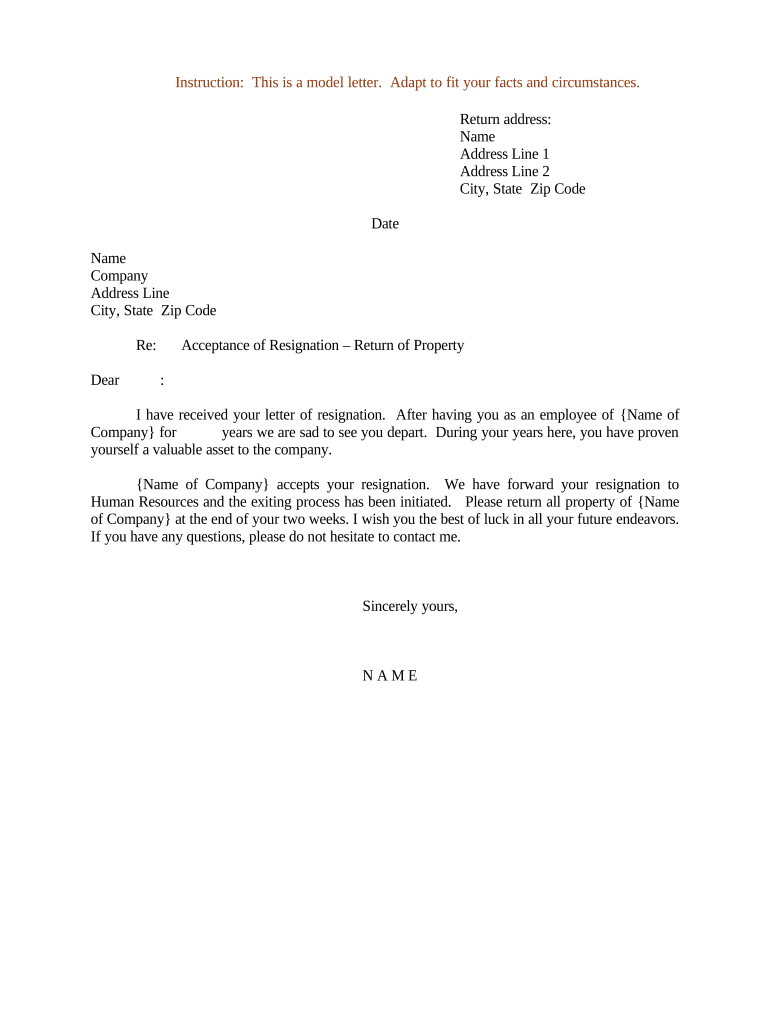
A written acceptance creates an auditable record, clarifies final pay and benefits, and reduces the risk of misunderstanding. It helps HR coordinate offboarding tasks, supports payroll and benefits compliance, and provides evidence for audits or legal inquiries.

Typical users include HR professionals, hiring managers, and legal or payroll teams responsible for managing employee separations.
Confirm the employee's stated last day of work and whether notice period requirements were satisfied; this date determines final pay calculation, benefits termination, and eligibility for rehire.
A clear sentence acknowledging receipt of the resignation and formally accepting the employee's decision; reference the resignation letter or notice to avoid ambiguity about mutual intent.
Describe final paycheck timing, accrued vacation or PTO payout, last benefits date, COBRA eligibility, and any expense reimbursements or payroll deductions required before separation.
List company property to be returned—laptop, keys, ID badge—and provide instructions for drop-off, shipping, or secure deletion of company accounts and data.
Remind the employee of continuing confidentiality, trade secret, noncompete, and intellectual property obligations, citing any contract sections or post-employment covenants applicable.
Include an employer signature block with printed name, title, and date; indicate whether the employee's signature is required and how it should be returned (email, paper, e-signed).
| Field | Configuration |
|---|---|
| Template | Auto-fill employee name, dates, and position. |
| Authentication | Email link or SMS code for signer verification. |
| Delivery | Email copy to employee and internal teams. |
| Retention | Save signed PDF with audit trail for compliance. |
Use eSignature platforms to capture signatures, timestamp events, and create a tamper-evident audit trail for HR records.
Issue within one to three business days after receiving notice.
Notify payroll immediately to schedule final paycheck.
Specify last day of coverage and COBRA notice timing.
Require return before or on final workday or per policy.
Keep signed document per company policy and legal requirements.
Employee submits resignation; employer acknowledges receipt.
Send signed acceptance and confirm final work date and obligations.
Calculate final pay, PTO payout, and tax withholdings per state law.
Store signed letters and related files per retention policy.
Optica Ventures standardized acceptance letters across offices to ensure consistent offboarding and faster final paycheck processing for departing staff.
Xerox integrated acceptance letters with NetSuite to auto-populate employee data and ensure signed copies were archived in the correct client and personnel records.
| signNow | DocuSign | Adobe Sign | PandaDoc | HelloSign | |
|---|---|---|---|---|---|
| Starting Price | $8/user/mo | $15/user/mo | $14/user/mo | $19/user/mo | $15/user/mo |
| Free Trial | Yes, 7-day trial | Varies by plan | Varies by plan | Varies by plan | Varies by plan |
| Bulk Send | Yes (premium tier) | Varies by plan | Varies by plan | Varies by plan | Varies by plan |
| Audit Trail | Yes | Yes | Yes | Yes | Yes |
| HIPAA Compliant | Yes | Yes | Yes | No | No |
| Envelope Cap | No envelope cap | 100 envelopes/user/year | Varies | Varies | Varies |