Establishing secure connection…Loading editor…Preparing document…

Letter of Congratulations to Newlyweds

This template is fully customizable. Edit the text, fill out the fields, and send it for signature. Give it a try!
Letter of Congratulations to Newlyweds

What a Letter of Congratulations to Newlyweds Is and When to Use It

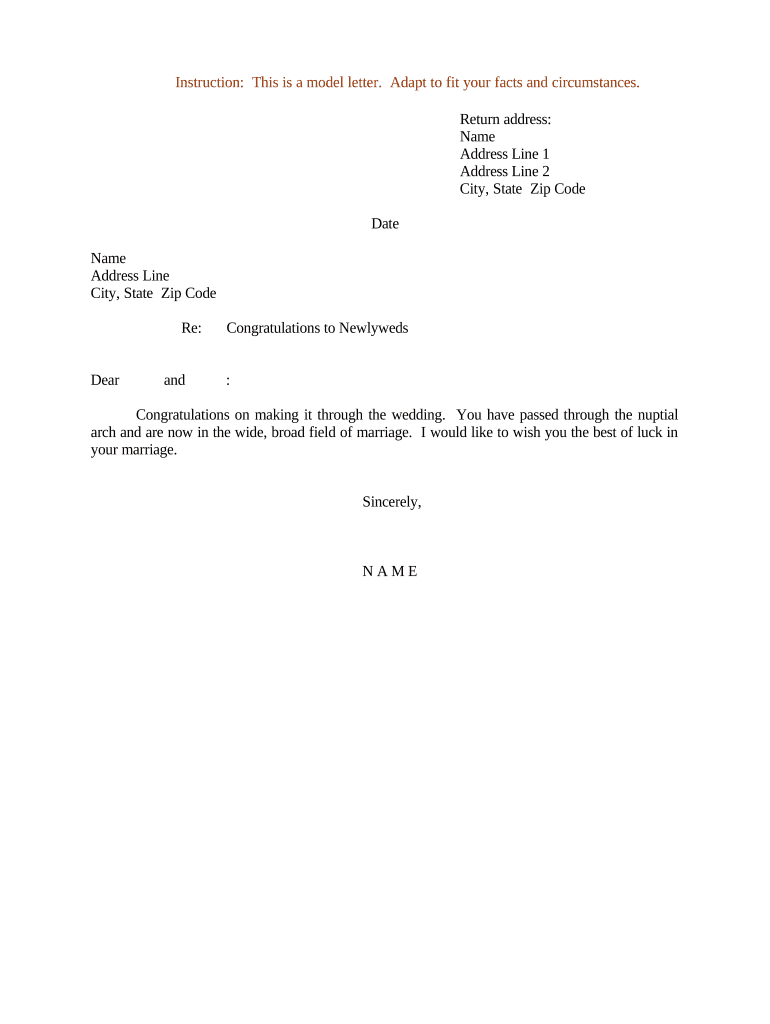
A Letter of Congratulations to Newlyweds is a written message expressing best wishes to a couple following their marriage. It may be personal or professional, sent by family, friends, employers, organizations, or service providers. The letter typically acknowledges the event, offers goodwill or advice, and may reference the wedding date, venue, or a personal memory. It is not a legal instrument, but it can be preserved as a keepsake, shared in guestbooks, or delivered digitally via email or an eSignature platform.

Why a Thoughtful Congratulations Letter Adds Value

A concise, well-crafted congratulations letter builds goodwill, documents supportive relationships, and creates a lasting memento for the couple. It helps convey sincerity, personalize your message, and maintain professional etiquette in corporate or community settings.

Why a Thoughtful Congratulations Letter Adds Value

Who Typically Sends a Letter of Congratulations to Newlyweds

Choose tone and format based on your relationship to the couple and whether the message is personal, formal, or public.

  • Family members and close friends offering personal wishes and memories.
  • Employers and colleagues acknowledging life milestones and extending workplace goodwill.
  • Professional contacts or vendors sending formal congratulations after a client marriage or business-related event.

Typical Sender Profiles

Family Member

Close relatives write in a warm, personal tone, often including anecdotes, blessings, and informal references. These letters prioritize emotion over formality and are frequently preserved as keepsakes.

Employer / Organization

A business or institution sends a concise, professional message recognizing the milestone and offering best wishes. Such letters avoid personal details and may be filed with HR or archived for corporate records.

Key Elements to Include in a Professional Congratulations Letter

A clear structure and thoughtful language make the letter memorable while avoiding unintended disclosures. Use a respectful tone, accurate names and dates, and a clean closing with a signature and contact information.

Opening Line

Begin with a direct congratulatory sentence that names the couple and references the marriage event to set context and tone for the message.
Personal Anecdote

Add a brief memory, compliment, or specific wish that personalizes the letter and demonstrates genuine familiarity with the couple.

Warm Wishes

Offer concrete good wishes—about family life, partnership, or future plans—while keeping language inclusive and positive.

Practical Note

If appropriate, include logistical or follow-up information (gift delivery instructions, contact updates) without revealing sensitive details.

Closing

End with a polite closing phrase and the sender’s name, title (if professional), and date to make the letter complete and attributable.

Presentation

Decide on physical or digital delivery, envelope or PDF layout, and whether to include signatures, photos, or embellishments for keepsake value.

Step-by-Step: Drafting and Delivering Your Letter

Follow these practical steps to prepare a respectful, accurate congratulations letter and deliver it appropriately.

  • 01
    Gather Details: Confirm names, wedding date, and relationship before writing.
  • 02
    Draft Message: Write a concise personalized message, 150–300 words max.
  • 03
    Review: Check spelling and sensitivity; correct any name errors.
  • 04
    Deliver: Choose physical mail, email, or secure eSignature delivery.

How Electronic Delivery and eSigning Typically Work

Digital delivery simplifies sending and storing letters while preserving attribution and timestamps. The typical online workflow follows predictable steps.

  • Upload: Add the letter as a PDF or Word document to the signing platform.
  • Place Fields: Insert signature, date, and optional text fields for recipients.
  • Invite Signer: Send an email or generate a secure link to the recipient.
  • Complete: Recipient reviews and signs; platform saves audit trail.

Configuring a Simple eSigning Workflow for the Letter

Match each document element with a configuration setting to streamline completion and archiving.

Field Configuration
Signature Click-to-sign or typed name; enable audit trail
Authentication Email verification or SMS code for recipient identity
Delivery Email with PDF attachment and optional download link
Storage Save signed copy to cloud storage automatically

Technical Considerations for Digital Letters and Signatures

Confirm platform security and retention features before sending if the letter contains any sensitive information.

  • File Formats: PDF and DOCX are widely supported
  • Integrations: Connect to Google Workspace, Microsoft 365, or Box
  • Authentication: Use email or SMS codes for signer verification

Common eSignature Pricing and Feature Comparison

Compare basic starting prices and key feature availability for popular eSignature providers to plan delivery and cost for digital letters.

signNow DocuSign Adobe Sign PandaDoc HelloSign
Starting Price $8/user/mo $15/user/mo $14/user/mo $19/user/mo $15/user/mo
Free Trial 7-day free trial, no credit card required Varies by plan Varies by plan Varies by plan Varies by plan
Bulk Send Yes (Business Premium) Yes Yes Yes No
Audit Trail Yes Yes Yes Yes Yes
HIPAA Compliant Yes Yes Yes No No

Timing Guidelines for Sending a Congratulations Letter

There are no statutory deadlines, but customary timing affects reception and etiquette; plan delivery accordingly.

Preferred Send Window:

Within two weeks after the wedding date for timely congratulations

Physical Mail Lead Time:

Allow 3–7 business days for domestic delivery

Digital Delivery Speed:

Email or eSign delivery is typically instant to 24 hours

Printing Turnaround:

Allow 1–3 business days for specialty printing or embossing

Framing or Gift:

Allow 7–14 days for framing and presentation assembly

Common Pitfalls to Avoid When Preparing the Letter

  • Using incorrect names or titles can offend recipients and undermine sincerity; double-check spellings and honorifics.
  • Including private or medical information without consent risks privacy violations and may implicate HIPAA in healthcare contexts.
  • Publishing or sharing photos without permission can breach copyright or personal privacy expectations.
  • Overly long or impersonal messages reduce emotional impact; keep the letter focused and genuine.

Legal and Practical Risks to Consider

Privacy Exposure: Unintended disclosure risk
Misrepresentation: False statements liability
Copyright Issues: Unauthorized photo use
Recordkeeping: Insufficient archival controls
Professional Risk: Breach of client confidentiality
Emotional Harm: Insensitive content consequences

Essential Information to Include and Why It Matters

Recipient Name: Full legal or preferred name
Wedding Date: MM/DD/YYYY format
Personal Message: Clear, concise sentiment
Sender Identity: Name and relation or title
Signature: Handwritten or eSignature
Delivery Method: Physical or electronic

How This Letter Differs from Similar Document Types

Quick reference comparing a congratulations letter with other common wedding-related documents to clarify purpose and formality.

Document Type Primary Purpose
Congratulations Letter personal congratulatory message
Wedding Invitation event rsvp request
Announcement public marriage notification
Thank-You Note appreciation for gifts or attendance

Frequently Asked Questions About Letters of Congratulations to Newlyweds

Answers to common questions about drafting, signing, delivering, and storing congratulatory letters, with practical clarification.


Need help? Contact support

be ready to get more
Join over 28 million airSlate SignNow users