Establishing secure connection…Loading editor…Preparing document…

Customer Follow-up Letter for Product Sales

This template is fully customizable. Edit the text, fill out the fields, and send it for signature. Give it a try!
Customer Follow-up Letter for Product Sales

What the Customer Follow-up Letter for Product Sales Is and When It’s Used

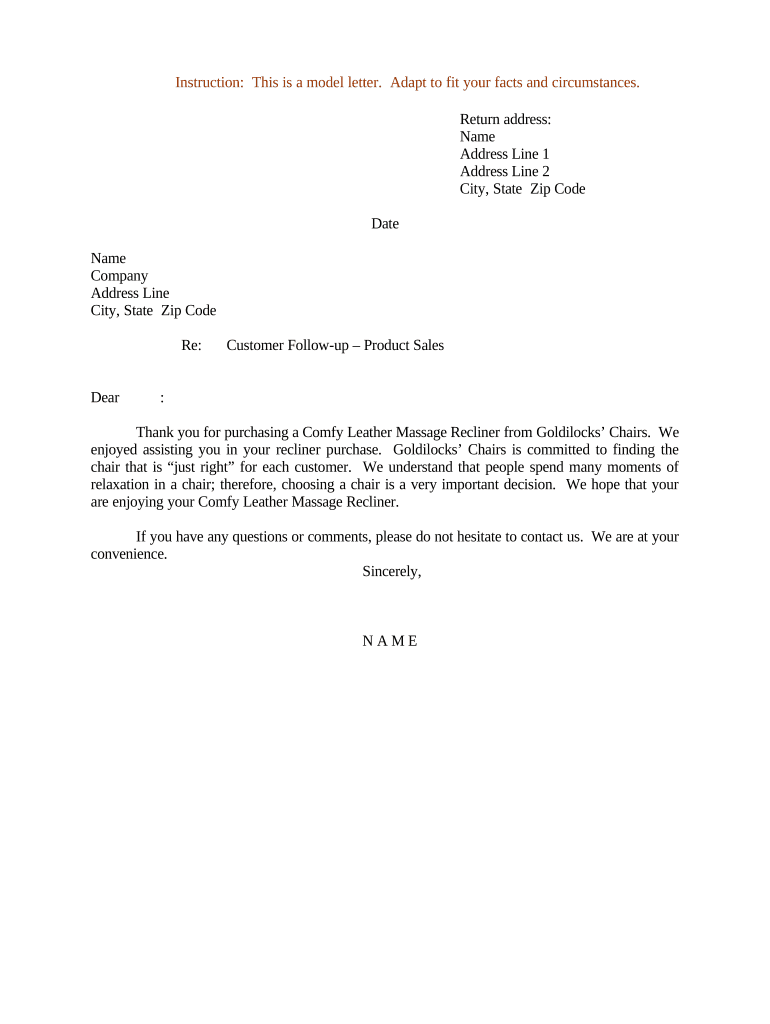
The Customer Follow-up Letter for Product Sales is a written record sent to buyers after a sale to confirm delivery, clarify next steps, and document any agreed remedies such as returns, repairs, or credits. It typically lists order and invoice numbers, delivery dates, item condition, warranty or registration steps, and the name and contact details of the responsible representative. Organizations use the letter to reduce disputes, capture customer feedback, and create an auditable post-sale trail; it is usually nondispositive but may affect obligations if it confirms or changes contractual terms.

Why a Formal Follow-up Letter Matters

A clear Customer Follow-up Letter for Product Sales reduces ambiguity about post-sale obligations, documents customer acknowledgment, and helps resolve issues faster. The letter supports internal recordkeeping, can preserve evidence if terms are contested, and aligns customer expectations with warranty and return policies.

Why a Formal Follow-up Letter Matters

Who Sends and Receives These Letters

Use the follow-up letter as both a customer service tool and an internal record to support reconciliation, audits, and potential dispute resolution.

  • Sales teams confirming delivery, tracking, return instructions, and any agreed discounts or credits.
  • Customer support agents documenting reported issues, troubleshooting steps, and scheduled repairs or replacements.
  • Accounts receivable and procurement contacts confirming invoice receipt, payment terms, and dispute resolution steps.

Core Elements to Include in Every Follow-up Letter

A professional Customer Follow-up Letter for Product Sales combines clear identification, factual transaction data, and explicit next steps so recipients and internal teams can act consistently and preserve evidence.

Header

Company name, sender contact, customer name, date, and a concise subject line that references the order or invoice.
Transaction

Order number, invoice number, product SKU or description, quantity, unit price, and any discounts or applied credits.

Delivery

Delivery date, carrier and tracking number if applicable, delivery address, and recipient name or person who accepted goods.

Issue Summary

If applicable, a factual description of reported defects, returned items, or service requests with dates and steps taken.

Next Steps

Specific actions the company will take and expected customer actions, with timelines and responsible contacts identified.

Sign-off

Authorized signature block or eSignature field, printed name and title, and a reference to applicable warranty or return terms.

Step-by-Step: Preparing and Sending the Letter

Follow this simple sequence to draft, validate, authorize, and deliver a compliant follow-up letter that preserves an audit trail.

  • 01
    Draft: Summarize sale, delivery date, item details, and the specific follow-up action required.
  • 02
    Verify: Confirm order numbers, invoice amounts, recipient identity, and supporting documents before sending.
  • 03
    Authorize: Obtain manager or legal sign-off when the letter includes new commitments or nonstandard remedies.
  • 04
    Send: Choose delivery method, attach supporting files, and record transmission details and receipts.

How Delivery and Acknowledgement Work

Select delivery and acknowledgement methods based on required proof, speed, and regulatory considerations; each option produces different types of evidence.

  • Email: Send a PDF with read-receipt and retain the sent message for proof of delivery.
  • Certified Mail: Use USPS Certified Mail or equivalent to obtain postal delivery proof and recipient signature on receipt.
  • eSignature: Collect a signed acknowledgement with an audit trail (timestamp, IP address, signer email) for stronger evidence.
  • Customer Portal: Publish letter to the customer account and record portal access and download logs as proof.

Common Workflow Settings for Online Completion

Configure templates, authentication, reminders, and storage to automate follow-up letters consistently and securely.

Field Configuration
Template Reusable letter template with merge fields for order and customer data
Auth Method Email link, SMS code, or identity verification depending on sensitivity
Reminders Automated reminders at configurable intervals for unsigned or unacknowledged letters
Storage Auto-save signed copies to a secure cloud archive or CRM record

Platform Capabilities to Consider

Verify the platform’s compliance posture (ESIGN/UETA, HIPAA if applicable), and ensure it integrates with your document retention and CRM systems.

  • PDF and Word: PDF and Word DOCX formats supported
  • Integrations: Salesforce, NetSuite, Microsoft 365 integration
  • Security: AES-256 at rest, TLS 1.2/1.3 transit

Timelines and Deadlines to Track

Set and monitor deadlines for sending, responding, and retaining follow-up letters so obligations and warranty windows are preserved.

Initial Follow-up:

Send within 24 to 72 hours after delivery confirmation.

Issue Response:

Acknowledge reported issues within two business days of receipt.

Warranty Reminder:

Notify customers of warranty registration or claim windows 30 days before expiry.

Payment Reminder:

Issue invoice reminders seven days before payment due date when applicable.

Record Retention:

Retain signed letters according to company retention schedules and legal requirements.

Common Mistakes to Avoid

  • Using vague language that creates unclear obligations, for example promising refunds without specifying conditions, which can lead to unintended contractual obligations.
  • Failing to include order or invoice numbers, which makes it difficult to reconcile customer claims and slows dispute resolution with accounting teams.
  • Sending letters without verifying recipient identity or preferred delivery method, resulting in missed acknowledgements and potential compliance gaps for sensitive data.
  • Neglecting to archive signed copies and audit trails, which complicates evidence collection if terms are disputed or regulators request documentation.

Risks and Potential Consequences of Incorrect Letters

Contract Alteration: May create unintended contractual terms
Tax Record Issues: Missing invoice references hinder audits
Consumer Claims: Could trigger warranty or refund demands
Privacy Breach: Including PHI without safeguards risks HIPAA
Payment Disputes: Incorrect amounts may spur chargebacks
Reputational Harm: Inconsistent messaging damages customer trust

Pricing and Capability Comparison for eSignature Vendors

Compare starting costs and key capabilities relevant to sending Customer Follow-up Letters for Product Sales; signNow is listed first per vendor comparison conventions.

signNow DocuSign Adobe Sign PandaDoc HelloSign
Starting Price $8/user/mo $15/user/mo $14/user/mo $19/user/mo $15/user/mo
Free Trial 7-day free trial Varies by plan Varies by plan Varies by plan Varies by plan
Bulk Send Yes (Business Premium) Yes Yes Yes No
Audit Trail Yes Yes Yes Yes Yes
HIPAA Compliant Yes Yes Yes No No
Envelope Cap No cap 100 envelopes/user/year Varies by plan Varies by plan Varies by plan

Download, Export, and Supporting Document Practices

Choose export formats and supporting attachments that preserve signatures, timestamps, and context so follow-up letters remain admissible and traceable.

PDF

Export signed letters as flattened, timestamped PDFs that preserve visual signatures, embedded audit metadata, and are widely accepted for legal and archival use.

DOCX

Keep editable Word copies for internal updates, but retain the signed PDF as the authoritative record to avoid disputes over later edits.

Cloud Storage

Store copies in secure cloud repositories with access controls, versioning, and automated retention policies to meet audit and compliance requirements.

Export Options

Generate CSV or Excel reports of signing activity, export complete audit trails, and attach them to retention records for internal review or regulatory requests.

Examples: How Organizations Use Follow-up Letters

These short case examples illustrate practical uses and outcomes from documented post-sale correspondence in real organizations.

Optica Ventures

Optica Ventures used follow-up letters to confirm delivery and collect timely customer feedback after product deployment.

  • This reduced back-and-forth with customers and sped issue resolution.
  • Brian Fitzgibbons, COO, said the interface is simple and easy-to-use for our team; more importantly, it is just as easy for our customers; signed letters supported faster resolution and recordkeeping.

Martin Properties

Martin Properties applies follow-up letters to confirm appliance delivery and tenant acceptance at move-in to avoid later disputes.

  • This streamlined lease turnover and move-in scheduling for staff.
  • Tim Martin, Founder, said he can process and execute all of these documents online with 100% compliance and built-in security; mobile and offline capabilities allow efficient completion and retrieval.

Essential Data Fields to Capture

Customer Name: Full legal name as on invoice
Order Number: Exact order or invoice identifier
Product SKU: Model or SKU code
Delivery Date: MM/DD/YYYY format
Action Requested: Repair, replace, refund, or info
Signature: Signed name and date

Practical Tips for Accurate, Efficient Letters

Follow these best practices to reduce risk, speed processing, and keep records useful for audits or disputes.

Keep language clear and narrowly scoped
Use precise, concise wording that limits unintended commitments; avoid ambiguous remedies and state specific conditions and deadlines to reduce the risk of creating unplanned contractual obligations.
Reference identifiers and attach supporting files
Always include order numbers, invoices, tracking IDs, and attach copies of delivery receipts or photos; clear references accelerate reconciliation and reduce back-and-forth between teams and customers.
Capture proper authorization for changes
If the letter modifies terms, obtain explicit signatory authority and retain evidence of manager or legal approvals; ensure the signature block identifies the signer’s title and authority to bind the company.
Preserve audit trails and retention metadata
Store signed documents with timestamps, signer identity evidence, and retention labels; this supports tax, regulatory, and internal compliance reviews and reduces retrieval time during audits.

Frequently Asked Questions About Follow-up Letters

Answers to common questions about legal effect, electronic signatures, delivery proof, and retention for Customer Follow-up Letters for Product Sales.


Need help? Contact support

be ready to get more
Join over 28 million airSlate SignNow users