Establishing secure connection…Loading editor…Preparing document…

Letter Regarding Offer of Judgment

This template is fully customizable. Edit the text, fill out the fields, and send it for signature. Give it a try!
Letter Regarding Offer of Judgment

What a Letter Regarding Offer of Judgment Is

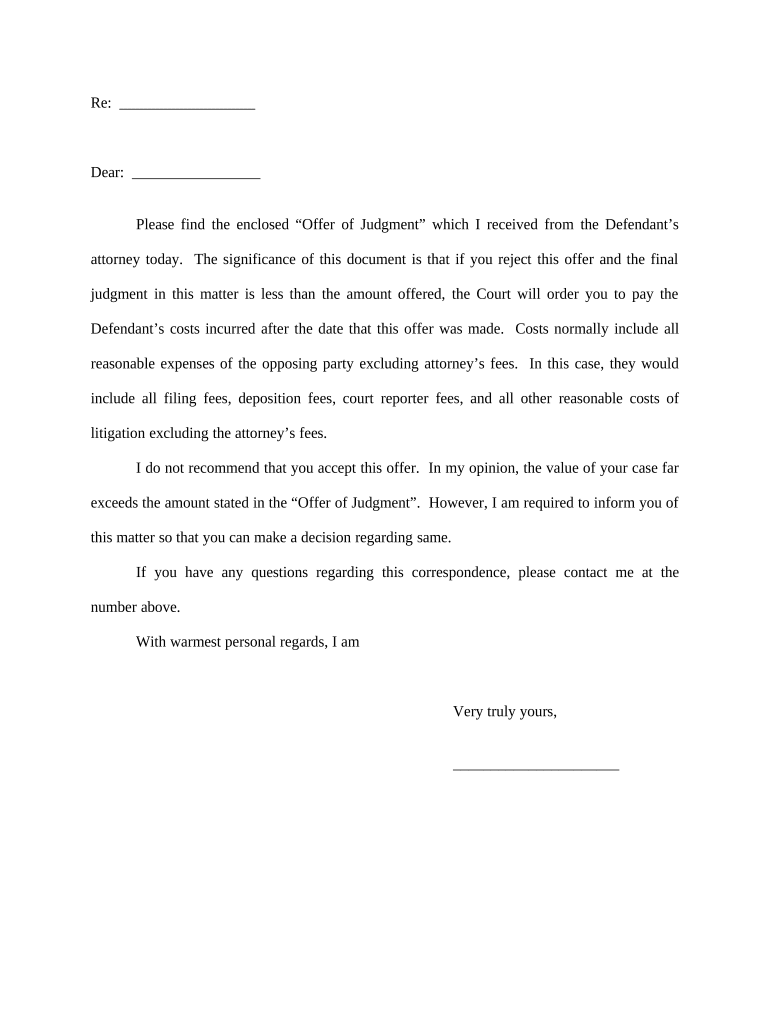
Letter Regarding Offer of Judgment is a written communication used in civil litigation to present a formal settlement proposal under applicable rules of civil procedure. It notifies the opposing party and, when required, the court, that the sender offers to resolve the case for stated terms and monetary amount. The letter typically states acceptance deadline, conditions for withdrawal, and potential cost-shifting consequences if the recipient rejects the offer and later obtains a less favorable judgment. Parties use this device to encourage settlement while preserving rights to statutory sanctions.

Why Using a Clear Offer Letter Matters

A Letter Regarding Offer of Judgment encourages settlement, clarifies terms, and preserves rights to cost-shifting or sanctions under governing procedural rules. It creates a documented alternative to trial that can reduce litigation time and costs while signaling seriousness about resolution.

Why Using a Clear Offer Letter Matters

Who Prepares and Responds to These Letters

Typical users include litigants, defense counsel, plaintiffs' attorneys, and risk managers preparing settlement offers in civil cases.

  • Plaintiff attorneys seeking to resolve claims efficiently while preserving statutory fee-shifting remedies.
  • Defense counsel using offers to limit post-judgment exposure and encourage early resolution.
  • In-house counsel or risk managers coordinating settlement strategy and documenting offers for corporate records.

Essential Components to Include in the Offer Letter

Core components of an effective Letter Regarding Offer of Judgment clarify parties, amount, terms, deadlines, and evidentiary proof of service.

Parties

Identify plaintiff and defendant by full legal names, include counsel names and firm information. Clear party identification prevents misapplication and ensures the correct case file is targeted for the offer.
Offer Terms

Describe settlement amount, payment schedule, obligations, releases, and any non-monetary conditions. Use precise language to avoid later disputes over interpretation or performance obligations tied to acceptance.

Acceptance

Specify exact acceptance method, required signatures, whether acceptance must be written, and any escrow or payment instructions. Clarity prevents disputes about whether an acceptance occurred before the deadline.

Deadline

Provide date, time, and time zone for acceptance. State consequences of lapse and whether the offer automatically terminates if not accepted within the period.

Service and Proof

State permitted service methods and instruct how proof will be provided. Require filing a certificate of service if local rules demand court notification of the offer's service.

Sanctions Notice

Include a concise statement about potential cost-shifting or sanctions under the applicable rule so recipient understands legal consequences of rejection and later adverse judgment.

Required Information and Fields at a Glance

Case Caption: Court name and docket.
Case Number: Full docket number.
Party Names: Legal names of all parties.
Offer Amount: Numeric and written amount.
Acceptance Deadline: Date, time, time zone.
Service Method: How the offer will be delivered.

Step-by-Step: Prepare and Serve an Offer Letter

Follow these steps to prepare and serve a Letter Regarding Offer of Judgment in civil cases, ensuring procedural compliance and clear terms.

  • 01
    Draft Offer: Describe settlement amount, terms, and acceptance deadline.
  • 02
    Cite Rule: Reference governing rule or statute (state or federal procedure).
  • 03
    Serve Opposing Party: Deliver by permitted method and include proof of service.
  • 04
    File Notice: File or lodge proof with court if local rules require.

How to Configure an e-Sign Workflow for the Offer

Configure an e-sign workflow to place fields, route signers, and capture audit evidence for the offer letter.

Field Configuration
Signature Field Require signer signature and date
Date Field Set as MM/DD/YYYY to ensure clear acceptance date
Proof of Service Attach certificate or upload delivery receipt
Audit Trail Enable IP, timestamp, and authentication logs

Delivery, Authentication, and Evidence Considerations

Choose delivery channels and signer authentication consistent with local rules and probative audit trails.

  • Formats: PDF and DOCX import and export
  • Auth Options: Email, SMS code, KBA options
  • Audit Trail: IP, timestamp, signer attribution

Typical Digital Workflow for an Offer Letter

Typical routing: prepare the letter, set fields, send to signer(s), and capture evidence for court use.

  • Prepare: Upload template and populate case-specific fields
  • Place Fields: Add signature, date, and acceptance fields
  • Authenticate: Choose SMS, email, or KBA per risk level
  • Capture Proof: Store audit trail, certificates, and server logs

Key Deadlines and Timing Elements

Key deadlines and timing considerations when issuing, serving, and responding to a Letter Regarding Offer of Judgment under procedural rules.

Issue Date:

Date letter is signed and dated

Service Deadline:

Method-dependent; use certified mail or electronic proof

Acceptance Period:

Specified in letter, often 14–30 days by agreement

Withdrawal Window:

Follow rule limits or state requirements for revocation

Filing Notice:

File certificate if local rules require court notice

Pricing and Feature Snapshot for eSignature Vendors

Compare core pricing and feature availability for eSignature vendors commonly used to prepare and submit Offers of Judgment.

signNow DocuSign Adobe Sign PandaDoc HelloSign
Starting Price $8/user/mo $15/user/mo $14/user/mo $19/user/mo $15/user/mo
Free Trial 7-day free trial, no card required Varies by plan and billing cycle Varies by plan and billing cycle Varies by plan and billing cycle Varies by plan and billing cycle
Bulk Send Yes — available on Business Premium Yes — available on select plans Yes — available Yes — available No bulk send option
Audit Trail Yes — full audit trail with timestamps and IP data Yes — audit trail provided Yes — audit trail provided Yes — audit trail provided Yes — audit trail provided
HIPAA Compliant Yes — BAA available for covered workflows Yes — BAA available Yes — BAA available No HIPAA compliance or BAA offering No HIPAA compliance or BAA offering

Practical Scenarios: How Parties Use Offer Letters

Two practical scenarios show how a Letter Regarding Offer of Judgment is used to advance settlement and preserve procedural rights.

Plaintiff Offer

A plaintiff proposes a $50,000 settlement to resolve a negligence claim before costly discovery and trial commence.

  • Encourages early resolution and cost savings.
  • If the defendant rejects and the eventual judgment is lower than the offer, the plaintiff may seek costs or attorney fees under the controlling rule; proper service and documentation preserved the plaintiff's entitlement.

Defense Strategy

A defendant extends a structured offer with release provisions to limit exposure and avoid admission of liability during settlement talks.

  • Shifts negotiation leverage to defendant.
  • Clear deadlines and explicit acceptance mechanics helped the defendant obtain a quicker resolution; the written offer reduced motion practice and provided a record supporting fee-shifting arguments when applicable.

Who May Sign and Bind the Parties

CEO

An authorized corporate officer may sign settlement offers and bind the corporation if corporate authority is documented. Board or committee approval may be required; include a statement confirming authority to avoid later ratification disputes.

Outside Counsel

A named attorney may sign if expressly authorized by client in writing or by power of attorney. Counsel should attach written authorization when serving the offer to demonstrate signatory authority under court scrutiny.

Download, Attachments, and Preservation Best Practices

Download options and supporting documents ensure the offer and proof are preserved in court-ready formats and include required exhibits for full context.

Export Formats

Save the completed letter as PDF/A for long-term preservation and as DOCX if edits may be required; include an embedded audit trail or certificate of completion when available for evidentiary support.

Certificate of Service

Prepare and attach a signed certificate showing service method, date, recipients, and proof; file with the court when local rules require a filed notice of service.

Exhibits

Attach settlement terms, drafts, correspondence, or medical bills as exhibits; label each exhibit and reference them in the letter to avoid ambiguity during enforcement or hearing.

Preserve Metadata

Retain original electronic files, server logs, timestamps, and any signature verification artifacts to demonstrate chain of custody and authenticity if contested.

Common Pitfalls to Avoid

  • Unclear deadlines create disputes over acceptance, leading to motion practice and potential loss of cost-shifting remedies if the court finds insufficiency.
  • Failing to specify service method or address can result in ineffective service and the offer being treated as never delivered.
  • Using vague settlement language such as 'reasonable sum' invites litigation about meaning and undermines enforceability of the offer.
  • Relying solely on informal electronic proof without preserving logs may make it difficult to prove delivery under court scrutiny.

Consequences of Defective or Incorrect Offers

Cost-Shifting: Award of costs to offeror.
Sanctions: Court-ordered penalties possible.
Invalid Service: Offer not effective if misserved.
Timing Errors: Missed deadlines void protections.
Ambiguous Terms: May nullify enforcement.
Statutory Limits: Applicable caps and thresholds.

Practical Tips to Improve Enforceability and Clarity

Practical tips to reduce disputes and bolster enforceability when preparing and serving a Letter Regarding Offer of Judgment.

State exact acceptance method and effects
Specify whether acceptance requires signed writing, payment steps, escrow, or court filing. Clarify whether partial acceptance or counteroffers are allowed. These details prevent ambiguity and reduce post-offer motion practice about whether an effective acceptance occurred.
State numeric and written amounts clearly
Write amounts both in numbers and words, specify currency, and indicate whether amounts include costs, interest, or fees. Vague language invites litigation and can defeat cost-shifting protections.
Retain timestamps, IP logs, and receipts
Keep exportable evidence such as audit trails, server logs, SMS codes, and email headers. Courts evaluate delivery proof; losing these records undermines claims of proper service and diminishes enforceability.
Confirm local rules, timing, and counsel coordination
Before issuing, check local rule nuances, effect on costs, and any court-specific filing or notification requirements. Coordination reduces procedural errors that can nullify protections or complicate settlement.

Milestones: From Draft to Potential Fee Motions

Sequential milestones from drafting to potential cost-shifting if offer is rejected and judgment is less favorable.

01

Draft Offer

Prepare precise terms and deadline

02

Serve Offer

Send using authorized methods and document service

03

Await Acceptance Window

Monitor for timely acceptance and preserve records

04

Post-Judgment Motions

If judgment is less favorable, seek fees or sanctions

Frequently Asked Questions and Practical Answers

Answers to common procedural and execution questions about Letter Regarding Offer of Judgment for litigants and advisors.


Need help? Contact support

be ready to get more
Join over 28 million airSlate SignNow users