Establishing secure connection…Loading editor…Preparing document…

Sample Letter Waiver

This template is fully customizable. Edit the text, fill out the fields, and send it for signature. Give it a try!
Sample Letter Waiver

What the Sample Letter Waiver Is and When It’s Used

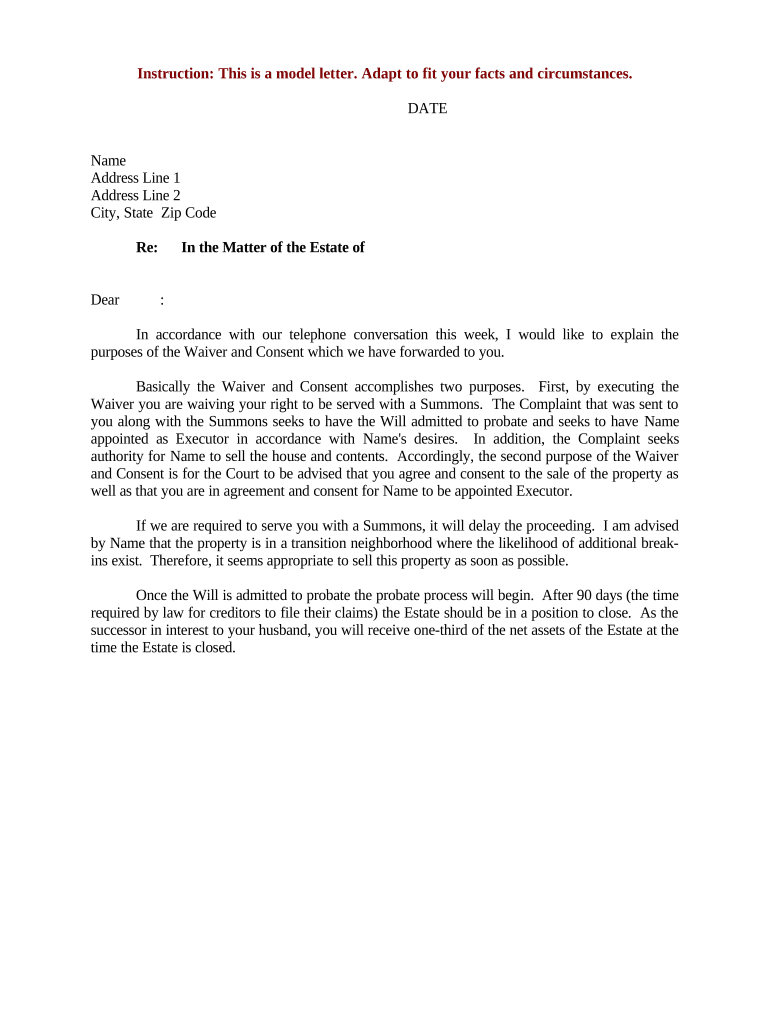
A Sample Letter Waiver is a written document where one party voluntarily relinquishes or waives a legal right, claim, or requirement for a defined purpose and period. Typical uses include permission to release information, temporary waiver of contractual obligations, forgiveness of liens, or a waiver of rights to pursue a small claim. The letter should clearly identify the parties, state precisely what is being waived, set an effective date and duration, and include signatures from all authorized signatories to ensure enforceability under U.S. electronic signature laws.

Why a Clear, Well‑Drafted Waiver Matters

A precise Sample Letter Waiver reduces ambiguity, limits future disputes, and documents consent when rights are voluntarily relinquished. Properly executed waivers support enforceability under the ESIGN Act (15 U.S.C. §7001) and state UETA frameworks while clarifying obligations, duration, and any conditions tied to the waiver.

Why a Clear, Well‑Drafted Waiver Matters

Who Typically Prepares or Signs a Waiver

The Sample Letter Waiver is used across legal, commercial, and administrative contexts by parties who need documented, temporary exceptions to standard rights or procedures.

  • Contract managers and in-house counsel handling limited releases or scope waivers during negotiations.
  • Healthcare administrators or privacy officers when releasing limited patient information under specified conditions.
  • Landlords, tenants, or contractors issuing waiver of minor lease or construction obligations.

Ensure signatories have authority to bind their organization and confirm any industry-specific consent or disclosure obligations before finalizing the waiver.

Essential Parts of a Professional Sample Letter Waiver

A complete waiver sets clear boundaries and records consent. Include plain-language clauses that identify parties, describe the waived right, state effective dates, and define any limitations or conditions.

Parties

Full legal names and roles of the waiving party and the beneficiary, with corporate titles if applicable.
Waived Rights

Specific description of the exact right, claim, or requirement being waived; avoid vague or broad language.

Effective Term

Clear effective date and duration or triggering event when the waiver expires or is reviewed.

Conditions

Any conditions, limitations, or obligations that must be satisfied for the waiver to remain in effect.

Signatures

Authorized signatory blocks with printed names, titles, dates, and witness or notary details when required.

Governing Law

Specify the state law that governs interpretation and enforcement of the waiver.

Step-by-Step: How to Complete the Sample Letter Waiver

Follow these sequential steps to prepare a clear, enforceable waiver that documents consent and preserves evidence.

  • 01
    1. Identify Parties: List full legal names and roles.
  • 02
    2. Describe Waiver: Specify the exact right or claim being waived.
  • 03
    3. Set Dates: Enter effective date and expiry or trigger.
  • 04
    4. Sign and Record: Obtain authorized signatures and retain the record.

Where to Send or File a Completed Waiver

Once executed, the waiver should be routed to parties and any relevant record repositories depending on the waiver's purpose.

  • Recipient: Send copies to the counterparty and legal counsel.
  • Internal Records: File with contract management or compliance teams.
  • Third Parties: Provide to lenders, insurers, or authorities if the waiver affects them.
  • Archive: Store the executed document in a secure records system.

Configuring an Online Waiver Workflow

Set up digital fields, signer order, and authentication to capture consent and preserve an auditable trail for the executed waiver.

Field Configuration
Signature Field Required — attach signer name and timestamp
Date Field Auto-fill MM/DD/YYYY when signer completes
Signer Order Sequential or parallel routing per workflow
Authentication Email, SMS code, or stronger KBA per risk

Digital Signing and File Format Considerations

Choose a platform that supports PDF and DOCX, captures an audit trail, and allows appropriate signer authentication for legal certainty.

  • Formats Supported: PDF and Word DOCX are standard for executed waivers.
  • Authentication: Use email or SMS; use stronger methods for sensitive waivers.
  • Audit Trail: Platform must log timestamps, IPs, and signer actions.

Integrations with document repositories and contract management systems help maintain a single source of truth and support retention and retrieval policies.

Key Risks and Potential Penalties

Invalid Signature: Waiver may be unenforceable
Incorrect Dates: Creates ambiguity on effective period
Unauthorized Signatory: Subject to challenge or reversal
Failure to Disclose: May breach regulatory consumer notice rules
Tax Consequences: Incorrect treatment can trigger IRS penalties
Notarization Omitted: May invalidate filings requiring acknowledgment

Common Mistakes to Avoid When Drafting a Waiver

  • Using overly broad language that unintentionally surrenders rights beyond the parties' intent.
  • Omitting an explicit effective date or clear expiration, which creates disputes about duration.
  • Failing to confirm the signer's authority to bind an organization before accepting the waiver.
  • Neglecting to capture an audit trail or retain a reproducible record of the signed document.

Typical eSignature Vendor Pricing and Feature Snapshot

Common vendor plans vary by price model and included features; signNow appears first below for easy comparison across core criteria.

signNow DocuSign Adobe Sign PandaDoc HelloSign
Starting Price $8/user/mo $15/user/mo $14/user/mo $19/user/mo $15/user/mo
Free Trial 7-day free trial No No Yes, limited Yes, limited
Bulk Send Yes (Business Premium+) Yes Yes Yes No
Audit Trail Yes Yes Yes Yes Yes
HIPAA Compliant Yes (BAA) Yes (BAA) Yes (BAA) No No

Security and Compliance Checklist for Signed Waivers

In-Transit Encryption: TLS 1.2/1.3
At-Rest Encryption: AES-256
Regulatory Certifications: SOC 2 Type II
Healthcare Compliance: HIPAA (BAA required)
FDA/Pharma: 21 CFR Part 11 support
International Standards: ISO 27001

FAQs and Troubleshooting for Sample Letter Waivers

Answers to common questions about enforceability, signing, and recordkeeping when preparing or accepting a Sample Letter Waiver.


Need help? Contact support

be ready to get more
Join over 28 million airSlate SignNow users