Establishing secure connection…Loading editor…Preparing document…

Letter Regarding Exception to Civil Penalty

This template is fully customizable. Edit the text, fill out the fields, and send it for signature. Give it a try!
Letter Regarding Exception to Civil Penalty

What the Letter Regarding Exception to Civil Penalty Is

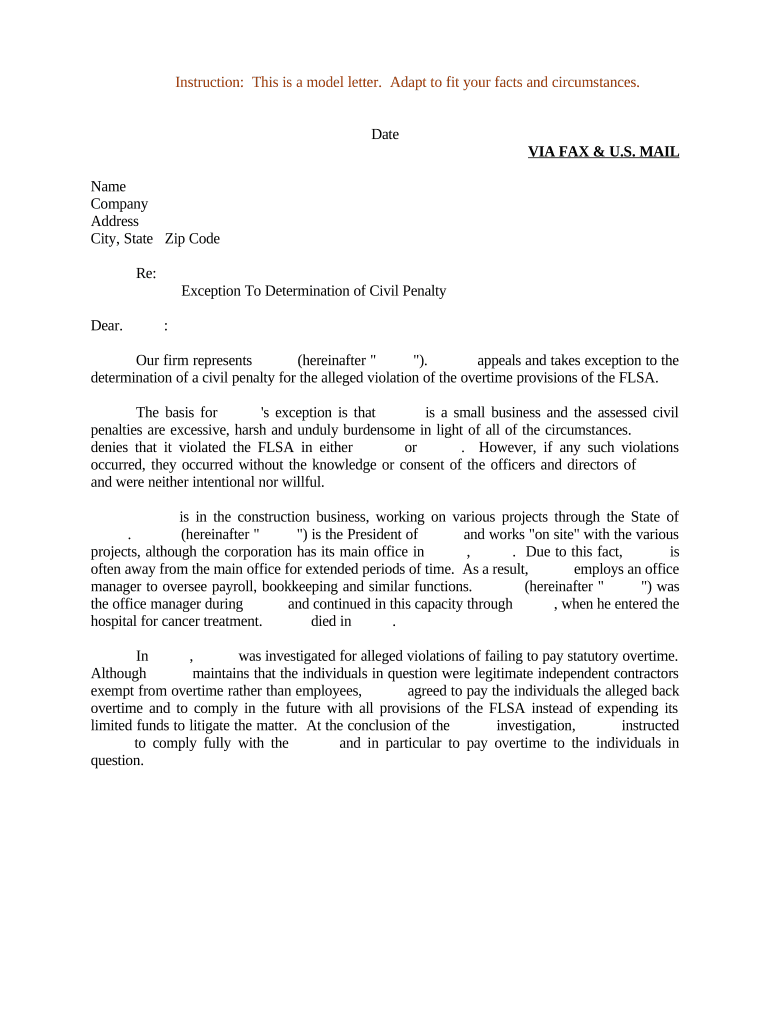
A Letter Regarding Exception to Civil Penalty is a formal written request submitted to a government agency, tax authority, or regulatory body asking that assessed civil penalties be abated, reduced, or excused. The letter explains the facts, legal basis, and supporting evidence for why enforcement should be waived or mitigated. Typical grounds include reasonable cause, administrative error, inability to comply due to circumstances beyond control, or documented reliance on erroneous guidance. Use clear chronology, cite controlling statutes or regulations, and attach corroborating documents to improve the chance of favorable review.

Why a Carefully Prepared Exception Letter Matters

A concise, well-supported letter can preserve rights, avoid escalating enforcement, and prevent accrual of interest and additional penalties by establishing reasonable cause or error.

Why a Carefully Prepared Exception Letter Matters

Who Typically Prepares and Submits These Letters

Organizations and individuals file exception letters when they contest civil penalties or request relief based on specific, documented circumstances.

  • Taxpayers and tax preparers seeking abatement of IRS information return or accuracy penalties
  • Businesses responding to agency enforcement notices across regulatory programs
  • Attorneys or compliance officers drafting legal submissions on behalf of clients

Choose the preparer with suitable subject-matter knowledge—tax counsel for IRC issues, compliance counsel for regulatory enforcement, or an authorized representative for administrative filings.

Essential Components to Include in the Letter

A professional exception letter follows a clear structure so reviewers can verify facts and law quickly.

Heading

Identify the recipient agency, notice number, date of assessment, and subject line stating 'Request for Exception to Civil Penalty' for immediate intake routing.
Declarant Details

Provide the full legal name, taxpayer identification or account number, mailing and email address, and a daytime contact for follow-up communications.

Factual Narrative

Present a chronological account of events with dates, actions taken, and who was responsible; keep the narrative factual and avoid argumentative language.

Legal Basis

Cite the statute or regulation that supports relief, explain how the facts meet the legal standard, and reference any applicable agency guidance or precedent.

Supporting Evidence

Attach copies of documents (correspondence, receipts, logs, medical records, vendor statements) and label exhibits to corroborate specific factual claims.

Signature Block

Include printed name, title, date, and an authorized signature; note who prepared the letter if signed by a representative and attach authorization if required.

Step-by-Step: Prepare and Submit the Exception Letter

Follow a consistent workflow from information gathering to submission to ensure a complete and persuasive request.

  • 01
    Gather Evidence: Collect supporting documents that corroborate dates, actions, and authority.
  • 02
    Draft Letter: Write a clear factual narrative, legal analysis, and exhibit list.
  • 03
    Review & Authorize: Have counsel or compliance review and obtain required signatures or power of attorney.
  • 04
    Submit: File by the agency’s accepted channel and retain proof of delivery.

How to Configure an Online Workflow for This Letter

Set up templates and routing so each letter follows the same review and submission path.

Template Fields Pre-fill name, account number, and exhibit placeholders for consistency
Signer Authentication Require email verification or stronger ID for authorized signers
Approval Routing Route sequentially: preparer → reviewer → authorized signer
Notifications Enable alerts for overdue approvals and completed submissions
Retention Location Archive signed letters to a secure records folder with versioning

Where to Send the Letter and Typical Routing

Identify the agency or payer and follow its prescribed submission method to ensure timely consideration.

  • Federal Agency: Send to the address or online portal specified in the notice or agency guidance
  • State Agency: Follow state department instructions; some require online forms or portal uploads
  • Payor or Third Party: Deliver to the entity that issued the penalty where applicable
  • Legal Counsel: Copy counsel when filings may trigger litigation or appeals

Digital Submission and File Format Considerations

Confirm the agency accepts electronic letters and which file formats are permitted before submitting.

  • Accepted Formats: PDF preferred; some portals accept DOCX or scanned images
  • Authentication: Strong signer ID may be required for certain filings
  • Integrations: Connect to document storage and case management systems

Keep copies in standardized formats and retain original evidence attachments for audit readiness and potential appeals.

Timeframes to Watch When Requesting an Exception

Agencies impose specific deadlines for responses or administrative appeals; meet them and document proof of timely filing.

Respond to Notice:

Submit within the deadline stated on the assessment or notice; missing it may limit relief options

IRS Information Return Deadlines:

See IRS timing rules for corrected returns and disputes to avoid error-related penalties

Tax Return Deadlines:

April 15 (Form 1040) remains the baseline for many tax-related relief timelines

I-9 Paperwork:

Address employment paperwork issues promptly to avoid escalating DHS penalties

Agency Appeal Period:

Different agencies set internal appeal windows—consult the notice for exact timeframes

Potential Penalties and Risks if the Letter Is Incorrect

1099 Filing Penalties: Per IRC §6721, $60–$330 per form depending on lateness
Intentional Disregard: IRC §6721 sets $660+ per form with no maximum
I-9 Violations: DHS penalties can range $281–$2,789 per violation
Rejection Risk: Incomplete letters can be returned without review
Interest Accrual: Unresolved penalties accrue interest until paid
Loss of Appeal Rights: Missing procedural deadlines may forfeit administrative remedies

Common Mistakes to Avoid When Preparing the Letter

  • Submitting unsigned or improperly authorized letters that the agency will not accept for review, causing inevitable delays.
  • Failing to attach or index supporting evidence, which forces reviewers to request additional documents and extends resolution time.
  • Using vague language or conclusory statements instead of a clear factual timeline tied to specific documents and dates.
  • Missing the named recipient, file number, or account identifier so the agency cannot locate the assessment being contested.

Required Information and Supporting Data Elements

Requestor Name: Full legal name
Account Number: EIN, SSN, or agency case number
Contact Details: Street address, phone, email
Notice Reference: Assessment date and notice ID
Supporting Docs: Indexed exhibits list
Authorized Signer: Title and authorization proof

Practical Examples of Using eSignatures for Compliance Correspondence

Organizations commonly use eSign workflows to produce signed exception letters and retain auditable evidence of delivery and approval.

Optica Ventures LLC — Operational Efficiency

A mid-size operator standardized its penalty exception letters and centralized exhibits to shorten review cycles.

  • The template reduced internal review steps.
  • "The interface is simple and easy-to-use for our team; more importantly, it is just as easy for our customers." — Brian Fitzgibbons, COO, Optica Ventures LLC

Martin Properties — Remote Execution

A real-estate owner used secure signing and indexed attachments to document property-related administrative errors quickly.

  • This reduced turnaround on agency correspondence.
  • "I can process and execute all of these documents online with 100% compliance and built-in security." — Tim Martin, Founder, Martin Properties

Practical Tips for an Accurate and Persuasive Submission

Adopt consistent drafting and review practices to minimize rejection risk and shorten resolution time.

Be Specific and Concise
Use precise dates, identify specific documents, and tie each factual claim to a numbered exhibit so reviewers can verify quickly and without ambiguity.
Attach Indexed Evidence
Provide clearly labeled attachments and an exhibit list; cross-reference exhibits in the narrative to avoid repeated requests for documentation.
Cite Governing Law
Reference the specific statute, regulation, or agency guidance that supports relief rather than generalized assertions of unfairness or hardship.
Keep a Complete Audit Trail
Retain delivery receipts, portal confirmations, and eSignature audit logs showing signer attribution, timestamps, and IP where applicable.

Key Milestones from Draft to Resolution

Track the lifecycle of the request with clear milestones so stakeholders know expected actions and timing.

01

Draft Completion

Complete narrative and exhibit assembly for internal review.

02

Internal Approval

Compliance or counsel signs off before external filing.

03

Formal Submission

Send via agency portal or certified mail with proof of delivery.

04

Agency Response

Monitor for procedural requests, decisions, or requests to supplement the record.

eSignature Pricing and Feature Snapshot for Letter Preparation

Compare typical starting prices and common feature availability across vendors when selecting a platform to prepare and sign exception letters and attachments.

signNow DocuSign Adobe Sign PandaDoc HelloSign
Starting Price $8/user/mo $15/user/mo $14/user/mo $19/user/mo $15/user/mo
Free Trial 7-day trial Varies by plan Varies by plan Varies by plan Varies by plan
Bulk Send Yes (Premium+) Yes Yes Yes No
Audit Trail / Envelope Cap Yes; No cap Yes; 100 envelopes/user/yr Yes; Varies Yes; Varies Yes; Varies
HIPAA Compliant Yes Yes Yes No No

FAQs: Common Questions About Exception Letters

Answers address frequent procedural and evidentiary questions to reduce resubmissions and processing delays.


Need help? Contact support

be ready to get more
Join over 28 million airSlate SignNow users