Establishing secure connection…Loading editor…Preparing document…

Letter Offering Property for Sale to City

This template is fully customizable. Edit the text, fill out the fields, and send it for signature. Give it a try!
Letter Offering Property for Sale to City

What a Letter Offering Property for Sale to City Is

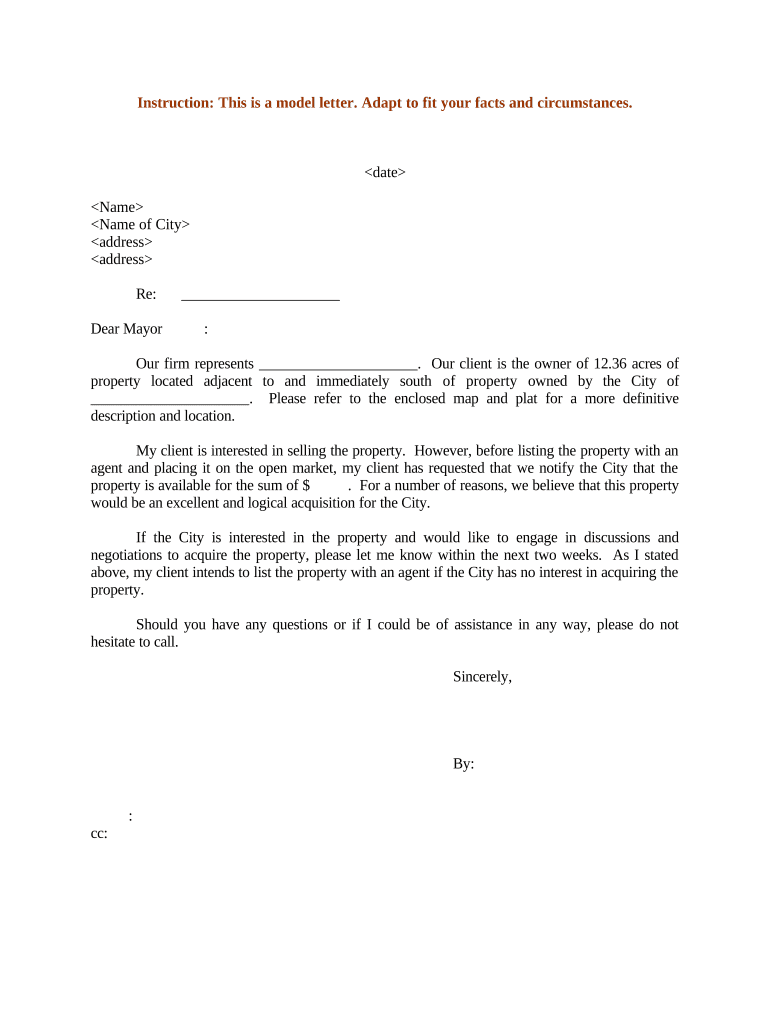
A Letter Offering Property for Sale to City is a formal written notice from a property owner or authorized representative proposing the sale of real property to a municipal government or agency. The letter identifies the property by address and parcel identifier, states the owner's intent, and outlines price expectations, timing, and key conditions such as access, environmental reports, or zoning status. Municipalities use such letters in voluntary acquisitions, surplus property programs, and preliminary negotiations before any formal purchase agreement or condemnation proceeding. The letter establishes a documented offer and opens official communications with city staff.

Why Submitting a Clear Offer Letter Helps

A precise offer letter documents intent, sets terms, and helps municipal reviewers assess cost and public interest quickly. It preserves a written record of the offer, reduces ambiguity during appraisal and title checks, and can shorten negotiation timelines when the city considers acquisition or surplus property processes.

Why Submitting a Clear Offer Letter Helps

Who Typically Prepares or Receives These Letters

Typical senders include individual owners, property managers, municipal real estate consultants, and attorneys representing landowners.

  • Individual property owners initiating voluntary sale negotiations with the city.
  • Commercial landlords or managers offering surplus parcels or easements for municipal use.
  • Real estate attorneys or consultants submitting formal offers on behalf of clients.

Primary Roles Involved

Owner

A private individual or entity owning the subject parcel. The owner prepares the letter to state intent, proposed price, and any contingencies. If represented, attach a recorded deed or corporate resolution showing authority and include contact information for negotiations and title clearance.

Municipal Office

City real estate, acquisitions, or public works office staff who receive and review offers. They verify property details, evaluate public interest, request environmental or appraisal reports, and coordinate internal approvals. Response timelines and required documentation vary by municipality and ordinance.

Key Security and Compliance Considerations

Encryption: AES-256 at rest
Transport Security: TLS 1.2/1.3 in transit
Audit Trail: Detailed timestamped events
Access Controls: Role-based signer permissions
BAA Availability: HIPAA BAA available
Certifications: SOC 2, ISO 27001

Risks and Financial Consequences to Watch For

Late Filing Penalty: $60–$330 per form
Intentional Disregard: $660+ per form, no cap
I-9 Violations: $281–$2,789 per violation
Backup Withholding: 24% withholding rate
Contract Risk: No binding without city acceptance
Title Issues: Unclear title delays closing

Common Preparation Pitfalls

  • Incomplete property description leading to scope confusion and delays in municipal review; include parcel ID, legal description, and address to reduce follow-up requests.
  • Missing authorization when an agent signs: attach deed, power of attorney, or corporate resolution to prove authority and avoid rejection or processing hold.
  • Vague pricing terms such as 'market value' can stall negotiations; state a specific price or provide the appraisal method and adjustment provisions.
  • Failing to include environmental or access limitations may result in later liability or renegotiation; disclose known conditions and attach reports when available.

Step-by-Step: Prepare and Send the Offer Letter

Follow these steps to prepare and submit a Letter Offering Property for Sale to City; sequence reduces errors and supports municipal review.

  • 01
    Confirm Ownership: Check deed and tax records to verify legal owner.
  • 02
    Describe Property: Provide parcel ID, legal description, and street address.
  • 03
    State Terms: State price, conditions, and any contingencies clearly.
  • 04
    Attach Documents: Include appraisal, survey, environmental reports, and authorization.

Typical Submission and Review Flow

This diagram shows typical routing from seller to city review and decision; use it to plan documents, approvals, and follow-up steps.

  • Prepare Letter: Draft offer with price, property details, and attachments.
  • Submit to Office: Send to municipal real estate or public works department.
  • Municipal Review: City reviews title, appraisal, and environmental records.
  • Negotiation & Close: Negotiate terms, record instruments, and complete transfer.

Four Essentials to Include in the Letter

A professional Letter Offering Property for Sale to City should be concise, include legal identifiers, state clear terms, and attach supporting reports to facilitate review.

Clarity

Use plain language to describe parcel boundaries, tax parcel number, and any encumbrances; avoid ambiguous phrases that could delay municipal appraisal or title review process.

Price

State a fixed dollar amount or a clear valuation method; indicate whether price includes closing costs, prorations, or contributions to remediation to prevent misunderstandings later.

Attachments

Attach current appraisal, ALTA/NSPS survey, environmental phase reports, title commitment, and copies of current leases or encumbrance instruments as applicable to the parcel to expedite review.

Contact

Provide a named contact, telephone number, email address, and availability windows for showing, inspection, and negotiations and include preferred communication method and secondary contact information for escrow or counsel.

Best Practices for a Smooth Submission

Follow these best practices to make submissions to a city clearer, faster to process, and less likely to face legal or administrative objections.

Include the full legal description
Copy the legal description exactly from the deed or county records; an abbreviated or informal description can cause title search delays or rejection by municipal staff and additional processing time.
Attach appraisal, survey, and reports
Providing an appraisal, ALTA survey, and Phase I environmental report upfront reduces the city's need to order independent studies and often shortens negotiation and approval timelines by several weeks in many cases.
Confirm signer authority and include proof
Attach a recorded deed, board resolution, power of attorney, or other proof when someone signs for the owner; lacking proof prolongs verification and can halt processing and require legal counsel involvement.
State access and remediation responsibilities clearly
Disclose known contamination, utility locations, and required easements; specify which party will fund remediation or access improvements to avoid future cost disputes and include timelines for completion and inspection before closing.

Key Milestones from Submission to Municipal Decision

Key milestones from submission to municipal decision help set expectations for response times and necessary follow-up steps.

01

Submission

Seller submits letter and attachments to the city's real estate office.

02

Initial Review

City acknowledges receipt and assigns reviewer or case number.

03

Due Diligence

City completes title, appraisal, environmental, and survey reviews.

04

Decision or Negotiation

City approves, declines, or enters negotiations with seller.

Common Timing Benchmarks to Expect

Typical timing and deadlines for each stage vary by municipality; the following are common benchmarks to expect.

City acknowledgement of receipt timeframe:

Often 7–30 days depending on staff workloads.

City initial review period estimate:

Commonly 30–90 days to complete due diligence.

Negotiation window offered to seller:

Varies; municipal procurement rules may set public meeting schedules.

Formal approval or denial decision:

Often a public meeting or council vote is required.

Recording and closing timeline after acceptance:

Depends on title work and recording office times, typically weeks.

Six Structural Elements of an Effective Offer Letter

These six elements form the core structure of a Letter Offering Property for Sale to City and improve clarity for municipal review and negotiation.

Opening

Begin with a clear statement of intent to sell, the party making the offer, the property address, and the desired transaction timeframe to inform initial municipal processing.
Property Details

Provide parcel numbers, legal description, current zoning, acreage, improvement descriptions, and any easements; accuracy here speeds title review and appraisal scheduling and reduces follow-up requests.

Price & Terms

State asking price, acceptable payment terms, closing responsibilities, proposed escrow agent, and whether seller will contribute to closing or remediation costs if applicable and timeline.

Attachments Required

List enclosed documents (appraisal, survey, title commitment, environmental reports) and note items that will follow, such as tenant estoppel letters or updated records and any permits.

Signatures

Include signature block with printed name, title, entity name, date, and contact information; if agent signs, attach proof of authority such as a resolution or POA.

Distribution

State where offers should be sent (department name, mailing address, or electronic submission portal) and indicate preferred method for follow-up communications, including contact name and phone.

Checklist Before Sending the Offer

Use this compact checklist to prepare supporting materials and confirm signatures before sending the offer to the city.

01

Title Search:

Order a preliminary title report.
02

Appraisal:

Obtain a recent market appraisal.
03

Survey:

Commission ALTA/NSPS survey if needed.
04

Environmental:

Provide Phase I report or disclosure.
05

Authorization:

Attach deed, resolution, or power of attorney.
06

Contact Info:

List primary and secondary contacts.

Accepted Submission Channels and Technical Notes

Use electronic or paper submission channels aligned with municipal preferences; some cities accept email or portal uploads while others require mailed originals.

  • Email Submission: PDF attachments with signed letter
  • Portal Upload: Secure portal with audit trail
  • Mailed Originals: Physical copies for recording or deed transfer

How to Configure an Online Submission Workflow

Set up an electronic workflow to collect signatures, attachments, and routing to municipal reviewers; configure notifications and authentication to match city requirements.

Field Configuration
Signing Order Sequential or parallel signer order with reminders.
Authentication Email link, SMS code, or knowledge-based options.
Attachment Requirements Require attachments before final signature submission.
Notifications Automatic emails on completion and pending actions.

Offer Letter vs. Purchase Agreement: How They Differ

Compare the offer letter with a full purchase agreement to clarify purposes, legal effect, and when each document is appropriate.

Criteria Letter Offering Purchase Agreement
Legal Effect preliminary typically binding
Typical Use outreach closing instrument
Attachments Needed summary docs comprehensive docs
Notarization optional sometimes required

eSignature Vendor Snapshot for Municipal Offer Letters

This vendor comparison shows basic pricing and feature availability for signing solutions relevant to e-submission of a Letter Offering Property for Sale to City.

signNow DocuSign Adobe Sign PandaDoc HelloSign
Starting Price $8/user/mo $15/user/mo $14/user/mo $19/user/mo $15/user/mo
Free Trial 7-day free trial Yes Yes Yes Yes
Bulk Send Yes Yes Yes Yes Yes
Audit Trail Yes Yes Yes Yes Yes
HIPAA Compliant Yes Yes Yes No No

Frequently Asked Questions and Troubleshooting

Answers to common questions and troubleshooting steps related to drafting, signing, and submitting an offer letter to a municipal authority.


Need help? Contact support

be ready to get more
Join over 28 million airSlate SignNow users