Establishing secure connection…Loading editor…Preparing document…

Letter Regarding Service Rate Increase

This template is fully customizable. Edit the text, fill out the fields, and send it for signature. Give it a try!
Letter Regarding Service Rate Increase

What a Letter Regarding Service Rate Increase Is

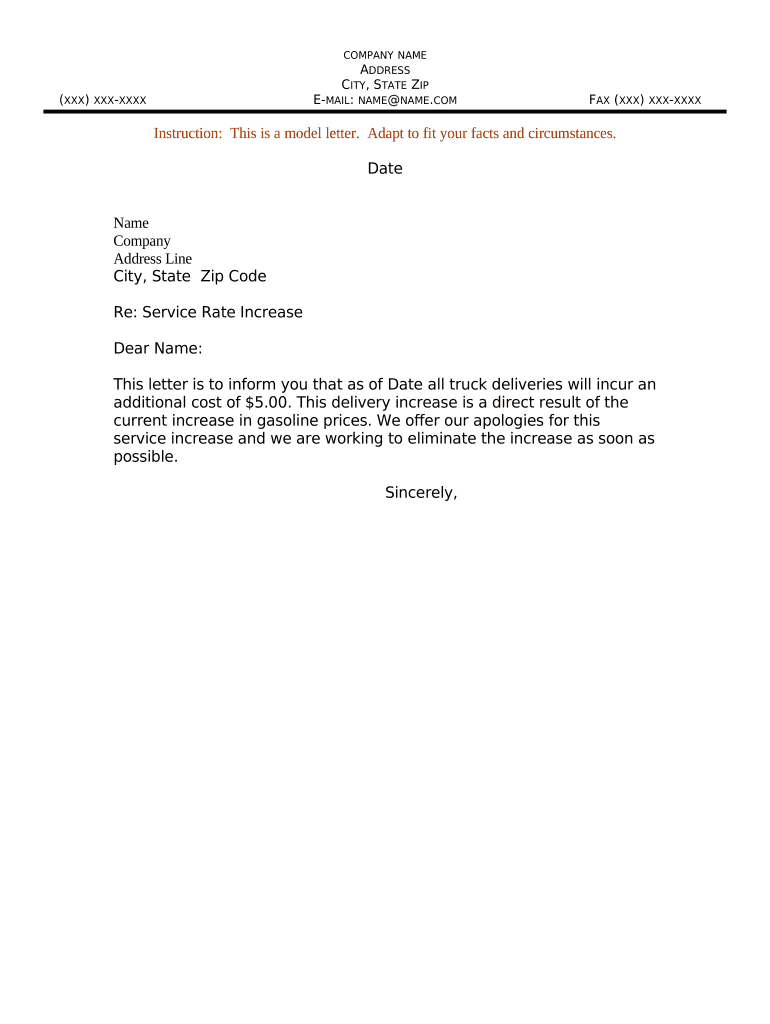
A Letter Regarding Service Rate Increase is a formal written notice from a provider to clients informing them of upcoming changes to fees or rates for goods or services. It communicates the effective date, the scope of the rate change, the reason or justification, any changes to service levels or billing cycles, and instructions for questions or disputes. The letter is used to create clear, documented notice that can be relied on by both parties and may be attached to customer accounts, invoices, or contract amendments where needed.

Step-by-step: Preparing and Sending the Letter

Follow these four action steps to prepare, approve, and deliver a clear rate-increase letter to customers.

  • 01
    Draft the notice: State new rates, effective date, reason for change, and affected services.
  • 02
    Verify authority: Confirm signer has contractual authority to amend pricing or provide notice.
  • 03
    Select delivery method: Choose certified mail, email with read receipt, or secure customer portal.
  • 04
    Archive evidence: Keep signed copy, transmission receipt, and any customer responses.

Essential elements to include in a professional notice

A complete letter balances clarity for the customer with the provider’s legal and operational needs; include these items to minimize misunderstandings.

Clear identification

Customer name, account number, billing address, and the provider’s contact details so the recipient and record match.
Precise rate details

Show current charge, new charge, billing frequency, and any rounding or proration rules that will apply at the effective date.

Effective date

State the exact MM/DD/YYYY when the new rate begins and whether the change affects existing prepaid periods or future invoices.

Justification

Brief factual explanation (for example, supplier cost increases or regulatory fees) to make the change transparent and defensible.

Contract implications

Note whether the notice amends an existing agreement or is provided under contract notice provisions; reference the relevant contract clause if applicable.

Signature and authorization

Include printed name, title, signature line, and date demonstrating the signer's authority to issue the notice.

Required information to record and retain

Account ID: Unique customer identifier
Effective Date: MM/DD/YYYY format
Old vs New Rate: Numeric amounts
Signatory: Name and job title
Delivery Proof: Email receipt or postal tracking
Retention Note: Policy code or file reference

Configuring an online workflow for rate-change notices

Set up a repeatable online workflow to populate, approve, and deliver notices while capturing evidence for each step.

Field Configuration
Template Merge customer fields into letter
Approval step One or two approvers before sending
Delivery Email, certified mail, or portal
Retention rule Auto-archive signed copy

Digital delivery and signature options

Choose delivery and authentication options that match legal risk and customer expectations; stronger authentication reduces dispute risk.

  • Email delivery: Simple, widely accepted
  • Certified mail: Proof of delivery available
  • eSignature platform: Audit trail + secure storage

Where to send or file the completed notice

Select the destination that best satisfies contract terms and creates reliable evidence of notice delivery.

  • Customer email: Send to the address on contract records with read-receipt or delivery tracking
  • Customer portal: Upload to secure account area with user notification
  • Certified mail: Use USPS certified mail or equivalent for documented proof
  • Contract repository: Attach signed letter to account contract file

Typical timelines and notice periods to consider

Timing expectations vary by contract, industry, and state law; these common timelines help plan communications and billing changes.

Short-term notice:

30 days is a common business practice

Longer notice for major increases:

60 days or more for significant price changes

Immediate changes:

May apply to new customers or when contract permits

Billing cycle alignment:

Coordinate effective date with invoice cycle

Customer response window:

Allow reasonable time for questions or disputes

Common mistakes to avoid when preparing the notice

  • Using vague language about the new rate or billing method, which leaves room for misunderstanding and dispute.
  • Failing to confirm the signer’s authority under the contract, exposing the provider to claims the notice is invalid.
  • Sending notice to outdated contact information or multiple addresses without tracking, which undermines proof of delivery.
  • Not documenting customer inquiries and responses, making it harder to resolve billing or contract disputes later.

Potential legal and business risks

Contract breach: Damages or termination risk
Regulatory exposure: Industry-specific penalties
Reputational harm: Customer churn
Billing disputes: Refunds and adjustments
Class claims risk: If notice practice is systemic
Enforceability: Invalid notice may be void

How a rate-increase letter differs from related documents

Choose the correct document type to match your legal purpose: informational notice, contract amendment, or billing change.

Criteria Rate Notice Contract Amendment Invoice
Primary purpose inform modify terms bill
Requires signature usually no
Legal effect notice only alters contract payment demand
Typical routing customer notice legal review accounting

eSignature vendor comparison for sending and signing notices

Comparison of starting prices and common capabilities; signNow is listed first per standard vendor ordering rules.

signNow DocuSign Adobe Sign PandaDoc HelloSign
Starting Price $8/user/mo $15/user/mo $14/user/mo $19/user/mo $15/user/mo
Free Trial 7-day trial Varies Varies Varies Varies
Bulk Send Yes Yes Yes Yes No
Audit Trail Yes Yes Yes Yes Yes
HIPAA Compliant Yes Yes Yes No No

Who typically signs and issues these letters

Accounts Receivable Manager

An Accounts Receivable Manager or billing lead commonly issues price-change notices because they control customer accounts, billing systems, and have access to contract identifiers. Their responsibilities include verifying billing data, coordinating with legal and sales, and ensuring notices are sent to the correct account contacts.

Authorized Officer

A company officer or designated contract signatory often approves and signs notices when a contract clause requires an executive-level amendment. Approval authority ensures the notice binds the provider and reduces risk of later challenge to authority or enforceability.

Real-world examples of rate-change notices

Two practical examples show how organizations use notices to communicate pricing changes and preserve documentation.

Optica Ventures — recurring services

Optica updated subscription pricing for portfolio companies and used templated notices to inform customers quickly

  • Used merge fields to generate individualized letters
  • The result was consistent documentation, fewer billing inquiries, and an auditable record tied to each account.

Martin Properties — tenant service fees

A property management firm issued utility pass-through increases to tenants with required notice periods

  • Notices were delivered via tenant portal and certified mail
  • Combining portal delivery with mailed proof reduced disputes and provided a clear compliance record for lease enforcement.

Practical tips for accurate and efficient completion

Adopt these practices to reduce disputes and administrative overhead when issuing rate-change notices.

Use a standard template
Maintain a single approved template that includes all essential fields, reduces drafting errors, and ensures legal review consistency across notices.
Automate merges
Pull account data from the billing system to populate fields and avoid manual transcription mistakes that create billing mismatches.
Capture delivery proof
Retain email receipts, certified mail tracking, or platform audit trails to demonstrate timely notice and to support dispute resolution.
Coordinate cross-departmentally
Involve legal, sales, and billing early to ensure the notice aligns with contract terms and downstream invoicing systems.

FAQs and troubleshooting for rate-increase notices

Answers to frequently asked questions and common troubleshooting steps when preparing or delivering a rate-change letter.


Need help? Contact support

be ready to get more
Join over 28 million airSlate SignNow users