Header
Include school name, teacher name, grade, and date at the top to ensure parents can file the notice and match supplies to the correct classroom without confusion.
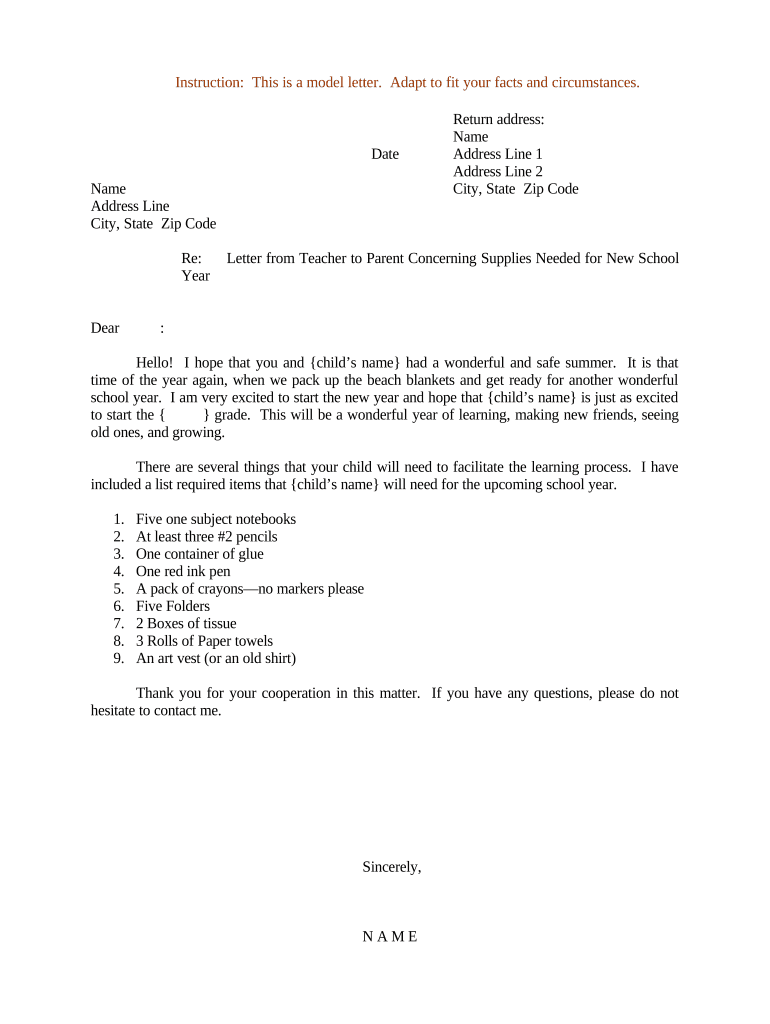
This letter clarifies classroom needs, reduces duplication of purchases, supports equitable access to materials, and improves communication between teachers and families. Clear lists and deadlines help parents plan and enable schools to prepare supplies before instruction begins.

Teachers, school administrators, and parent-teacher organizations commonly prepare or distribute this letter to coordinate classroom supplies.
Amanda drafts and sends the supplies letter at the start of each term, listing class-specific materials, estimated quantities, and preferred brands. She includes deadlines, volunteer sign-ups, and instructions for labeled donations to ensure smooth distribution and avoid duplicate purchases.
The PTA coordinator collects returned supplies, organizes donation drop-offs, and tracks contributions. They coordinate bulk purchasing when multiple families request the same item, communicate shortages to the school, and maintain an inventory list to balance classroom needs with available donations.
Include school name, teacher name, grade, and date at the top to ensure parents can file the notice and match supplies to the correct classroom without confusion.
Address the letter to families or class parents, include a brief welcome sentence and the purpose of the note so recipients understand it's a supplies request rather than general information.
Present required items first, optional items second, and specify brand, size, and exact quantities. Use bullet points for readability and group related items to aid shopping.
Explain how parents should label supplies, where to drop them off, whether purchases can be shipped, and whether contributions can be monetary instead of in-kind materials.
State a clear deadline using MM/DD/YYYY format, note any early drop-off days, and explain consequences of late donations for planning or classroom readiness.
Provide teacher email, preferred phone contact, and office hours for follow-up. Note language support or translation resources if available to ensure equitable communication.
| Field | Configuration |
|---|---|
| Template Title (internal use) | Class Supplies Letter template for homeroom communication |
| Required Fields and Validation | Student name, class, items, quantities, and deadline |
| Conditional Fields / Logic | Show 'volunteer signup' only if donations accepted |
| Delivery Channels Enabled | Email, print PDF, school portal, and messaging apps |
Acceptable distribution platforms include school email, parent portal, and secure messaging; choose one that preserves attachments and supports PDF or DOCX formats.
Send 2–4 weeks before school starts.
One week before classes begin to finalize inventory.
Allow two or three school days before start.
Accept limited late donations with notice.
Complete within the first two weeks of term.
| signNow | DocuSign | Adobe Sign | PandaDoc | HelloSign | |
|---|---|---|---|---|---|
| Starting Price | $8/user/mo | $15/user/mo | $14/user/mo | $19/user/mo | $15/user/mo |
| Free Trial | 7-day free trial | No | No | Yes, limited | Yes, limited |
| Bulk Send | Yes | Yes | Yes | Yes | No |
| Audit Trail | Yes | Yes | Yes | Yes | Yes |
| HIPAA Compliant | Yes | Yes | Yes | No | No |