Establishing secure connection…Loading editor…Preparing document…

Letter from Wedding Planner to Bride Regarding Wedding Update

This template is fully customizable. Edit the text, fill out the fields, and send it for signature. Give it a try!
Letter from Wedding Planner to Bride Regarding Wedding Update

What this letter is and when to use it

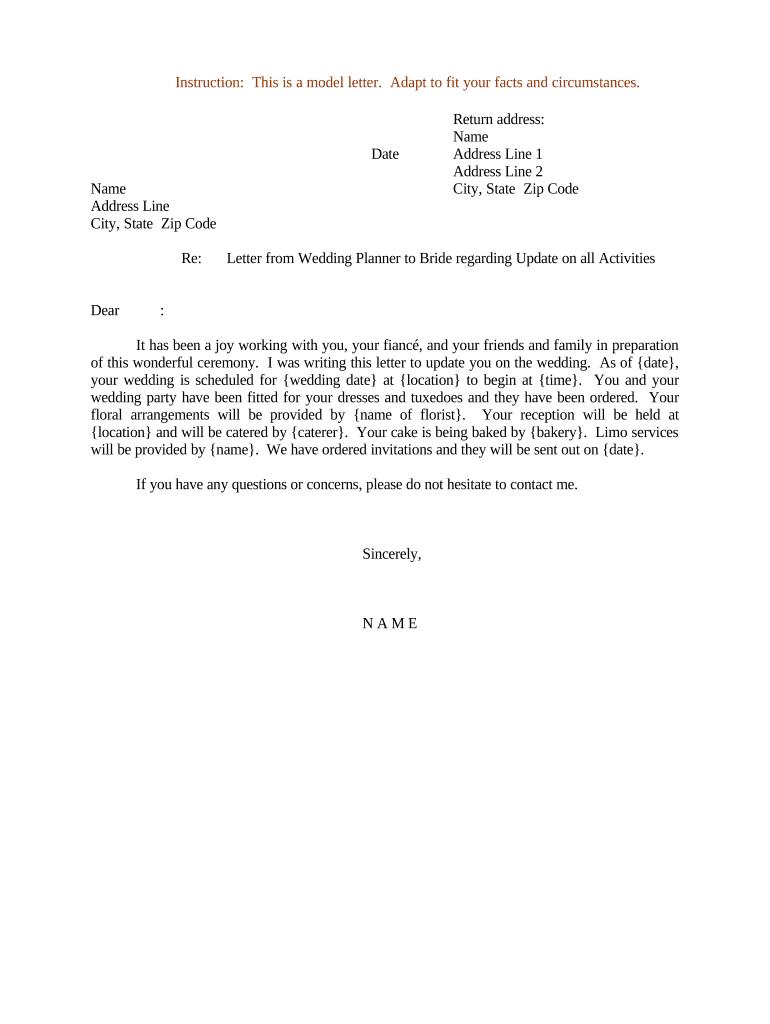
A Letter from Wedding Planner to Bride Regarding Wedding Update is a concise written communication used to inform the bride about schedule changes, vendor updates, payment milestones, logistical adjustments, or other event developments. It can serve as a formal record of agreed changes, a confirmation of decisions made in meetings, or a friendly update summarizing next steps. The letter should state the effective date, describe the update clearly, identify any action required by the bride, and indicate deadlines or payment implications so both parties have a consistent reference.

Why a clear update letter matters to the event

A clear update letter reduces misunderstandings, documents decisions, and creates a single reference point for timing, costs, and responsibilities.

Why a clear update letter matters to the event

Who commonly prepares and receives this letter

Typical senders and recipients for this document are event professionals and the primary client involved in planning.

  • Wedding planners and coordinators who need to confirm schedule, supplier, or budget changes with the bride.
  • Brides or primary clients who require written confirmation before approving vendor modifications or additional charges.
  • Vendors or venue managers copied for operational clarity and to align execution timelines.

Use the letter when you need a formal written record of updates, not merely a casual text or verbal note.

Essential parts of a professional wedding update letter

A professional update letter balances friendly tone with precise facts so it functions as both communication and documentation for the event.

Header

Date, planner name, planner contact information, and a clear recipient line specifying the bride by full legal name and role.
Subject line

A concise subject such as 'Update: Timeline and Vendor Changes for [Wedding Date]' that makes the purpose of the letter immediately clear.

Summary of change

A short paragraph that states what changed, why, and who proposed it, with explicit references to previously agreed items when relevant.

Action required

Specific requests for the bride (approve, sign, pay, confirm) with due dates and any methods for responding or confirming consent.

Cost implications

If applicable, state added or reduced charges, payment due dates, invoice references, and whether the change affects vendor retainers.

Next steps

Clear instructions and contact details for follow-up, plus a short sentence confirming how the update will be recorded in the master planning file.

Core information to include in every update letter

Planner identity: Full name and company
Bride identity: Full legal name
Event date: MM/DD/YYYY format
Venue details: Name and full address
Change summary: Concise description
Response deadline: MM/DD/YYYY date

Step-by-step: preparing and sending the update

Follow these steps to draft a clear update letter, obtain approval, and retain a signed record for the event file.

  • 01
    Draft: Compose the change, rationale, and consequences in plain language.
  • 02
    Review internally: Confirm vendor availability, costs, and schedule impacts.
  • 03
    Send to bride: Deliver as email or e-signed letter with clear subject and attachments.
  • 04
    Record response: Save the bride's reply and signed copy in the project folder.

Configuring this letter for digital workflows

When you send the update online, set fields and routing to reduce signer friction and ensure an audit trail.

Document format PDF or DOCX for consistent layout
Required fields Signature, date, response checkbox
Authentication Email link or SMS code
Routing order Planner → Bride → Vendor (optional)
Retention setting Store signed copies in project folder

Where to send or file the completed update

Decide distribution and storage so recipients and records remain consistent across the planning team.

  • Primary delivery: Email to the bride with PDF attachment
  • Copy to vendors: CC key vendors for alignment
  • Project file: Upload signed copy to central folder
  • Accounting: Send invoice changes to billing contact

Technical considerations for eSigning and storage

Choose a platform that supports common file types, produces an audit trail, and meets applicable compliance requirements.

  • File types: PDF, DOCX, HTML
  • Integrations: Google Workspace, Microsoft 365
  • Audit trail: Timestamp and IP

For higher-volume operations, use a solution with vendor integrations and secure storage; ensure HIPAA controls when handling protected health information for related events.

Typical response times and deadlines to include

Explicit deadlines keep the planning schedule on track and clarify payment or approval windows.

Approval deadline:

Specify date for bride approval (MM/DD/YYYY)

Payment due date:

List any deposit or balance dates explicitly

Vendor confirmation:

Set date for vendor acknowledgement

Cancellation cutoff:

Describe refund/penalty dates if applicable

Effective date:

State when the change takes effect

Common mistakes to avoid when issuing an update

  • Vague language about responsibilities leads to misinterpretation and operational delays; be explicit about who does what and when.
  • Omitting cost implications causes disputes; always state whether the change adds or reduces fees and reference invoice numbers.
  • Failing to include an approval deadline delays decisions; include a clear MM/DD/YYYY due date and preferred confirmation method.
  • Not preserving a signed record means you lack evidence for disputes; always retain the signed letter in the project folder.

Risks and consequences of an incorrect or missing update letter

Contract ambiguity: May lead to disputes
Payment disagreements: Delayed or missing payments
Vendor conflicts: Double bookings or cancellations
Operational delays: Timeline disruptions
Liability exposure: Potential claims for costs
Record gaps: Evidentiary weaknesses

Real-world examples of event communication and recordkeeping

These short examples show how event professionals used written updates to document changes and keep stakeholders aligned.

Optica Ventures — COO

A planner summarized vendor timing changes in a single document to avoid confusion after a schedule shift

  • The update requested bride approval within 48 hours
  • The signed record reduced follow-up calls and ensured vendors had a clear go-ahead for revised delivery times.

Martin Properties — Founder

For an onsite ceremony, the planner issued an amended logistics letter after a venue layout change

  • The letter included updated load-in times and contact details
  • Keeping the signed update in the event folder prevented miscommunication with caterers and reduced day-of delays.

Pricing comparison for eSignature vendors useful for sending this letter

Compare per-user pricing and select features relevant to sending and storing update letters; signNow is listed first for reference.

signNow DocuSign Adobe Sign PandaDoc HelloSign
Starting Price $8/user/mo $15/user/mo $14/user/mo $19/user/mo $15/user/mo
Free Trial 7-day trial Varies Varies Varies Varies
Bulk Send Yes Yes Yes Yes Varies
Audit Trail Yes Yes Yes Yes Yes
HIPAA Compliant Yes Yes Yes No No

Practical tips for accurate, efficient update letters

Adopt a consistent approach to drafting, sending, and storing updates to reduce disputes and administrative overhead.

Use clear subject lines
Start with a specific subject line referencing the wedding date and the nature of the change. This helps the bride and vendors find the update in email and project folders quickly.
Limit scope per letter
Cover a single topic or a tightly related set of items per letter. Multiple unrelated changes in one message increase the chance of missed approvals and confusion during execution.
Attach supporting documentation
When cost or schedule changes are involved, include vendor quotes, revised timelines, or invoices as attachments so approvals reference the same material that vendors see.
Preserve signed copies
Save the signed update in the central project repository with date-stamped filenames and index entries to ensure easy retrieval for accounting or dispute resolution.

Frequently asked questions about sending update letters

Answers to common questions about formality, eSigning, retentions, and how to rescind or amend an issued update.


Need help? Contact support

be ready to get more
Join over 28 million airSlate SignNow users