Establishing secure connection…Loading editor…Preparing document…

Notice of Contract – Professional Subconsultant

This template is fully customizable. Edit the text, fill out the fields, and send it for signature. Give it a try!
Notice of Contract – Professional Subconsultant

What the Notice of Contract — Professional Subconsultant Is

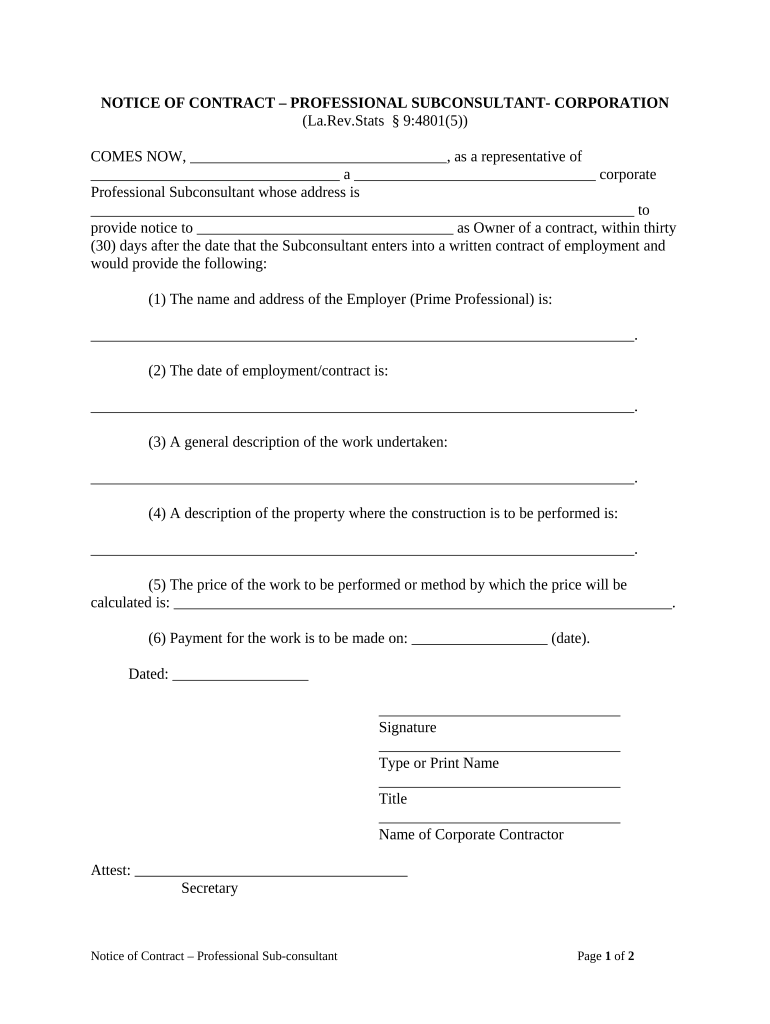
A Notice of Contract – Professional Subconsultant is a written document that confirms the engagement of a professional subconsultant by a prime consultant or contractor on a specific project. It identifies the parties, summarizes the scope of work, sets the effective date and term, and lists required attachments such as insurance certificates and licensing evidence. The notice often establishes routing for invoicing and document retention and can serve as proof of contractual relationship for payment, lien, and compliance purposes. Electronic execution is permitted under federal ESIGN (15 U.S.C. ch. 96) and state UETA regimes where applicable.

Why a Formal Notice Matters in Subconsultant Engagements

A formal notice clarifies responsibilities, fixes the start date and scope, preserves payment and lien rights, and creates an auditable record. Properly completed notices reduce disputes and support regulatory or owner-mandated compliance reviews.

Why a Formal Notice Matters in Subconsultant Engagements

Typical parties who prepare or receive this notice

Common users include parties at different points in a project who must document the subconsultant appointment and related obligations.

  • Prime consultant or lead firm responsible for engaging and onboarding the subconsultant.
  • Subconsultant (engineer, architect, specialty consultant) receiving notice and confirming acceptance.
  • Owner, project manager, or accounting department that needs notice for invoicing and compliance.

Representative signer profiles

Prime Consultant — Project Manager

The project manager signs or issues the notice on behalf of the prime consultant and is responsible for confirming scope alignment, required insurance, and routing for payments. This signer typically ensures exhibits and insurance certificates are attached and that the notice is distributed to accounting and project records.

Subconsultant — Authorized Officer

An authorized officer or company signatory at the subconsultant reviews scope, confirms capacity and licensing, and signs to accept the engagement. This signer must verify insurance, provide a W-9 if requested, and acknowledge any negotiated terms or subcontract exhibits.

Core sections to include in the notice

A complete notice groups essential contract details into clear sections so parties can quickly verify obligations, attachments, and timelines.

Parties

Full legal names and contact information for prime consultant, subconsultant, and optionally owner; include mailing and email addresses and a primary project contact.
Scope

Concise description of services, deliverables, and any related drawings or exhibits; reference the master agreement and attach detailed scopes as exhibits where necessary.

Compensation

Payment method, billing schedule, retainage terms, invoicing address, and any approved rates or not-to-exceed amounts tied to the subconsultant engagement.

Insurance

Required insurance types and limits, certificate holder name for evidencing coverage, and deadline for delivering COIs or endorsements.

Term

Effective date, anticipated completion or milestone dates, and conditions that trigger termination or extension of the subconsultant assignment.

Signatures

Signature blocks for authorized representatives with dates, printed names, titles, and a place for notarization if the project or owner requires it.

Required data fields at a glance

Legal names: Full official entity names
Project identifier: Project name or number
Effective date: MM/DD/YYYY
Scope reference: Exhibit or attachment IDs
Insurance proof: Certificate or endorsement
Signature block: Printed name, title

Step-by-step: completing and circulating the notice

Follow these sequential steps to prepare, approve, and distribute a Notice of Contract with a clear audit trail.

  • 01
    Prepare document: Populate parties, scope, dates, and exhibits.
  • 02
    Attach evidence: Include insurance, licenses, and W-9 if requested.
  • 03
    Obtain signatures: Send for electronic or wet signatures in required order.
  • 04
    Distribute copies: Send signed copy to accounting and project file.

Recommended online workflow settings for eSubmission

Configure the digital workflow to reduce friction, ensure authentication, and preserve a complete audit trail for the notice.

Field Configuration
Authentication Email link plus optional SMS code
Required fields Signature, date, company name, COI upload
Routing Sequential signing by prime then subconsultant
Retention Save signed PDF/A with audit trail

Where to send and file the executed notice

Use a clear distribution path so invoicing, project management, and compliance teams receive and can act on the signed notice.

  • Subconsultant copy: Deliver signed notice to the subconsultant for their records.
  • Owner/client file: Provide owner or client a copy when contract flow requires notice.
  • Project records: Store in the centralized project document repository.
  • Accounting: Route to accounts payable for invoicing setup.

Technical considerations for digital signing and integration

Ensure your eSignature platform supports secure authentication, audit trails, and PDF archival for project records before eSubmitting a notice.

  • Authentication: Email, SMS, or stronger methods
  • Integrations: Salesforce, NetSuite, Procore supported
  • File formats: PDF, PDF/A, DOCX export

Common timing expectations and deadlines

Establish explicit deadlines in the notice to avoid onboarding delays and payment disputes.

Respond to notice:

10 business days to accept or request changes

Insurance delivery:

COI required within 7 calendar days

Work start date:

Start on the contract effective date

Invoice submission:

Invoices submitted per milestone or monthly

Payment timing:

Payments typically within 30 days of invoice

Key milestones from notice issuance to commencement

Track these sequential milestones to ensure the notice produces actionable onboarding outcomes.

01

Issue Notice

Prime sends signed notice and exhibits to subconsultant.

02

Acknowledgement

Subconsultant signs and returns acceptance or proposed exceptions.

03

Verify Insurance

Project admin confirms COIs meet specified limits and endorsements.

04

Commence Work

Work begins on the agreed effective or mobilization date.

Notarization and witness authentication flow (if required)

Some owners or governmental projects require notarization or witness attestations; follow these steps when authentication is mandated.

01

Prepare acknowledgement

Include notary block and witness signature lines.

02

Schedule notarization

Coordinate in-person or approved RON session.

03

Witness signing

Have required witness count present as specified.

04

Record session

For RON, retain audio-video as required by state rules.

05

Attach notary proof

Include notarial certificate with the signed notice.

06

File copy

Store notarized document in project records.

07

Verify acceptance

Confirm owner or funder accepts notarized format.

08

Retain logs

Keep notary journal entry per state rules.

Common mistakes to avoid when preparing the notice

  • Using informal or vague scope language that later causes disagreement about deliverables and fees.
  • Failing to attach insurance certificates or proof of licensure before work begins, delaying mobilization and payments.
  • Entering inconsistent company names or dates that prevent proper matching by accounting systems and delay set up.
  • Skipping explicit signature authority verification, which can render the notice unenforceable or invite disputes.

Consequences of an incomplete or incorrect notice

Payment delay: Invoices may be rejected
Contract dispute: Scope ambiguity invites claims
Insurance gap: Liability exposure increases
Loss of rights: Lien or contractual remedies impaired
Regulatory noncompliance: Owner or funder penalties possible
Increased costs: Remediation and legal fees

eSignature vendor pricing snapshot for executing notices

Compare baseline pricing and key features relevant to frequent Notice of Contract execution; signNow is shown first per comparison format.

signNow DocuSign Adobe Sign PandaDoc HelloSign
Starting Price $8/user/mo $15/user/mo $14/user/mo $19/user/mo $15/user/mo
Free Trial 7-day free trial Varies by vendor Varies by vendor Varies by vendor Varies by vendor
Bulk Send Yes (Business Premium) Yes Yes Yes No
Audit Trail Yes Yes Yes Yes Yes
HIPAA Compliant Yes Yes Yes No No

Frequently asked questions about Notice of Contract – Professional Subconsultant

Answers to common operational and legal questions when preparing, signing, and storing a Notice of Contract for a professional subconsultant.


Need help? Contact support

be ready to get more
Join over 28 million airSlate SignNow users