Establishing secure connection… Loading editor… Preparing document…
Navigation

Fill and Sign the Living Disability Form Download
Fill and Sign the Living Disability Form Download

How it works

Open the document and fill out all its fields.
Apply your legally-binding eSignature.
Save and invite other recipients to sign it.

Rate template

4.5
51 votes
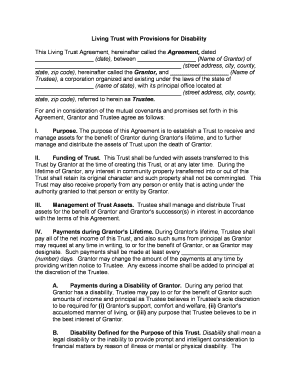
Living Trust with Provisions for Disability This Living Trust Agreement, hereinafter called the Agreement, dated __________________ (date), between __________________ (Name of Grantor) of _____________________________________________ (street address, city, county, state, zip code), hereinafter called the Grantor, and __________________ (Name of Trustee), a corporation organized and existing under the laws of the state of __________________ (name of state), with its principal office located at _____________________________________________ (street address, city, county, state, zip code), referred to herein as Trustee. For and in consideration of the mutual covenants and promises set forth in this Agreement, Grantor and Trustee agree as follows:I. Purpose. The purpose of this Agreement is to establish a Trust to receive and manage assets for the benefit of Grantor during Grantor's lifetime, and to further manage and distribute the assets of Trust upon the death of Grantor.II. Funding of Trust. This Trust shall be funded with assets transferred to this Trust by Grantor at the time of creating this Trust, or at any later time. During the lifetime of Grantor, any interest in community property transferred into or out of this Trust shall retain its original character and such property shall not be commingled. This Trust may also receive property from any person or entity that is acting under the authority granted to that person or entity by Grantor. III.Management of Trust Assets. Trustee shall manage and distribute Trust assets for the benefit of Grantor and Grantor's successor(s) in interest in accordance with the terms of this Agreement.IV. Payments during Grantor’s Lifetime. During Grantor's lifetime, Trustee shall pay all of the net income of this Trust, and also such sums from principal as Grantor may request at any time in writing, to or for the benefit of Grantor, or as Grantor may designate. Such payments shall be made at least every __________________ (number) days. Grantor may change the amount of the payments at any time by providing written notice to Trustee. Any excess income shall be added to principal at the discretion of the Trustee. A. Payments during a Disability of Grantor. During any period that Grantor has a disability, Trustee may pay to or for the benefit of Grantor such amounts of income and principal as Trustee believes in Trustee's sole discretion to be required for (i) Grantor's support, comfort and welfare, (ii) Grantor's accustomed manner of living, or (iii) any purpose that Trustee believes to be in the best interest of Grantor.B. Disability Defined for the Purpose of this Trust. Disability shall mean a legal disability or the inability to provide prompt and intelligent consideration to financial matters by reason of illness or mental or physical disability. The determination of whether Grantor has a disability shall be made by Grantor's most recent attending physician. Trustee shall be entitled to rely on written notice of that determination.V. Death of Grantor. Upon the death of Grantor, and after the payment of Grantor's just debts, funeral expenses, and expenses of last illness, the following distributions shall be made:A. Specific Distributions. The following specific distributions shall be made from the assets of the Trust. However, such distributions (other than distributions, if any, to Grantor's spouse) shall be made only if the Grantor's spouse does not survive Grantor. __________________ (Amount or Percentage of Assets) shall be distributed to __________________ (Name of Beneficiary). If this Beneficiary does not survive Grantor and Grantor’s spouse, this bequest shall be distributed with the residuary assets of this Trust. B. Tangible Personal Property. Upon the death of Grantor and subject to the preceding provisions of this Trust, all clothing, jewelry, automobiles, household furniture and furnishings, recreational equipment, all personal effects used by Grantor about Grantor's person or home, and other items of tangible personal property shall be distributed to __________________ (Name) of _____________________________________________ (street address, city, county, state, zip code) . If this person does not survive Grantor, the tangible personal property shall be distributed to __________________ (Name) of _____________________________________________ (street address, city, county, state, zip code) . If this person does not survive Grantor and Grantor’s spouse, the tangible personal property shall be distributed with the residuary assets of this Trust. C. Residuary Assets. The residuary assets of this Trust shall be distributed to __________________ (Name) of ________________________________ (street address, city, county, state, zip code). If such beneficiary does not survive Grantor and Grantor’s Spouse, the residuary assets shall be distributed to the following beneficiaries in the percentages as shown: 1. _______ % to ________________________ (Name) of ________________________________ (street address, city, county, state, zip code). 2. _______ % to ________________________ (Name) of ________________________________ (street address, city, county, state, zip code). 3. _______ % to ________________________ (Name) of ________________________________ (street address, city, county, state, zip code). If any of these people do not survive Grantor and Grantor’s spouse, this share shall be distributed proportionately to the other distributee(s) listed under this provision.VI. Powers of Trustee. Trustee, in addition to other powers and authority granted by law or necessary or appropriate for proper administration of Trust, shall have the following rights, powers, and authority without order of court and without notice to anyone:A. Receive Assets. To receive, hold, maintain, administer, collect, invest ant re-invest the trust assets, and collect and apply the income, profits, and principal of the Trust in accordance with the terms of this instrument.B. Receive Additional Assets. To receive additional assets from other sources including assets received under the Will of Grantor or any other person.C.Standard of Care. To acquire, invest, reinvest, exchange, retain, sell, and mortgage estate and trust assets, exercising the judgment and care, under the circumstances then prevailing, that persons of prudence, discretion and intelligence exercise in the management of their own affairs, not in regard to speculation but in regard to the permanent disposition their funds, considering the probable income as well as the probable safety of their capital. Within the limitations of that standard, Trustee is authorized to acquire and retain every kind of property, real, personal or mixed, and every kind of investment, specifically including, but not by way of limitation, bonds, debentures and other corporate obligation, and stocks, preferred or common, that persons of prudence, discretion and intelligence acquire or retain for their own account, even though not otherwise a legal investment for trust funds under the laws and statutes of the United States or the state under which this instrument is administered.D. Retain Assets. To retain any asset, including uninvested cash or original investments, regardless of whether it is of the kind authorized by this instrument for investment and whether it leaves a disproportionately large part of the estate or trust invested in one type of property, for as long as the Trustee deems advisable. E. Dispose of or Encumber Assets. To sell, option, mortgage, pledge, lease or convey real or personal property, publicly or privately, upon such terms and conditions as may appear to be proper, and to execute all instruments necessary to effect such authority. F. Settle Claims. To compromise, settle, or abandon claims in favor of or against Trust.G. Manage Property. To manage real estate and personal property, borrow money, exercise options, buy insurance, and register securities as may appear to be proper.H. Allocate Between Principal and Income. To make allocations of charges and credits as between principal and income as in the sole discretion of the Trustee may appear to be proper.I. Employ Professional Assistance. To employ and compensate counsel and other persons deemed necessary for proper administration and to delegate authority when such delegation is advantageous to the Trust.J. Distribute Property. To make division or distribution in money or kind, or partly in either including disproportionate in-kind distributions, at values to be determined by Trustee, and Trustee's judgment shall be binding upon all interested parties.K. Enter Contracts. To bind the Trust by contracts or agreements without assuming individual liability for such contracts.L. Exercise Stock Ownership Rights. To vote, execute proxies to vote, join in or oppose any plans for reorganization, and exercise any other rights incident to the ownership of any stocks, bonds or other properties of Trust.M. Duration of Powers. To continue to exercise the powers provided in this Agreement after the termination of Trust until all the assets of Trust have been distributed.N. Hold Trust Assets as a Single Fund. To hold the assets of Trust, shares, or portions of Trust created by this instrument as a single fund for joint investment and management, without the need for physical segregation, dividing the income proportionately among them. Segregation of the various trust shares need only be made on the books of Trustee for accounting purposes.O. Compensation. To receive reasonable compensation for Trustee's services under this Agreement and be exonerated from and to pay all reasonable expenses and charges of Trust.P. Loans to Beneficiaries. To make loans to any trust beneficiary for the purpose of providing the beneficiary with the funds necessary to take advantage of exceptional business opportunities or to provide for the needs of the beneficiaries and their families.Q. Methods of Distribution. To make payments to or for the benefit of any beneficiary (specifically including any beneficiary under any legal disability) in any of the following ways: (a) directly to the beneficiary, (b) directly for the maintenance, welfare and education of the beneficiary, (c) to the legal or natural guardian of the beneficiary, or, (d) to anyone who at the time shall have custody and care of the person of the beneficiary. Trustee shall not be obliged to see to the application of the funds so paid, but the receipt of the person to whom the funds were paid shall be full acquittance of Trustee.VII. Additional Trustee Provisions. These additional provisions shall apply regarding Trustee:A. Grantor as Trustee. If at any time Grantor is Trustee, Grantor may appoint a successor Trustee, to become effective immediately or upon any stated contingency, by making such designation in writing. Such designee shall become the successor Trustee upon acceptance of the terms and conditions of this Agreement.B. Successor Trustee. If at any time a Trustee cannot serve because of the Trustee's disability (as previously defined), death, or other reason, __________________ (Name) of ________________________________ (street address, city, county, state, zip code) , is designated as the successor Trustee, without bond. If such designee(s) is/are unable to serve for any reason, __________________ (Name) of ________________________________ (street address, city, county, state, zip code) , is designated as the alternate successor Trustee, without bond. Such designees shall become the successor Trustee upon acceptance of the terms and conditions of this Agreement. C. Resignation of Trustee. Any Trustee may resign by giving written notice to the beneficiaries to whom income could then be distributed. Such resignation shall take effect on such date specified in the notice, but not earlier than thirty (30) days after the date of delivery of such written resignation unless an earlier effective date shall be agreed to by the income beneficiaries.D. Adult Beneficiary Rights. If Trustee resigns or for any reason ceases to serve as Trustee, and if the successor Trustee(s) designated by the Grantor, if any, fail or cease to serve as Trustee, then the adult beneficiaries to whom income could then be distributed, together with the adult beneficiaries to whom principal would be distributed if the Trust were then to terminate, may by majority action in writing appoint a successor Trustee. If agreement of a majority of the beneficiaries cannot be obtained within sixty (60) days, a successor Trustee shall be appointed by the court having general jurisdiction of the Trust. Any successor Trustee appointed shall have all the rights conferred upon the original Trustee and shall be bound by the provisions of this Trust. E. Accounting. Trustee shall provide an accounting to the Beneficiary (or beneficiaries) on at least a quarterly basis. If a beneficiary has a disability, Trustee shall provide the accounting to a guardian or conservator, if any.F. Bond. No bond shall be required of any Trustee. VIII.Right to Direct Investments. At any time that Trust has investments, and provided that Grantor does not have a disability, Grantor may direct any Trustee to purchase, sell, or retain any trust investment.IX. Revocation or Amendment. During Grantor's lifetime, Grantor may revoke at any time, and/or the Grantor may amend, this Agreement by delivering to Trustee an appropriate written revocation or amendment, signed by Grantor. If Trustee consents, the powers of revocation, but not the power of amendment, may be exercised by a duly appointed and acting attorney-in-fact for Grantor for the purpose of withdrawing assets from Trust.X. Governing Law. This Agreement shall be construed in accordance with the laws of the State __________________ (name of state).XI. Perpetuities Savings Clause. Despite any other provision of this Agreement to the contrary, trust created by this Agreement shall terminate no later than 21 years after the death of the last surviving beneficiary of this Agreement who is living at the time of the death of Grantor.XII. Severability. If any portion of this Agreement shall be held to be invalid or unenforceable for any reason, the remaining provisions shall continue to be valid and enforceable. If a court finds that any provision of this Agreement is invalid or unenforceable, but that by limiting such provision it would become valid and enforceable, then such provision shall be deemed to be written, construed, and enforced as so limited.XIII. Miscellaneous. A. Paragraph Titles and Gender. The titles given to the paragraphs of this Trust are inserted for reference purposes only and are not to be considered as forming a part of this Trust in interpreting its provisions. All words used in this Trust in any gender shall extend to and include all genders, and any singular words shall include the plural expression, and vice versa, specifically including child and children, when the context or facts so require, and any pronouns shall be taken to refer to the person or persons intended regardless of gender or number. B. Thirty Day Survival Requirement. For the purposes of determining the appropriate distributions under this Trust, no person or organization shall be deemed to have survived Grantor, unless such person or entity is also surviving (or in existence) on the thirtieth day after the date of the Grantor's death.C. Common Disaster. If Grantor and Grantor's spouse die under circumstances such that there is no clear or convincing evidence as to the order of their deaths, or if it is difficult or impractical to determine which person survived the death of the other person, it shall, for the purpose of distribution of Grantor's life insurance, property passing under any will or other contracts, if any, and property passing under this Trust, be conclusively presumed that Grantor predeceased the death of Grantor's spouse, and notwithstanding any other provision of this Trust, Grantor's spouse (or Grantor's spouse's estate as the case may be) shall receive the distribution to which Grantor's spouse would otherwise be entitled to receive without regard to a survivorship requirement, if any.D. Liability of Fiduciary. No fiduciary who is a natural person shall, in the absence of fraudulent conduct or bad faith, be liable individually to any beneficiary of Grantor's trust estate, and Grantor's trust estate shall indemnify such natural person from any and all claims or expenses in connection with or arising out of that fiduciary's good faith actions or nonactions of the fiduciary, except for such actions or nonactions which constitute fraudulent conduct or bad faith. No successor trustee shall be obliged to inquire into or be in any way accountable for the previous administration of the trust property.E. Spouse. Grantor is married to (Name) and all references in this Trust to Grantor's spouse are references to __________________ (Name).F. Children. The names of Grantor's children are: _____________________________________________ (names).All references in this Trust to Grantor's child or Grantor's children include the above child or children, and any other children born to or adopted by the Grantor after the signing of this Trust.___________________________(Signature of Grantor)________________________(Printed Name of Grantor)________________________(Name of Trustee)By: ___________________________(Signature of Officer)________________________ (Title of Officer) (Acknowledgement before Notary Public)

Useful advice on finalizing your ‘Living Disability Form Download’ online

Are you fed up with the difficulties of handling paperwork? Look no further than airSlate SignNow, the top eSignature solution for individuals and businesses. Bid farewell to the monotonous routine of printing and scanning documents. With airSlate SignNow, you can easily finalize and sign documents online. Take advantage of the extensive features included in this user-friendly and affordable platform and transform your method of document management. Whether you need to sign forms or gather eSignatures, airSlate SignNow manages everything seamlessly, with just a few clicks.

Adhere to this comprehensive guide:

  1. Log into your account or sign up for a free trial with our service.
  2. Click +Create to upload a file from your device, cloud storage, or our template collection.
  3. Open your ‘Living Disability Form Download’ in the editor.
  4. Click Me (Fill Out Now) to finalize the document on your end.
  5. Add and designate fillable fields for others (if necessary).
  6. Proceed with the Send Invite options to request eSignatures from others.
  7. Save, print your copy, or transform it into a reusable template.

No need to worry if you require collaboration with others on your Living Disability Form Download or need to send it for notarization—our platform has everything you need to accomplish such tasks. Sign up with airSlate SignNow today and elevate your document management to new levels!

Here is a list of the most common customer questions. If you can’t find an answer to your question, please don’t hesitate to reach out to us.

Need help? Contact Support

The best way to complete and sign your living disability form download

Save time on document management with airSlate SignNow and get your living disability form download eSigned quickly from anywhere with our fully compliant eSignature tool.

How to Sign a PDF Online How to Sign a PDF Online

How to complete and sign documents online

Previously, dealing with paperwork required pretty much time and effort. But with airSlate SignNow, document management is fast and easy. Our powerful and easy-to-use eSignature solution allows you to easily fill out and eSign your living disability form download online from any internet-connected device.

Follow the step-by-step guidelines to eSign your living disability form download template online:

  • 1.Sign up for a free trial with airSlate SignNow or log in to your account with password credentials or SSO authorization option.
  • 2.Click Upload or Create and import a form for eSigning from your device, the cloud, or our form catalogue.
  • 3.Click on the document name to open it in the editor and utilize the left-side menu to complete all the empty fields appropriately.
  • 4.Place the My Signature field where you need to approve your sample. Type your name, draw, or upload a picture of your handwritten signature.
  • 5.Click Save and Close to accomplish modifying your completed document.

After your living disability form download template is ready, download it to your device, export it to the cloud, or invite other people to electronically sign it. With airSlate SignNow, the eSigning process only requires a few clicks. Use our powerful eSignature solution wherever you are to manage your paperwork effectively!


How to Sign a PDF Using Google Chrome How to Sign a PDF Using Google Chrome

How to complete and sign documents in Google Chrome

Completing and signing paperwork is easy with the airSlate SignNow extension for Google Chrome. Installing it to your browser is a fast and beneficial way to manage your forms online. Sign your living disability form download template with a legally-binding electronic signature in a few clicks without switching between tools and tabs.

Follow the step-by-step guide to eSign your living disability form download form in Google Chrome:

  • 1.Go to the Chrome Web Store, find the airSlate SignNow extension for Chrome, and install it to your browser.
  • 2.Right-click on the link to a document you need to approve and select Open in airSlate SignNow.
  • 3.Log in to your account with your password or Google/Facebook sign-in option. If you don’t have one, you can start a free trial.
  • 4.Utilize the Edit & Sign menu on the left to complete your template, then drag and drop the My Signature field.
  • 5.Insert a photo of your handwritten signature, draw it, or simply type in your full name to eSign.
  • 6.Verify all information is correct and click Save and Close to finish editing your form.

Now, you can save your living disability form download sample to your device or cloud storage, email the copy to other individuals, or invite them to eSign your document via an email request or a protected Signing Link. The airSlate SignNow extension for Google Chrome improves your document workflows with minimum effort and time. Try airSlate SignNow today!


How to Sign a PDF in Gmail How to Sign a PDF in Gmail How to Sign a PDF in Gmail

How to fill out and sign documents in Gmail

When you receive an email containing the living disability form download for approval, there’s no need to print and scan a file or download and re-upload it to another tool. There’s a better solution if you use Gmail. Try the airSlate SignNow add-on to promptly eSign any documents right from your inbox.

Follow the step-by-step guidelines to eSign your living disability form download in Gmail:

  • 1.Visit the Google Workplace Marketplace and find a airSlate SignNow add-on for Gmail.
  • 2.Set up the program with a corresponding button and grant the tool access to your Google account.
  • 3.Open an email containing an attachment that needs signing and use the S key on the right sidebar to launch the add-on.
  • 4.Log in to your airSlate SignNow account. Opt for Send to Sign to forward the file to other parties for approval or click Upload to open it in the editor.
  • 5.Place the My Signature field where you need to eSign: type, draw, or import your signature.

This eSigning process saves time and only requires a couple of clicks. Take advantage of the airSlate SignNow add-on for Gmail to adjust your living disability form download with fillable fields, sign paperwork legally, and invite other people to eSign them al without leaving your mailbox. Improve your signature workflows now!


How to Sign a PDF on a Mobile Device How to Sign a PDF on a Mobile Device How to Sign a PDF on a Mobile Device

How to complete and sign paperwork in a mobile browser

Need to rapidly fill out and sign your living disability form download on a smartphone while working on the go? airSlate SignNow can help without the need to set up additional software applications. Open our airSlate SignNow tool from any browser on your mobile device and add legally-binding eSignatures on the go, 24/7.

Follow the step-by-step guidelines to eSign your living disability form download in a browser:

  • 1.Open any browser on your device and follow the link www.signnow.com
  • 2.Sign up for an account with a free trial or log in with your password credentials or SSO option.
  • 3.Click Upload or Create and import a file that needs to be completed from a cloud, your device, or our form collection with ready-to go templates.
  • 4.Open the form and complete the empty fields with tools from Edit & Sign menu on the left.
  • 5.Place the My Signature area to the form, then enter your name, draw, or upload your signature.

In a few easy clicks, your living disability form download is completed from wherever you are. When you're finished editing, you can save the document on your device, generate a reusable template for it, email it to other individuals, or invite them eSign it. Make your paperwork on the go quick and productive with airSlate SignNow!


How to Sign a PDF on iPhone How to Sign a PDF on iPhone

How to complete and sign forms on iOS

In today’s business community, tasks must be done quickly even when you’re away from your computer. Using the airSlate SignNow mobile app, you can organize your paperwork and sign your living disability form download with a legally-binding eSignature right on your iPhone or iPad. Install it on your device to conclude agreements and manage documents from just about anywhere 24/7.

Follow the step-by-step guidelines to eSign your living disability form download on iOS devices:

  • 1.Open the App Store, search for the airSlate SignNow app by airSlate, and set it up on your device.
  • 2.Open the application, tap Create to import a template, and select Myself.
  • 3.Choose Signature at the bottom toolbar and simply draw your autograph with a finger or stylus to eSign the sample.
  • 4.Tap Done -> Save after signing the sample.
  • 5.Tap Save or utilize the Make Template option to re-use this paperwork in the future.

This method is so simple your living disability form download is completed and signed within a couple of taps. The airSlate SignNow app works in the cloud so all the forms on your mobile device remain in your account and are available whenever you need them. Use airSlate SignNow for iOS to improve your document management and eSignature workflows!


How to Sign a PDF on Android How to Sign a PDF on Android

How to complete and sign forms on Android

With airSlate SignNow, it’s easy to sign your living disability form download on the go. Set up its mobile application for Android OS on your device and start boosting eSignature workflows right on your smartphone or tablet.

Follow the step-by-step guidelines to eSign your living disability form download on Android:

  • 1.Navigate to Google Play, search for the airSlate SignNow application from airSlate, and install it on your device.
  • 2.Log in to your account or register it with a free trial, then upload a file with a ➕ key on the bottom of you screen.
  • 3.Tap on the imported file and select Open in Editor from the dropdown menu.
  • 4.Tap on Tools tab -> Signature, then draw or type your name to electronically sign the sample. Complete empty fields with other tools on the bottom if required.
  • 5.Use the ✔ key, then tap on the Save option to finish editing.

With an easy-to-use interface and total compliance with major eSignature standards, the airSlate SignNow application is the perfect tool for signing your living disability form download. It even operates offline and updates all record adjustments when your internet connection is restored and the tool is synced. Fill out and eSign documents, send them for approval, and create multi-usable templates whenever you need and from anyplace with airSlate SignNow.

Sign up and try Living disability form download
  • Close deals faster
  • Improve productivity
  • Delight customers
  • Increase revenue
  • Save time & money
  • Reduce payment cycles

