Establishing secure connection…Loading editor…Preparing document…

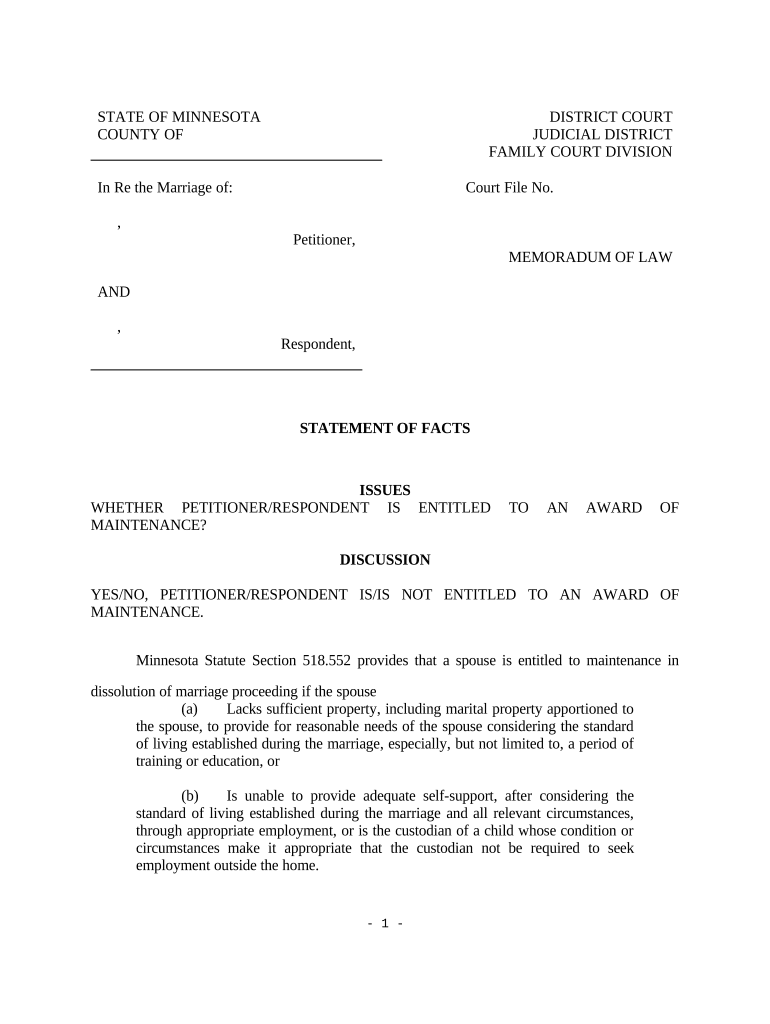
Minnesota Memorandum

This template is fully customizable. Edit the text, fill out the fields, and send it for signature. Give it a try!
Minnesota Memorandum

What a Minnesota Memorandum Is and When It’s Used

A Minnesota Memorandum is a concise written record used to capture the essential terms, factual background, or interim understandings between parties involved in a transaction or negotiation that affects Minnesota interests. It can serve as an internal record, an interim agreement pending a final contract, or a short-form summary attached to a later executed document. Depending on purpose, a memorandum may be treated as evidence of intent, attached to real estate or business filings, or retained for compliance and audit trails under applicable state and federal rules such as ESIGN and UETA.

Why a Clear Memorandum Matters

A Minnesota Memorandum reduces ambiguity by documenting core terms, dates, and responsibilities; it creates an auditable record for counsel, finance, and operations and preserves negotiation history prior to drafting a binding agreement.

Why a Clear Memorandum Matters

Who Typically Prepares and Signs This Memorandum

Business managers, contract administrators, counsel, and transaction teams commonly prepare Minnesota Memoranda to capture interim terms during negotiations or approvals.

  • Real estate brokers and title agents handling property transaction summaries and recorder submissions.
  • Healthcare administrators documenting interim arrangements that may carry PHI and need HIPAA controls.
  • Corporate counsel and contract managers preserving negotiation points before final contract execution.

Core Elements to Include in a Professional Minnesota Memorandum

A well-drafted memorandum is compact but explicit: it names parties, states the effective date, summarizes obligations, and links to supporting exhibits or schedules.

Parties

Identify each legal entity or individual by full legal name and role; include business type and jurisdiction where relevant to avoid ambiguity.
Effective Date

Specify the exact date the memorandum takes effect using MM/DD/YYYY format; this determines timing for obligations, deadlines, and retention periods.

Purpose

Summarize the memorandum’s objective in plain language and cite any related agreements, purchase orders, or transaction identifiers for context.

Key Terms

List primary obligations, payment terms, deliverables, and timelines in concise bullets; avoid vague phrases that can create disputes later.

Signature Block

Provide signatory lines with printed names, titles, dates, and any witness or notary blocks required by jurisdiction or document type.

Attachments

Reference exhibits, schedules, or supporting documents by title and date; ensure attached files are labeled and retained with the memorandum.

Step-by-Step: Completing a Minnesota Memorandum

Follow a short, repeatable sequence to create, review, and finalize the memorandum while preserving an audit trail.

  • 01
    Prepare Draft: Assemble parties, facts, and attachments in a single document.
  • 02
    Review Terms: Internal review by legal and finance to confirm accuracy and risk allocation.
  • 03
    Obtain Signatures: Collect signatures from authorized signers; note witness or notary needs.
  • 04
    Distribute & File: Share executed copies with stakeholders and store in the official records system.

Where to Send a Completed Memorandum

Routing depends on the memorandum’s use: internal records, transactional counterparties, counsel, and sometimes public offices will each receive copies.

  • To Parties: Provide each signer a fully executed copy for their records and compliance teams.
  • To Counsel: Send to legal counsel for archiving and to support future contract drafting.
  • County Recorder: If the memorandum relates to real estate, record with the county recorder where the property is located, if required.
  • Document Management: Store a master copy in your official repository with indexing for retrieval.

Common Digital Workflow Settings for Online Completion

Configure digital workflows to reflect authentication, reminders, and retention policies before sending the memorandum for signature.

Field Configuration
Authentication Email link, SMS code, or stronger KBA depending on signer risk.
Reminders Set automatic reminders and expiry windows for outstanding signatures.
Templates Use a locked template for recurring memorandum formats to reduce errors.
Retention Policy Apply document retention tags to meet legal and regulatory timelines.

Technical Options for eSigning and Distribution

Choose a platform that supports required authentication, audit trails, and file formats for your memorandum.

  • File Formats: PDF, DOCX supported for upload and signed output.
  • Integrations: Works with Salesforce, NetSuite, Microsoft 365, Google Workspace.
  • Authentication: Email, SMS, or advanced signer verification available.

Timing Considerations and Common Deadlines

Memoranda do not usually have statutory filing deadlines, but related filings, tax reporting, or recorder requirements may impose timeframes.

Effective Date Selection:

Use MM/DD/YYYY; this date triggers obligations and retention periods.

W-9 / Tax IDs:

Provide a completed W-9 upon request; there is no fixed filing deadline for W-9s.

Recording Deadlines:

If recording real-estate-related memoranda, follow county recorder timelines and payment rules.

Notice Periods:

If memorandum imposes notice requirements, ensure each deadline is clear and calendared.

Retention Trigger:

Retention periods often start from the effective date or final performance date.

Key Milestones from Draft to Archive

Track milestone stages in sequence to ensure the memorandum advances from draft to approved, signed, and archived with a clear audit trail.

01

Draft Completion

Finalize core terms and attach supporting exhibits before review.

02

Internal Approval

Obtain sign-off from legal, finance, and business leadership as required.

03

Execution

Collect signatures and notarizations, if required, and capture audit metadata.

04

Archival

Index and store the executed memorandum in the official repository.

Common Preparation Errors to Avoid

  • Using inconsistent party names or abbreviations that later create ambiguity or mismatch with corporate filings and IDs.
  • Leaving the effective date blank or using relative language like 'upon signing' without specifying a calendar date.
  • Failing to attach referenced exhibits or schedules, which can make obligations impossible to interpret or enforce.
  • Skipping authorization checks and collecting signatures from individuals without signing authority for the named entity.

Risks and Potential Consequences of Errors

Contract Disputes: Ambiguities may lead to litigation or arbitration.
Statute Limitations: Incorrect dates can affect limitation periods.
Tax Exposure: Missing TINs can trigger backup withholding.
I-9 Violations: Employment forms incorrectly retained invite fines.
Notarization Errors: Improper acknowledgements can invalidate recordation.
Data Breach: Insufficient security risks PHI or PII exposure.

Security and Compliance Controls to Consider

Encryption: TLS 1.2/1.3 in transit; AES-256 at rest.
Audit Trail: Timestamps, IP addresses, and action logs retained.
Certifications: SOC 2 Type II and ISO 27001 available.
HIPAA Support: BAA available for protected health information.
ESIGN / UETA: Compliant with ESIGN and UETA standards.
21 CFR 11: Controls available for FDA-regulated records.

Representative eSignature Pricing and Feature Comparison

Comparison shows starting prices and feature availability for common eSignature platforms; signNow appears first by design. Verify vendor plans for exact features and terms.

signNow DocuSign Adobe Sign PandaDoc HelloSign
Starting Price $8/user/mo $15/user/mo $14/user/mo $19/user/mo $15/user/mo
Free Trial 7-day free trial Varies by vendor Varies by vendor Varies by vendor Varies by vendor
Bulk Send Yes Yes Yes Yes Yes
Audit Trail Yes Yes Yes Yes Yes
HIPAA Compliant Yes Yes Yes No No

Frequently Asked Questions About Minnesota Memoranda

Answers to common legal and practical questions about drafting, signing, and retaining a Minnesota Memorandum.


Need help? Contact support

be ready to get more
Join over 28 million airSlate SignNow users