Establishing secure connection…Loading editor…Preparing document…

Mississippi Chancery

This template is fully customizable. Edit the text, fill out the fields, and send it for signature. Give it a try!
Mississippi Chancery

What the Mississippi Chancery document is and when it applies

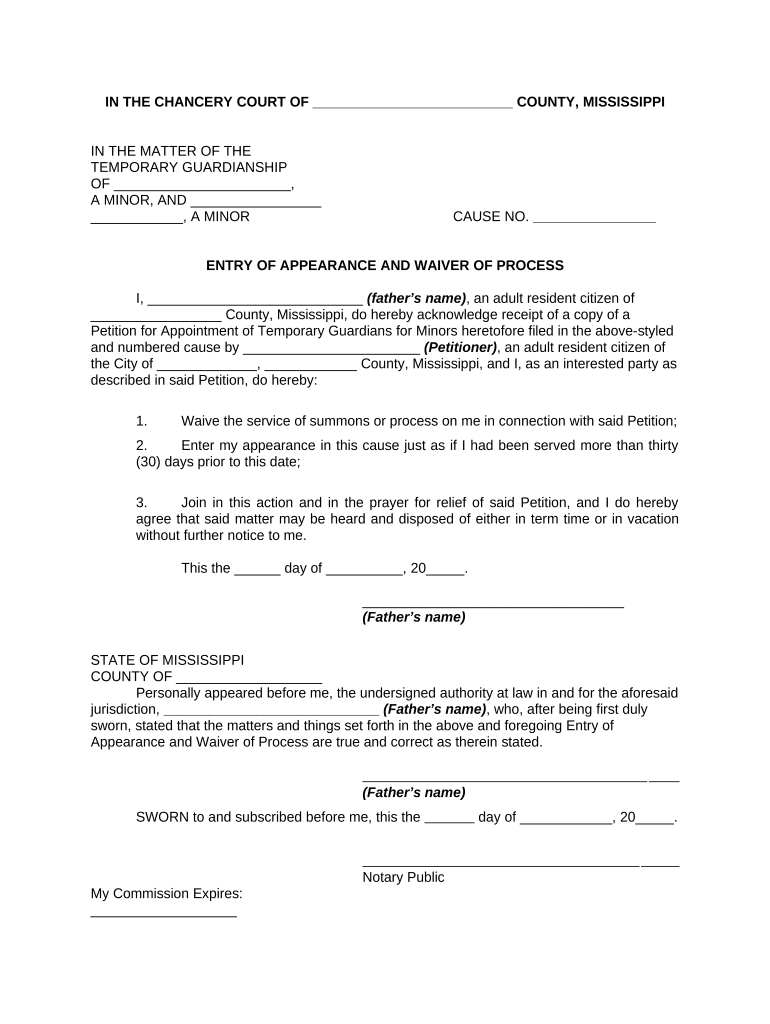
The Mississippi Chancery is a court-focused filing used in Mississippi Chancery Courts for equity matters, probate, guardianship, and related civil disputes. It contains a case caption, party identification, statement of facts, the specific equitable relief requested, and a verification or affidavit section. The filing must conform to local chancery clerk requirements, include any required exhibits, and normally be served on opposing parties according to Mississippi civil procedure. Parties frequently prepare a chancery petition, motion, or verified complaint in this format when seeking non-monetary relief or probate administration.

Why a clear Mississippi Chancery filing matters

A properly structured chancery document reduces clerical rejection, clarifies the relief requested, and preserves procedural rights in Mississippi equity and probate matters.

Why a clear Mississippi Chancery filing matters

Who typically prepares and files a Mississippi Chancery document

Common filers include attorneys, fiduciaries, personal representatives, and pro se litigants who bring equitable or probate matters in Mississippi Chancery Courts.

  • County Chancery Clerks — Manage intake, filing fees, and docketing of chancery submissions.
  • Private Attorneys — Draft petitions and supporting affidavits; ensure caption and service compliance.
  • Personal Representatives and Guardians — File probate and guardianship petitions or accountings.

Step-by-step: preparing and filing a chancery pleading

Follow these core steps to prepare, sign, and file a Mississippi Chancery document with minimal friction.

  • 01
    Draft: Prepare caption, factual statement, and relief sought; attach exhibits.
  • 02
    Review: Confirm statutory basis, local rules, and required service methods.
  • 03
    Sign & Notarize: Signer executes verification; notarize if local rule or self-proving affidavit required.
  • 04
    File & Serve: Submit to chancery clerk by accepted channel and serve opposing parties.

How electronic completion and submission typically proceed

Electronic workflows can mirror paper filing when the document is correctly prepared, authenticated, and delivered through accepted channels.

  • Upload: Upload the prepared PDF or DOCX to your e-filing or eSignature platform.
  • Add Fields: Place signature, date, and notary fields where required in the document.
  • Authenticate: Use email/SMS or stronger methods to verify signer identity when required.
  • Transmit: Send the finalized document to the chancery clerk or designated e-filing portal.

Recommended e-filing and signing workflow settings

Configure your workflow to match court expectations and minimize objections during intake.

Field Configuration
Authentication Email plus SMS code for signer attribution
Signing Order Sequential for multi-party verifications
Notary Capture Include notary block and record required metadata
Retention Keep audit trail and AOC for at least 6 years

Technical considerations when completing chancery filings online

Ensure the platform supports common court file formats, robust signer authentication, and long-term audit trails.

  • File Formats: PDF/A, PDF, DOCX accepted
  • Integrations: Supports Salesforce, NetSuite, Google Workspace
  • Recordkeeping: Provides tamper-evident audit trail

Essential sections to include in a professional chancery filing

A complete chancery document includes a precise caption, factual narrative, legal grounds, the specific remedy requested, supporting exhibits, and a verification or affidavit.

Court Caption

Identifies the court, county, and cause number; essential for clerk docketing and proper venue designation.
Parties

Lists plaintiff, defendant, and any fiduciaries with full legal names and roles for clarity in service and orders.

Statement of Facts

Chronological factual summary that supports equitable relief and establishes the basis for claims.

Legal Grounds

Cites statutory or common-law authority that justifies chancery relief and frames the cause of action.

Relief Requested

Specifies the exact equitable remedy, duration, and any interim relief or bond required by the court.

Verification & Exhibits

Signed verification under oath and numbered exhibits supporting factual assertions and documentary proof.

Common preparation and filing pitfalls to avoid

  • Incorrect court captioning or wrong county venue causes clerks to reject or reassign the filing.
  • Missing or improperly formatted exhibits (no pagination or absent exhibit list) leads to evidentiary objections.
  • Failure to notarize a verification when required results in requests for supplemental filings.
  • Serving parties outside prescribed methods or deadlines can delay proceedings and result in default-preventing motions.

Immediate risks of an incorrect chancery filing

Filing Rejection: Clerk will refuse intake
Delay to Case: Hearing scheduling postponed
Service Defect: Opposing party not properly notified
Evidence Excluded: Unadmitted exhibits at hearing
Fee Forfeiture: Nonrefundable filing costs
Sanctions: Possible court sanctions for bad faith

Typical timeframes and deadlines to anticipate

Timelines vary by county and case type; confirm local chancery rules for scheduling, service, and response deadlines before filing.

Filing Submission:

Fees due at submission; clerk docketing timelines vary by county.

Service Period:

Service deadlines follow Mississippi Rules of Civil Procedure; check local scheduling orders.

Response Deadline:

Typically 30 days to answer unless different process or temporary relief is sought.

Hearing Scheduling:

Clerk sets hearing date; expect 2–8 weeks depending on calendar congestion.

Record Preservation:

Retain all originals and audit trails until final order and appellate periods expire.

Key milestones from draft to final entry

A typical chancery filing moves through defined stages from preparation to court entry and potential appeal.

01

Draft Completion

Finalize petition, exhibits, and verification before signature.

02

Execution & Notary

Obtain signatures and notarization where required for verification.

03

Filing with Clerk

Submit to chancery clerk via accepted method and pay fees.

04

Clerk Review & Docketing

Clerk reviews, accepts, and assigns a cause number if compliant.

eSignature vendor comparison for chancery workflows

Compare basic cost and foundational capabilities for common eSignature platforms; signNow is listed first per platform data.

signNow DocuSign Adobe Sign PandaDoc HelloSign
Starting Price $8/user/mo $15/user/mo $14/user/mo $19/user/mo $15/user/mo
Free Trial 7-day free trial Verify with vendor Verify with vendor Verify with vendor Verify with vendor
Bulk Send Yes Yes Yes Yes No
Audit Trail Yes Yes Yes Yes Yes
Envelope Cap No cap 100 envelopes/user/year Varies by plan Varies by plan Varies by plan

Who has authority to sign and verify chancery filings

Chancery Judge

A judge signs court orders and decrees issued by the chancery court; parties do not sign orders that originate with the court.

Attorney / Fiduciary

Attorneys sign pleadings and verifications on behalf of clients when authorized; fiduciaries and personal representatives sign verifications and accountings under oath.

Security and compliance basics relevant to chancery filings

Encryption: TLS 1.2/1.3 in transit, AES-256 at rest
Audit Trail: Detailed timestamps, IPs, and action logs
Certifications: SOC 2 Type II and ISO 27001 available
HIPAA Support: HIPAA-compliant with BAA when required
21 CFR Part 11: Supports compliance for regulated records
Accessibility: WCAG 2.0 Level AA conformance

Practical examples of chancery filings

Below are two representative use cases showing how filings and attachments are organized for chancery matters.

Probate Accounting

Executor submits a verified accounting

  • Exhibits include bank statements and ledgers
  • The filing lists distributions, reserves, and requests court approval of account and final discharge with full indexing of exhibits.

Equitable Relief Petition

Property owner seeks injunctive relief

  • Includes photographs and survey exhibit
  • The petition states irreparable harm, requests temporary restraining order, and attaches sworn affidavits as supporting proof for expedited hearing.

Practical tips to streamline chancery filings

Follow these best practices to reduce clerk requests, preserve evidence, and improve the chances of timely acceptance.

Validate Local Rules
Confirm county chancery clerk requirements for filing format, required exhibits, page limits, and preferred submission method before preparing the final document.
Use Clear Captions
Include exact court name, party names, and cause number when available; place a concise title (e.g., 'Petition for Accounting') directly under the caption.
Organize Exhibits
Number or letter exhibits, include an exhibit index, and paginate exhibits consecutively; reference each exhibit in the pleading text.
Preserve Audit Trails
If using electronic signatures, retain the full audit trail and any identity proofing records to address later authentication questions.

Frequently asked questions about Mississippi Chancery filings

Answers to common questions about signing, notarization, electronic submission, and retention for chancery matters.


Need help? Contact support

be ready to get more
Join over 28 million airSlate SignNow users