Grantor/Grantee
Identify grantor and grantee using full legal names and, when applicable, entity type. Include mailing addresses and contact details to ensure precise identification for recording and future title searches.
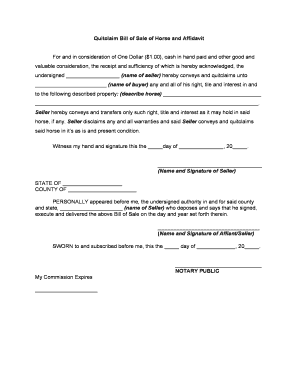
Use a Quitclaim Deed to transfer whatever interest a grantor holds quickly and with minimal formality. It is useful for non-sale transfers such as family conveyances, divorce settlements, or clearing title defects where no warranty of title is required or expected.

Typical users include property owners, attorneys, and title companies seeking a quick transfer of interest with limited warranty considerations.
Identify grantor and grantee using full legal names and, when applicable, entity type. Include mailing addresses and contact details to ensure precise identification for recording and future title searches.
Provide the complete metes-and-bounds or lot-and-block legal description as recorded in county land records. Street addresses alone are insufficient for recording and may cause the deed to be rejected.
State the consideration, even if nominal (for example, $1 or 'love and affection'). Some states require a recital of value for tax or recording purposes.
Include a clear habendum clause if conveying a specific estate, though quitclaim deeds often omit broad covenants; state the type of interest being transferred, if known.
All grantors named on title must sign using the name that appears in recorded documents. For entities, include authorized officer name and title and attach corporate resolution if required.
Provide a jurisdiction-appropriate notary acknowledgment block and record the deed at the county recorder's office in the county where the property is located to complete transfer of record title.
| Field | Configuration |
|---|---|
| Document Type | Upload as PDF, use fillable fields |
| Authentication | Use email invite; add SMS or ID verification |
| Notary Setting | Enable RON where state permits; capture A/V |
| Recording Delivery | Send recorded copy to parties and title company |
Electronic workflows can assist with preparation and signature collection, but ensure the county accepts electronic documents and any notarization method used.
| signNow | DocuSign | Adobe Sign | PandaDoc | HelloSign | |
|---|---|---|---|---|---|
| Starting Price | $8/user/mo | $15/user/mo | $14/user/mo | $19/user/mo | $15/user/mo |
| Free Trial | Yes, 7-day trial | No | No | Yes, limited | Yes, limited |
| Bulk Send | Yes | Yes | Yes | Yes | No |
| Audit Trail | Yes | Yes | Yes | Yes | Yes |
| HIPAA Compliant | Yes | Yes | Yes | No | No |
Date the grantor signs; determines transfer effective date
County processing varies from same day to several weeks
Prompt recording preserves claims priority and title insurer interests
Inform assessor after transfer; tax liability may follow ownership
Keep originals and recorded copies according to retention rules
Prepare deed with accurate names and description
Grantor signs before notary; witnesses if required
Submit original deed and pay applicable recording fee
Provide copies to assessor, title company, and parties
Grantor presents government-issued photo ID to notary
Use the state-prescribed notary language and block
Grantor must be physically present or join RON session
Add required witness names and signatures where mandated
Notary completes acknowledgment, signs, and affixes seal
If RON used, retain audio-video and identity proofs
Provide recorded copies to grantor, grantee, and title
Deliver recorded instrument to title company for updates
Martin Properties uses online signing to complete property-related documents without in-person meetings, reducing delay in transfers and closings.
Optica Ventures reports the interface is easy for teams and for customers, improving document turnaround in property-related matters.
| Feature | Quitclaim Deed | General Warranty Deed | Special Warranty Deed |
|---|---|---|---|
| Title Warranty | none | full warranty | limited warranty |
| Typical Use | intra-family | market sale | limited period transfer |
| Risk to Grantee | high title risk | low title risk | moderate risk |
| Preferred when | no warranty needed | buyer requires protection | seller limited exposure |