Establishing secure connection…Loading editor…Preparing document…

Minnesota Protective Order

This template is fully customizable. Edit the text, fill out the fields, and send it for signature. Give it a try!
Minnesota Protective Order

What a Minnesota Protective Order Is and who it protects

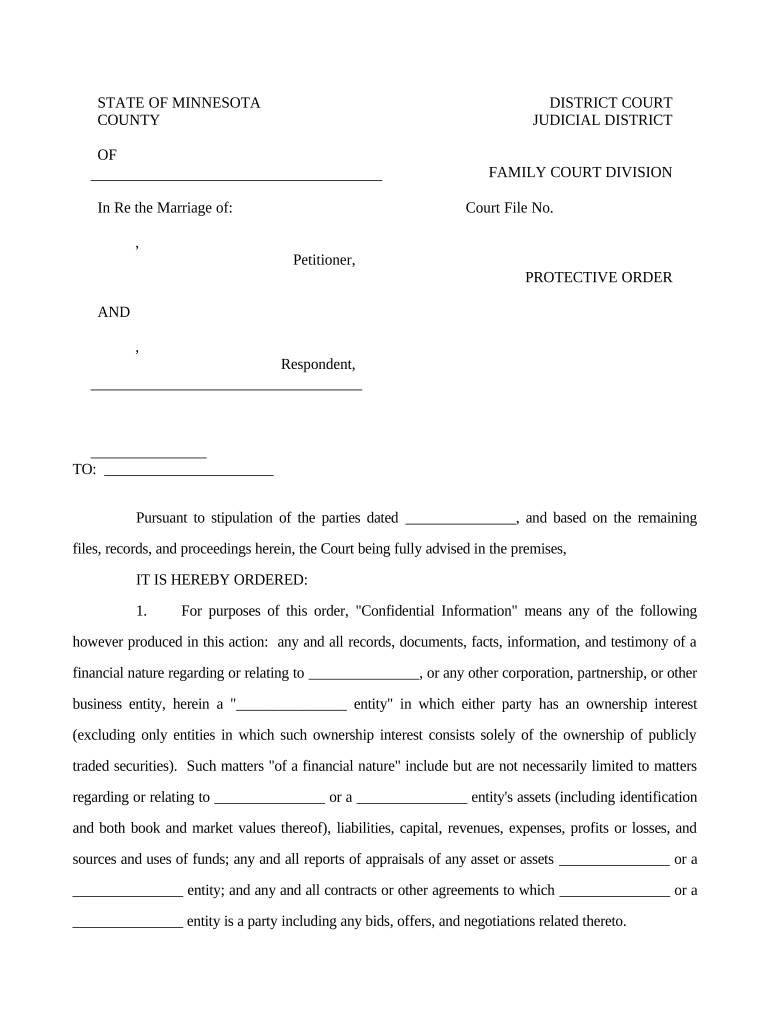
A Minnesota Protective Order is a court-issued order designed to restrict contact, provide safety measures, or require specific actions to protect a person from abuse, harassment, stalking, or domestic violence. It may be issued ex parte in emergency situations or after a hearing, and typically includes provisions such as stay-away requirements, no-contact directives, temporary custody or possession orders, and law-enforcement notification. Protective orders are entered by Minnesota district courts and can be temporary, emergency, or permanent depending on the statute and case circumstances. Filing procedures and remedies vary by county and case type.

Why a Protective Order matters for safety and legal protection

A Protective Order creates enforceable court restrictions that can immediately reduce risk, authorize police response, and document the need for continued protection. It provides a legal basis to seek enforcement, modify terms later, and use as evidence in criminal or family law proceedings.

Why a Protective Order matters for safety and legal protection

Who typically completes or requests a Minnesota Protective Order

Courts and law-enforcement agencies use protective-order records for enforcement and to decide future custody, relocation, or criminal charges; accuracy and timely filing improve enforceability.

  • Victims and survivors seeking immediate safety and legal restrictions against an abuser.
  • Domestic violence advocates and social workers assisting with filings and evidence gathering.
  • Attorneys representing petitioners or respondents in family or criminal proceedings.

Step-by-step: filing a Minnesota Protective Order

Follow this sequence when preparing and filing a petition for a protective order in Minnesota; local court rules may add details.

  • 01
    Prepare: Gather dates, locations, witness names, and incident descriptions.
  • 02
    File: Submit the petition to the district court clerk or e-file if available.
  • 03
    Serve: Arrange lawful service on the respondent before any contested hearing.
  • 04
    Attend: Appear at the hearing with evidence and witness testimony as required.

How court processing and enforcement typically proceed

A protective-order workflow moves from petition to court review, service on the respondent, a hearing if required, and then enforcement if the order is granted.

  • Court Review: Judge assesses ex parte petitions or schedules a hearing.
  • Service: Respondent is served with the petition and hearing notice.
  • Hearing: Both sides present evidence and witnesses before the judge.
  • Order Issued: Judge signs temporary or final protective order; law enforcement is notified.

Setting up an e-filing or digital workflow for protective orders

When using electronic tools for forms and routing, configure authentication, attachments, and sequence to match court requirements.

Field Configuration
Signer Authentication Email link or SMS code; stronger methods for sensitive cases
Attachments PDF exhibits included and labeled per court guidance
Conditional Fields Show custody or protection options only when requested
Certificate Generate audit trail with timestamps and IP addresses

Digital submission basics and technical needs

Confirm with the local court clerk whether e-filing, RON, or electronic signatures are accepted for petitions and supporting affidavits.

  • File Formats: PDF or DOCX accepted by most court e-filing systems
  • Audit Trail: Timestamp, signer identity, and IP logged for evidentiary support
  • Authentication: Email verification or stronger methods for sensitive filings

Consequences and legal risks of errors on a protective order

Perjury Risk: False statements may trigger criminal charges
Service Failure: Improper service can void hearings or orders
Enforcement Gaps: Incomplete details hinder police enforcement
Contempt Exposure: Violating an order can lead to contempt sanctions
Privacy Harm: Over-disclosure of victim information creates safety risks
Time Delays: Missing or inaccurate fields delay protective relief

Common preparation mistakes to avoid

  • Providing vague or undated incident descriptions that weaken the petition and complicate judicial review.
  • Using inconsistent names or initials for parties, which can cause service errors or misidentification.
  • Failing to attach or label supporting evidence such as police reports, photos, or witness statements.
  • Assuming electronic signature acceptance; some courts require in-person signatures or strict e-filing formats.

Typical timelines and scheduling expectations

Timing varies by county; these are common stages to help set expectations when filing a petition for a protective order.

Emergency Petition:

Can be heard same day or within 24–72 hours in many courts

Temporary Order Length:

Temporary orders often last until the full hearing date

Hearing Notice:

Respondent typically receives notice days to weeks before hearing

Final Hearing:

Scheduled depending on court calendar; may be within weeks

Modification Requests:

Can be filed later; judge schedules subsequent review

Key milestones in the protective order process

A sequential view of main steps from filing to final disposition shows when actions and evidence are most critical.

01

File Petition

Initiate the case with the court clerk and submit supporting documents.

02

Emergency Review

Judge may grant ex parte relief before the respondent is notified.

03

Service of Process

Lawful service enables the court to proceed with a full hearing.

04

Final Hearing

Judge issues or denies the final protective order after evidence is presented.

Essential elements included in a professional Protective Order petition

A complete petition clearly identifies parties, describes incidents, requests specific relief, and supplies supporting evidence for the judge.

Party Identification

Full legal names, dates of birth if available, and current addresses for petitioner and respondent to ensure accurate service and record-keeping.
Incident Narrative

Concise, date-specific descriptions of abuse or harassment that explain the immediacy and severity of the risk to the petitioner.

Relief Requested

Specific orders sought such as stay-away distances, no contact directives, temporary custody, or property possession instructions.

Supporting Evidence

Attachment list including police reports, medical records, photographs, and witness statements labeled as exhibits for easy reference at hearing.

Service Plan

Details for lawful service on the respondent, including known addresses, employers, and allied agencies to locate the respondent.

Court Certification

Signatures, dates, and any required verification or affidavit statements to satisfy court filing and evidentiary rules.

Security and compliance considerations for electronic protective order records

Encryption: AES-256 at rest
Transport Security: TLS 1.2/1.3 in transit
Privacy Standards: HIPAA-compliant with BAA
Audit Trail: Timestamped signature history
Regulatory Acts: ESIGN and UETA compliant
Certifications: SOC 2 Type II, ISO 27001

Realistic examples of protective-order filings and outcomes

Illustrative scenarios show common petition use; details are simplified for clarity and to highlight procedural steps.

Emergency Relief Example

A victim files an ex parte petition describing immediate threats and attaches a police report

  • Court issues a temporary no-contact order the same day
  • The respondent is served and a full hearing is scheduled where evidence is considered for a final order.

Modification Example

A petitioner requests modification after relocation and submits new evidence of ongoing harassment

  • The court reviews the motion and schedules a hearing
  • Judge adjusts order terms to reflect changed circumstances and updated safety needs.

Electronic signing and collaboration: vendor pricing snapshot

Selected eSignature platform pricing and core constraints to consider for document completion and secure routing; confirm vendor plans for exact features.

signNow DocuSign Adobe Sign PandaDoc HelloSign
Starting Price $8/user/mo $15/user/mo $14/user/mo $19/user/mo $15/user/mo
Free Trial 7-day free trial Varies by plan Varies by plan Varies by plan Varies by plan
Bulk Send Yes Yes Yes Yes Yes
HIPAA Compliant Yes Yes Yes No No
Envelope Cap No envelope cap 100 envelopes/user/year Varies by plan Varies by plan Varies by plan

Common questions about Minnesota Protective Orders

Answers to frequent questions about filing, electronic submissions, service, and enforcement for Minnesota Protective Orders.


Need help? Contact support

be ready to get more
Join over 28 million airSlate SignNow users