Establishing secure connection… Loading editor… Preparing document…
Navigation

Fill and Sign the Montana How File to Form
Fill and Sign the Montana How File to Form

How it works

Open the document and fill out all its fields.
Apply your legally-binding eSignature.
Save and invite other recipients to sign it.

Rate template

4.4
52 votes
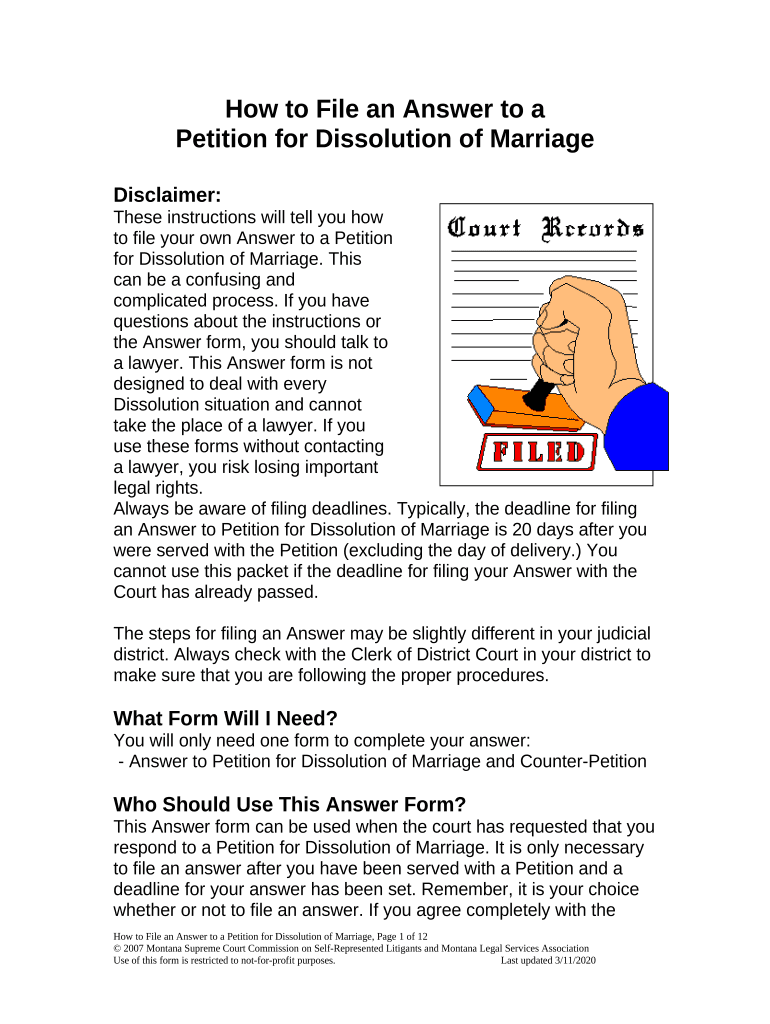
How to File an Answer to a Petition for Dissolution of Marriage Disclaimer: These instructions will tell you how to file your own Answer to a Petition for Dissolution of Marriage. This can be a confusing and complicated process. If you have questions about the instructions or the Answer form, you should talk to a lawyer. This Answer form is not designed to deal with every Dissolution situation and cannot take the place of a lawyer. If you use these forms without contacting a lawyer, you risk losing important legal rights. Always be aware of filing deadlines. Typically, the deadline for filing an Answer to Petition for Dissolution of Marriage is 20 days after you were served with the Petition (excluding the day of delivery.) You cannot use this packet if the deadline for filing your Answer with the Court has already passed. The steps for filing an Answer may be slightly different in your judicial district. Always check with the Clerk of District Court in your district to make sure that you are following the proper procedures. What Form Will I Need? You will only need one form to complete your answer: - Answer to Petition for Dissolution of Marriage and Counter-Petition Who Should Use This Answer Form? This Answer form can be used when the court has requested that you respond to a Petition for Dissolution of Marriage. It is only necessary to file an answer after you have been served with a Petition and a deadline for your answer has been set. Remember, it is your choice whether or not to file an answer. If you agree completely with the How to File an Answer to a Petition for Dissolution of Marriage, Page 1 of 12 © 2007 Montana Supreme Court Commission on Self-Represented Litigants and Montana Legal Services Association Use of this form is restricted to not-for-profit purposes. Last updated 3/11/2020 Petition, you may choose not to file an answer. In which case, the judge may order a default judgment granting the petitioner everything asked for in the Petition for Dissolution of Marriage. This form can also be used to file a Counter-Petition in your Dissolution case. Does It Cost Money To File An Answer? The Clerk will charge you a fee for filing your Answer to Petition for Dissolution of Marriage. The cost may vary between judicial districts. Call your local Clerk of District Court to ask about the filing fee in your judicial district. You might be financially eligible to have the filing fees waived. If you think you might be eligible, ask your local Clerk of District Court for a fee waiver application before you file or download the form from the “Legal System” section of www.MontanaLawHelp.org. Definitions: Petitioner – The Petitioner is the person who first asked the court for something by filing a petition. If you are using this form to answer a Petition for Dissolution of Marriage, the Petitioner is your current spouse. Respondent – The Respondent is the person who must respond to a court case by filing a Response (also called an Answer.) You are the Respondent in your case because you must file an Answer to Petition for Dissolution of Marriage. Pro Se – This term is used to notify the court and the Petitioner that you are representing yourself and that you are not being represented by a lawyer in your dissolution of marriage case. How to File an Answer to a Petition for Dissolution of Marriage, Page 2 of 12 © 2007 Montana Supreme Court Commission on Self-Represented Litigants and Montana Legal Services Association Use of this form is restricted to not-for-profit purposes. Last updated 3/11/2020 Dissolution of Marriage – This is the legal term for “divorce” used by the courts in Montana. Default Judgment – This is a judgment granted to a Petitioner when the Respondent does not file an answer within the twenty day deadline. A default judgment usually grants a Petitioner everything that they asked for in the Petition, as long as the court finds the request to be equitable and in the best interests of the children. Counter-Petition – The Counter-Petition allows the Respondent to ask the court for something just as if the Respondent were filing an original Petition. The Counter-Petition should be used to ask the court to decide on issues that may have been left out of the original Petition. Where Can I Get More Information? The Montana Code Annotated (M.C.A.) contains the law on Dissolution of Marriage. The laws can be found in Title 40, Chapter 4, Section 101 of the M.C.A. This is often abbreviated as M.C.A. § 40-4- 101. The Montana Code Annotated can be found at your local library or on the Montana State Law Library website at www.lawlibrary.mt.gov . Click on the “State Laws” option near the top of the page and select “MCA” from the list. The State Law Library web site also contains an easy-to-read “Introduction to Family Law in Montana.” This can be found at the Montana State Law Library website, www.lawlibrary.mt.gov 1. Click ‘Find a Law by Topic’ 2. Click ‘Ending your Marriage’ 3. Scroll down to ‘Free Information on the Web about Ending Your Marriage’ 4. Click on ‘Introduction to Family Law in Montana’ How to File an Answer to a Petition for Dissolution of Marriage, Page 3 of 12 © 2007 Montana Supreme Court Commission on Self-Represented Litigants and Montana Legal Services Association Use of this form is restricted to not-for-profit purposes. Last updated 3/11/2020 Where Can I Get Legal Help? If you need help, the following resources may be available to you: 1. Montana Legal Services Association (MLSA) provides free legal assistance to low and moderate-income individuals. To find out if you qualify for MLSA services, call the MLSA HelpLine at 1-800-666-6899. 2. The State Bar Lawyer Referral and Information Service (LRIS) refers people to Montana lawyers who have agreed to charge a reasonable fee for the first visit. The referral is free. Contact LRIS at 1-406-449-6577. 3. The State Law Library can help you to find and use legal resources such as books, forms, and websites. You can visit the Law Library website at www.lawlibrary.mt.gov . Or you can contact a Reference Librarian at 1-406-444-3636 or by email at mtlawlibrary@mt.gov . How Do I Use The Answer To Petition For Dissolution Of Marriage Form? Complete the following steps: Step One : Fill In The Answer Form [ ] Fill in the Answer to Petition for Dissolution of Marriage form completely. [ ] Get your Answer notarized. This is when you sign Page 5 in the presence of a notary. The Clerk of Court offers this service for a small fee, in addition to most banks and law offices. Step Two : Make Copies [ ] You will need a total of three completed Answer forms (2 copies plus the original.) The original will go the District Court, one copy will go to the Petitioner (your spouse), and you will keep one copy for your own records. How to File an Answer to a Petition for Dissolution of Marriage, Page 4 of 12 © 2007 Montana Supreme Court Commission on Self-Represented Litigants and Montana Legal Services Association Use of this form is restricted to not-for-profit purposes. Last updated 3/11/2020 Step Three : File Your Answer With The Court [ ] Go to the Clerk of District Court in the County Courthouse where the Petition for Dissolution was filed. As mentioned above, you will have to pay a filling fee unless you are eligible for a fee waiver. [ ] File the original Answer to Petition for Dissolution of Marriage form with the Clerk of District Court. [ ] Bring your copy of the answer with you and ask the Clerk to stamp it, showing that the document has been filed. Keep an organized file of all your court papers and letters concerning your case. Step Four : Send A Copy To The Petitioner (Your Spouse) Once you have filed your Answer, it is your responsibility to send a copy to the Petitioner. [ ] Mail a copy to the Petitioner at the exact address you listed for him or her on the “Certificate of Service” section of the Answer form. You can use the regular first class mailing service offered by the U.S. Postal Service for this purpose. Step Five : Prepare For A Hearing In Front Of The Judge Because you are choosing to file an Answer, your Dissolution action is contested and a Judge will hold a hearing to make a decision on the contested issues. [ ] Collect evidence to support your case at the hearing. This evidence should include any paperwork or witnesses that will persuade the Judge to decide the contested issues in your favor. - Bring documentation such as bills or payment receipts if debt is a contested issue. - Bring documentation such as purchase receipts or titles if marital property is a contested issue. - Bring documentation proving that you owned property before the marriage, if that property is a contested issue. [ ] You should write down and practice the questions that you want to ask your spouse at the hearing. Important : Only ask questions that you think will help your case. How to File an Answer to a Petition for Dissolution of Marriage, Page 5 of 12 © 2007 Montana Supreme Court Commission on Self-Represented Litigants and Montana Legal Services Association Use of this form is restricted to not-for-profit purposes. Last updated 3/11/2020 [ ] You should also practice what you want to say to the Judge. Practice with a friend until you feel comfortable with everything that you want to say. Step Six : Go To The Hearing [ ] The time and date for the hearing will be sent to you on a court document normally called a “Scheduling Order.” You must attend that hearing. Be at the courthouse at least 15 minutes before your scheduled hearing time. Dress as you would for an important job interview. Ask the Clerk of District Court which courtroom your Judge is in. Go to the appropriate courtroom and wait for the Judge to call your name and cause number. Be calm and polite and address the Judge as “Your Honor.” [ ] Bring all of your court papers to the hearing. [ ] Bring all of the evidence you gathered in Step Five above. If the Petitioner (your spouse) is at the hearing, the Judge with ask him/her to be sworn in and take the witness stand. The Petitioner will be allowed to tell his/her side of the story. Then you will be allowed to ask the Petitioner any questions you have prepared. The judge will then ask you to take the witness stand. You should bring your evidence with you. You will then be allowed to tell your side of the story. The Petitioner will be given the opportunity to ask you any question he/she has prepared. After the hearing, the Judge will enter a final ruling on the contested issues in your Dissolution. It may take awhile for the Judge to enter a final ruling. However, once the ruling has been made, the Judge will mail a copy to you. How to File an Answer to a Petition for Dissolution of Marriage, Page 6 of 12 © 2007 Montana Supreme Court Commission on Self-Represented Litigants and Montana Legal Services Association Use of this form is restricted to not-for-profit purposes. Last updated 3/11/2020 _____________________________________ Your Name _____________________________________ Your Address _____________________________________ City State Zip Code _____________________________________ Your Phone Number RESPONDENT PRO SE MONTANA _______________ JUDICIAL DISTRICT COURT _____________________ COUNTY The Marriage of: ________________________, Petitioner ( Your Spouse’s Name), and ________________________, Respondent ( Your Name ). Cause No.: ________________ Answer to Petition for Dissolution of Marriage and Counter-Petition ANSWER I am the Respondent in this case. I am answering the Petition for Dissolution of Marriage in my case: 1. These paragraphs in the Petition for Dissolution of Marriage are true. I admit them ( list the paragraph numbers that are true ): _______________________________________________________ _______________________________________________. DRAFT Answer to Petition for Dissolution of Marriage, Page 1 Approved by the Montana Supreme Court Commission on Self-Represented Litigants and Montana Legal Services Association, 12/6/06 2. These paragraphs in the Petition for Dissolution of Marriage are not true. I deny them ( list the paragraph numbers that are not true ): _______________________________________________________ _______________________________________________. 3. These paragraphs in the Petition for Dissolution of Marriage are partly true and partly not true . I admit the parts that are true and deny the parts that are not true ( for each paragraph that is partly true and partly not true, list the paragraph number and tell the Court what is not true ): A. Paragraph No. __ Everything in this paragraph is true except for ( state the part of the paragraph that is not true ): ______________________________________________ ______________________________________________ ______________________________________________ ______________________________________________ ______________________________________________ . B. Paragraph No. __ Everything in this paragraph is true except for ( state the part of the paragraph that is not true ): ______________________________________________ ______________________________________________ ______________________________________________ DRAFT Answer to Petition for Dissolution of Marriage, Page 1 Approved by the Montana Supreme Court Commission on Self-Represented Litigants and Montana Legal Services Association, 12/6/06 ______________________________________________ ______________________________________________ . C. Paragraph No. __ Everything in this paragraph is true except for ( state the part of the paragraph that is not true ): ______________________________________________ ______________________________________________ ______________________________________________ ______________________________________________ ______________________________________________ . D. Paragraph No. __ Everything in this paragraph is true except for ( state the part of the paragraph that is not true ): ______________________________________________ ______________________________________________ ______________________________________________ ______________________________________________ ______________________________________________ . 4. I do not know whether these paragraphs in the Petition for Dissolution of Marriage are true or not true. I deny them ( if you don’t know whether a paragraph is true or not true, list the paragraph DRAFT Answer to Petition for Dissolution of Marriage, Page 1 Approved by the Montana Supreme Court Commission on Self-Represented Litigants and Montana Legal Services Association, 12/6/06 number here ): __________________________________________________ _ __________________________________________________ _. 5. I deny any claims that I did not admit in this Answer. COUNTER-PETITION I am asking the Court to ( check all of the items you want the Court to order ): [ ] dissolve my marriage; [ ] issue a final parenting plan in the best interests of our children; [ ] order child support and medical support according to the Montana Child Support Guidelines; [ ] divide the assets and debts of my marriage equitably; [ ] change back my name to _____________________________; [ ] other: ____________________________________________ ______________________________________________________; And grant any other relief the Court deems just and proper. _____________________________________ _______________ Respondent Pro Se ( Your Signature ) Date ( mm/dd/yyyy ) _____________________________________ Print Your Name DRAFT Answer to Petition for Dissolution of Marriage, Page 1 Approved by the Montana Supreme Court Commission on Self-Represented Litigants and Montana Legal Services Association, 12/6/06 STATE OF MONTANA ) ): ss COUNTY OF ___________ _) _______________________________, being first duly sworn on oath, says that he/she is the Respondent in the above- entitled proceeding; that he/she has read the above Answer and knows the contents thereof; and that the matter, facts and things stated therein are true to the best of his/her knowledge and belief. _____________________________________ Respondent Pro Se ( Your Signature ) _____________________________________ Print Your Name SUBSCRIBED AND SWORN to before me this ____ day of ____________, 20___. ___________________________________ Notary Public for the State of Montana. Residing at __________________________ My Commission Expires________________ DRAFT Answer to Petition for Dissolution of Marriage, Page 1 Approved by the Montana Supreme Court Commission on Self-Represented Litigants and Montana Legal Services Association, 12/6/06 Certificate of Service I certify that I sent a copy of this Answer to the Petitioner. I sent the copy on ( date ) __________________. I sent the copy using U.S. Mail, postage prepaid, to the following address ( Use the name and address listed in the top left corner of the Petition for Dissolution of Marriage. If your spouse has a lawyer, this will be the lawyer’s address. If your spouse does not have a lawyer, it will be your spouse’s address. ): _____________________________________________________ Name _____________________________________________________ Address ______________________________________________________ City State Zip Code _____________________________________ Respondent Pro Se ( Your Signature ) _____________________________________ Print Your Name DRAFT Answer to Petition for Dissolution of Marriage, Page 1 Approved by the Montana Supreme Court Commission on Self-Represented Litigants and Montana Legal Services Association, 12/6/06

Useful advice on finalizing your ‘Montana How File To’ online

Are you fed up with the inconvenience of managing paperwork? Look no further than airSlate SignNow, the leading digital signature platform for individuals and enterprises. Bid farewell to the lengthy process of printing and scanning documents. With airSlate SignNow, you can easily complete and sign paperwork online. Utilize the powerful features integrated into this intuitive and budget-friendly platform to transform your document management strategy. Whether you need to approve forms or collect signatures, airSlate SignNow simplifies it all, requiring only a few clicks.

Adhere to this comprehensive guide:

  1. Sign in to your account or initiate a free trial with our service.
  2. Hit +Create to upload a document from your device, cloud storage, or our template collection.
  3. Open your ‘Montana How File To’ in the editor.
  4. Click Me (Fill Out Now) to finalize the document on your end.
  5. Add and designate fillable fields for additional users (if necessary).
  6. Proceed with the Send Invite options to solicit eSignatures from others.
  7. Download, print your copy, or turn it into a reusable template.

No need to worry if you wish to collaborate with your teammates on your Montana How File To or send it for notarization—our platform offers everything you require to accomplish such tasks. Register with airSlate SignNow today and enhance your document management experience!

Here is a list of the most common customer questions. If you can’t find an answer to your question, please don’t hesitate to reach out to us.

Need help? Contact Support

The best way to complete and sign your montana how file to form
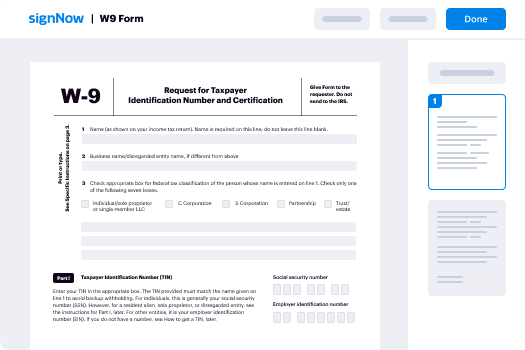
Save time on document management with airSlate SignNow and get your montana how file to form eSigned quickly from anywhere with our fully compliant eSignature tool.

How to Sign a PDF Online How to Sign a PDF Online

How to fill out and sign paperwork online

In the past, dealing with paperwork took lots of time and effort. But with airSlate SignNow, document management is quick and easy. Our powerful and user-friendly eSignature solution allows you to easily complete and electronically sign your montana how file to form online from any internet-connected device.

Follow the step-by-step guide to eSign your montana how file to form template online:

  • 1.Sign up for a free trial with airSlate SignNow or log in to your account with password credentials or SSO authentication.
  • 2.Click Upload or Create and import a form for eSigning from your device, the cloud, or our form library.
  • 3.Click on the file name to open it in the editor and use the left-side menu to fill out all the empty areas accordingly.
  • 4.Put the My Signature field where you need to approve your form. Provide your name, draw, or import a picture of your handwritten signature.
  • 5.Click Save and Close to finish modifying your completed document.

As soon as your montana how file to form template is ready, download it to your device, export it to the cloud, or invite other parties to electronically sign it. With airSlate SignNow, the eSigning process only requires a couple of clicks. Use our powerful eSignature solution wherever you are to deal with your paperwork effectively!

How to Sign a PDF Using Google Chrome How to Sign a PDF Using Google Chrome

How to fill out and sign forms in Google Chrome

Completing and signing documents is simple with the airSlate SignNow extension for Google Chrome. Installing it to your browser is a quick and effective way to deal with your forms online. Sign your montana how file to form template with a legally-binding electronic signature in just a few clicks without switching between applications and tabs.

Follow the step-by-step guide to eSign your montana how file to form in Google Chrome:

  • 1.Go to the Chrome Web Store, locate the airSlate SignNow extension for Chrome, and add it to your browser.
  • 2.Right-click on the link to a document you need to sign and choose Open in airSlate SignNow.
  • 3.Log in to your account with your credentials or Google/Facebook sign-in buttons. If you don’t have one, sign up for a free trial.
  • 4.Use the Edit & Sign toolbar on the left to fill out your sample, then drag and drop the My Signature option.
  • 5.Insert a picture of your handwritten signature, draw it, or simply type in your full name to eSign.
  • 6.Verify all data is correct and click Save and Close to finish editing your paperwork.

Now, you can save your montana how file to form sample to your device or cloud storage, email the copy to other people, or invite them to electronically sign your document via an email request or a secure Signing Link. The airSlate SignNow extension for Google Chrome improves your document processes with minimum time and effort. Try airSlate SignNow today!

How to Sign a PDF in Gmail How to Sign a PDF in Gmail How to Sign a PDF in Gmail

How to complete and sign paperwork in Gmail

When you receive an email with the montana how file to form for approval, there’s no need to print and scan a document or save and re-upload it to a different tool. There’s a much better solution if you use Gmail. Try the airSlate SignNow add-on to promptly eSign any documents right from your inbox.

Follow the step-by-step guidelines to eSign your montana how file to form in Gmail:

  • 1.Visit the Google Workplace Marketplace and look for a airSlate SignNow add-on for Gmail.
  • 2.Set up the tool with a corresponding button and grant the tool access to your Google account.
  • 3.Open an email with an attached file that needs approval and utilize the S key on the right sidebar to launch the add-on.
  • 4.Log in to your airSlate SignNow account. Choose Send to Sign to forward the document to other people for approval or click Upload to open it in the editor.
  • 5.Put the My Signature option where you need to eSign: type, draw, or import your signature.

This eSigning process saves efforts and only takes a couple of clicks. Take advantage of the airSlate SignNow add-on for Gmail to adjust your montana how file to form with fillable fields, sign paperwork legally, and invite other individuals to eSign them al without leaving your mailbox. Improve your signature workflows now!

How to Sign a PDF on a Mobile Device How to Sign a PDF on a Mobile Device How to Sign a PDF on a Mobile Device

How to complete and sign paperwork in a mobile browser

Need to quickly complete and sign your montana how file to form on a mobile phone while doing your work on the go? airSlate SignNow can help without the need to set up extra software applications. Open our airSlate SignNow solution from any browser on your mobile device and add legally-binding eSignatures on the go, 24/7.
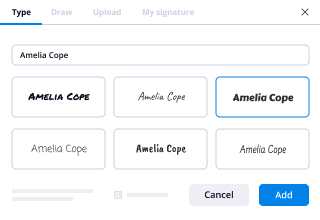
Follow the step-by-step guidelines to eSign your montana how file to form in a browser:

  • 1.Open any browser on your device and go to the www.signnow.com
  • 2.Register for an account with a free trial or log in with your password credentials or SSO authentication.
  • 3.Click Upload or Create and import a file that needs to be completed from a cloud, your device, or our form catalogue with ready-to go templates.
  • 4.Open the form and complete the empty fields with tools from Edit & Sign menu on the left.
  • 5.Put the My Signature field to the form, then type in your name, draw, or add your signature.

In a few simple clicks, your montana how file to form is completed from wherever you are. When you're finished editing, you can save the file on your device, create a reusable template for it, email it to other people, or ask them to electronically sign it. Make your paperwork on the go fast and productive with airSlate SignNow!
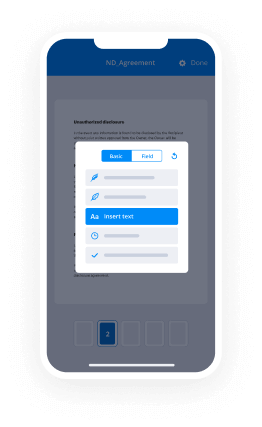

How to Sign a PDF on iPhone How to Sign a PDF on iPhone

How to complete and sign forms on iOS

In today’s business world, tasks must be completed rapidly even when you’re away from your computer. Using the airSlate SignNow application, you can organize your paperwork and approve your montana how file to form with a legally-binding eSignature right on your iPhone or iPad. Install it on your device to close deals and manage forms from anyplace 24/7.

Follow the step-by-step guide to eSign your montana how file to form on iOS devices:

  • 1.Open the App Store, search for the airSlate SignNow app by airSlate, and install it on your device.
  • 2.Launch the application, tap Create to add a template, and choose Myself.
  • 3.Opt for Signature at the bottom toolbar and simply draw your autograph with a finger or stylus to eSign the form.
  • 4.Tap Done -> Save after signing the sample.
  • 5.Tap Save or take advantage of the Make Template option to re-use this paperwork later on.

This process is so easy your montana how file to form is completed and signed in just a few taps. The airSlate SignNow app works in the cloud so all the forms on your mobile device are kept in your account and are available any time you need them. Use airSlate SignNow for iOS to boost your document management and eSignature workflows!
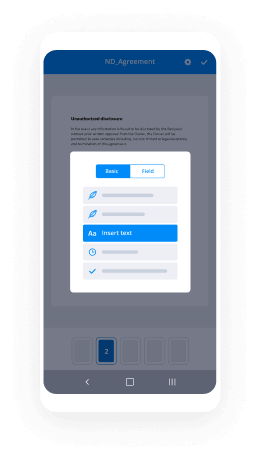
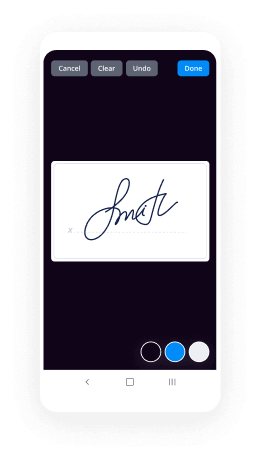
How to Sign a PDF on Android How to Sign a PDF on Android

How to complete and sign forms on Android

With airSlate SignNow, it’s simple to sign your montana how file to form on the go. Install its mobile app for Android OS on your device and start enhancing eSignature workflows right on your smartphone or tablet.

Follow the step-by-step guidelines to eSign your montana how file to form on Android:

  • 1.Navigate to Google Play, search for the airSlate SignNow application from airSlate, and install it on your device.
  • 2.Sign in to your account or create it with a free trial, then import a file with a ➕ option on the bottom of you screen.
  • 3.Tap on the imported document and select Open in Editor from the dropdown menu.
  • 4.Tap on Tools tab -> Signature, then draw or type your name to eSign the sample. Complete blank fields with other tools on the bottom if required.
  • 5.Use the ✔ button, then tap on the Save option to end up with editing.

With an easy-to-use interface and full compliance with primary eSignature laws and regulations, the airSlate SignNow application is the best tool for signing your montana how file to form. It even operates without internet and updates all document changes when your internet connection is restored and the tool is synced. Fill out and eSign documents, send them for eSigning, and make multi-usable templates whenever you need and from anywhere with airSlate SignNow.

Sign up and try Montana how file to form
  • Close deals faster
  • Improve productivity
  • Delight customers
  • Increase revenue
  • Save time & money
  • Reduce payment cycles