Establishing secure connection…Loading editor…Preparing document…

Motion to Transfer Venue

This template is fully customizable. Edit the text, fill out the fields, and send it for signature. Give it a try!
Motion to Transfer Venue

What a Motion to Transfer Venue Is and When It’s Used

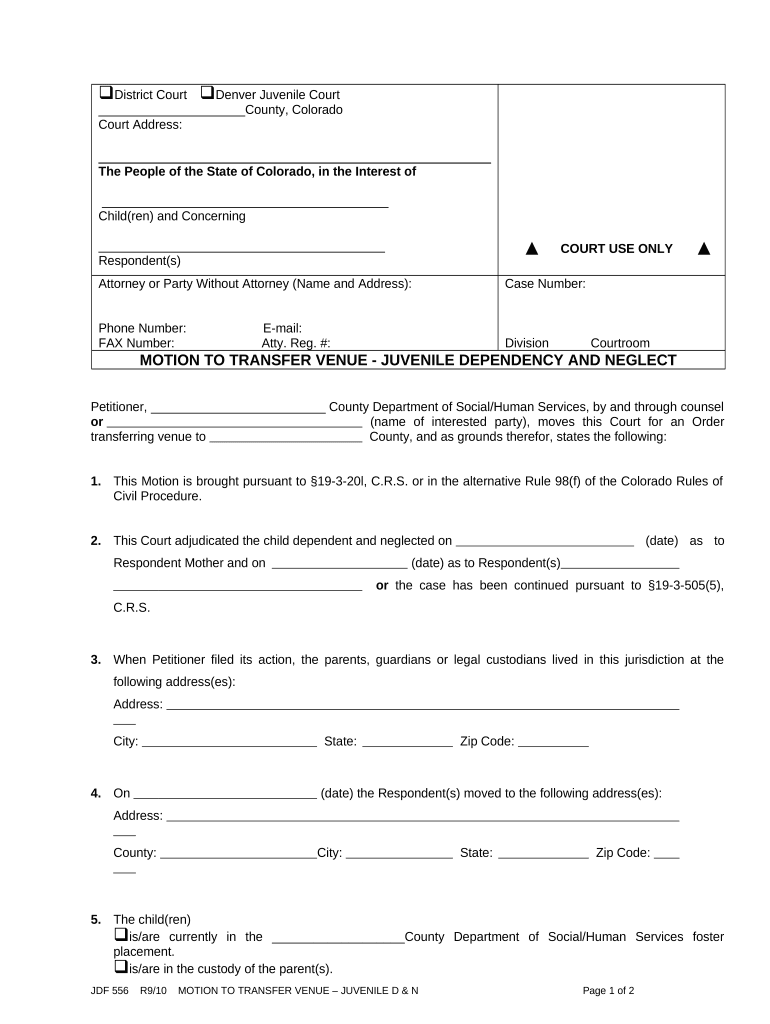
A Motion to Transfer Venue is a court filing asking the judge to move a pending civil case from one judicial district or county to another. Parties typically file it when they believe another forum is more convenient, has stronger jurisdictional ties, or when local law better applies. Grounds include improper or inconvenient forum, forum selection clauses, forum non conveniens, or statutory venue rules. The motion must identify legal bases, relevant facts, and proposed alternative venue and comply with local rules on timing, service, and supporting affidavits or evidence.

Why a Motion to Transfer Venue Matters

Transferring venue can reduce litigation costs, align the case with applicable law, avoid local bias, and shorten travel and discovery burdens. Courts weigh convenience, witnesses, and interests of justice when deciding whether to transfer.

Why a Motion to Transfer Venue Matters

Who Typically Prepares and Files This Motion

The Motion to Transfer Venue is commonly prepared by litigators for plaintiffs or defendants who seek a different forum for trial.

  • Plaintiff counsel seeking a forum with favorable law or witness access, preparing factual and legal arguments to justify transfer.
  • Defense counsel arguing inconvenience, improper venue, or forum non conveniens to move case away from plaintiff-preferred forum.
  • In-house legal teams coordinating with outside counsel to assess strategy, costs, and venue clauses in contracts.

Coordination with local rules and early assessment of procedural timing is essential to preserve the right to request transfer.

Primary Signatories and Their Roles

Plaintiff Counsel

Lead attorney for the party who filed the case; drafts opposition or response when defendant moves to transfer, or drafts proactive motions when seeking venue aligned with contractual forum selection clauses. Responsible for affidavits, proposed orders, and meeting local filing rules.

Defense Counsel

Attorney representing the responding party who may move to transfer based on improper venue or forum non conveniens, coordinates witness lists and supporting declarations, and handles service, electronic filing, and hearing scheduling under the court's civil rules.

Essential Information to Include in the Motion

Case Caption: Full style as on the complaint
Jurisdictional Facts: Venue basis and related facts
Legal Grounds: Statute or doctrine cited
Alternative Venue: Specific county or district
Evidence Summary: Affidavits and exhibits listed
Proposed Order: Draft order for judge's signature

Risks and Consequences of an Incorrect Motion

Waiver Risk: Late or procedurally defective motion may waive venue objections
Denied Transfer: Motion denial can cement inconvenient forum
Sanctions: Frivolous arguments may trigger attorney fees
Delay: Improper filings can prolong litigation schedule
Increased Costs: Multiple filings and travel expenses accrue
Evidence Loss: Delay risks witness unavailability or lost records

Common Preparing Pitfalls to Avoid

  • Missing local rule deadlines or page limits leads to rejection or denial without review.
  • Failing to include sworn affidavits or declarations that corroborate travel or witness burdens weakens credibility.
  • Neglecting to propose a specific alternate venue or identify how transfer serves interest of justice.
  • Overstating facts or using conclusory language without evidentiary citations invites adverse credibility findings.

Step-by-Step: Preparing the Motion to Transfer Venue

Follow a clear sequence to draft, support, and file the motion so it meets procedural and evidentiary requirements.

  • 01
    Assess Grounds: Review statute, contract clause, and local rules
  • 02
    Gather Evidence: Collect affidavits, witness lists, and documents
  • 03
    Draft Motion: State facts, law, relief requested, and proposed order
  • 04
    File & Serve: E-file per court rules and serve opposing counsel

Setting Up an Electronic Workflow for the Motion

Configure an e-filing and signature workflow that meets court and local bar requirements for submissions and service.

Field Configuration
Document Format PDF/A for court compatibility
Signature Type E-signature with audit trail
Service Method E-service via email or court portal
Attachments Include exhibits and proposed order

Where to File and How the Process Advances

Filing pathways and typical court responses vary; follow the court's e-filing rules and local civil procedure for timing and hearings.

  • E-File: Submit motion via court's electronic filing system
  • Service: Serve all parties per local rule (email or portal)
  • Opposition Period: Await response deadline before scheduling hearing
  • Hearing: Court may hold oral argument or decide on papers

Digital Filing and Signing Considerations

Confirm the court accepts electronic filings and that e-signatures comply with local submission rules before using online tools.

  • Accepted Formats: PDF, PDF/A, and court-specified templates
  • Authentication: Use secure signer ID and audit trail
  • Recordkeeping: Retain signed copies and filing receipts

Maintain copies of all filings and e-service confirmations in standard formats to support proof of service and future record requests.

eSignature Vendors: Pricing and Compliance Snapshot

Compare common vendor criteria for e-signing and document routing when preparing and submitting motions; signNow is listed first per platform comparisons.

signNow DocuSign Adobe Sign PandaDoc HelloSign
Starting Price $8/user/mo $15/user/mo $14/user/mo $19/user/mo $15/user/mo
Free Trial 7-day trial Varies Varies Varies Varies
Bulk Send Yes Yes Yes Yes Yes
Audit Trail Yes Yes Yes Yes Yes
HIPAA Compliant Yes Yes Yes No No
Envelope Cap No cap 100 envelopes/user/year Varies Varies Varies

Typical Timing and Deadlines to Track

Court rules set deadlines for filing, responding, and requesting hearings; verify the local rules early to avoid waiver.

Time to File Motion:

File as soon as venue defense is identified; some rules require early objection

Opposition Deadline:

Commonly 14–21 days after service, subject to local civil rules

Reply Deadline:

Often 7–14 days after opposition is filed

Hearing Scheduling:

Court sets hearing date after briefing is complete

Judicial Decision:

Ruling may follow oral argument or be issued on the papers

Milestones From Filing to Court Decision

A sequential view of key stages helps manage expectations and coordinate evidence and witness availability.

01

File Motion

Initiates the venue challenge and triggers service obligations

02

Serve Opposing Parties

Starts the response clock under local rules

03

Briefing Complete

Court has full record for decision or scheduling oral argument

04

Court Ruling

Judge grants, denies, or partially grants transfer request

Core Components Every Professional Motion Should Contain

A complete motion organizes facts, law, and evidence to allow the court to evaluate venue transfer requests without additional clarification.

Caption & Introduction

Clear case caption and concise introductory paragraph stating the relief sought, the legal basis for transfer, and a short roadmap of your supporting points and documents for judicial review.
Relevant Facts

A chronological and fact-based statement identifying residences, business locations, where transactions occurred, witness locations, and any forum-selection clause to establish why alternate venue is appropriate.

Legal Standard

A focused legal analysis citing the controlling venue statute or doctrine, explaining how the factors favor transfer, and distinguishing any on-point adverse authority to persuade the court.

Supporting Affidavits

Sworn declarations from parties, witnesses, or custodians of records that corroborate logistical burdens, expected testimony, or evidentiary locations to demonstrate inconvenience in the current forum.

Exhibits & Evidence

Organized exhibits (contracts, travel distances, document locations, communications) with indices and exhibit stickers or Bates numbers for easy judicial reference at hearing or decision.

Proposed Order

A short, judge-ready order specifying the new venue, any conditions of transfer, and directions for handling pending deadlines, discovery, or hearings after transfer.

Illustrative Examples of When Transfers Are Sought

Two concise scenarios show how venue motions arise and what supporting evidence is often decisive.

Local Witness Burden

A defendant shows most witnesses and documents are in County B

  • Court evaluates travel and cost
  • The court granted transfer after sworn declarations and a custodian affidavit confirmed records location.

Forum-Selection Clause

A contract names State X as exclusive venue

  • Plaintiff filed in State Y
  • The movant submitted the contract and argued the clause applies

The court transferred based on clear contractual language and applicable venue statute.

Practical Tips for a Strong, Compliant Motion

Follow these drafting and procedural practices to reduce the risk of rejection or an adverse ruling.

Start Early and Check Local Rules
Identify filing deadlines, page limits, proof of service requirements, and whether the court requires chambers copies or specific e-filing formats before drafting.
Use Sworn Declarations
Support factual claims with sworn declarations that identify witness names, addresses, and specific burdens rather than relying on counsel assertions alone.
Propose a Concrete Alternative
Name a specific forum and explain why that venue is adequate for all parties and witnesses; vague requests are less persuasive.
Prepare a Short Proposed Order
Submit a clean, narrowly tailored proposed order that implements the transfer and addresses pending deadlines to facilitate judicial decision-making.

Frequently Asked Questions About Motions to Transfer Venue

Answers to common questions about grounds, timing, evidence, and electronic filing for venue transfer motions.


Need help? Contact support

be ready to get more
Join over 28 million airSlate SignNow users