Establishing secure connection…Loading editor…Preparing document…

Letter Responding to Motion for Summary Judgment

This template is fully customizable. Edit the text, fill out the fields, and send it for signature. Give it a try!
Letter Responding to Motion for Summary Judgment

What the Letter Responding to Motion for Summary Judgment Is

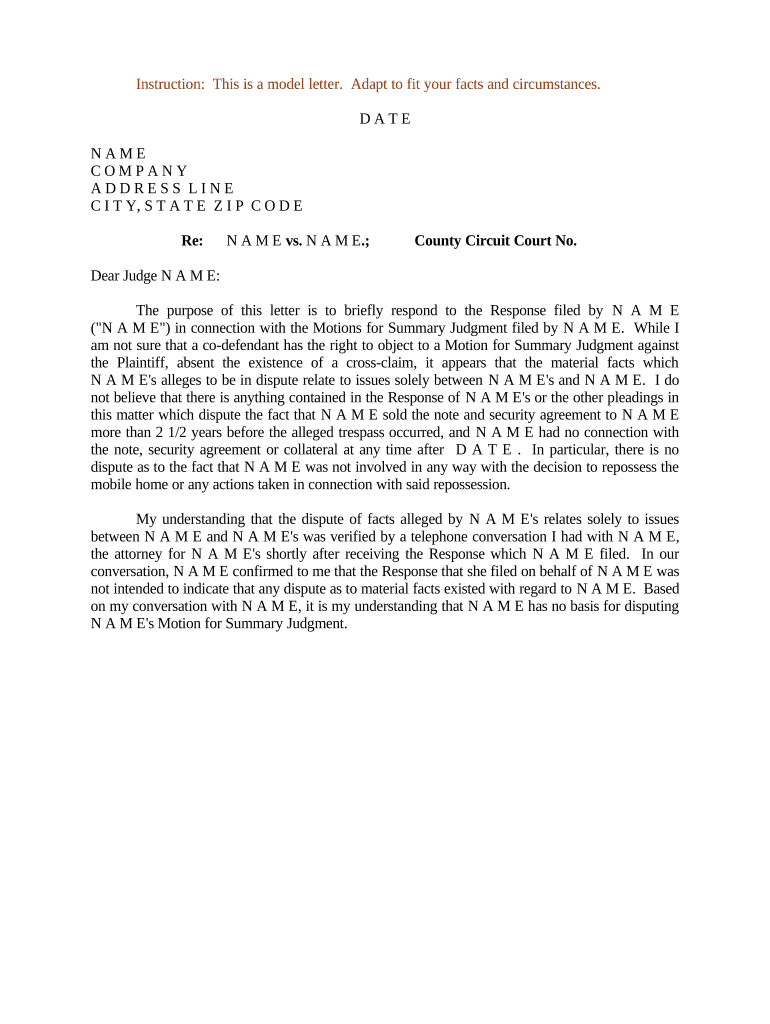
A Letter Responding to Motion for Summary Judgment is a formal court filing that explains why the moving party is not entitled to judgment as a matter of law. It identifies disputed factual issues, cites controlling law, and requests denial of the motion or entry of limited relief. The letter supplements or replaces a full brief in jurisdictions that allow abbreviated responses and must comply with local rules on length, formatting, service, and timing to preserve evidentiary and appellate rights.

Why a Focused, Rule-Compliant Response Matters

A clear, well-documented response preserves factual disputes, frames legal issues for the judge, and protects your client’s right to trial when genuine issues of material fact exist. It helps prevent inadvertent waiver and supports later appellate review.

Why a Focused, Rule-Compliant Response Matters

Who Prepares and Uses This Letter

Typical preparers include litigators, supervising partners, and experienced paralegals working under counsel direction.

  • Plaintiff or defense counsel: Drafts arguments and cites admissible evidence in opposition.
  • Litigation paralegals: Assemble exhibits, cite record page numbers, and prepare certificate of service.
  • In-house counsel: Coordinates litigation strategy and client approvals for the response.

Ensure the signer is authorized and the filing follows the court’s local rules and service procedures.

Core Components to Include in the Response

A professional letter-format opposition organizes the record, addresses the moving party’s legal framework, and highlights admissible evidence showing triable issues of fact.

Case Caption

Court name, parties, docket number, and title of the pleading exactly matching the original case documents and caption requirements.
Introduction

Short statement identifying the motion responded to, the relief sought, and the concise summary of why the motion should be denied.

Standard of Review

Statement of the governing legal standard for summary judgment under applicable rules and controlling authority in the relevant jurisdiction.

Factual Disputes

Clear, citation-backed identification of disputed material facts with references to admissible record evidence and exhibit pagination.

Legal Argument

Targeted legal analysis tying facts to law, emphasizing credibility, inferences, and gaps in the movant’s proof.

Relief and Service

Conclude with the specific relief requested, proposed order language where appropriate, and certification of service details.

Essential Information to Verify Before Filing

Court and Docket: Full court name and docket number
Party Names: Exact legal names of all parties
Motion Title: Exact title and filing date of the motion
Exhibit List: Exhibit identifiers and Bates/page ranges
Signature Block: Authorized signer name, bar number, and contact
Certificate of Service: Method, recipients, and date of service

Step-by-Step: Preparing a Response Letter

Follow a structured workflow to ensure the response is complete, timely, and supported by admissible evidence.

  • 01
    Review the Motion: Identify each factual and legal assertion to rebut.
  • 02
    Collect Evidence: Gather admissible record pages, affidavits, and exhibits.
  • 03
    Draft Argument: Match facts to the applicable standard of review.
  • 04
    File and Serve: E-file per court rules and serve all listed recipients.

How to Configure an Online Response Workflow

Set up your digital workflow to collect signatures, attach exhibits, and produce a certificate of service compatible with court e-filing systems.

Field Configuration
Document Format PDF/A preferred for court filings
Signature Type Typed or drawn e-signature per local rule
Exhibit Attachment Combine exhibits into a single PDF with bookmarks
Service Record Enable automated certificate of service generation

Where to File and How the Routing Works

Filing and service must follow the court’s authorized channels; improper routing risks rejection or waiver of objections.

  • E-Filing Portal: Submit via the court’s CM/ECF or state e-filing portal
  • Email or Mail Service: Serve opposing counsel per local rule or Federal Rule of Civil Procedure
  • Clerk’s Office: Confirm acceptance and file-stamp if hand-delivered
  • Local Chambers: Follow any chambers-specific directions for courtesy copies

Technical Requirements for Digital Filing and Delivery

Ensure the document meets file format, size, and authentication requirements before attempting upload or e-service.

  • File Format: PDF/A or flattened PDF
  • Authentication: Email or multi-factor for signer attribution
  • Audit Trail: Include timestamp and IP in the record

Confirm the court’s specific e-filing accepted formats and any required metadata fields; retain audit logs and a stamped copy after filing as proof of compliance.

Typical Timing Rules and When to Act

Deadlines for responding to a summary judgment motion vary by court; always confirm local rules and the movant’s service date before calculating deadlines.

Local Rule First:

Local rules govern the response time; check the court’s published schedule

Service Date Importance:

Count days from the movant’s service date per rule definitions

Emergency Relief:

File a short response or request leave if expedited consideration is needed

Extension Requests:

Seek stipulation or court leave before the deadline when possible

Check Federal Rules:

Federal rules supplement local rules but rarely set a single universal deadline

Common Mistakes to Avoid When Preparing the Response

  • Failing to cite specific admissible record pages, leaving judges unable to verify disputed facts.
  • Missing local-format requirements — incorrect caption, margins, or page limits can lead to rejection.
  • Submitting unsigned or incorrectly signed filings that do not meet signer authorization requirements.
  • Neglecting to serve all parties and file a proper certificate of service documenting delivery.

Risks and Consequences of an Inadequate Response

Waiver: Failure to preserve facts may waive objections
Default Ruling: Court may grant the motion if disputes are not identified
Sanctions: Filing frivolous or misleading statements can trigger sanctions
Evidentiary Loss: Untimely evidence may be excluded
Increased Costs: Additional hearings and briefing increase fees
Appeal Issues: Poorly developed record weakens appellate review

Comparing eSignature Options for Preparing and Serving the Response

Basic vendor differences: price, bulk send, audit trail, HIPAA support, and envelope caps matter for high-volume litigation teams. signNow is listed first for comparison.

signNow DocuSign Adobe Sign PandaDoc HelloSign
Starting Price $8/user/mo $15/user/mo $14/user/mo $19/user/mo $15/user/mo
Free Trial Yes, 7-day trial Trial available Trial available Trial available Trial available
Bulk Send Yes Yes Yes Yes No
Audit Trail Yes Yes Yes Yes Yes
HIPAA Compliant Yes Yes Yes No No

Frequently Asked Questions and Common Fixes

Answers to common procedural and technical questions when preparing or delivering a letter opposing summary judgment.


Need help? Contact support

be ready to get more
Join over 28 million airSlate SignNow users