Establishing secure connection… Loading editor… Preparing document…
Navigation

Fill and Sign the Mt Parenting Plan Form
Fill and Sign the Mt Parenting Plan Form

How it works

Open the document and fill out all its fields.
Apply your legally-binding eSignature.
Save and invite other recipients to sign it.

Rate template

4.5
38 votes
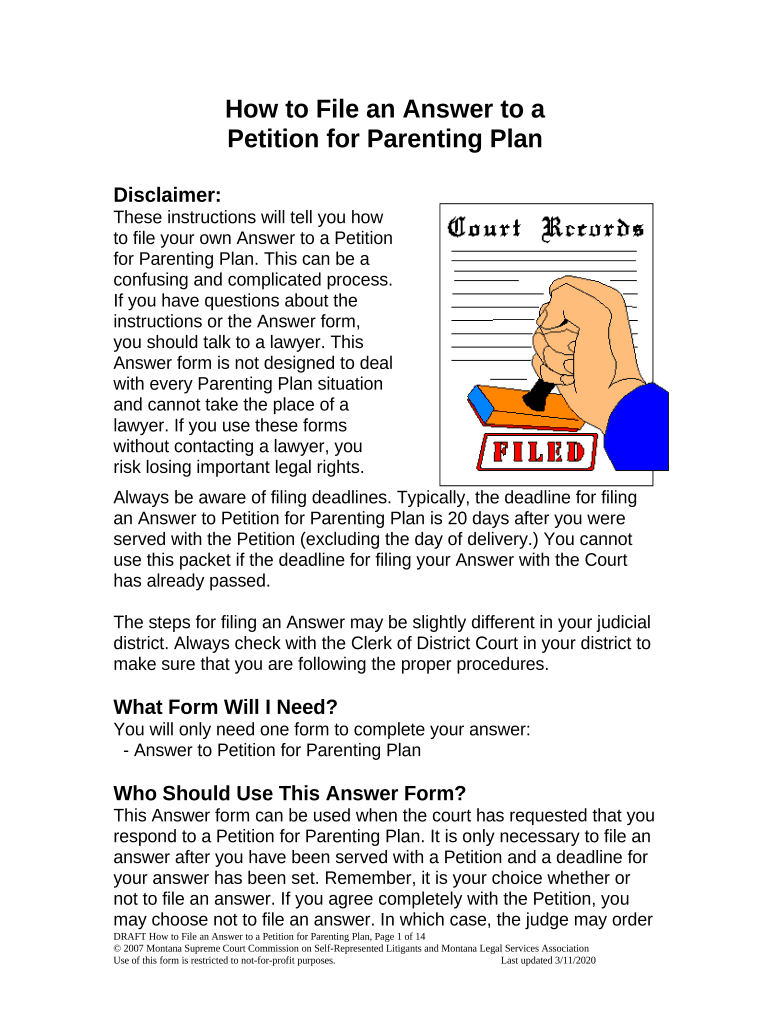
How to File an Answer to a Petition for Parenting Plan Disclaimer: These instructions will tell you how to file your own Answer to a Petition for Parenting Plan. This can be a confusing and complicated process. If you have questions about the instructions or the Answer form, you should talk to a lawyer. This Answer form is not designed to deal with every Parenting Plan situation and cannot take the place of a lawyer. If you use these forms without contacting a lawyer, you risk losing important legal rights. Always be aware of filing deadlines. Typically, the deadline for filing an Answer to Petition for Parenting Plan is 20 days after you were served with the Petition (excluding the day of delivery.) You cannot use this packet if the deadline for filing your Answer with the Court has already passed. The steps for filing an Answer may be slightly different in your judicial district. Always check with the Clerk of District Court in your district to make sure that you are following the proper procedures. What Form Will I Need? You will only need one form to complete your answer: - Answer to Petition for Parenting Plan Who Should Use This Answer Form? This Answer form can be used when the court has requested that you respond to a Petition for Parenting Plan. It is only necessary to file an answer after you have been served with a Petition and a deadline for your answer has been set. Remember, it is your choice whether or not to file an answer. If you agree completely with the Petition, you may choose not to file an answer. In which case, the judge may order DRAFT How to File an Answer to a Petition for Parenting Plan, Page 1 of 14 © 2007 Montana Supreme Court Commission on Self-Represented Litigants and Montana Legal Services Association Use of this form is restricted to not-for-profit purposes. Last updated 3/11/2020 a default judgment granting the petitioner everything asked for in the Petition for Parenting Plan. Does It Cost Money To File An Answer? The Clerk will charge you a fee for filing your Answer to Petition for Parenting Plan. The cost may vary between judicial districts. Call your local Clerk of District Court to ask about the filing fee in your judicial district. You might be financially eligible to have the filing fees waived. If you think you might be eligible, ask your local Clerk of District Court for a fee waiver application before you file or download the form from the “Legal System” section of www.MontanaLawHelp.org. Definitions: Petitioner – The Petitioner is the person who first asked the court for something by filing a petition. If you are using this form to answer a Petition for Parenting Plan, the Petitioner is the other parent of your children involved in this action. Respondent – The Respondent is the person who must respond to a court case by filing a Response (also called an Answer.) You are the Respondent in your case because you must file an Answer to Petition for Parenting Plan. Pro Se – This term is used to notify the court and the Petitioner that you are representing yourself and that you are not being represented by a lawyer in your parenting plan case. Parenting – Montana no longer uses the words “custody” and “visitation,” instead, it uses the terms “parenting” or “parenting time.” DRAFT How to File an Answer to a Petition for Parenting Plan, Page 2 of 14 © 2007 Montana Supreme Court Commission on Self-Represented Litigants and Montana Legal Services Association Use of this form is restricted to not-for-profit purposes. Last updated 3/11/2020 Default Judgment – This is a judgment granted to a Petitioner when the Respondent does not file an answer within the twenty day deadline. A default judgment usually grants a Petitioner everything that they asked for in the Petition, as long as the court finds the request to be equitable and in the best interests of the children. Where Can I Get More Information? The Montana Code Annotated (M.C.A.) contains the law on Parenting Plans. The laws can be found beginning at Title 40, Chapter 4, Section 201 of the M.C.A. This is often abbreviated as M.C.A. § 40-4- 201. The Montana Code Annotated can be found at your local library or on the Montana State Law Library website at www.lawlibrary.mt.gov . Click on the “State Laws” option near the top of the page and select “MCA” from the list. The State Law Library web site also contains an easy-to-read “Introduction to Family Law in Montana.” This can be found at the Montana State Law Library website, www.lawlibrary.mt.gov 1. Click ‘Find a Law by Topic’ 2. Click ‘Parenting Plans’ 3. Scroll down to ‘Free Information on the Web about Child Custody in Montana’ 4. Click on ‘Introduction to Family Law in Montana’ Where Can I Get Legal Help? If you need help, the following resources may be available to you: DRAFT How to File an Answer to a Petition for Parenting Plan, Page 3 of 14 © 2007 Montana Supreme Court Commission on Self-Represented Litigants and Montana Legal Services Association Use of this form is restricted to not-for-profit purposes. Last updated 3/11/2020 1. Montana Legal Services Association (MLSA) provides free legal assistance to low and moderate-income individuals. To find out if you qualify for MLSA services, call the MLSA HelpLine at 1-800-666-6899. 2. The State Bar Lawyer Referral and Information Service (LRIS) refers people to Montana lawyers who have agreed to charge a reasonable fee for the first visit. The referral is free. Contact LRIS at 1-406-449-6577. 3. The State Law Library can help you to find and use legal resources such as books, forms, and websites. You can visit the Law Library website at www.lawlibrary.mt.gov . Or you can contact a Reference Librarian at 1-406-444-3636 or by email at mtlawlibrary@mt.gov . How Do I Use The Answer To Petition For Parenting Plan Form? Complete the following steps: Step One : Fill In The Answer Form [ ] Fill in the Answer to Petition for Parenting Plan form completely. [ ] Get your Answer notarized. This is when you sign the signature line in front of a notary. The Clerk of Court offers this service for a small fee, in addition to most banks and law offices. Step Two : Make Copies [ ] You will need a total of three completed Answer forms (2 copies plus the original.) The original will go the District Court, one copy will go to the Petitioner, and you will keep one copy for your own records. Step Three : File Your Answer With The Court DRAFT How to File an Answer to a Petition for Parenting Plan, Page 4 of 14 © 2007 Montana Supreme Court Commission on Self-Represented Litigants and Montana Legal Services Association Use of this form is restricted to not-for-profit purposes. Last updated 3/11/2020 [ ] Go to the Clerk of District Court in the County Courthouse where the Petition for Parenting Plan was filed. As mentioned above, you will have to pay a filling fee unless you are eligible for a fee waiver. [ ] File the original Answer to Petition for Parenting Plan form with the Clerk of District Court. [ ] Bring your copy of the Answer with you and ask the Clerk to stamp it, showing that the document has been filed. Keep an organized file of all your court papers and letters concerning your case. Step Four : Send A Copy To The Petitioner Once you have filed your Answer, it is your responsibility to send a copy to the Petitioner. [ ] Mail a copy to the Petitioner at the exact address you listed for him or her on the “Certificate of Service” section of the Answer form. You should use the regular first class mailing service offered by the U.S. Postal Service for this purpose. Step Five : Prepare Your Own Proposed Parenting Plan Because you are contesting the Petitioner’s Proposed Parenting Plan, it is in your best interest to submit your own Proposed Parenting Plan to the Court. This provides you with an opportunity to show the Court and the Petitioner exactly how you think the Parenting Plan should look. Follow the instructions below to prepare your own Proposed Parenting Plan. [ ] Go to the Montana State Law Library website at www.lawlibrary.mt.gov . [ ] Click ‘Find a Law by Topic.’ [ ] Click ‘Parenting Plans.’ [ ] Click ‘ Petition for Parenting Plan Packet.’ [ ] Select ‘Parenting Plan’ from the list of documents. [ ] Complete the Proposed Parenting Plan (instructions are provided on the form). Remember to notarize the document. DRAFT How to File an Answer to a Petition for Parenting Plan, Page 5 of 14 © 2007 Montana Supreme Court Commission on Self-Represented Litigants and Montana Legal Services Association Use of this form is restricted to not-for-profit purposes. Last updated 3/11/2020 [ ] File the original Proposed Parenting Plan with the Clerk, mail a copy to the Petitioner and keep a copy for your own files. Step Six : Attend Mediation Many Judges require the Petitioner and the Respondent to attend mediation before their parenting plan case will be heard by the Court. When you file your Answer, ask the Clerk whether your Judge will require mediation. *Important note: Victims of domestic violence cannot be ordered to attend mediation. If you are a victim of domestic violence at the hands of the Petitioner, you have the option of notifying the Judge that you chose not to attend the mediation. This means your case will go directly to the hearing stage, described below. Step Seven : Prepare For A Hearing In Front Of The Judge Because you are choosing to file an Answer, your Parenting Plan action is contested and a Judge will hold a hearing to make a decision on the contested issues. [ ] Collect evidence to support your case at the hearing. This evidence should include any paperwork or witnesses that will persuade the Judge to decide the contested issues in your favor. The following are some examples of the evidence you might gather for the hearing: Evidence about your child: - Report cards - Attendance records from school/daycare - Progress reports from school/daycare - Health care providers’ progress/treatment reports - Mental health care providers’ notes/diagnoses/treatment reports Evidence about parents/family members/others who play a significant role in your child’s life: - Health care providers’ treatment reports - Mental health care providers/chemical dependency providers’ notes/diagnoses/treatment reports DRAFT How to File an Answer to a Petition for Parenting Plan, Page 6 of 14 © 2007 Montana Supreme Court Commission on Self-Represented Litigants and Montana Legal Services Association Use of this form is restricted to not-for-profit purposes. Last updated 3/11/2020 - Police reports - Child protective services reports - Court records of criminal charges/convictions - Reports from domestic violence advocacy programs - Previous court orders (protection orders, contempt orders, etc) - Receipts from expenses spent on the child (for health care, clothing, school, etc) - Administrative or court findings of unpaid child support [ ] You should write down and practice the questions that you want to ask the Petitioner at the hearing. Important : Only ask questions that you think will help your case. [ ] You should also practice what you want to say to the Judge. Practice with a friend until you feel comfortable with everything that you want to say. Step Eight : Go To The Hearing [ ] The time and date for the hearing will be sent to you on a court document normally called a “Scheduling Order.” You must attend that hearing. Be at the courthouse at least 15 minutes before your scheduled hearing time. Dress as you would for an important job interview. Ask the Clerk of District Court which courtroom your Judge is in. Go to the appropriate courtroom and wait for the Judge to call your name and cause number. Be calm and polite and address the Judge as “Your Honor.” [ ] Bring all of your court papers to the hearing. [ ] Bring all of the evidence you gathered in Step Seven above. If the Petitioner is at the hearing, the Judge with ask him/her to be sworn in and take the witness stand. The Petitioner will be allowed to tell his/her side of the story. Then you will be allowed to ask the Petitioner any questions you have prepared. The judge will then ask you to take the witness stand. You should bring your evidence with you. You will then be allowed to tell your side of the story. The Petitioner will be given the opportunity to ask you any question he/she has prepared. DRAFT How to File an Answer to a Petition for Parenting Plan, Page 7 of 14 © 2007 Montana Supreme Court Commission on Self-Represented Litigants and Montana Legal Services Association Use of this form is restricted to not-for-profit purposes. Last updated 3/11/2020 After the hearing, the Judge will enter a final ruling on the contested issues in your Parenting Plan case. It may take awhile for the Judge to enter a final ruling. However, once the ruling has been made, the Judge will mail a copy to you. DRAFT How to File an Answer to a Petition for Parenting Plan, Page 8 of 14 © 2007 Montana Supreme Court Commission on Self-Represented Litigants and Montana Legal Services Association Use of this form is restricted to not-for-profit purposes. Last updated 3/11/2020 _____________________________________ Your Name _____________________________________ Your Address _____________________________________ City State Zip Code _____________________________________ Your Phone Number RESPONDENT PRO SE MONTANA _______________ JUDICIAL DISTRICT COURT _____________________ COUNTY The [ ] Marriage of:/[ ] Parenting of: minor child(ren); ________________________, Petitioner (Other Parent) , and ________________________, Respondent (You) . Cause No.: ________________ Answer to Petition for Parenting Plan ANSWER I am the Respondent in this case. I am answering the Petition for Parenting Plan in my case: Answer to Petition for Parenting Plan, Page Approved by the Montana Supreme Court Commission on Self-Represented Litigants and Montana Legal Services Association, 2007 1. These paragraphs in the Petition for Parenting Plan are true. I admit them ( list the paragraph numbers that are true ): _______________________________________________________ _______________________________________________________ ___________________________________________. 2. These paragraphs in the Petition for Parenting Plan are not true. I deny them ( list the paragraph numbers that are not true ): _______________________________________________________ _______________________________________________________ ___________________________________________. 3. These paragraphs in the Petition for Parenting Plan are partly true and partly not true . I admit the parts that are true and deny the parts that are not true ( for each paragraph that is partly true and partly not true, list the paragraph number and tell the Court what is not true ): A. Paragraph No. __ Everything in this paragraph is true except for ( state the part of the paragraph that is not true ): ______________________________________________ ______________________________________________ ______________________________________________ ______________________________________________ ______________________________________________ . Answer to Petition for Parenting Plan, Page Approved by the Montana Supreme Court Commission on Self-Represented Litigants and Montana Legal Services Association, 2007 B. Paragraph No. __ Everything in this paragraph is true except for ( state the part of the paragraph that is not true ): ______________________________________________ ______________________________________________ ______________________________________________ ______________________________________________ ______________________________________________ . C. Paragraph No. __ Everything in this paragraph is true except for ( state the part of the paragraph that is not true ): ______________________________________________ ______________________________________________ ______________________________________________ ______________________________________________ ______________________________________________ . 4. I do not know whether these paragraphs in the Petition for Parenting Plan are true or not true. I deny them ( if you don’t know whether a paragraph is true or not true, list the paragraph number here ): __________________________________________________ __________________________________________________ __. Answer to Petition for Parenting Plan, Page Approved by the Montana Supreme Court Commission on Self-Represented Litigants and Montana Legal Services Association, 2007 5. I deny any claims not specifically admitted in this Answer. 6. Other Provisions: __________________________________________________ __________________________________________________ __________________________________________________ __________________________________________________ __________________________________________________ __________________________________________________ ______. I respectfully request that the Court deny the Parenting Plan requested by Petitioner and order Respondent’s Proposed Parenting Plan, filed separately, be adopted by this Court and order any further relief that the Court deems proper. DATED this _______ day of ____________________, 20___. _____________________________________ Respondent Pro Se (Your Signature) _____________________________________ Print Your Name STATE OF MONTANA ) Answer to Petition for Parenting Plan, Page Approved by the Montana Supreme Court Commission on Self-Represented Litigants and Montana Legal Services Association, 2007 ): ss COUNTY OF ____________) _______________________________, being first duly sworn on oath, says that he/she is the Respondent in the above- entitled proceeding; that he/she has read the above Answer and knows the contents thereof; and that the matter, facts and things stated therein are true to the best of his/her knowledge and belief. _____________________________________ Respondent Pro Se (Your Signature) _____________________________________ Print Your Name SUBSCRIBED AND SWORN to before me this _____ day of _______________, 20____. ___________________________________ Notary Public for the State of Montana. Residing at __________________________ My Commission Expires________________ Certificate of Service Answer to Petition for Parenting Plan, Page Approved by the Montana Supreme Court Commission on Self-Represented Litigants and Montana Legal Services Association, 2007 I certify that I sent a copy of this Answer to the Petitioner. I sent the copy on ( date ) __________________. I sent the copy using U.S. Mail, postage prepaid, to the following address ( Use the name and address listed in the top left corner of the Petition for Parenting Plan. If your spouse has a lawyer, this will be the lawyer’s address. If your spouse does not have a lawyer, it will be your spouse’s address. ): _____________________________________________________ Name _____________________________________________________ Address ______________________________________________________ City State Zip Code _____________________________________ Respondent Pro Se ( Your Signature ) _____________________________________ Print Your Name Answer to Petition for Parenting Plan, Page Approved by the Montana Supreme Court Commission on Self-Represented Litigants and Montana Legal Services Association, 2007

Valuable advice on preparing your ‘Mt Parenting Plan’ online

Are you fatigued by the burden of managing paperwork? Search no further than airSlate SignNow, the premier electronic signature solution for individuals and small to medium-sized businesses. Bid farewell to the tedious routine of printing and scanning documents. With airSlate SignNow, you can seamlessly fill out and sign documents online. Take advantage of the powerful features embedded in this intuitive and cost-effective platform and transform your document management strategy. Whether you need to authenticate forms or collect electronic signatures, airSlate SignNow takes care of everything effortlessly, with just a few clicks.

Adhere to this detailed guide:

  1. Access your account or register for a complimentary trial with our service.
  2. Hit +Create to upload a file from your device, cloud storage, or our template collection.
  3. Launch your ‘Mt Parenting Plan’ in the editing tool.
  4. Select Me (Fill Out Now) to set up the document on your end.
  5. Incorporate and allocate fillable fields for others (if necessary).
  6. Move forward with the Send Invite options to solicit eSignatures from others.
  7. Download, print your version, or transform it into a reusable template.

Don’t be concerned if you need to partner with your coworkers on your Mt Parenting Plan or send it for notarization—our platform provides everything necessary to execute such functions. Register for an account with airSlate SignNow today and elevate your document management to new levels!

Here is a list of the most common customer questions. If you can’t find an answer to your question, please don’t hesitate to reach out to us.

Need help? Contact Support

The best way to complete and sign your mt parenting plan form
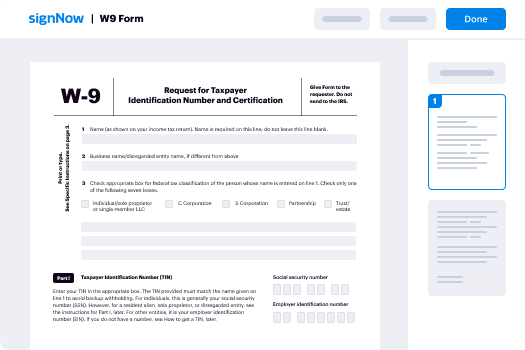
Save time on document management with airSlate SignNow and get your mt parenting plan form eSigned quickly from anywhere with our fully compliant eSignature tool.

How to Sign a PDF Online How to Sign a PDF Online

How to complete and sign documents online

In the past, working with paperwork required lots of time and effort. But with airSlate SignNow, document management is fast and easy. Our powerful and easy-to-use eSignature solution lets you easily complete and eSign your mt parenting plan form online from any internet-connected device.

Follow the step-by-step guidelines to eSign your mt parenting plan form template online:

  • 1.Sign up for a free trial with airSlate SignNow or log in to your account with password credentials or SSO authorization option.
  • 2.Click Upload or Create and import a form for eSigning from your device, the cloud, or our form library.
  • 3.Click on the file name to open it in the editor and utilize the left-side toolbar to fill out all the empty fields appropriately.
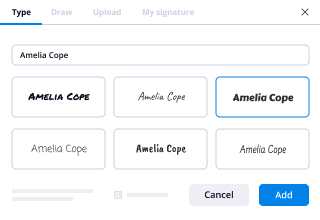
  • 4.Drop the My Signature field where you need to eSign your form. Type your name, draw, or import a photo of your handwritten signature.
  • 5.Click Save and Close to accomplish modifying your completed form.

After your mt parenting plan form template is ready, download it to your device, save it to the cloud, or invite other parties to eSign it. With airSlate SignNow, the eSigning process only requires a few clicks. Use our robust eSignature solution wherever you are to deal with your paperwork effectively!

How to Sign a PDF Using Google Chrome How to Sign a PDF Using Google Chrome

How to complete and sign forms in Google Chrome

Completing and signing paperwork is easy with the airSlate SignNow extension for Google Chrome. Adding it to your browser is a quick and effective way to deal with your paperwork online. Sign your mt parenting plan form template with a legally-binding electronic signature in a couple of clicks without switching between applications and tabs.

Follow the step-by-step guide to eSign your mt parenting plan form in Google Chrome:

  • 1.Go to the Chrome Web Store, find the airSlate SignNow extension for Chrome, and add it to your browser.
  • 2.Right-click on the link to a document you need to sign and select Open in airSlate SignNow.
  • 3.Log in to your account with your credentials or Google/Facebook sign-in buttons. If you don’t have one, you can start a free trial.
  • 4.Utilize the Edit & Sign menu on the left to complete your template, then drag and drop the My Signature field.
  • 5.Upload an image of your handwritten signature, draw it, or simply type in your full name to eSign.
  • 6.Make sure all data is correct and click Save and Close to finish modifying your form.

Now, you can save your mt parenting plan form template to your device or cloud storage, send the copy to other individuals, or invite them to electronically sign your document with an email request or a secure Signing Link. The airSlate SignNow extension for Google Chrome enhances your document processes with minimum time and effort. Start using airSlate SignNow today!

How to Sign a PDF in Gmail How to Sign a PDF in Gmail How to Sign a PDF in Gmail

How to fill out and sign forms in Gmail

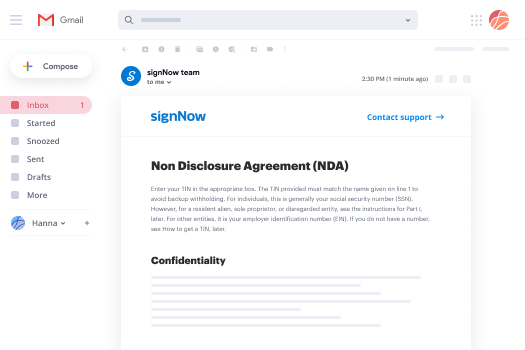
Every time you get an email with the mt parenting plan form for approval, there’s no need to print and scan a document or download and re-upload it to another program. There’s a better solution if you use Gmail. Try the airSlate SignNow add-on to promptly eSign any paperwork right from your inbox.

Follow the step-by-step guide to eSign your mt parenting plan form in Gmail:

  • 1.Go to the Google Workplace Marketplace and look for a airSlate SignNow add-on for Gmail.
  • 2.Set up the program with a related button and grant the tool access to your Google account.
  • 3.Open an email containing an attachment that needs approval and use the S key on the right panel to launch the add-on.
  • 4.Log in to your airSlate SignNow account. Opt for Send to Sign to forward the document to other people for approval or click Upload to open it in the editor.
  • 5.Put the My Signature field where you need to eSign: type, draw, or import your signature.

This eSigning process saves efforts and only takes a few clicks. Use the airSlate SignNow add-on for Gmail to update your mt parenting plan form with fillable fields, sign paperwork legally, and invite other individuals to eSign them al without leaving your mailbox. Enhance your signature workflows now!

How to Sign a PDF on a Mobile Device How to Sign a PDF on a Mobile Device How to Sign a PDF on a Mobile Device

How to complete and sign forms in a mobile browser

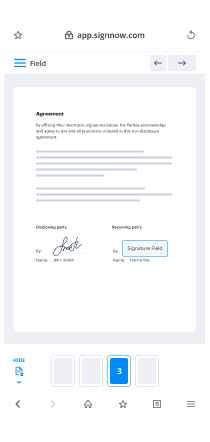
Need to quickly complete and sign your mt parenting plan form on a mobile phone while doing your work on the go? airSlate SignNow can help without the need to install additional software applications. Open our airSlate SignNow solution from any browser on your mobile device and create legally-binding electronic signatures on the go, 24/7.
Follow the step-by-step guide to eSign your mt parenting plan form in a browser:

  • 1.Open any browser on your device and follow the link www.signnow.com
  • 2.Register for an account with a free trial or log in with your password credentials or SSO authentication.
  • 3.Click Upload or Create and add a file that needs to be completed from a cloud, your device, or our form catalogue with ready-made templates.
  • 4.Open the form and complete the blank fields with tools from Edit & Sign menu on the left.
  • 5.Place the My Signature area to the form, then type in your name, draw, or upload your signature.

In a few simple clicks, your mt parenting plan form is completed from wherever you are. As soon as you're done with editing, you can save the file on your device, build a reusable template for it, email it to other individuals, or invite them eSign it. Make your documents on the go speedy and effective with airSlate SignNow!

How to Sign a PDF on iPhone How to Sign a PDF on iPhone

How to complete and sign paperwork on iOS

In today’s business community, tasks must be done quickly even when you’re away from your computer. Using the airSlate SignNow application, you can organize your paperwork and approve your mt parenting plan form with a legally-binding eSignature right on your iPhone or iPad. Install it on your device to close deals and manage forms from just about anywhere 24/7.

Follow the step-by-step guide to eSign your mt parenting plan form on iOS devices:

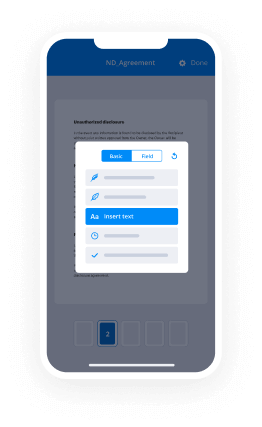
  • 1.Go to the App Store, find the airSlate SignNow app by airSlate, and install it on your device.
  • 2.Open the application, tap Create to upload a template, and select Myself.
  • 3.Choose Signature at the bottom toolbar and simply draw your signature with a finger or stylus to eSign the form.
  • 4.Tap Done -> Save after signing the sample.
  • 5.Tap Save or use the Make Template option to re-use this document later on.

This process is so straightforward your mt parenting plan form is completed and signed within a few taps. The airSlate SignNow app works in the cloud so all the forms on your mobile device remain in your account and are available whenever you need them. Use airSlate SignNow for iOS to boost your document management and eSignature workflows!
How to Sign a PDF on Android How to Sign a PDF on Android

How to complete and sign documents on Android

With airSlate SignNow, it’s simple to sign your mt parenting plan form on the go. Set up its mobile app for Android OS on your device and start improving eSignature workflows right on your smartphone or tablet.

Follow the step-by-step guidelines to eSign your mt parenting plan form on Android:

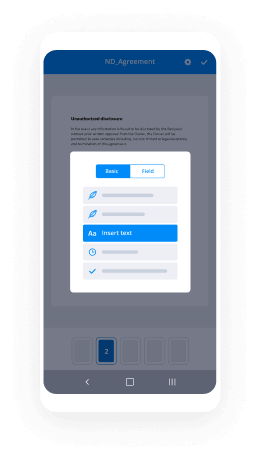
  • 1.Go to Google Play, search for the airSlate SignNow application from airSlate, and install it on your device.
  • 2.Log in to your account or register it with a free trial, then upload a file with a ➕ key on the bottom of you screen.
  • 3.Tap on the uploaded file and select Open in Editor from the dropdown menu.
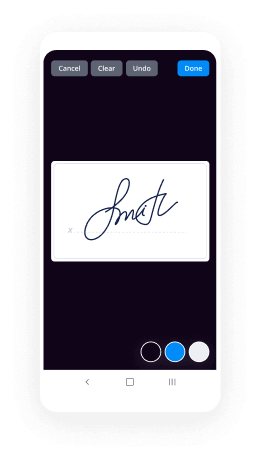
  • 4.Tap on Tools tab -> Signature, then draw or type your name to eSign the template. Complete blank fields with other tools on the bottom if necessary.
  • 5.Utilize the ✔ button, then tap on the Save option to finish editing.

With an easy-to-use interface and total compliance with main eSignature standards, the airSlate SignNow app is the perfect tool for signing your mt parenting plan form. It even operates without internet and updates all form modifications when your internet connection is restored and the tool is synced. Fill out and eSign documents, send them for approval, and make re-usable templates whenever you need and from anyplace with airSlate SignNow.

Sign up and try Mt parenting plan form
  • Close deals faster
  • Improve productivity
  • Delight customers
  • Increase revenue
  • Save time & money
  • Reduce payment cycles