Establishing secure connection…Loading editor…Preparing document…
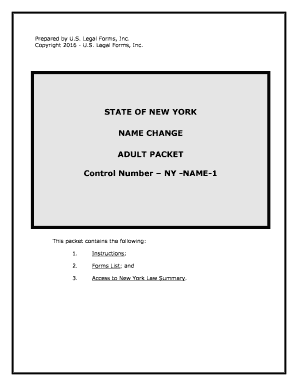
New York Name Change Adult Packet
This template is fully customizable. Edit the text, fill out the fields, and send it for signature. Give it a try!
What the New York Name Change Adult Packet Includes
Why a Complete Packet Matters
A properly assembled New York Name Change Adult Packet reduces filing delays, prevents common rejections, and clarifies what the court needs for a hearing or order. Organized packets improve accuracy for clerks and judges and make subsequent steps — publication, hearing, and decree issuance — smoother for applicants and counsel.
Who Typically Prepares and Submits This Packet
Typical users include self-represented adults, family members, and attorneys preparing court filings for a legal name change.
- Self-represented adults seeking a legal name change for personal reasons, gender marker updates, or marriage/divorce-related adjustments.
- Attorneys preparing petitions and supporting affidavits for clients, ensuring procedural and local-court rule compliance.
- Court clerks and administrative staff who review packets for completeness before scheduling hearings or entering decrees.
Step-by-step: How to Complete the Packet
-
01Gather Documents: Collect ID, birth certificate, and proof of residency.
-
02Complete Forms: Fill Petition, verification, and proposed decree accurately.
-
03Notarize Signatures: Sign before a notary or use authorized RON where permitted.
-
04File with Court: Submit packet to county Supreme Court and pay filing fee.
Typical digital workflow settings for an online packet
| Field | Configuration |
|---|---|
| Authentication | Email plus optional SMS code |
| Document Format | Upload as PDF or PDF/A |
| Notarization | In-person notary or RON per county rules |
| Filing Method | Paper filing or eFile where county accepts it |
How electronic completion and eSubmission typically proceed
-
Prepare Packet: Assemble forms and attachments in final PDF
-
Place Fields: Add signature, date, and initial fields for signers
-
Sign and Notarize: Signer authenticates and notarizes as required
-
File with Court: Deliver via in-person clerk or authorized eFile channel
Technical and platform considerations for eSigning and notarization
Verify that the chosen platform supports court-acceptable PDF output, secure authentication, and optional remote notarization workflows.
- File Formats: PDF/PDF-A output
- Authentication: Email, SMS, or KBA where required
- Integrations: Cloud storage and court eFile connectors
Comparison: eSignature providers and cost/feature snapshots
| signNow | DocuSign | Adobe Sign | PandaDoc | HelloSign | |
|---|---|---|---|---|---|
| Starting Price | $8/user/mo | $15/user/mo | $14/user/mo | $19/user/mo | $15/user/mo |
| Free Trial | 7-day free trial | Varies by vendor | Varies by vendor | Varies by vendor | Varies by vendor |
| Bulk Send | Yes | Yes | Yes | Yes | No |
| Audit Trail | Yes | Yes | Yes | Yes | Yes |
| Envelope Cap | No cap | 100 envelopes/user/year | Varies by plan | Varies by plan | Varies by plan |
Encryption:
TLS 1.2/1.3 in transit; AES-256 at rest
Certifications:
SOC 2 Type II and ISO 27001 available
HIPAA Support:
BAA available for protected health information
Regulatory:
ESIGN and UETA compliant for electronic signatures
Audit Trail:
Detailed timestamp, IP, and action history
Accessibility:
WCAG 2.0 Level AA support
Risks and negative outcomes from incorrect packets
Filing Rejection:
Court may refuse incomplete or inconsistent packets
Hearing Delay:
Missing items can postpone scheduling of the matter
Publication Failure:
Noncompliance with notice rules can void the process
Identity Mismatch:
Name or DOB errors can trigger further verification
Lost Fees:
Filing and publication fees may be nonrefundable
Allegations of Fraud:
False statements can expose applicants to legal actions
Common preparation mistakes to avoid
- Submitting photocopied IDs without notarized verification leads clerks to request original documentation and delays the case.
- Inconsistent dates, alternate name spellings, or abbreviated place names cause identity verification problems and may trigger additional court inquiries.
- Omitting publication or incorrect publication affidavits results in noncompliance with local notice procedures and possible rehearing requirements.
- Using the wrong county court or filing method (paper vs. local eFile) creates jurisdictional rejections and administrative delays.
Practical tips for accurate, efficient packet preparation
Verify Legal Names
Confirm names against government ID and birth records; mismatches require supplemental affidavits and prolong processing.
Assemble Attachments
Include certified copies when required and label each supporting document clearly to help clerks validate items quickly.
Preserve Originals
Retain original certificates and signed decrees; file only copies unless the court requests originals.
Document Fees
Record payment receipts and publication affidavits to demonstrate compliance and avoid disputes over unpaid fees.
Real-world examples of streamlined name change workflows
Optica Ventures (Brian Fitzgibbons)
Optica uses standardized packets for legal updates across clients.
- The streamlined form set reduced incomplete submissions.
- By ensuring consistent fields and supporting documents, Optica cut rework and improved case turnaround while keeping client identity verification documentation centralized and auditable.
Martin Properties (Tim Martin)
Martin Properties centralized name-change templates for property managers.
- Standardization simplified title updates.
- Central templates and consistent signing workflows helped managers get signed decrees back to escrow and title companies faster, reducing administrative hold-ups on property transfers and tenant record updates.
Frequently asked questions about the New York Name Change Adult Packet
-
Can I use electronic signatures?
Yes in most cases: electronic signatures are legally recognized under the federal ESIGN Act (15 U.S.C. ch. 96) and New York’s ESRA for many court-related documents, but confirm with the county Supreme Court clerk whether e-signing and electronic submissions are accepted for a particular filing or whether wet signatures and notarization are required.
-
Is remote online notarization allowed?
Some New York notaries and third-party services may offer RON if county rules permit it; verify county notary acceptance and ensure audio-video recording and identity-proofing meet state notary standards before relying on RON for the packet.
-
What causes the most filing delays?
Common causes include mismatched identity information, omitted required attachments, insufficient notarization, or failure to follow local publication rules; addressing these items before submission reduces clerk rejections and hearing postponements.
-
Do I need to publish notice in a newspaper?
Many jurisdictions require publication or notice procedures before conclusing a name change; local court rules dictate publication duration and affidavit requirements, so confirm the county’s publication obligations early in the process.
-
How long does the process take?
Timing varies by county workload and whether a hearing is required; simple uncontested petitions that are complete can move faster, while missing information or objections will extend the timeline significantly.
-
What if I need to correct a filed packet?
If an error is discovered after filing, notify the court clerk promptly; minor clerical corrections may be handled by amendment or supplemental affidavit, while substantive changes may require refiling or a court order.
be ready to get more
Join over 28 million airSlate SignNow users