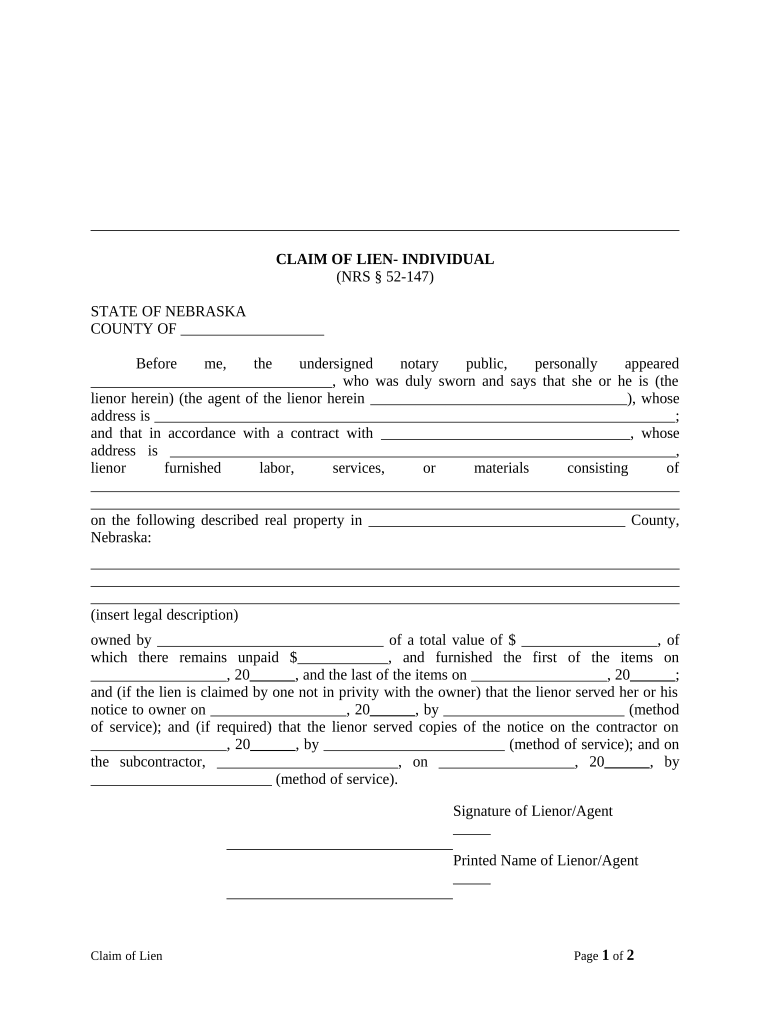
Nebraska Claim Form
What the Nebraska Claim Form Is and when it's used
Why accurate completion of the Nebraska Claim Form matters
A correctly completed Nebraska Claim Form creates a clear administrative record, speeds adjudication, and supports legal or insurance remedies. It reduces denials, minimizes follow-up, and preserves rights tied to filing windows and documentation requirements.
Who typically completes and receives this claim form
The receiving party is the payor or Nebraska agency specified on the form; follow the form's routing instructions exactly to avoid processing delays.
- Individual claimants and consumers who experienced the loss or event and need reimbursement or benefits.
- Insurance agents, third-party administrators, or employer representatives filing on behalf of covered parties.
- Attorneys and authorized representatives submitting claims that require legal or financial review.
Common signers and their roles
Individual Claimant
A private person submitting the claim for personal loss or benefit. The claimant must provide government ID, a clear incident description, and contact details. Name mismatches or missing evidence frequently delay decisions and can trigger identity verification steps.
Authorized Representative
An attorney, agent, or business officer filing on behalf of a claimant or organization. Representatives should include proof of authority, contact information, and a clear signature block that identifies their role and relationship to the claimant.
Stepwise guide to filling the Nebraska Claim Form
-
01Gather documents: Collect IDs, invoices, photos, and policy evidence.
-
02Complete fields: Enter required information per the fillable fields guide.
-
03Attach exhibits: Upload or staple supporting documents to the form.
-
04Sign and submit: Sign using allowed method and route to the designated recipient.
How to customize the form for online workflows
| Field | Configuration |
|---|---|
| Required Fields | Mark critical fields as mandatory |
| Conditional Fields | Show fields based on prior answers |
| Signer Order | Set sequential or parallel routing |
| Authentication | Add SMS or access-code verification |
Where to file or send the completed Nebraska Claim Form
-
State Agency: Submit to the listed Nebraska agency when government benefits are requested
-
Insurance Company: Send to the insurer's claims address or portal per policy instructions
-
Employer or Administrator: Deliver to HR or third-party administrator for workplace claims
-
Legal Representative: Where indicated, forward to counsel or authorized agent
Digital submission and platform considerations
Confirm the recipient accepts electronic submissions and that transmissions comply with applicable privacy rules such as HIPAA when medical information is included.
- File formats: PDF, DOCX, or scanned images
- Authentication: Email, SMS, or stronger KBA
- Integrations: CRM and cloud storage connections
Typical deadlines and processing expectations
Initial filing window:
File as soon as possible; policy terms often set limits
Policy notice periods:
Many insurers require notice within 30 to 90 days
Agency deadlines:
State agency forms may have defined statutory deadlines
Processing time:
Expect several weeks to months depending on complexity
Appeal windows:
Follow appeal timelines printed on determinations
Key processing milestones for a Nebraska claim
Receipt and logging
Form is recorded and assigned a claim number
Initial review
Completeness and eligibility are checked
Investigation
Documents and facts are verified and assessed
Adjudication and payment
Decision issued and payment or denial processed
Common preparation mistakes to avoid
- Submitting incomplete contact or policy numbers that prevent timely communication and automatic routing to the correct file.
- Failing to attach necessary supporting documents such as invoices, photos, or medical records required to substantiate the claim.
- Using inconsistent names or dates across attachments, which can trigger identity verification and slow processing.
- Ignoring signature, notarization, or witness fields shown as required on the form, resulting in outright rejection.
Consequences of incorrect or late claims
Practical tips for accurate and efficient completion
Real-world examples showing common outcomes
Optica Ventures LLC
A property damage claim was organized with full receipts and photos to support costs
- Quick response enabled expedited review in the insurer workflow
- The interface is simple and easy-to-use for our team; more importantly, it is just as easy for our customers.
Martin Properties
A landlord submitted repair and tenant damage claims with contractor invoices attached
- Proper evidence reduced follow-up requests by several rounds
- I can process and execute all of these documents online with 100% compliance and built-in security. Whether on mobile or working offline, I can get forms back to their necessary parties efficiently.
eSignature vendor comparison for signing and submitting claims
| signNow | DocuSign | Adobe Sign | PandaDoc | HelloSign | |
|---|---|---|---|---|---|
| Starting Price | $8/user/mo | $15/user/mo | $14/user/mo | $19/user/mo | $15/user/mo |
| Free Trial | 7-day free trial | Varies by plan | Varies by plan | Varies by plan | Varies by plan |
| Bulk Send | Yes | Yes | Yes | Yes | No |
| Audit Trail | Yes | Yes | Yes | Yes | Yes |
| HIPAA Compliant | Yes | Yes | Yes | No | No |
Frequently asked questions about the Nebraska Claim Form
-
Who can legally sign the form?
The claimant or an authorized representative may sign. If signing on behalf of another, include proof of authority such as a power of attorney or signed authorization. Certain documents may require notarization or witness signatures depending on recipient rules.
-
Can I sign the form electronically?
Electronic signatures are generally valid under the ESIGN Act and state UETA where adopted, provided intent, consent, attribution, and record retention requirements are met. Confirm the recipient accepts e-signatures and whether additional authentication is required.
-
What supporting documents should I include?
Include government ID, invoices, receipts, photos, police or incident reports, and medical records as applicable. Clear, itemized evidence reduces follow-up requests and supports faster adjudication.
-
What if I made a mistake after submission?
Contact the recipient immediately to request amendment procedures. Some organizations permit corrected resubmissions; others may require a formal withdrawal and refiling. Retain copies of all correspondence.
-
How long before I receive a decision?
Processing time varies by payor and claim complexity; expect several weeks to months. Provide requested documents promptly to avoid delays and monitor the claim number assigned during intake.
-
How long must I keep the completed form?
Retain the form for at least three years after filing for tax and recordkeeping purposes and longer if required by industry rules such as HIPAA or state law. See federal standards like IRC §6501(a) and 45 CFR §164.530(j) for baseline retention periods.