Establishing secure connection…Loading editor…Preparing document…

New Jersey Affirmative Defenses

This template is fully customizable. Edit the text, fill out the fields, and send it for signature. Give it a try!
New Jersey Affirmative Defenses

What New Jersey Affirmative Defenses Are and why they matter

New Jersey Affirmative Defenses are legal assertions a defendant raises in an answer to a complaint that, if proven, defeat or reduce the plaintiff’s recovery even if the plaintiff’s factual allegations are true. They require specific factual and legal statements supporting each defense and are distinct from denials or procedural objections. Common examples include statute of limitations, accord and satisfaction, release, estoppel, and contributory negligence. Proper pleading of affirmative defenses preserves issues for trial, enables targeted discovery, and protects parties from waiver of defenses under New Jersey civil procedure.

Why pleading Affirmative Defenses is essential in New Jersey litigation

Pleading affirmative defenses early preserves substantive rights, narrows issues for discovery, and can avoid default liability or unnecessary exposure. In New Jersey state courts, timely and sufficiently specific affirmative defenses help the court evaluate claims, shape discovery, and inform settlement talks while reducing risk of waiver.

Why pleading Affirmative Defenses is essential in New Jersey litigation

Who typically completes New Jersey Affirmative Defenses

Defendants and their counsel prepare affirmative defenses to respond to civil complaints in New Jersey, ranging from individual litigants to corporate legal departments.

  • Defense attorneys and litigation teams drafting responsive pleadings and preserving procedural rights.
  • In-house counsel and risk managers handling contract, employment, or tort claims involving corporate clients.
  • Self-represented litigants who must assert defenses clearly to avoid waiver at later stages.

Clear, properly pleaded affirmative defenses reduce procedural risk and shape efficient case management in New Jersey courts.

Core sections to include in a professional New Jersey Affirmative Defenses document

A comprehensive answer with affirmative defenses groups the responsive elements so each defense includes a concise factual basis, the legal theory, and a request for relief or dismissal where appropriate. Structure and clarity support admissibility and argumentation later in litigation.

Case Caption

Full caption and docket information matching the complaint so the court and parties can identify the matter without ambiguity; include county, docket number, and parties.
Admissions and Denials

A numbered response addressing each allegation in the complaint with clear admissions, denials, or statements of lack of knowledge where appropriate under New Jersey court practice.

Affirmative Defenses

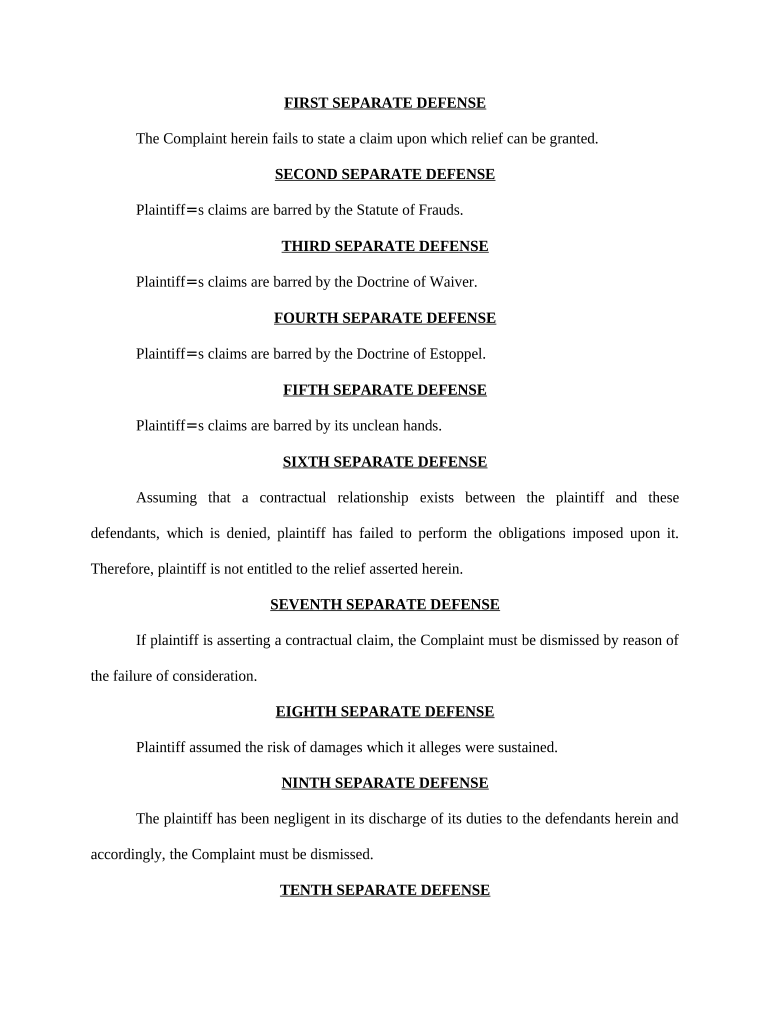
A separately numbered list of affirmative defenses (e.g., statute of limitations, release, laches) with brief factual statements tying each defense to the underlying claim.

Supporting Facts

Concise factual allegations supporting each asserted defense that give fair notice to the plaintiff and satisfy pleading standards.

Legal Basis

A short reference to the legal theory or statute supporting each defense so opponents and the court can evaluate the claim’s legal sufficiency.

Reservation Clause

Language reserving additional defenses that may be discovered later, stated without prejudice to allow amendment after further factual development.

Step-by-step: drafting and filing New Jersey Affirmative Defenses

Follow these core steps to prepare, verify, and serve an answer containing affirmative defenses in New Jersey state court.

  • 01
    Draft Response: Prepare numbered admissions/denials and label each affirmative defense clearly.
  • 02
    Check Deadlines: Confirm the answer deadline under NJ court rules and any local scheduling orders.
  • 03
    Sign and Verify: Have counsel or the pro se party sign; include verification if required by rule.
  • 04
    File and Serve: File with the court clerk and serve opposing counsel per New Jersey service rules.

How affirmative defenses flow through New Jersey litigation

This sequence shows how an affirmative defense typically moves from pleading to disposition in case management.

  • Plead: Defendant asserts defenses in the answer as required by court rules.
  • Discovery: Parties obtain evidence relevant to defenses through interrogatories and depositions.
  • Motions: Plaintiff may move to strike insufficient defenses or seek summary judgment.
  • Trial: If preserved, defenses are litigated with evidence and legal argument.

Configuring an electronic workflow for filing and service

Set up a digital workflow that ensures accurate document metadata, consistent signatures, and reliable retention for court filings and discovery.

Field Configuration
Document Format PDF/A for court filing | preserves formatting and metadata
Signature Method Typed or e-sign with audit trail | ESIGN/UETA-compliant
Authentication Email with access code or SSO | strengthens attribution
Retention Policy Save executed PDF + audit certificate | meet recordkeeping rules

Technical considerations for e-signing and e-filing affirmative defenses

Ensure your digital platform supports required formats, audit trails, and any court e-filing specifications before submitting documents.

  • File Formats: PDF, DOCX accepted by many courts
  • Authentication: Email/SMS code or SSO options
  • Integrations: Connectors for case management systems

Confirm the court’s e-filing rules and preserve the audit trail and signed record for service, discovery, and appeal purposes.

Key timing rules affecting affirmative defenses and responses

Timing affects preservation of defenses; confirm local rules and any extensions granted by service method or court.

Answer Deadline:

Typically 35 days after service in New Jersey for personal service; confirm local rule.

Amendment Timing:

Amendments permitted with leave of court or by agreement before responsive pleading.

Motion to Strike:

Usually filed early to challenge inadequately pleaded defenses.

Statute of Limitations:

Check relevant limitations period that may support specific defenses.

Discovery Cutoffs:

Use scheduling orders to time fact gathering for defense proof.

Milestones from filing to resolution for pleaded affirmative defenses

A typical milestone sequence shows when defenses are asserted, tested, and resolved during litigation.

01

Plead Defenses

Defendant files answer including affirmative defenses; preserves issues for later stages.

02

Discovery Phase

Parties collect evidence relevant to each asserted defense and prepare witness statements.

03

Dispositive Motions

Either side may file motions to strike, dismiss, or for summary judgment on defenses.

04

Trial/Disposition

Remaining defenses are litigated or resolved by settlement or judgment.

Common pitfalls when preparing New Jersey Affirmative Defenses

  • Failing to state sufficient facts for each defense can result in a motion to strike and loss of the defense at trial.
  • Using boilerplate or catchall defenses without factual support invites court dismissal for lack of specificity.
  • Missing or misstating statute of limitations dates undermines the statute-based defenses and can forfeit relief.
  • Not reserving additional defenses or failing to amend after discovery can lead to waiver of newly discovered defenses.

Consequences of improperly pleaded or omitted affirmative defenses

Waiver: Loss of the defense
Default Liability: Increased exposure
Sanctions: Court-ordered penalties
Adverse Inference: Evidentiary prejudice
Fee Shifts: Potential costs award
Estoppel: Legal bar to later assertions

Records and security considerations for electronic affirmative defenses

Encryption: TLS 1.2/1.3; AES-256 at rest
Audit Trail: Detailed timestamp and IP logs
HIPAA: BAA required for PHI
ESIGN UETA: Compliance for electronic signatures
SOC 2: SOC 2 Type II available
Access Control: SSO and MFA options

Practical examples: how defenses are used in real organizations

Two illustrative client stories show practical benefits of clear pleading and digital workflows in real cases.

Real Estate Case — Martin Properties

A property management company streamlined responsive pleadings using digital templates and e-signatures.

  • The team reduced turnaround for verified answers and defenses.
  • The approach preserved multiple statute-of-limitations defenses, simplified discovery, and reduced clerical delays during eviction-related litigation.

Commercial Defense — BIS

A mid-size firm centralized pleadings and signature workflows to coordinate counsel.

  • Centralization improved version control and signer attribution.
  • The result was clearer affirmative defense pleading, faster internal review cycles, and a defensible audit trail for court submissions.

Frequently asked questions about New Jersey Affirmative Defenses

Answers to common questions about pleading, amending, and electronically signing affirmative defenses in New Jersey litigation.


Need help? Contact support

eSignature vendor comparison for completing and signing affirmative defenses

Key pricing and capability differences among common eSignature providers. signNow appears first for comparative purposes.

signNow DocuSign Adobe Sign PandaDoc HelloSign
Starting Price $8/user/mo $15/user/mo $14/user/mo $19/user/mo $15/user/mo
Free Trial Yes, 7-day free trial Varies by vendor Varies by vendor Varies by vendor Varies by vendor
Bulk Send Yes Varies by plan Varies by plan Varies by plan No
Audit Trail Yes Yes Yes Yes Yes
HIPAA Compliant Yes Yes Yes No No
be ready to get more
Join over 28 million airSlate SignNow users