Establishing secure connection…Loading editor…Preparing document…

New Jersey Lien

This template is fully customizable. Edit the text, fill out the fields, and send it for signature. Give it a try!
New Jersey Lien

What a New Jersey Lien Is and when it applies

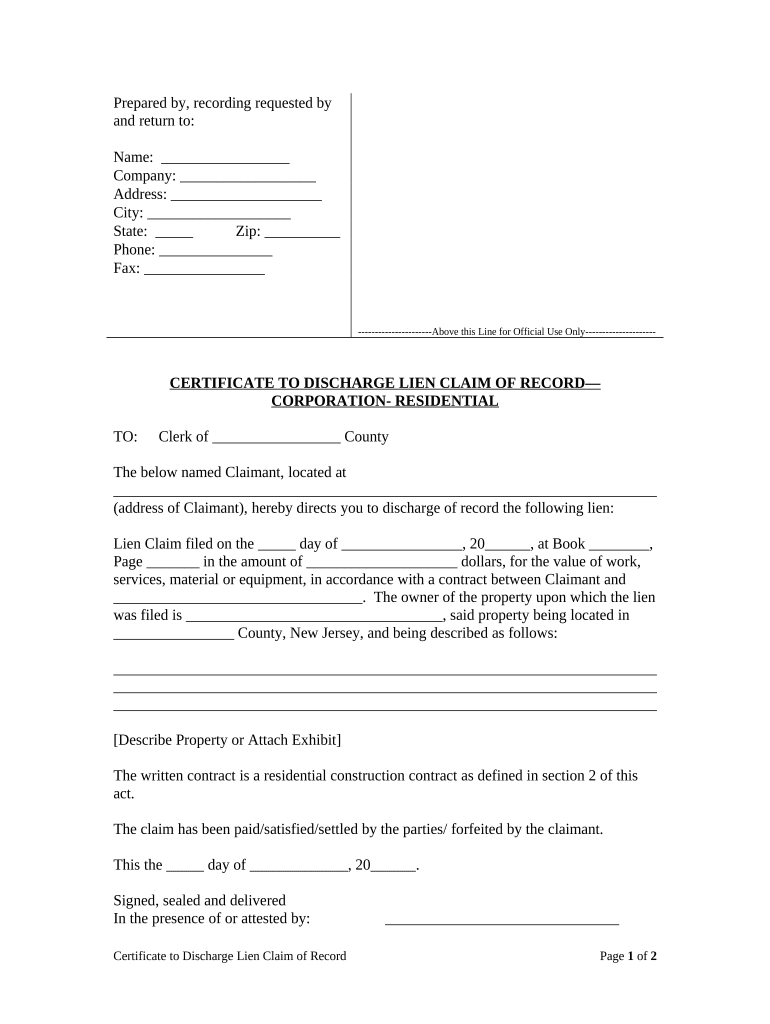
A New Jersey lien is a statutory claim recorded against real property or personal property to secure payment for labor, materials, services, or other obligations. Commonly used in construction (mechanics liens) and certain creditor enforcement actions, a lien creates a public encumbrance that can affect title, transfers, and financing. Filing requirements, required affidavits, and enforcement steps are set by state statute and county recording offices; practitioners should confirm county-level rules and recording procedures before submitting a claim.

Why a properly prepared New Jersey Lien matters

A correct lien preserves priority and enforcement rights while reducing the risk of dismissal or invalidation under state law. Electronic execution and retention are generally valid under the ESIGN Act (15 U.S.C. ch. 96) and UETA where applicable, but statutory exceptions and state recording requirements can affect enforceability.

Why a properly prepared New Jersey Lien matters

Who commonly prepares and relies on this lien

Choose the lien type and filing path that matches your role (contractor vs. supplier vs. creditor) and confirm statutory notice and service obligations before filing.

  • General contractors securing unpaid progress or final payments on construction projects.
  • Material suppliers documenting unpaid deliveries to enable enforcement against project property.
  • Lenders or judgment creditors protecting an interest pending foreclosure or collection.

Core elements included in a professional New Jersey Lien

A complete lien claim includes identity and contract details, a clear description of the property, the amount claimed with any retainage, the period of work, and the claimant’s signature and verification. Missing elements commonly trigger rejection or later challenges.

Claimant Identity

Full legal name, business entity type, address, and contact information as recorded with state authorities.
Property Description

Precise street address, lot and block (tax map) or legal description used for recording at the county level.

Amount Owed

Itemized unpaid sums, retainage, and any agreed interest or late charges claimed under contract terms.

Work Dates

Start and end dates for labor or material delivery that define the claim’s covered period.

Contract References

Optional contract number, subcontractor or PO references, and description of the contractual relationship.

Verification

Claimant signature, date, and any required notarization or affidavit attesting to accuracy.

Step-by-step: completing a New Jersey lien form

Follow these sequential actions to prepare and file a claim while minimizing common defects.

  • 01
    Gather documents: Collect contracts, invoices, delivery tickets, and proof of work or materials.
  • 02
    Describe property: Confirm legal description and parcel ID with the county recorder.
  • 03
    Complete form: Enter claimant, dates, amounts, and attach itemized schedule as needed.
  • 04
    Notarize & record: Obtain required notarization, then record with the county recording office.

Where to file and how the recording process works

Filings occur at county recording or clerk offices, and the recorded lien becomes part of the public property record. Serve notices per statute after recording where required.

  • Record with County: File the completed claim and any attachments at the county recording or clerk office for the property location.
  • Obtain Recording Receipt: Keep the stamped receipt or recorded instrument number for proof and future enforcement.
  • Serve Notices: Deliver required pre- or post-filing notices to owners and parties as statutorily mandated.
  • Enforce or Release: If unpaid, pursue foreclosure or lien enforcement; file releases when satisfied.

How to set up a digital filing workflow

Configure an online process that captures required fields, authentication, and an audit trail before recording.

Field Configuration
Signer Authentication Email verification, SMS code, or stronger KBA where required
Required Fields Make claimant, property ID, amount, and dates mandatory
Attachments Accept PDFs for contracts, invoices, and delivery records
Audit Trail Capture timestamp, IP, and signer attribution for legal evidence

Technical considerations for eSigning and submission

Match platform capabilities to your county’s electronic submission rules and retain the full audit trail for enforcement and title work.

  • File formats: PDF and DOCX accepted; export signed PDF/A for archival
  • Integrations: Connectors for Google Drive, Box, NetSuite, and county e-recording portals
  • Security: TLS 1.2/1.3 in transit; AES-256 at rest

Timing and statutory windows you should confirm

Deadlines for notice, filing, and enforcement differ by lien type and state; always check the controlling statute and county recording schedule.

Notice deadlines:

Some claims require pre-filing notices to owners and lenders

Filing window:

Statutory filing windows vary; verify with state lien statutes

Enforcement period:

Time limits for foreclosure or suit depend on statute of limitations

Release timing:

File releases promptly after payment to clear title

County processing:

Recording offices may have specific submission hours or electronic cutoffs

Key filing milestones from claim to enforcement

Track these numbered stages to manage a lien from preparation through potential enforcement.

01

Prepare Claim

Assemble contracts, invoices, and property identification documentation.

02

Execute & Verify

Sign, notarize if required, and confirm claimant identity and authority.

03

Record With County

Submit documents to the appropriate county recording or clerk office.

04

Serve Parties

Deliver required notices to owner, contractor, and lenders per statute.

Real-world examples that illustrate common scenarios

Case examples show how claimants used liens and electronic workflows to preserve rights and resolve payment disputes.

Martin Properties

Tim Martin, Founder, processed construction claims online to meet tight closing schedules

  • Used digital signatures and county recordings to preserve priority
  • The workflow reduced turnaround and helped clear title before resale by ensuring release documents were promptly recorded.

BIS

Dan Rotelli, CEO, used verified audit trails for dispute resolution

  • Captured signer attribution and timestamps to support enforcement actions
  • The documented record simplified negotiations and minimized litigation by providing clear evidence of work and unpaid balances.

Who is authorized to sign and attest lien documents

Property Owner

An owner signs releases or acknowledgements; their contact and identity must match county records. If corporate-owned, an authorized officer should sign using the corporate name and title, and include proof of authority.

Claimant Representative

Authorized agent, contractor, or officer may sign on behalf of the claimant; include a corporate resolution or power of attorney if signing for a business entity to establish authority.

Security and compliance considerations for lien records

Encryption: TLS 1.2/1.3 and AES-256
Audit Trail: Timestamp, IP, action log
Certifications: SOC 2 Type II, ISO 27001
HIPAA: Compliant with BAA where needed
ESIGN/UETA: Legal framework compliance
Accessibility: WCAG 2.0 Level AA

Consequences of incorrect or late lien filings

Claim Rejection: Insufficient detail may cause rejection
Priority Loss: Late filing can reduce lien priority
Statutory Bar: Untimely actions may forfeit enforcement rights
Fee Forfeiture: Incorrect filings can incur additional fees
Title Defect: Unreleased liens impede transfers
Litigation Risk: Errors increase exposure to challenges

Common mistakes to avoid when preparing a lien

  • Using an incorrect property description that does not match county records, which can lead to misindexing or rejection of the recorded instrument.
  • Failing to attach required supporting documents such as invoices, contracts, or proof of delivery, increasing the likelihood of dispute or invalidation.
  • Not verifying the claimant’s formal business name or authorization to sign, potentially invalidating the filing or creating grounds for challenge.
  • Omitting required notices or not serving statutory recipients within prescribed timeframes, which may bar enforcement actions.

eSignature vendor feature and pricing snapshot for lien workflows

Pricing and feature availability vary; signNow appears first for ease of vendor comparison. Confirm plan details and compliance add-ons with each provider.

signNow DocuSign Adobe Sign PandaDoc HelloSign
Starting Price $8/user/mo $15/user/mo $14/user/mo $19/user/mo $15/user/mo
Free Trial 7-day free trial Varies by plan Varies by plan Varies by plan Varies by plan
Bulk Send Yes Yes Yes Yes No
Audit Trail Yes Yes Yes Yes Yes
HIPAA Compliant Yes Yes Yes No No

Frequently asked questions about New Jersey liens and eSigning

Answers address common procedural and technical issues encountered when preparing, signing, and recording lien documents in New Jersey.


Need help? Contact support

be ready to get more
Join over 28 million airSlate SignNow users