Case Identification
Estate name, decedent name, Surrogate Court index number, and venue to tie documents to the probate docket.
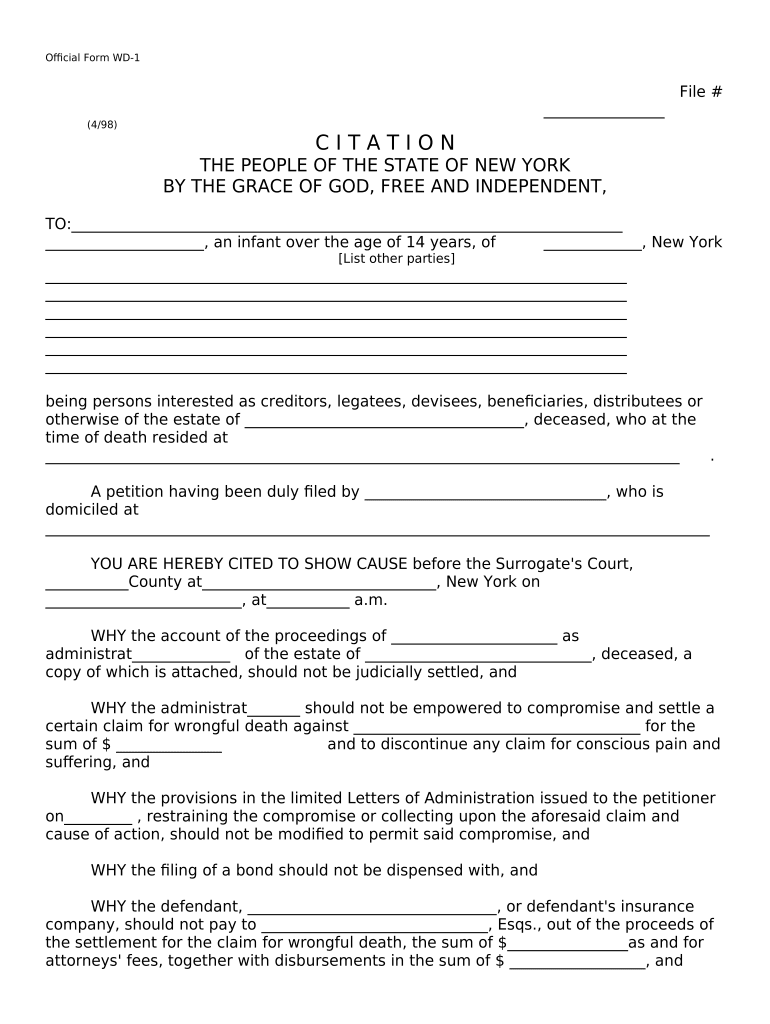
A correctly prepared citation ensures required notice, preserves the right to object, and starts the judicial settlement process so final distributions can be approved and fiduciary liability addressed.

Typical participants in citation proceedings include fiduciaries, probate attorneys, beneficiaries, and creditors; each has distinct responsibilities and procedural rights.
A licensed probate attorney who prepares the citation, certifies service, files account schedules, and represents the fiduciary at the judicial settlement hearing. They ensure compliance with Surrogate Court rules and local practice.
The executor or administrator responsible for compiling the estate account, providing financial detail, and responding to creditor claims and beneficiary inquiries during the settlement process.
Estate name, decedent name, Surrogate Court index number, and venue to tie documents to the probate docket.
Name and address of the executor or administrator and, if applicable, counsel representing the fiduciary.
Dates covered by the accounting and a brief summary of receipts, disbursements, and balances.
Specific requests such as allowance of account, approval of fees, distribution instructions, or discharge of fiduciary.
Who must be served, method of service, and proof of service requirements under Surrogate Court rules.
Date, time, or placeholder for the judicial settlement hearing and instructions for filing objections.
| Template Field | Pre-populate estate and fiduciary fields for reuse |
|---|---|
| Signer Roles | Assign attorney and fiduciary roles with email addresses |
| Authentication | Require email or SMS code for signers |
| Notifications | Automatic reminders for service and filing deadlines |
| Retention | Automated storage with audit trail and access controls |
Use digital workflows that preserve an audit trail, authenticate signers, and retain records in a court-admissible format.
Ensure any eSubmission method complies with local Surrogate Court rules; some courts accept electronically filed documents only through approved portals.
File citation when account and schedules are complete; no universal statutory deadline
Proof of service typically filed before the hearing per local rules
Beneficiaries and creditors file timely objections as set in the citation or court order
Scheduled by the court; parties must attend or submit waivers
Court issues order allowing account and directing distributions
| signNow | DocuSign | Adobe Sign | PandaDoc | HelloSign | |
|---|---|---|---|---|---|
| Starting Price | $8/user/mo | $15/user/mo | $14/user/mo | $19/user/mo | $15/user/mo |
| Free Trial | Yes, 7-day trial | No | No | Yes, limited | Yes, limited |
| Bulk Send | Yes | Yes | Yes | Yes | No |
| Audit Trail | Yes | Yes | Yes | Yes | Yes |
| HIPAA Compliant | Yes | Yes | Yes | No | No |
A small legal support team standardized templates and remote signing for estate documents to reduce repetitive drafting
A larger enterprise integrated eSignature into back-office workflows for legal and finance teams