Establishing secure connection…Loading editor…Preparing document…

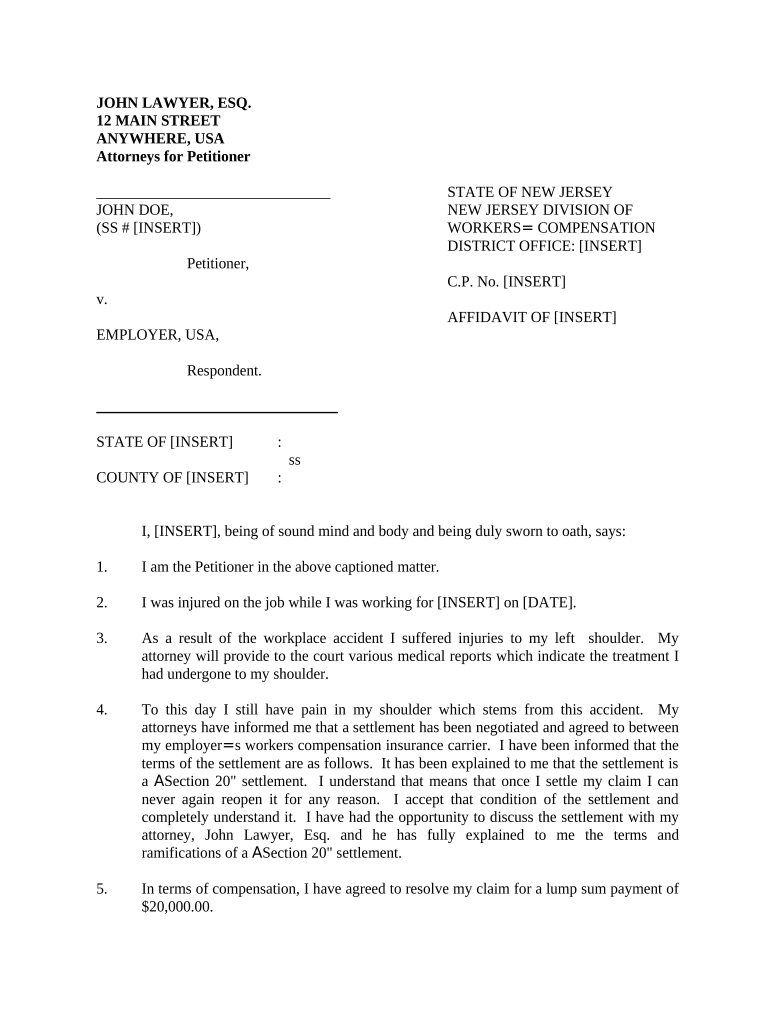
New Jersey Affidavit of Settlement

This template is fully customizable. Edit the text, fill out the fields, and send it for signature. Give it a try!
New Jersey Affidavit of Settlement

What the New Jersey Affidavit of Settlement Is

The New Jersey Affidavit of Settlement is a sworn statement used to identify a decedent's assets, heirs, and authorized claimant to transfer certain property or access accounts without formal probate when statutory thresholds and conditions are met. The affidavit lists the decedent, the affiant's relationship and authority, an itemized asset schedule with values, and required supporting documents. It is executed under penalty of perjury and typically presented to banks, motor vehicle agencies, title companies, or county offices to effect distributions or clear title without court administration.

Why This Affidavit Matters for Small Estate Settlements

A properly completed and notarized New Jersey Affidavit of Settlement streamlines transfers for low-value estates, reduces probate-related costs and delays, and provides a formal sworn record that third parties commonly accept to release funds or transfer title.

Why This Affidavit Matters for Small Estate Settlements

Who Prepares and Relies on This Affidavit

Typical users who prepare or accept this affidavit include executors, surviving relatives, and estate attorneys handling small estates.

  • Executors and personal representatives — administer estate assets and present the affidavit to banks and registries.
  • Surviving family members — claim account balances, vehicles, or personal property under New Jersey small estate rules.
  • Estate attorneys and paralegals — prepare, verify supporting documents, and advise on filing and notarization.

Step-by-Step: Prepare, Sign, Notarize, and Present

Follow these steps to prepare, sign, notarize, and present the affidavit for settlement of a small New Jersey estate.

  • 01
    Gather Documents: Collect death certificate, will, asset statements, and ID.
  • 02
    Complete Affidavit: Enter all fields carefully and attach schedules.
  • 03
    Notarize: Sign before a notary public with ID present.
  • 04
    Submit: Provide affidavit and attachments to bank, title company, or county official.

Online Workflow Settings for Digital Completion

Configure online workflow fields and recipient order when completing the affidavit using an eSignature platform.

Field Configuration
Signature Order Affiant → Notary → Recipient
Authentication Email link; SMS code optional
Conditional Fields Show asset schedule only if assets listed
Attachments Require death certificate and ID upload
Notifications Email confirmations to all signers

Digital Signing and Distribution Considerations

Digital signing and distribution options depend on provider features, authentication strength, and the receiving institution's acceptance policies.

  • Supported Formats: PDF, DOCX, JPG, PNG supported
  • Integrations: Salesforce, NetSuite, Google Workspace support
  • Authentication Options: Email, SMS code, KBA, SSO

Where to File or Present the Completed Affidavit

This section explains where to file or present the completed affidavit and common recipient requirements.

  • Banks: Provide affidavit with death certificate and account statements.
  • Motor Vehicle: Submit affidavit and title to the MVC or county clerk.
  • County Clerk: File affidavit where real property is recorded or administratively processed.
  • Title Companies: Present affidavit during property conveyance or to clear title.

Timing Considerations and Common Deadlines

Key timing for completing and filing the affidavit, securing notarization, and presenting it to custodians.

Notarization Date:

Sign and notarize at the time of execution.

Submission to Banks:

Present as needed to access accounts; banks may require original.

Real Property Recording:

Record promptly to update title records when real estate transfers.

Dispute Window:

Retain proof of service for at least six months to one year.

Tax Records:

Keep tax-related documents for three years per IRC §6501(a).

Common Risks and Consequences of Errors

Rejection by Custodians: Missing documents cause refusal.
Perjury Exposure: False statements may trigger criminal penalties.
Tax Implications: Incorrect valuations affect estate tax filings.
Title Problems: Incomplete affidavits can cloud title.
Delayed Distribution: Transfers and access can be postponed.
Legal Fees: Additional counsel costs if contested.

Security and Compliance Considerations for Electronic Files

Encryption in Transit: Encrypts data in transit with TLS 1.2/1.3.
Encryption at Rest: Protects stored files with AES-256 encryption.
Certifications: SOC 2 Type II and ISO 27001 attestations available.
HIPAA Support: BAA available for protected health information when required.
Legal Frameworks: Supports ESIGN and UETA legal requirements for e-signatures.
Audit Trail: Captures timestamps, IP addresses, and signer actions.

Best Practices to Avoid Delays and Rejection

Follow these best practices to reduce rejection risk and speed processing with custodians and title officers.

Confirm signer identity and authority
Provide a government-issued ID copy, estate appointment documents, and a clear explanation of authority. Attach letters testamentary or court-issued documentation if you are an appointed executor to prevent additional verification requests and speed acceptance.
Attach certified death certificate and related records
Always attach a certified death certificate, any will, account statements, vehicle titles, and beneficiary designations. Certified or original documents carry greater weight with financial institutions and reduce the likelihood of affidavit rejection.
Describe assets precisely with identifiers
List account numbers, vehicle VINs, property addresses, and exact ownership shares. Provide balances dated near the date of death and attach supporting statements to minimize follow-up requests and valuation disputes.
Consult an attorney for complex title or creditor issues
When real property, mortgages, contested beneficiaries, or creditor claims exist, obtain legal advice before filing. Proper review reduces litigation risk and ensures compliance with New Jersey statutory requirements and institutional practices.

Representative Usage Scenarios

Real-world examples show how the affidavit resolves small estate transfers, vehicle title releases, and bank account access.

Small Estate Bank Release

A decedent left a single bank account under the statutory small-estate threshold and no probate was opened; the affidavit established claimant status.

  • The bank required a notarized original and death certificate.
  • With the affidavit and statements attached, the bank released funds to the surviving child within two weeks without court involvement, avoiding probate costs and delays.

Vehicle Title Transfer

A surviving spouse needed title to a vehicle when no probate was pending; the affidavit identified the spouse as the rightful transferee.

  • The motor vehicle agency required original affidavit plus title and ID.
  • After submission, the MVC issued a replacement title listing the spouse, streamlining the process versus formal probate or court transfer proceedings.

Typical Signatories and Their Roles

Executor / Personal Rep

An executor or court-appointed personal representative signs when formally authorized; provide letters testamentary or appointment orders. Their signature establishes formal authority to administer and distribute estate assets, and attaching appointment paperwork reduces institutional friction.

Surviving Relative

A surviving spouse, child, or other lawful heir may sign as affiant when qualifying under small-estate rules. They must clearly state relationship, provide ID, and attach required proofs to demonstrate entitlement and avoid subsequent disputes.

eSignature Pricing and Feature Snapshot for Filing and Signing

Compare common eSignature plan features and typical pricing relevant to filing and executing the affidavit digitally.

signNow DocuSign Adobe Sign PandaDoc HelloSign
Starting Price $8/user/mo $15/user/mo $14/user/mo $19/user/mo $15/user/mo
Free Trial 7-day free trial Varies Varies Varies Varies
Bulk Send Yes Yes Yes Yes No
Audit Trail Yes Yes Yes Yes Yes
HIPAA Compliant Yes Yes Yes No No
Envelope Cap No cap 100 envelopes/user/year Varies Varies Varies

Frequently Asked Questions

Answers to common questions about completing, notarizing, and submitting a New Jersey Affidavit of Settlement.


Need help? Contact support

be ready to get more
Join over 28 million airSlate SignNow users