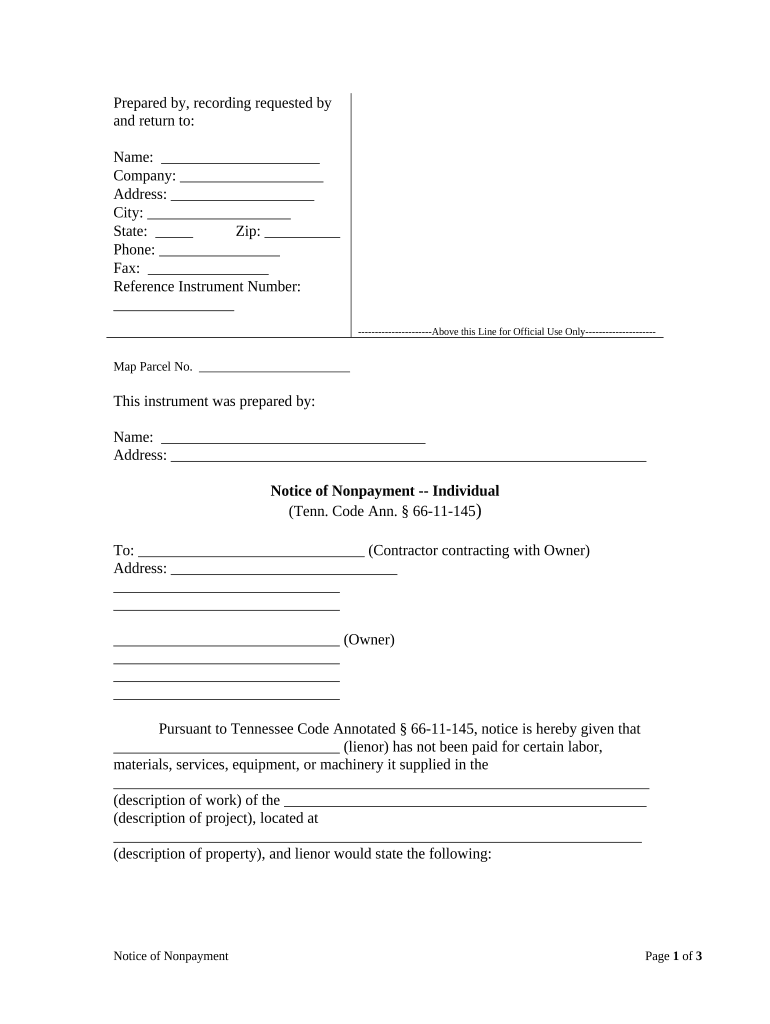
Tennessee Notice of Nonpayment
What the Tennessee Notice of Nonpayment Is
Why a Proper Notice Matters
A clear Tennessee Notice of Nonpayment protects landlord rights by documenting nonpayment, creating a formal demand, and preserving evidence for court proceedings. Properly drafted notices can reduce disputes, speed resolution, and ensure compliance with state eviction prerequisites under applicable landlord-tenant statutes.
Who Commonly Prepares and Receives These Notices
Landlords, property managers, and legal professionals commonly prepare Tennessee Notices of Nonpayment when rent is overdue or lease obligations are breached.
- Independent landlords preparing notices before filing eviction in county court
- Property management firms processing bulk notices across multiple addresses rapidly
- Attorneys reviewing notices to confirm statutory language and evidentiary sufficiency
Step-by-Step: Preparing and Serving the Notice
-
01Identify Amount: Confirm rent due, late fees, and billing period clearly.
-
02Draft Notice: Include tenant name, property address, amount due, and cure deadline.
-
03Serve Notice: Use permitted delivery methods and document proof of service.
-
04Record Retention: Keep copies, service affidavits, and timestamped delivery receipts.
Where to Send or File Your Notice
-
Prepare: Assemble signed notice and proof of charges.
-
Serve: Use statutory methods; keep proof of service.
-
File: If unpaid, file with county court per local rules.
-
Retain: Keep copies and affidavit of service for the record.
How to Configure an Online Notice Workflow
| Field | Configuration |
|---|---|
| Template Name | Save as reusable template named 'Notice of Nonpayment'. |
| Signer Order | Primary signer landlord or agent first; tenant second. |
| Authentication | Use email plus SMS code or ID verification when required. |
| Delivery Options | Enable email, certified mail, and print-to-post workflows. |
| Retention Setting | Automatically archive executed notices and audit trail for required period. |
Digital Filing, Formats, and Integration Considerations
Digital submission and e-signature options vary by platform and local court acceptance; confirm permitted formats before e-filing or service.
- Formats: PDF, DOCX, and printable PDF/A supported
- Integrations: Connects with Google Workspace, NetSuite, Procore
- Storage: AES-256 at rest; TLS 1.2/1.3 in transit
Potential Consequences of Incorrect Notices
Common Preparation Mistakes to Avoid
- Using vague amounts or failing to itemize charges, which can result in tenant dispute and weaken evidentiary basis in court.
- Serving the notice using an unsupported method or failing to document service prevents proof of notice and may cause dismissal.
- Mismatching tenant name or address on the notice compared with lease records, leading to questions about proper party identification.
- Neglecting to check local court rules and statutory notice periods can invalidate the notice and require re-service after correction.
Practical Tips for Accurate Notices
Examples: Using eSignature Workflows for Notice Management
Martin Properties
Martin Properties used an eSignature workflow to replace paper delivery for notices, leases, and tenant correspondence across multiple properties.
- Reduced turnaround and improved documentation.
- Tim Martin reported the ability to process and execute documents online with compliance and security, enabling mobile and offline signing. The firm retained verifiable audit trails that simplified proof of service during disputes and sped case resolution when escalation was necessary.
Optica Ventures
Optica Ventures streamlined signature collection for property administration, allowing managers and external agents to close notice workflows without in-person meetings.
- Improved customer experience and speed.
- According to leadership, a simpler interface made it easier for tenants to sign electronically, reducing follow-ups and improving return rates; the company archived each signed notice with audit metadata for compliance and future reference.
Pricing and Feature Snapshot for Common eSignature Vendors
| signNow | DocuSign | Adobe Sign | PandaDoc | HelloSign | |
|---|---|---|---|---|---|
| Starting Price | $8/user/mo | $15/user/mo | $14/user/mo | $19/user/mo | $15/user/mo |
| Free Trial | 7-day free trial | Varies by plan | Varies by plan | Varies by plan | Varies by plan |
| Bulk Send | Yes | Yes | Yes | Yes | No |
| Audit Trail | Yes | Yes | Yes | Yes | Yes |
| HIPAA Compliant | Yes | Yes | Yes | No | No |
| Envelope Cap | No cap | 100 envelopes/user/year | Varies | Varies | Varies |
Frequently Asked Questions About Tennessee Notices of Nonpayment
-
What specific information must a notice include?
Include the tenant's legal name, full property address, exact amount owed with itemization, the clear cure deadline in MM/DD/YYYY format, and the method(s) of service. Accurate itemization and dated documentation support court filings and prevent procedural challenges.
-
How should I serve the notice?
Follow Tennessee and local court rules for acceptable service: personal delivery, certified mail with return receipt, or statutory substitute (posting) where allowed. Always create contemporaneous proof — signed receipts, tracking numbers, affidavits, or photographs — to establish chain of service.
-
Can the notice be signed electronically?
Yes; electronic signatures are generally enforceable under the ESIGN Act (15 U.S.C. ch. 96) and UETA where adopted. Ensure the signer demonstrates intent, consents to electronic records, attribution is clear, and the platform retains reproducible records.
-
What if the tenant pays after notice?
If the tenant pays the full specified amount within the notice period and the landlord accepts, document payment with receipt and withdraw any pending filing. Consult local eviction statutes and case law to confirm whether acceptance waives future claims.
-
How long should I keep notice records?
Retain executed notices, service proofs, and related communications for at least three years; retain longer (up to six or seven years) for tax, HIPAA, or property litigation matters. Follow federal rules and verify state-specific retention requirements.
-
When is legal counsel recommended?
Seek legal counsel before serving notices when tenancy disputes involve significant arrears, unclear lease language, multiple occupants, or possible counterclaims. Counsel helps confirm statutory timelines, service methods, and prepares documentary evidence for potential eviction proceedings.