Factual Summary
Chronology of accident or injury, causal link and liability posture with concise supporting facts and references to key exhibits.
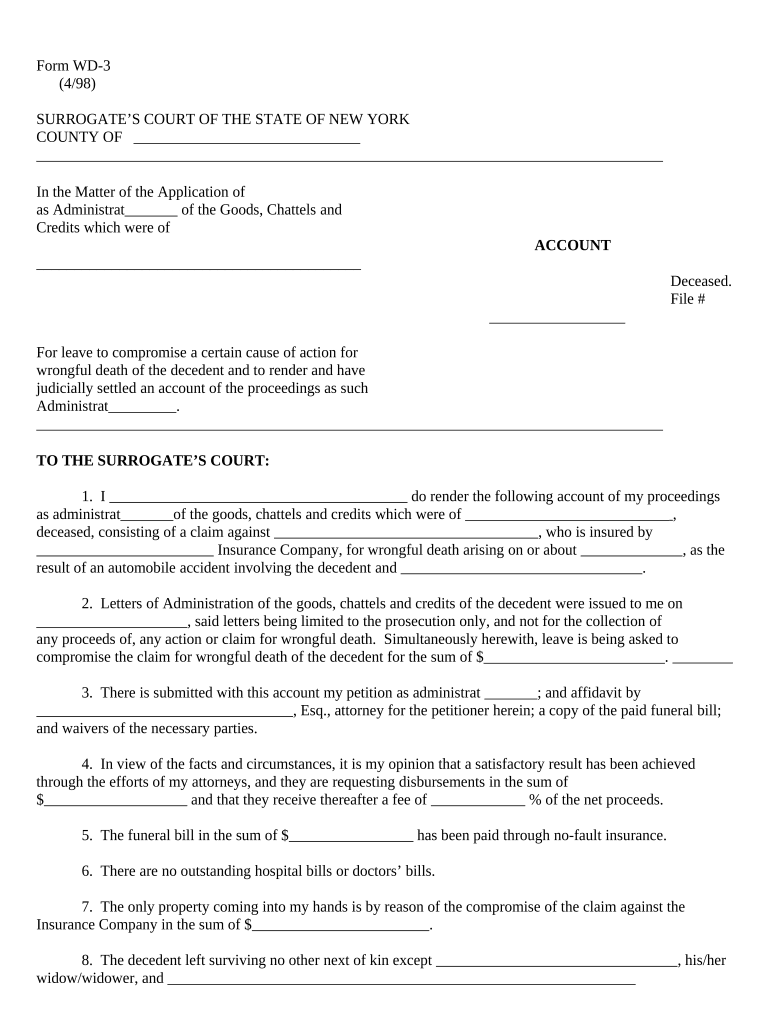
Court approval safeguards minor/incapacitated beneficiaries, resolves competing claims, and provides a clear path to distribute settlement proceeds while minimizing later challenges or creditor claims.

Engagement of counsel is common because local court procedures, required affidavits and evidentiary demonstrations vary by county and by beneficiary status.
| Field | Configuration |
|---|---|
| Signature Order | Sequential by role (attorney → representative → witness) |
| Authentication | Email link or SMS code for signer verification |
| Attachments | Include exhibits as locked attachments |
| Audit Trail | Enable timestamps and IP capture |
Confirm the court accepts electronically signed exhibits or require printed and notarized originals; local rules vary.
Clerk acceptance hours and same-day filing rules vary by county
Allow required notice periods for creditors and interested parties
Average review often takes several weeks to a few months depending on complexity
If a hearing is required, expect scheduling delays based on judicial calendars
After order, funds disbursed per approved schedule; timing varies by treasury or clerk processing
Have final petition and release forms printed and ready for signature
Verify identity using government ID or approved credential
Ensure required witnesses are physically present if state requires them
Complete notary block with thumbprint or seal where required
Use Remote Online Notarization where allowed and court accepts electronic notarization
Retain notarization logs or audio/video per RON rules
Include notarized affidavits and witness attestations as exhibits
File or lodge originals per court instructions if required
A guardian petitions for settlement approval on behalf of a minor
Plaintiff counsel files motion showing lien negotiations complete
A managing attorney typically signs filings and proposed orders on behalf of plaintiffs, certifying accuracy; counsel must be authorized to bind the client for settlement purposes.
Executors, administrators or appointed guardians sign as the party with legal authority to accept distribution and execute releases on behalf of beneficiaries.
Chronology of accident or injury, causal link and liability posture with concise supporting facts and references to key exhibits.
Itemize gross amount, attorneys’ fees, expenses, and any structured payments or trust arrangements for minors or incapacitated beneficiaries.
Disclose known liens by provider or insurer and provide payoff statements or conditional plans for satisfying subrogation claims.
List each beneficiary, shares proposed, and guardianship or trust arrangements when relevant.
Attach affidavits from counsel, medical providers, or guardians verifying facts and the reasonableness of the compromise.
Provide a ready-to-sign order detailing approvals, disbursement instructions and any ongoing reporting obligations.
Official copy to establish decedent identity and date of death when required by court.
Fully executed settlement and release specifying payment schedule and parties to the release.
Redacted or complete records substantiating injury, care, and billing for lien reconciliation.
Itemized payoffs or conditional settlement of liens from providers and insurers.
| signNow | DocuSign | Adobe Sign | PandaDoc | HelloSign | |
|---|---|---|---|---|---|
| Starting Price | $8/user/mo | $15/user/mo | $14/user/mo | $19/user/mo | $15/user/mo |
| Free Trial | 7-day trial | No | No | No | No |
| Bulk Send | Yes | Yes | Yes | Yes | No |
| Audit Trail | Yes | Yes | Yes | Yes | Yes |
| HIPAA Compliant | Yes | Yes | Yes | No | No |