Establishing secure connection…Loading editor…Preparing document…

Objection Motion

This template is fully customizable. Edit the text, fill out the fields, and send it for signature. Give it a try!
Objection Motion

What an Objection Motion Is and when it’s used

An Objection Motion is a written request filed with a court to challenge specific evidence, testimony, procedural actions, or legal arguments offered by another party. It identifies the precise basis for objection, cites supporting legal authority or rules of evidence, and requests a remedy such as exclusion of evidence, reconsideration, or an order limiting the opposing party. Objection Motions appear in civil and criminal proceedings, administrative hearings, and some arbitration contexts; local court rules determine form, timing, and filing requirements.

Why prepare a clear, compliant Objection Motion

A concise Objection Motion preserves evidentiary and procedural rights, frames the legal issue for the record, and gives the court an actionable request. Proper form and timing increase the chance the court will consider and rule on the objection instead of deeming it waived.

Why prepare a clear, compliant Objection Motion

Who typically prepares and files Objection Motions

Objection Motions are prepared by litigators, paralegals, in-house counsel, or self-represented parties who need to preserve an issue for hearing or appeal.

  • Litigation attorneys defending or attacking evidence in trial or hearing, ensuring record preservation for appeal.
  • Paralegals and litigation support staff drafting and routing the motion for signing and electronic filing.
  • Self-represented litigants submitting objections to evidence or procedure in state or federal court without attorney representation.

Essential components of a professional Objection Motion

A well-structured Objection Motion is succinct, cites authority, attaches supporting exhibits, and includes a clear request for relief and a certificate of service per local rules.

Caption

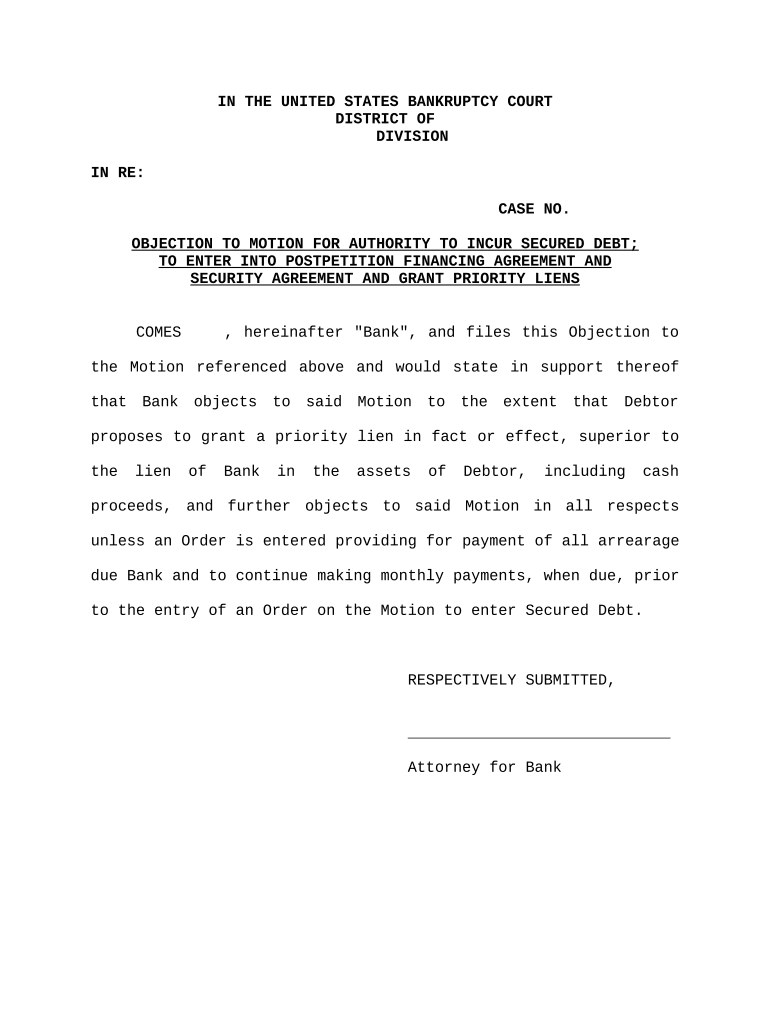
Full case caption showing court name, docket number, and parties so the clerk and judge can immediately identify the matter and associate filings correctly.
Statement of Objection

A focused description of the specific evidence, question, or action objected to, with references to transcript lines, exhibit labels, or document page numbers for precise identification.

Legal Basis

Concise citation to the controlling rule or authority (e.g., rule of evidence or procedural statute), with a short explanation of why exclusion or relief is warranted.

Supporting Evidence

Attach relevant exhibits, excerpts, or affidavits that demonstrate the factual basis for the objection; label exhibits clearly and reference them in the motion text.

Requested Relief

Specify the precise remedy requested—exclusion, striking, limiting instruction, or alternative relief—so the court can rule on the discrete request.

Certificate of Service

A statement confirming how and when opposing parties and the court received the motion, including electronic filing details or method of personal service.

Required information to include on the motion

Case Caption: Court, parties, docket
Docket Number: Exact docket ID
Movant Identity: Full legal name
Respondent Identity: Full legal name
Objection Grounds: Rule or statute cited
Signature Block: Typed name, signature

Step-by-step: Complete and file an Objection Motion

Follow a predictable sequence: prepare the document, attach exhibits, obtain signatures, e-file or deliver to the clerk, and serve opposing counsel following local rules.

  • 01
    Draft the motion: State objection, cite authority, and request relief.
  • 02
    Attach exhibits: Label and reference supporting documents clearly.
  • 03
    Sign and date: Authorized party signs; include printed name and role.
  • 04
    File and serve: E-file if permitted and serve opposing counsel per rules.

How to set up an online Objection Motion workflow

Configure a repeatable electronic workflow so drafts, signatures, and service comply with court and local rules for filing and service.

Field Configuration
Document Template Create reusable motion template with placeholders
Authentication Email plus optional SMS or ID verification
Routing Order Set signatory sequence for counsel and parties
Notifications Automatic emails on access and completion

Where to file and how to deliver the Objection Motion

Filing and service rules depend on jurisdiction; confirm federal court rules, local rules, or state e-filing portal requirements before submission.

  • Federal court: E-file via PACER/ECF when required
  • State court: Use local e-filing portal or clerk's office
  • Administrative hearing: Follow agency filing procedures
  • Service: Serve opposing counsel per rule or court order

Distribution and digital signing considerations

Use an e-signature and e-filing workflow that meets court authentication and evidence standards and preserves an audit trail.

  • File formats: PDF, PDF/A, DOCX supported
  • Authentication: Email link plus optional 2FA
  • Integrations: ECF portals and cloud storage

Typical timeframes and filing deadlines to watch

Deadlines for Objection Motions vary widely by court, local rule, and motion type. Confirm the controlling rule before preparing and filing to avoid waiver or sanctions.

Immediate courtroom objections:

Made orally at trial; preserve the record promptly

Post-hearing motions:

Often due within 10–30 days following the hearing

Motions in limine:

Typically filed prior to trial per scheduling order

Federal response window:

Commonly 21 days after service unless extended

Local rule variations:

Some courts set unique shorter or longer deadlines

Common mistakes to avoid when preparing an Objection Motion

  • Missing a local or court-imposed deadline and thereby waiving the objection; always confirm timing.
  • Failing to precisely identify the evidence or transcript lines at issue, which can limit the court's ability to rule.
  • Neglecting to attach or properly label supporting exhibits, causing the court to deny consideration.
  • Omitting a certificate of service or using improper service method under local rules.

Potential consequences of errors or late filings

Waiver of Objection: Courts may deem objections waived
Sanctions: Attorney fees or monetary sanctions possible
Adverse Rulings: Evidence may be admitted against your client
Appeal Limitations: Preservation failure can block appellate review
Delay: Hearing or trial scheduling may be disrupted
Record Gaps: Missing record reduces appellate remedies

How an Objection Motion differs from a Motion to Strike

These filing types overlap but serve different purposes; compare purpose, timing, and typical outcomes to select the correct procedural device.

Criteria Objection Motion Motion to Strike
Purpose exclude evidence remove pleading material
Timing at hearing or trial pretrial or during pleadings
Typical Outcome ruling on admissibility part or whole pleading struck
Standard evidentiary rules pleading standard

eSignature vendor comparison for signing and sharing legal filings

Compare common plan attributes and compliance features when choosing an eSignature provider for legal filings and secure document distribution.

signNow DocuSign Adobe Sign PandaDoc HelloSign
Starting Price $8/user/mo $15/user/mo $14/user/mo $19/user/mo $15/user/mo
Free Trial 7-day trial Varies Varies Varies Varies
Bulk Send Yes Yes Yes Yes Yes
Audit Trail Yes Yes Yes Yes Yes
HIPAA Compliant Yes Yes Yes No No
Envelope Cap No cap 100 env/user/yr Varies Varies Varies

Frequently asked questions about Objection Motions

Answers to common procedural and practical questions about preparing, signing, filing, and serving Objection Motions in U.S. courts.


Need help? Contact support

be ready to get more
Join over 28 million airSlate SignNow users