Case Caption
Complete court and docket heading at the top of the document so the response is properly identified in the court record and service lists.
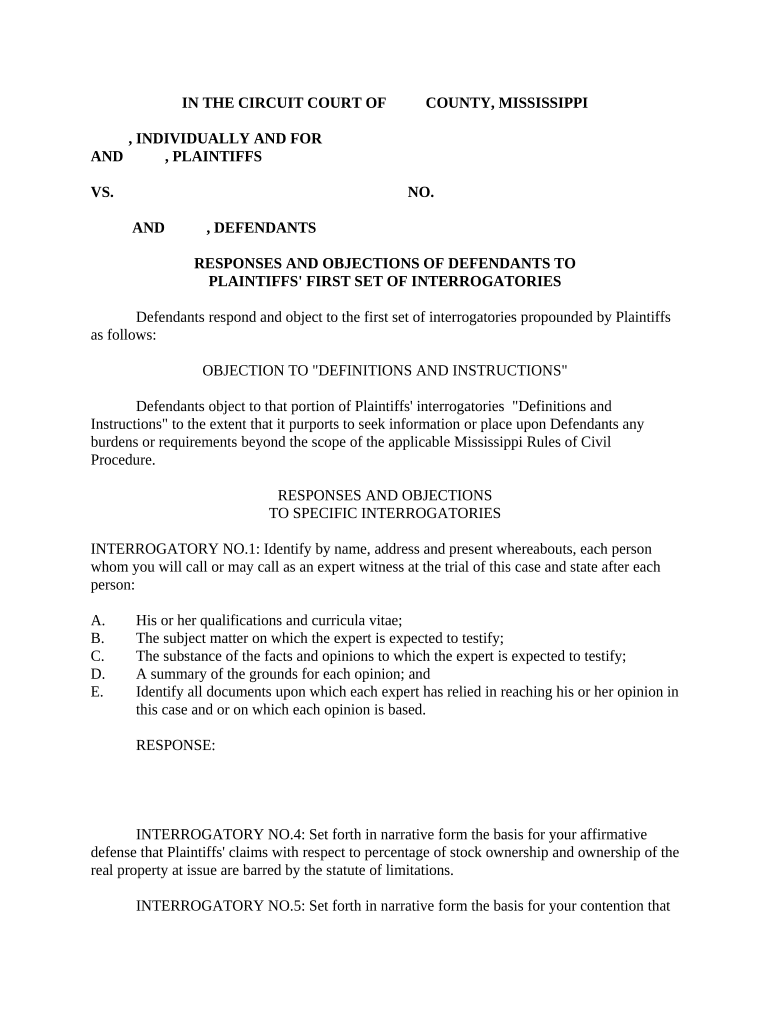
Well-crafted objections protect privileges, narrow disputes, and preserve appellate and enforcement rights while minimizing the risk of sanctions or compelled discovery.

Accurate objections require factual review, privilege checks, and coordination with production obligations to avoid motions to compel or sanctions.
| Field | Configuration |
|---|---|
| Document Template | Use standardized objection templates with numbered response fields. |
| Privilege Log | Enable a linked table for withheld document descriptions. |
| Service Record | Record delivery method, recipient, and timestamp. |
| Audit Trail | Preserve signer attribution, IP, and time stamps for each served document. |
Ensure the platform meets applicable compliance needs (e.g., ESIGN, UETA) and can export tamper-evident signed PDFs and audit logs for court review.
Complete court and docket heading at the top of the document so the response is properly identified in the court record and service lists.
Cite each interrogatory number and restate it briefly when necessary to provide context for oblique or multi-part requests.
List specific legal grounds (e.g., privileged, overbroad, vague, unduly burdensome) and explain their application to the request.
When responding in part, provide the responsive information and describe what is withheld or will be produced.
Reference or attach a privilege log for withheld documents with sufficient detail to support the claim without revealing privileged content.
Include a verified statement or attorney signature block certifying the truth of the response under penalty of perjury where required.
Detailed index of withheld documents, including basis for privilege and sufficient metadata for opposing counsel.
Mapping of produced document Bates ranges to interrogatory responses.
Signed verification or declaration in the format required by state or federal rule.
Emails or letters documenting attempts to resolve disputes before motion practice.
Fed. R. Civ. P. 33(b)(2) generally requires responses within 30 days after service.
Some districts shorten or extend time; always check local rules and standing orders.
Parties may agree to extend deadlines by written stipulation or court order.
If responses are deficient, move to compel under Fed. R. Civ. P. 37 within a reasonable time.
Preserve relevant ESI and documents as soon as litigation is reasonably anticipated.
Day interrogatories and requests are delivered to the responding party.
Typically 30 days; includes objections, partial answers, and production commitments.
Exchange positions and try to resolve disputes before filing motions to compel.
File if issues persist; be prepared with record of conferral and precise deficiencies.
| Comparison | Objection-Only | Substantive Answer |
|---|---|---|
| Purpose | preserve rights | provide responsive information |
| Timing | same deadline | same deadline |
| Privilege | can assert | may redact and produce |
| Court Risk | higher motion risk | lower motion risk |
| signNow | DocuSign | Adobe Sign | PandaDoc | HelloSign | |
|---|---|---|---|---|---|
| Starting Price | $8/user/mo | $15/user/mo | $14/user/mo | $19/user/mo | $15/user/mo |
| Free Trial | 7-day free trial | Varies by plan | Varies by plan | Varies by plan | Varies by plan |
| Bulk Send | Yes (Business Premium) | Varies by plan | Varies by plan | Yes | Varies by plan |
| Audit Trail | Yes | Yes | Yes | Yes | Yes |
| HIPAA Compliant | Yes | Yes | Yes | No | No |