Establishing secure connection…Loading editor…Preparing document…

Ohio Workers Compensation

This template is fully customizable. Edit the text, fill out the fields, and send it for signature. Give it a try!
Ohio Workers Compensation

What Ohio Workers Compensation Documents Are and Why They Matter

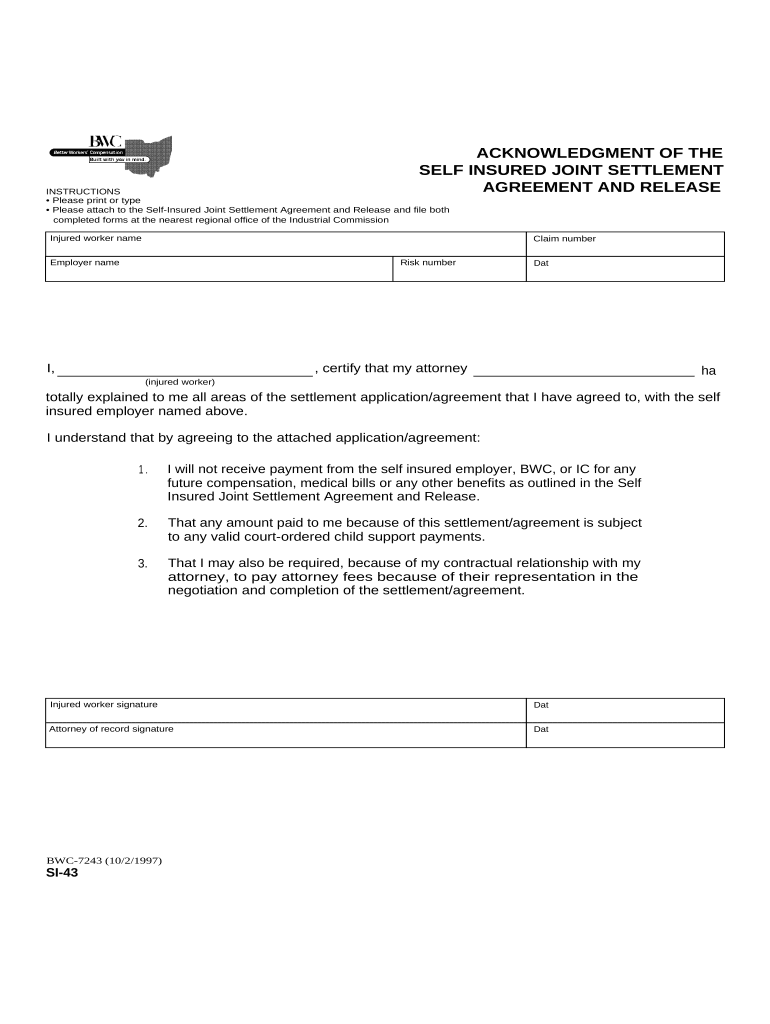
Ohio workers compensation documents record and initiate claims for workplace injuries, occupational diseases, and related benefits under state law. These forms collect claimant identity, employer details, accident description, medical treatment, and wage information so the Ohio Bureau of Workers' Compensation (BWC) and insurers can determine eligibility and benefits. Accurate completion speeds claim intake, reduces follow-up requests, and creates a clear record for appeals or employer reporting. Electronic versions may be accepted when they meet applicable electronic-signature and record-retention requirements.

Why a Complete Ohio Workers Compensation Form Protects Employees and Employers

A properly prepared Ohio workers compensation form establishes eligibility, documents the injury timeline, and supports timely benefit payments while limiting disputes. Clear, accurate records reduce processing delays, limit exposure to penalties for late reporting, and preserve evidence necessary for medical treatment and vocational decisions.

Why a Complete Ohio Workers Compensation Form Protects Employees and Employers

Core Elements of a Professional Ohio Workers Compensation Claim

A complete claim form combines claimant, employer, injury, and medical details with signatures and supporting attachments. Each section serves a legal or administrative purpose during intake, investigation, and benefits determination.

Claimant Information

Full legal name, date of birth, contact, Social Security number and job title to confirm identity and link medical and payroll records for benefit calculations.
Employer Details

Legal business name, employer BWC account number, location of injury, supervisor contact, and payroll period to verify coverage and wage basis.

Injury Description

Clear narrative of how, when, and where the injury occurred, affected body part(s), and whether the incident was a specific event or gradual exposure.

Medical Treatment

Initial and ongoing medical provider names, treatment dates, diagnoses, and whether emergency care or hospitalization occurred to document compensable injury and medical necessity.

Wage & Employment Facts

Average weekly wage, employment status, hours worked, and PTO use to calculate temporary-total or partial disability benefits accurately.

Signatures & Dates

Employee and employer signature lines, dates, and any representative or witness signatures to confirm intent and attribution for the record.

Who Completes and Reviews Ohio Workers Compensation Forms

Employers, injured workers, medical providers, and insurance adjusters each have roles in completing and processing claims; understanding responsibilities reduces errors.

  • Employer representatives responsible for reporting and submitting initial employer information to BWC or carrier.
  • Injured employees who provide incident details, medical authorizations, and signature for claim filing.
  • Medical providers who supply treatment records, diagnoses, and work-ability statements.

Coordination among these parties — using accurate fields, timely signatures, and complete attachments — helps ensure benefits start promptly and administrative penalties are avoided.

Step-by-Step: Submitting an Ohio Workers Compensation Claim

Follow these sequential steps to complete and submit a standard Ohio workers compensation claim accurately.

  • 01
    1. Notify Employer: Report the injury to the employer or supervisor immediately.
  • 02
    2. Seek Medical Care: Obtain medical evaluation and document treatment dates.
  • 03
    3. Complete Claim Form: Fill out claimant and incident sections with required details.
  • 04
    4. Submit to Carrier: Send form and attachments to employer, insurer, or BWC as directed.

How to Configure an Electronic Submission Workflow

Typical online workflows route documents, capture signatures, and attach medical files; configure fields and authentication to match role responsibilities.

Upload Template Store a prefilled claim form template for reuse and version control.
Assign Roles Set signer roles: employee, employer rep, medical provider, adjuster.
Add Required Fields Place required text, date, and signature fields with validation rules.
Authentication Choose signer authentication: email, SMS code, or stronger verification.
Retention Rule Configure archival retention per state and federal requirements.

Where to Send Completed Ohio Workers Compensation Forms

Claims are routed based on employer coverage and the nature of the injury; ensure you submit to the right office to avoid processing delays.

  • Employer: Provide the completed form to your employer or HR department first.
  • Insurer or TPA: Employer forwards claim to the insurer or third-party administrator as applicable.
  • Ohio BWC: Certain claims and employer reports are filed with the Ohio Bureau of Workers' Compensation.
  • Medical Records: Send treatment records to the insurer and keep copies for the claim file.

Digital Signing and eSubmission Essentials

Electronic submission requires a platform that supports secure signatures, role-based routing, and attachment handling for medical records.

  • Authentication Options: Email link, SMS code, or multi-factor verification.
  • File Formats: Accept PDF, DOCX, and scanned medical attachments.
  • Integrations: Integrates with HRIS, claims systems, and cloud storage.

Choose a solution that meets ESIGN/UETA requirements, preserves an audit trail, and supports HIPAA protections when handling protected health information.

Timing Considerations and Typical Deadlines

Timely reporting and submission preserve claim rights and reduce the risk of denial; follow employer and state-specific timing rules.

Worker Notification:

Report the injury to the employer as soon as practicable after discovery.

Employer Reporting:

Employers should notify their carrier or state office promptly per internal and statutory rules.

Filing a Claim:

File formal claim forms within the statute of limitations applicable to the state.

Medical Billing:

Submit medical bills and treatment records promptly to avoid disputes.

Appeal Deadlines:

Adhere to the state-specific timeline for administrative appeals if benefits are denied.

Penalties and Risks from Inaccurate or Late Submissions

Claim Denial: Incomplete or late claims can be denied, jeopardizing benefits.
Benefit Delay: Missing documentation slows benefit payments to the injured worker.
Civil Penalties: Employers may face fines for failing to report or maintain records.
Fraud Investigation: Misrepresentations can prompt criminal or civil fraud proceedings.
Medical Record Errors: Incorrect provider data may cause billing denials or reimbursement issues.
Privacy Violations: Improper handling of PHI can trigger HIPAA compliance issues.

Common Preparation Mistakes to Avoid

  • Leaving required fields blank leads to processing delays and repeated information requests from the insurer or BWC.
  • Using informal descriptions of the incident instead of concise factual statements causes ambiguity during compensability reviews.
  • Failing to attach medical reports, diagnostics, or return-to-work notes forces claims handlers to request additional records and delays decisions.
  • Submitting scanned documents with illegible text or missing pages results in rejection or incomplete file development.

Real-World Examples of Workers Compensation Workflows

These examples show how organizations handle claims intake and documentation to speed resolution and preserve compliance.

Optica Ventures — Small Business

Optica established an online intake template for on-site injuries using a shared HR workflow

  • This reduced incomplete submissions
  • As a result, the company saw fewer follow-up requests and improved the speed of claims reaching their insurer, helping injured workers begin care without administrative delay.

Martin Properties — Field Operations

Martin Properties implemented mobile reporting for maintenance staff so incidents are reported immediately

  • Field staff use a standard form with photo attachments
  • This change improved documentation quality and helped resolve compensability questions more quickly during insurer review.

Tips for Accurate and Efficient Ohio Workers Compensation Filing

Adopt these practices to reduce errors, accelerate claim processing, and maintain a defensible record.

Use Standardized Templates
Create a single, validated claim template that includes all required fields and clear help text. Standard templates reduce omissions and ensure the same data is collected across locations and incidents.
Attach Supporting Records
Always attach initial medical reports, diagnostic results, and return-to-work notes when submitting claims. Early attachment of documents prevents repeated requests and speeds adjudication.
Preserve Audit Trails
Use systems that capture signer identity, timestamps, and IP addresses for every action. A complete audit trail supports authenticity and reduces disputes over who submitted or modified documents.
Train Responsible Staff
Provide periodic training for supervisors and HR staff on timely reporting, correct field completion, and privacy handling to minimize clerical errors and regulatory exposure.

eSignature Vendor Snapshot for Ohio Workers Compensation Filing

These vendor attributes show typical pricing and feature differences relevant to workers compensation workflows and secure handling of medical records.

signNow DocuSign Adobe Sign PandaDoc HelloSign
Starting Price $8/user/mo $15/user/mo $14/user/mo $19/user/mo $15/user/mo
Free Trial 7-day free trial Varies by plan Varies by plan Varies by plan Varies by plan
Bulk Send Yes Yes Yes Yes No
Audit Trail Yes Yes Yes Yes Yes
HIPAA Compliant Yes Yes Yes No No
Envelope Cap No cap 100 envelopes/user/year Varies Varies Varies

Frequently Asked Questions About Ohio Workers Compensation Forms

Answers to frequent questions about form completion, electronic signatures, and common filing issues when submitting Ohio workers compensation claims.


Need help? Contact support

be ready to get more
Join over 28 million airSlate SignNow users