Caption
Court name, county, and case caption identifying petitioner and the matter, formatted per local rules and easily read by the clerk.
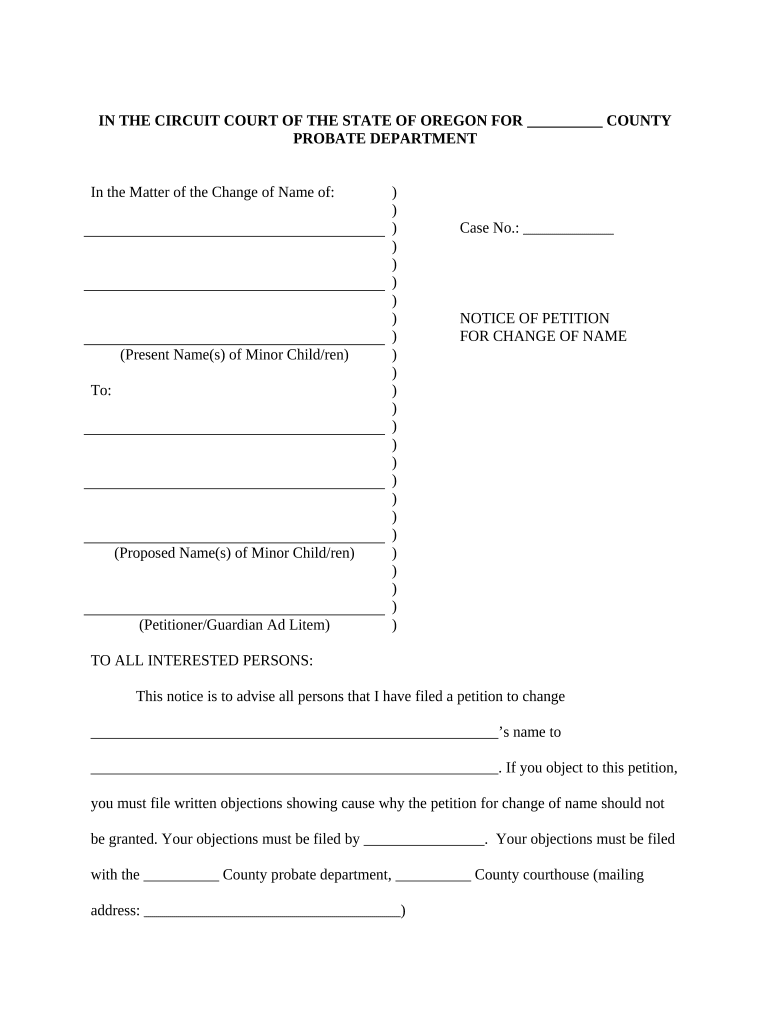
A complete, accurate Notice of Petition reduces delays, lowers the risk of rejection, and supports the court’s ability to issue a final order. Proper preparation protects your identity record, helps avoid unnecessary publication or service errors, and clarifies whether fees or waivers apply.

Individuals seeking a legal name change, parents completing a child’s name change, and attorneys preparing petitions use this form.
Identifying the correct petitioner type at the start helps determine required signatures, publication steps, and possible fee waivers.
| Field | Configuration |
|---|---|
| Document Type | PDF petition template with fillable fields |
| Signers | Petitioner signs; attorney if represented |
| Authentication | Email, SMS, or ID verification for signer |
| Submission | Print for in-person filing or file per court rules |
Confirm the court accepts electronic filings and whether notarization, original signature, or certified copies are required before relying on e-submission.
Where courts accept e-filings, ensure the chosen platform provides a reliable audit trail, signer authentication, and the ability to produce certified copies for the clerk.
Pay at filing; amount set by county court
Publication runs for a court-specified number of weeks
Hearing set by the court, often weeks after filing
Court issues order after hearing or by default
Interested parties may have a limited days to appeal
Complete all fields and collect supporting ID
File with clerk and follow service directions
Run any required publication notices
Attend hearing or receive written order
Court name, county, and case caption identifying petitioner and the matter, formatted per local rules and easily read by the clerk.
Full current legal name, address, date of birth, and contact details so the court can verify jurisdiction and contact the petitioner.
Full proposed new name spelled exactly as the petitioner wants it recorded, including punctuation, suffixes, and middle names.
Concise, truthful explanation of the reason for the change and any facts relevant to waivers of publication or privacy concerns.
Petitioner signature, printed name, and date; if represented, attorney signature and bar number appear per local rules.
A statement describing how notice will be served or published, including proposed publications or waiver requests when safety is a concern.
A petitioner seeks a gender-affirming name change and files a petition stating the reason and safety concerns
A parent files to update a child’s surname following adoption finalization
| signNow | DocuSign | Adobe Sign | PandaDoc | HelloSign | |
|---|---|---|---|---|---|
| Starting Price | $8/user/mo | $15/user/mo | $14/user/mo | $19/user/mo | $15/user/mo |
| Free Trial | 7-day trial | Varies | Varies | Varies | Varies |
| Bulk Send | Yes | Yes | Yes | Yes | No |
| Audit Trail | Yes | Yes | Yes | Yes | Yes |
| HIPAA Compliant | Yes | Yes | Yes | No | No |
| Envelope Cap | No envelope cap | 100 envelopes/user/year | Varies | Varies | Varies |