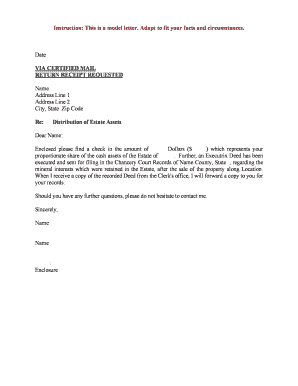
Order for Final Distribution
What the Order for Final Distribution Is and When it Applies
Why a Clear Final Distribution Order Matters
A precise Order for Final Distribution provides legal finality, documents the court’s approval of distributions, and creates a record that third parties and title companies can rely on. It reduces creditor or beneficiary disputes and supports downstream transfers of assets and titles.
Who prepares, signs, and relies on this order
Typical users complete or request this order at the close of probate.
- Personal representatives and executors responsible for administering the estate and delivering distributions to beneficiaries.
- Probate attorneys preparing filings, final accountings, and court-ready orders for judge approval.
- Court clerks, title companies, and financial institutions that accept the order as proof of authority to transfer property.
Each participant has distinct responsibilities: prepare, approve, or accept the court order during closing.
Primary signer roles
Personal Representative
The personal representative (executor/administrator) signs and submits documents on behalf of the estate, certifies the final accounting is complete, and coordinates distributions. They must follow court directions and may be personally liable for improper distributions until the court grants discharge.
Probate Attorney
The probate attorney drafts the order, advises on creditor notice and tax consequences, and may appear at the final hearing. Attorneys confirm legal sufficiency of the accounting and the order language to limit future challenges.
Common preparation errors to avoid
- Using informal beneficiary names instead of legal names, which can delay transfers and title changes.
- Failing to attach the final accounting or creditor notice proof, leading the court to continue the case.
- Omitting asset identifiers (VINs, account numbers), which forces manual verification by institutions.
- Leaving signature or date fields blank, creating uncertainty about the effective distribution date.
Consequences of an incorrect or incomplete order
Step-by-step: preparing and filing the order
-
01Assemble Records: Compile the final accounting, creditor notices, and proof of service.
-
02Draft Order: List assets, beneficiaries, and exact distribution amounts or percentages.
-
03Review with Counsel: Confirm tax, creditor, and jurisdictional compliance before filing.
-
04File and Serve: Submit to the probate clerk and serve interested parties per local rules.
Configuring an online workflow for the order
| Field | Configuration |
|---|---|
| Template | Create a reusable court-ready template with conditional sections |
| Authentication | Use email plus SMS or ID verification for signer attribution |
| Bulk Send | Enable when serving multiple beneficiaries or creditors |
| Storage | Archive signed PDF with audit trail and access controls |
Where to file and how the document moves through the system
-
Drafting: Prepare draft with attachments and final accounting
-
Court Filing: Submit to the probate clerk per local e-file or paper rules
-
Court Approval: Judge signs or enters the order on the docket
-
Distribution: Deliver certified copies to institutions and beneficiaries
Technical considerations for eSignatures and delivery
Choose a platform that supports secure signing, audit trails, and court-ready PDF generation.
- Authentication: Email + SMS codes or ID proofing
- Audit Trail: Time, IP, and signer actions recorded
- Integrations: Connect to cloud storage and court e-filing
Ensure the selected tool can produce a tamper-evident PDF, export the audit log, and meet any court e-filing format requirements.
Typical timelines and deadlines to track
Notice to Creditors:
Usually served within 1–3 months after appointment
Creditor Claim Period:
Commonly 3–6 months for filing claims against the estate
Final Accounting:
File when creditor period expires or as required by court
Distribution Hearing:
Scheduled after accounting review and objections resolved
Record Retention:
Keep records per federal and state retention rules
Real-world examples of closing workflows
Martin Properties
The team processed estate-related transfer documents digitally to close transactions faster.
- They used court-certified PDFs for title updates.
- The firm reported consistent acceptance from title companies when certified orders and audit logs accompanied electronic submissions.
Fertility Centers of Illinois
Legal operations integrated document templates into workflows for estate closures.
- Counsel reviewed and approved templates.
- Centralizing templates reduced drafting time and improved accuracy for routine probate orders, supporting reliable institution acceptance.
Milestone sequence from accounting to distribution
Prepare Final Accounting
Compile receipts, disbursements, and asset valuations for court review.
Notice and Creditor Period
Serve notices and allow statutory claim period to run to completion.
Court Hearing
Present accounting and respond to objections at the scheduled hearing.
Enter Distribution Order
Court signs order and clerk issues certified copies for transfers.
How to amend or correct an issued order
Identify Error:
Draft Amended Order:
File Motion:
Serve Parties:
Hearing or Clerk Approval:
Distribute Revised Copies:
Frequently asked questions about final distribution orders
-
Can an order be signed electronically?
Yes in most jurisdictions if the court and local rules permit electronic signatures; ESIGN (15 U.S.C. §7001) and UETA support e-signatures, but verify any court-specific requirements or exceptions before relying on e-signature alone.
-
Who must sign the order?
Typically the judge signs the entered order; the personal representative or attorney may sign proposed orders submitted for the court’s review. Confirm local procedure for proposed orders and judge-signed originals.
-
Is notarization required?
Not usually for the court’s own order, but ancillary documents (deeds, certain affidavits) may require notarization or witness signatures; check local probate rules and document-specific statutes.
-
What if a beneficiary objects?
An objection triggers a hearing and suspension of distribution until resolved. The court will consider the objection and may order revised accounting or additional notice.
-
How do banks accept electronic orders?
Many institutions accept certified PDFs with an audit trail; some require certified or court-stamped originals. Confirm institution policy and be prepared to provide certified copies if requested.
-
Can I revoke or modify the order after entry?
Modifying an entered order generally requires court approval via a motion to amend or vacate; provide clear grounds and serve interested parties per court rules.
Comparison: eSignature platform pricing and key capabilities
| signNow | DocuSign | Adobe Sign | PandaDoc | HelloSign | |
|---|---|---|---|---|---|
| Starting Price | $8/user/mo | $15/user/mo | $14/user/mo | $19/user/mo | $15/user/mo |
| Free Trial | 7-day free trial | Varies by vendor | Varies by vendor | Varies by vendor | Varies by vendor |
| Bulk Send | Yes (Business Premium) | Yes | Yes | Yes | Yes |
| Audit Trail | Yes | Yes | Yes | Yes | Yes |
| HIPAA Compliant | Yes | Yes | Yes | No | No |
| Envelope Cap | No cap | 100 envelopes/user/year | Varies | Varies | Varies |