Establishing secure connection…Loading editor…Preparing document…

Order to Show Cause Form

This template is fully customizable. Edit the text, fill out the fields, and send it for signature. Give it a try!
Order to Show Cause Form

What the Order to Show Cause Form Is and When It’s Used

An Order to Show Cause form is a court filing that asks a judge to require a named party to appear and explain why the court should not grant temporary or preliminary relief. The filing normally combines a concise statement of facts, a supporting affidavit, legal argument, and a proposed order the judge can sign. Courts use the form to schedule expedited hearings, seek injunctive relief, or resolve time-sensitive procedural disputes. Local court rules determine format, service methods, and timing, so precise compliance with clerk and local rule requirements is essential.

Why an Order to Show Cause Matters for Time-Sensitive Relief

An Order to Show Cause creates a focused, accelerated path for the court to consider temporary remedies and clarifies the precise relief requested. It reduces procedural ambiguity, sets a discrete hearing timetable, and presents judges with a proposed order for immediate entry when warranted.

Why an Order to Show Cause Matters for Time-Sensitive Relief

Who Prepares and Relies on an Order to Show Cause

Typical users include litigants, plaintiff attorneys, and government agencies seeking immediate relief in civil, family, probate, or administrative matters.

  • Plaintiff attorneys who prepare and file to preserve urgent rights and set expedited hearings.
  • Government agencies that need temporary injunctive relief or emergency administrative actions.
  • Self-represented litigants who must follow local form and service requirements to obtain immediate judicial attention.

Primary Roles That Interact With the Form

Petitioner Attorney

Attorneys draft the Order to Show Cause to request interim relief, prepare supporting affidavits, and propose an order. They must check local civil or family court rules for required language, filing format, service method, and timing to prevent procedural dismissal or calendaring errors.

Pro Se Litigant

Self-represented parties may complete the form to seek urgent relief. Pro se filers should verify factual statements, attach sworn declarations, and confirm service procedures because formatting and service errors are common grounds for refusal or postponement.

Core Components a Professional Order to Show Cause Should Include

A well-prepared Order to Show Cause organizes the requested remedy, factual support, legal basis, proof of service, and a proposed signed order for the judge in a clear, rule-compliant format.

Caption

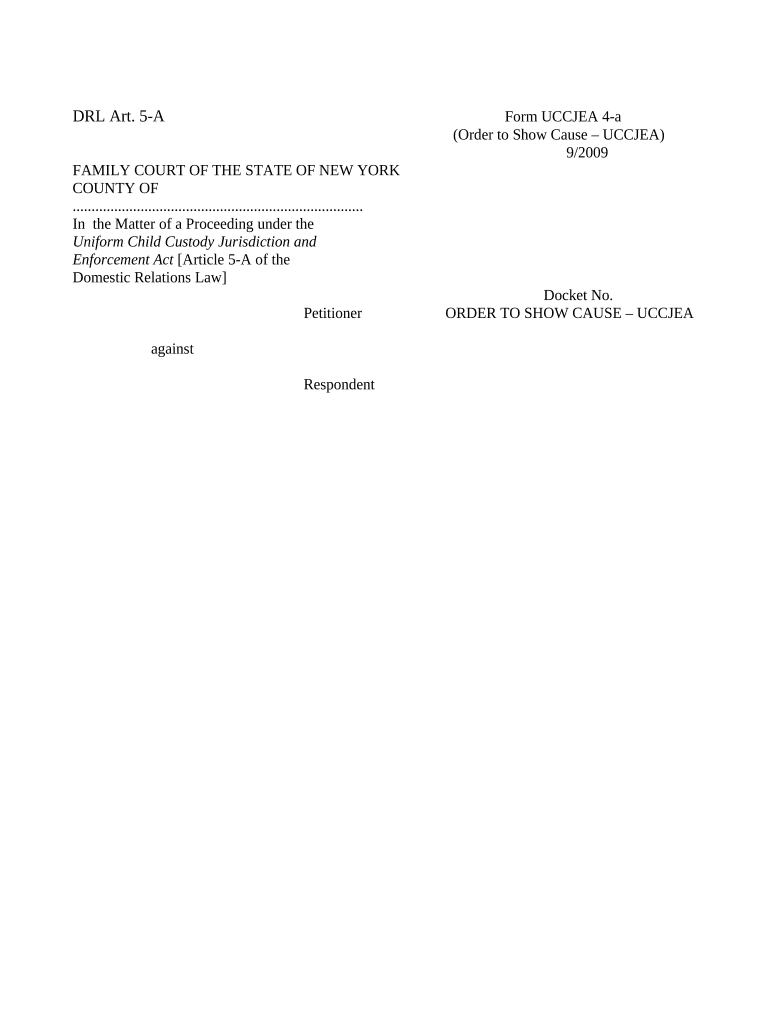
Court name, county, case caption, and docket or case number formatted per local rules so the clerk can index the filing correctly.
Relief Sought

A concise, specific statement of the temporary or preliminary relief requested, including any deadlines, prohibitions, or affirmative orders to be imposed.

Statement of Facts

A chronological, factual summary showing why immediate relief is necessary; include dates, actions, and direct evidence references without argument.

Supporting Affidavit

A sworn declaration from an affiant with firsthand knowledge; attach exhibits and label each exhibit as required by the court.

Legal Argument

Brief points tying facts to controlling law and precedent; keep citations concise and rely on local citation format when required.

Proposed Order

A ready-to-sign order specifying the relief, effective dates, and any conditions, formatted so the judge can sign and the clerk can docket quickly.

Step-by-Step: Prepare, File, Serve, and Present the Order

Complete these sequential steps to maximize compliance and minimize processing delays when seeking expedited relief from the court.

  • 01
    Draft: Assemble caption, relief language, factual summary, affidavit, and proposed order.
  • 02
    Attach Evidence: Label exhibits and attach sworn declarations or documentary proof supporting urgency.
  • 03
    File: Submit to the clerk via court eFiling or in-person per local rules and obtain a stamped copy.
  • 04
    Serve: Provide notice to opposing parties using approved service methods and file proof of service promptly.

Digital Workflow Settings for eSubmission and Proof of Service

Configure your eFiling and document workflow to ensure accepted formats, reliable signatures, and retained proof of service for court record.

Field Configuration
eFiling PDF/A preferred; follow court eFile specifications and size limits.
Service Method Personal, certified mail, or electronic service as allowed by local rule.
Authentication Signer attestation or secure eID where court rules permit electronic signatures.
Proof of Service Upload a signed affidavit or return receipt as a separate docket entry.

How Filing and Court Consideration Typically Progress

The court workflow runs from filing to docketing to hearing; each stage requires specific filings and proof of notice to advance.

  • Filing: Clerk accepts and dockets the Order to Show Cause per local procedures.
  • Calendar: Court sets a hearing date or issues an expedited temporary order as appropriate.
  • Service: Opposing parties receive notice and supporting documents by approved service method.
  • Hearing: Judge hears arguments and either grants, denies, or modifies the requested relief.

Choosing a Platform for Preparation, Signing, and eSubmission

Use tools that support secure PDFs, audit trails, signer authentication, and common integration points for court eFiling.

  • Supported Formats: PDF, PDF/A, DOCX accepted by many eFiling portals.
  • Integrations: Salesforce, NetSuite, Google Workspace, Microsoft 365 integration options.
  • Authentication: Email, SMS codes, or stronger multi-factor where required.

Security and Compliance Considerations for Court Documents

Encryption: TLS 1.2/1.3 in transit; AES-256 at rest
Audit Trail: Detailed timestamps, IP, and action logs
Certifications: SOC 2 Type II; ISO 27001 available
HIPAA: BAA required for protected health information
ESIGN / UETA: Complies with U.S. e-signature laws
21 CFR Part 11: Capabilities for FDA-regulated records

Common Consequences of Errors or Non-Compliance

Contempt Sanctions: Fines or sanctions possible
Default Judgment: Adverse orders if defendants are not served
Dismissal: Procedure or notice defects may cause dismissal
Service Defect: Improper service can void proceedings
Jurisdiction Defect: Court may lack authority
Perjury Risk: False affidavits can trigger criminal exposure

Typical Deadlines and Timeframes to Monitor

Timing obligations include service deadlines, response periods, and scheduling considerations; these vary by court and the relief requested.

Service Deadline:

Serve opposing parties promptly per local rule; some courts require immediate or expedited notice.

Response Period:

Opposing party response windows vary; check local practice for stay or emergency hearing responses.

Hearing Scheduling:

Courts may set expedited hearings within days or weeks based on urgency and calendar availability.

Temporary Relief Duration:

Interim orders remain until modified or after the scheduled hearing, per judge's terms.

Proof of Service Filing:

File an affidavit of service immediately after serving to preserve the record.

Key Processing Stages from Filing to Entry of Order

Sequence the work to align filing, service, and hearing milestones so that the court can consider and act without procedural gaps.

01

Prepare Filing

Draft form, attach affidavit, and compile exhibits for filing.

02

File with Clerk

Submit via eFile or in person and obtain a stamped copy.

03

Serve Opposing Parties

Complete service using approved methods and document proof.

04

Attend Hearing

Present oral argument and request entry of the proposed order.

Example eSignature Pricing and Feature Comparison

Comparison of starting prices and common feature availability across major eSignature vendors; signNow is listed first per vendor ordering rules.

signNow DocuSign Adobe Sign PandaDoc HelloSign
Starting Price $8/user/mo $15/user/mo $14/user/mo $19/user/mo $15/user/mo
Free Trial 7-day free trial Varies Varies Varies Varies
Bulk Send Yes Yes Yes Yes No
Audit Trail Yes Yes Yes Yes Yes
HIPAA Compliant Yes Yes Yes No No

Real-World Examples of Faster Document Handling with eSign Workflows

Organizations that digitize court-adjacent paperwork report smoother processing and better tracking when serving urgent filings or emergency orders.

Tim Martin — Martin Properties

A real-estate practitioner shifted filing workflows to digital to avoid in-person delays

  • "process and execute all of these documents online"
  • "I can process and execute all of these documents online with 100% compliance and built-in security. Whether on mobile or working offline, I can get forms back to their necessary parties efficiently."

Brian Fitzgibbons — Optica Ventures LLC

A small-business operator used eSign to speed approvals and preserve time-sensitive rights

  • "simple and easy-to-use"
  • "The interface is simple and easy-to-use for our team; more importantly, it is just as easy for our customers."

Frequently Asked Questions and Troubleshooting

Answers to common questions about completing, filing, and serving an Order to Show Cause, including electronic submission and proof of service concerns.


Need help? Contact support

be ready to get more
Join over 28 million airSlate SignNow users