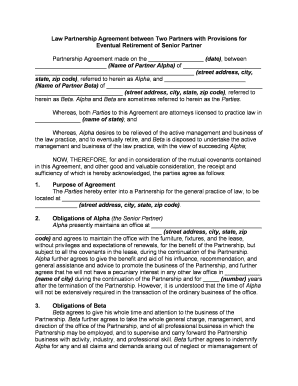
Partnership Agreement for Law Practice
What a Partnership Agreement for Law Practice Is
Why a Clear Agreement Matters for Your Firm
A written partnership agreement reduces disputes by documenting governance, compensation, risk allocation, and client-handling rules; it also supports regulatory compliance. Electronic execution is legally recognized under the ESIGN Act (15 U.S.C. §7001) and state UETA statutes where applicable.
Who Typically Prepares and Signs This Agreement
Use the document to align business, ethical, and tax obligations before accepting clients or moving funds.
- Founding partners and equity partners who will share profits, losses, and management responsibilities.
- Managing partner or executive committee members responsible for daily operations and bank signatory authority.
- Firm administrators and outside counsel engaged to draft, review, or negotiate partnership terms.
Who Has Authority to Sign
Managing Partner
The managing partner typically signs to bind the firm for operational matters and bank authorizations; include a statement of specific signing authority and any caps on unilateral approvals to prevent disputes.
Designated Signatory
A designated signatory (administrator or counsel) may execute documents under delegated authority; the agreement should document delegation, scope, and any required ratification by partners.
Potential Legal and Business Risks
Frequent Drafting Mistakes to Avoid
- Failing to name all partners or to specify capital contribution schedules creates ambiguity about ownership and obligations.
- Using vague profit-allocation language such as 'equitable share' without a clear formula often leads to disputes and audits.
- Omitting buy-sell or withdrawal mechanics forces courts to resolve valuation and transfer disputes at termination.
- Ignoring state bar ethics and conflict disclosure rules risks professional discipline and client claims against the firm.
How Firms Use Partnership Agreements in Practice
Optica Ventures (COO)
A small boutique firm adopted a formal partnership agreement to standardize billing and approvals.
- The streamlined document clarified authority for client engagement.
- As a result the firm reduced internal approval delays and documented conflict checks, enabling faster matter intake and clearer partner accountability across cases.
Fertility Centers of Illinois (Founder)
A multi-office professional group used a written agreement to define capital contributions and withdrawal terms.
- The agreement established capital schedules and buy‑out valuation rules.
- That clarity helped the group manage partner departures without litigation and ensured continuity of client care and trust-account compliance during transitions.
Step-by-Step: Completing the Partnership Agreement
-
01Gather Details: Collect partner names, EIN, capital amounts, and contact details.
-
02Draft Terms: Draft governance, profit sharing, withdrawal, and insurance clauses.
-
03Ethics Check: Run conflict checks and review bar rules for the chosen jurisdiction.
-
04Execution: Have authorized signers sign and date; notarize if required.
Where to Store and Where to Send Executed Copies
-
Firm Records: Maintain signed originals in the firm minute book and secure storage.
-
Banks: Provide certified or notarized copies to banks to open or update accounts.
-
Partners: Provide each partner a fully executed copy for their records.
-
Outside Counsel: Send to external counsel for tax and regulatory advisory as needed.
Core Provisions to Include in a Professional Agreement
Governance
Define management structure, voting thresholds, meeting frequency, and the scope of any managing partner or executive committee powers in plain terms, including how administrative decisions are escalated.
Finance and Accounting
Specify capital contribution schedules, bookkeeping standards, profit and loss allocation methodology, distribution timing, tax allocations, and audit rights for partners.
Admission and Withdrawal
Describe admission requirements for new partners, valuation and payment process on withdrawal or death, and any restrictions on transfers to third parties.
Dispute Resolution
Provide mediation, arbitration, or court venue preferences, choice of law, and interim relief procedures to reduce litigation risk and preserve client service continuity.
Practical Tips for Accurate Completion
Key Milestones and Execution Stages
Negotiation and Drafting
Finalize terms and exchange drafts among partners and counsel prior to execution.
Effective Date
Agreement takes effect on the stated effective date, which governs subsequent rights and obligations.
Capital Funding
Partners must deliver capital contributions by agreed dates to activate financial provisions.
Annual Review
Perform an annual agreement review to update governance, partner roles, and compensation.
Time-Sensitive Filings and Tax Dates to Watch
Form 1065 (Partnership Return):
Generally due March 15 each year (calendar-year partnerships) to report partnership items.
K-1 Delivery to Partners:
Provide Schedule K-1 to partners by March 15 or with the timely filed Form 1065.
Estimated Tax Payments:
Partners must make individual estimated tax payments per IRS schedule to avoid penalties.
Bank Account Updating:
Submit executed signature cards and EIN documentation to banks promptly after execution.
Annual Accounting Review:
Complete partner-account reconciliation within 90 days after fiscal year end.
How to Configure an Online Signing Workflow
| Field | Configuration |
|---|---|
| Authentication | Use email + optional SMS or ID verification for higher assurance |
| Signer Order | Set sequential or parallel signing depending on approvals needed |
| Conditional Fields | Show fields only when certain options are selected to reduce errors |
| Audit Trail | Capture IP, timestamp, and action logs automatically |
Digital Signing and Platform Considerations
Ensure the platform can produce a tamper-evident signed PDF and retain audit logs for compliance and recordkeeping.
- Integrations: Salesforce, NetSuite, Google Workspace supported
- File Formats: Accepts PDF, DOCX, and HTML formats
- Authentication Options: Email, SMS, KBA, or advanced methods
Frequently Asked Questions
-
Can this agreement be signed electronically?
Yes. Electronic signatures are generally enforceable under the federal ESIGN Act (15 U.S.C. §7001) and state UETA statutes, except where a specific statutory exception applies; confirm for any particular state or court filing.
-
Is notarization required for validity?
Most states do not require notarization for a private partnership agreement, but banks and title companies may request notarized or certified copies for account or closing purposes; check local practice.
-
Who should sign on behalf of the firm?
The agreement should be signed by partners authorized under the document; designate a managing partner or delegated signatory with explicit authority to bind the firm and document any approval thresholds.
-
How do we amend the agreement later?
Follow the amendment procedure set in the agreement—typically written consent with a specified quorum. Record amendments in writing, have designated signers execute them, and attach them to the original.
-
How long must we keep executed agreements?
Retain executed agreements for the agreement term plus at least three years; observe IRS (IRC §6501(a)) and HIPAA (45 CFR §164.530(j)) retention requirements where applicable.
-
What happens if a clause is unenforceable?
Courts may sever unenforceable provisions and enforce the remainder unless the clause is central to the agreement. Use clear severability language and seek counsel for high-risk provisions.
eSignature Vendor Comparison for Partnership Agreement Workflows
| signNow | DocuSign | Adobe Sign | PandaDoc | HelloSign | |
|---|---|---|---|---|---|
| Starting Price | $8/user/mo | $15/user/mo | $14/user/mo | $19/user/mo | $15/user/mo |
| Free Trial | Yes, 7-day free trial | Yes, trial available | Yes, trial available | Yes, trial available | Yes, trial available |
| Bulk Send | Yes | Yes | Yes | Yes | No |
| Audit Trail | Yes | Yes | Yes | Yes | Yes |
| HIPAA Compliant | Yes | Yes | Yes | No | No |