Establishing secure connection…Loading editor…Preparing document…

Assignment of Design Patent Application

This template is fully customizable. Edit the text, fill out the fields, and send it for signature. Give it a try!
Assignment of Design Patent Application

What an Assignment of Design Patent Application Is and why it matters

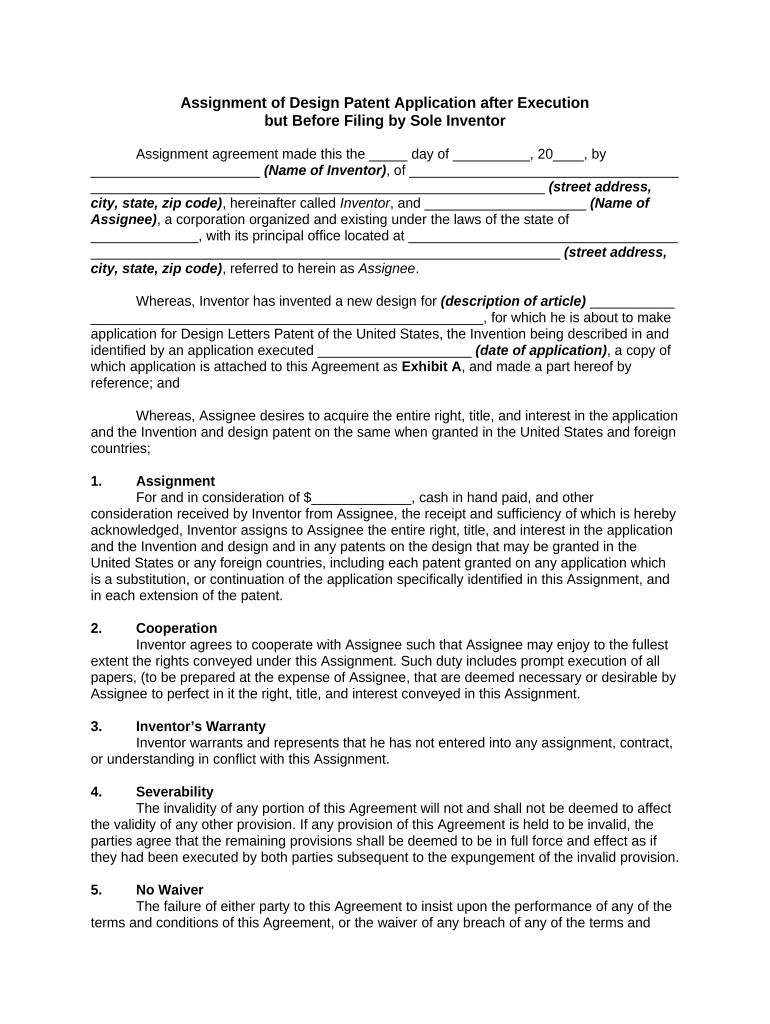
An Assignment of Design Patent Application is a written transfer of ownership rights in a pending U.S. design patent application from the current owner (assignor) to another party (assignee). The document records which party will hold the application and any associated rights, such as the right to prosecute the application before the U.S. Patent and Trademark Office (USPTO) and the right to sue for infringement once the patent issues. Properly drafted and executed assignments establish chain-of-title, enable enforcement, and are usually recorded with the USPTO to provide public notice of the transfer.

Why you should use a formal assignment for a design patent application

A clear written assignment protects both parties’ expectations by documenting the transfer of ownership, establishing the chain of title for enforcement or licensing, and enabling recordation at the USPTO. Assignments support commercial transactions, investor diligence, and IP management while reducing ambiguity about who controls prosecution and post-issuance rights.

Why you should use a formal assignment for a design patent application

Who typically prepares or signs this assignment

Use the document whenever ownership of a pending design patent application changes or when providing clear evidence of assignment for licensing, enforcement, or recordation with the USPTO.

  • Individual inventors transferring rights to a company following employment or a consulting relationship.
  • Companies buying or licensing design patents as part of an acquisition, merger, or asset purchase.
  • Law firms and in-house IP teams documenting partial assignments, security interests, or chain-of-title corrections.

Essential elements to include in a professional assignment

A complete assignment should clearly identify the parties, the specific application, the rights transferred, effective date, consideration, representations, and signatures to avoid disputes and enable USPTO recordation.

Parties Identified

Full legal names and mailing addresses for assignor and assignee so the transfer can be verified and recorded.
Precise Application Reference

Specify the USPTO design application number, title of the design, filing date, and inventor name(s) to tie the assignment to the correct file.

Scope of Rights Assigned

State whether all rights, title, and interest in the application and any resulting patent are assigned, including prosecution authority and enforcement rights.

Consideration and Effective Date

Describe the consideration (money, stock, services) and the effective date that triggers the transfer of rights.

Representations and Warranties

Include basic assurances (assignor owns the rights, no prior transfers) to reduce future chain-of-title disputes.

Signatures and Execution Details

Execution block with printed name, title, signature, date, and witness or notary acknowledgment if required by state or USPTO practices.

Required data fields at a glance

Assignor Name: Full legal name
Assignee Name: Full legal name
USPTO Number: Application number
Filing Date: MM/DD/YYYY
Consideration: Dollar amount or description
Execution Date: MM/DD/YYYY

Step-by-step: completing the assignment form

Follow these steps in order to create a valid, recordable assignment for a U.S. design patent application.

  • 01
    Verify Application: Confirm USPTO application number and title
  • 02
    Identify Parties: Enter exact legal names and addresses
  • 03
    Describe Rights: Specify scope and effective date
  • 04
    Sign and Acknowledge: Collect signatures and notarization if required

How to prepare and sign the assignment online

Set up a digital workflow that captures signatures, audit trails, and optional notarization before recording with the USPTO.

Field Configuration
Assignor Signature Require signature field + date
Assignee Signature Require signature field + date
Witness/Notary Conditional field shown if county/state requires
Audit Trail Enable IP, timestamp, and email verification

Where to send and how to record the assignment

After execution, record the assignment with the USPTO and keep copies for both parties. Recording provides public notice and links the assignment to the application file.

  • Record with USPTO: Recordation attaches assignment to application file
  • Provide Parties Copies: Send executed PDF to assignor and assignee
  • Update IP Systems: Update docketing and licensing records
  • Store Originals Securely: Retain executed originals and digital copies

Digital signing and technical requirements

Ensure the chosen platform complies with ESIGN and UETA requirements and that you can export a tamper-evident signed PDF and a complete audit trail for filing and internal records.

  • File Formats: PDF or DOCX preferred for recordation
  • Authentication: Email, SMS, or higher-level ID checks
  • Notarization Support: Remote online notarization (RON) where allowed

Timelines and processing expectations

Understand timing for execution, USPTO recordation, and internal docket updates to avoid lapses in enforcement or licensing negotiations.

Execution Timing:

Sign when parties agree to transfer rights

USPTO Recordation:

Allow 1–4 weeks for processing after submission

Internal Docketing:

Update records immediately upon signing

Post-Issuance Rights:

Assignment must be recorded before enforcement for clear public notice

Contractual Deadlines:

Observe any closing or funding conditions tied to the assignment

Common mistakes to avoid

  • Using informal language that fails to identify the exact application or rights transferred.
  • Entering mismatched legal names or abbreviating corporate designations (Inc., LLC) inconsistently.
  • Failing to include the effective date or consideration, leaving economic terms ambiguous.
  • Neglecting to record the assignment with the USPTO, leaving chain-of-title gaps.

Risks and consequences of an incorrect or incomplete assignment

Enforceability Issues: May complicate or prevent infringement suits
Title Disputes: Can create conflicting ownership claims
Recording Delays: Loss of public notice and priority
Contractual Breach: Triggers indemnities or termination rights
Tax/Accounting Impact: Improper documentation can affect transfer accounting
Increased Legal Costs: Remediation often requires counsel and extra fees

Comparison: eSignature vendors for executing and storing assignments

Key vendor differences for assignments focus on price, trial options, bulk send, audit trail availability, HIPAA support, and envelope or usage caps. signNow is listed first per vendor-comparison convention.

signNow DocuSign Adobe Sign PandaDoc HelloSign
Starting Price $8/user/mo $15/user/mo $14/user/mo $19/user/mo $15/user/mo
Free Trial 7-day free trial Varies Varies Varies Varies
Bulk Send Yes Yes Yes Yes Varies
Audit Trail Yes Yes Yes Yes Yes
HIPAA Compliant Yes Yes Yes No No

Supporting documents and export formats to include

Collect and export supporting exhibits and a tamper-evident signed PDF with a complete audit trail for USPTO recordation and internal control.

Assignment Exhibit

Include the design title, inventor name(s), and USPTO application number as a supporting exhibit.

Corporate Authority

Attach board resolutions or officer certificates when a corporate entity signs the assignment.

Proof of Consideration

Attach payment receipts, stock issuance documents, or clause detailing non-monetary consideration.

Export Formats

Export signed records as PDF (tamper-evident) and retain the platform audit trail in PDF or CSV.

Real-world examples of assignment use

Two brief examples illustrate how organizations and individuals use assignments to transfer design patent application rights and streamline IP management.

Optica Ventures LLC — Brian Fitzgibbons, COO

An early-stage investor transferred application rights to a portfolio company to centralize enforcement authority.

  • The assignment clarified ownership for future licensing.
  • The assignor reported that a simple, clearly executed assignment reduced downstream negotiation time and made diligence faster for potential licensees.

Martin Properties — Tim Martin, Founder

A small business assigned a design application to its operating entity following internal reorganization.

  • The recordation step provided public notice.
  • The founder noted that having the assignment recorded and stored electronically allowed the company to proceed with commercialization and vendor contracts without ownership disputes.

FAQs and troubleshooting for Assignment of Design Patent Application

Answers to common questions about execution, recordation, electronic signatures, notarization, and risks when preparing assignments.


Need help? Contact support

be ready to get more
Join over 28 million airSlate SignNow users