Establishing secure connection… Loading editor… Preparing document…
Navigation

Fill and Sign the Personal Attorney Md Form
Fill and Sign the Personal Attorney Md Form

How it works

Open the document and fill out all its fields.
Apply your legally-binding eSignature.
Save and invite other recipients to sign it.

Rate template

4.8
42 votes
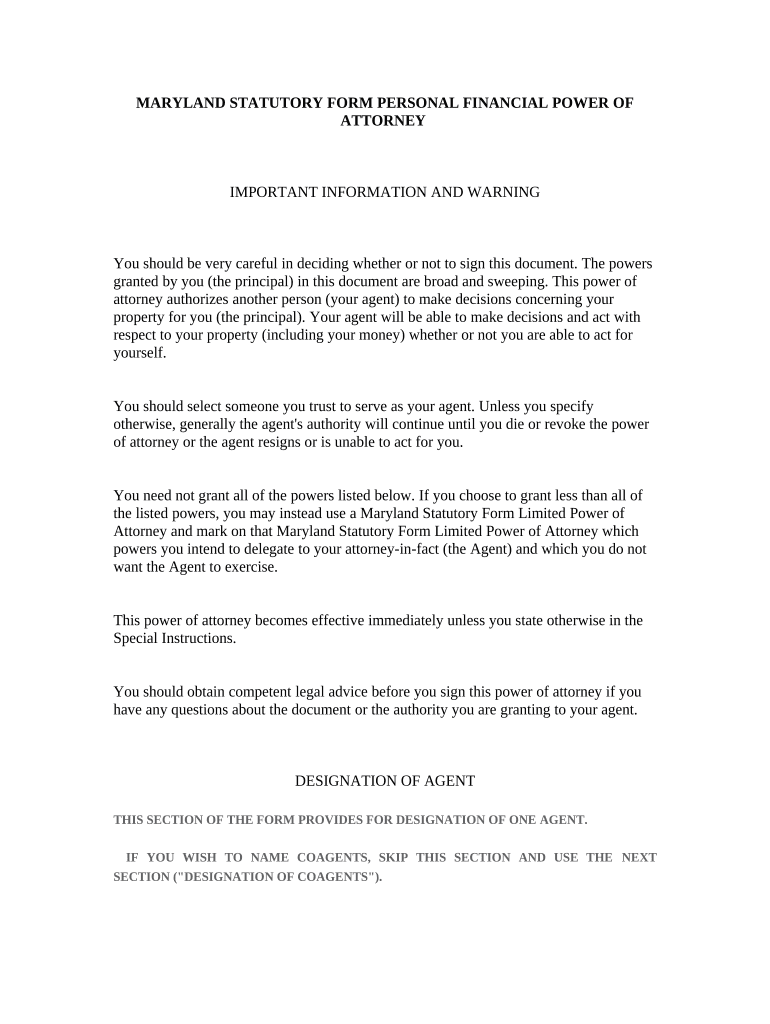
MARYLAND STATUTORY FORM PERSONAL FINANCIAL POWER OF ATTORNEY IMPORTANT INFORMATION AND WARNING You should be very careful in deciding whether or not to sign this document. The powers granted by you (the principal) in this document are broad and sweeping. This power of attorney authorizes another person (your agent) to make decisions concerning your property for you (the principal). Your agent will be able to make decisions and act with respect to your property (including your money) whether or not you are able to act for yourself. You should select someone you trust to serve as your agent. Unless you specify otherwise, generally the agent's authority will continue until you die or revoke the power of attorney or the agent resigns or is unable to act for you. You need not grant all of the powers listed below. If you choose to grant less than all of the listed powers, you may instead use a Maryland Statutory Form Limited Power of Attorney and mark on that Maryland Statutory Form Limited Power of Attorney which powers you intend to delegate to your attorney-in-fact (the Agent) and which you do not want the Agent to exercise. This power of attorney becomes effective immediately unless you state otherwise in the Special Instructions. You should obtain competent legal advice before you sign this power of attorney if you have any questions about the document or the authority you are granting to your agent. DESIGNATION OF AGENT THIS SECTION OF THE FORM PROVIDES FOR DESIGNATION OF ONE AGENT. IF YOU WISH TO NAME COAGENTS, SKIP THIS SECTION AND USE THE NEXT SECTION ("DESIGNATION OF COAGENTS"). I, _____________________________ , (Name of Principal) Name the following person as my agent: Name of Agent: _____________________________ Agent's Address: _____________________________ Agent's Telephone Number: _____________________________ DESIGNATION OFCOAGENTS (OPTIONAL) I, _____________________________ (Name of Principal), name the following persons as my coagents: Name of Coagent: _____________________________ Coagent's Address: _____________________________ Coagent's Telephone Number: _____________________________ Name of Coagent: _____________________________ Coagent's Address: _____________________________ Coagent's Telephone Number: _____________________________ SPECIAL INSTRUCTIONS REGARDING COAGENTS: _____________________________ _____________________________ DESIGNATION OF SUCCESSOR AGENT(S) (OPTIONAL) If my agent is unable or unwilling to act for me, I name as my successor agent: Name of Successor Agent: _____________________________ Successor Agent's Address: _____________________________ Successor Agent's Telephone Number: _____________________________ If my successor agent is unable or unwilling to act for me, I name as my second successor agent: Name of Second Successor Agent: _____________________________ Second Successor Agent's Address: _____________________________ Second Successor Agent's Telephone Number: _____________________________ GRANT OF GENERAL AUTHORITY I ("the principal") grant my agent and any successor agent, with respect to each subject listed below, the authority to do all acts that I could do to: (1) Contract with another person, on terms agreeable to the agent, to accomplish a purpose of a transaction and perform, rescind, cancel, terminate, reform, restate, release, or modify the contract or another contract made by or on behalf of the principal; (2) Execute, acknowledge, seal, deliver, file, or record any instrument or communication the agent considers desirable to accomplish a purpose of a transaction; (3) Seek on the principal's behalf the assistance of a court or other governmental agency to carry out an act authorized in this power of attorney; (4) Initiate, participate in, submit to alternative dispute resolution, settle, oppose, or propose or accept a compromise with respect to a claim existing in favor of or against the principal or intervene in litigation relating to the claim; (5) Engage, compensate, and discharge an attorney, accountant, discretionary investment manager, expert witness, or other advisor; (6) Prepare, execute, and file a record, report, or other document to safeguard or promote the principal's interest under a statute or regulation and communicate with representatives or employees of a government or governmental subdivision, agency, or instrumentality, on behalf of the principal; and (7) Do lawful acts with respect to the subject and all property related to the subject. My agent's authority shall include the authority to act as stated below with regard to each of the following subjects: SUBJECTS AND AUTHORITY MY AGENT'S AUTHORITY SHALL INCLUDE THE AUTHORITY TO ACT AS STATED BELOW WITH REGARD TO EACH OF THE FOLLOWING SUBJECTS: Real property - With respect to this subject, I authorize my agent to: demand, buy, sell, convey, lease, receive, accept as a gift or as security for an extension of credit, or otherwise acquire or reject an interest in real property or a right incident to real property; pledge or mortgage an interest in real property or right incident to real property as security to borrow money or pay, renew, or extend the time of payment of a debt of the principal or a debt guaranteed by the principal, including a reverse mortgage; release, assign, satisfy, or enforce by litigation or otherwise a mortgage, deed of trust, conditional sale contract, encumbrance, lien, or other claim to real property that exists or is asserted; and manage or conserve an interest in real property or a right incident to real property owned or claimed to be owned by the principal, including: (1) insuring against liability or casualty or other loss; (2) obtaining or regaining possession of or protecting the interest or right by litigation or otherwise; (3) paying, assessing, compromising, or contesting taxes or assessments or applying for and receiving refunds in connection with them; and (4) purchasing supplies, hiring assistance or labor, and making repairs or alterations to the real property. Stocks and bonds - With respect to this subject, I authorize my agent to: buy, sell, and exchange stocks and bonds; establish, continue, modify, or terminate an account with respect to stocks and bonds; pledge stocks and bonds as security to borrow, pay, renew, or extend the time of payment of a debt of the principal; receive certificates and other evidences of ownership with respect to stocks and bonds; exercise voting rights with respect to stocks and bonds in person or by proxy, enter into voting trusts, and consent to limitations on the right to vote. Banks and other financial institutions - With respect to this subject, I authorize my agent to: continue, modify, transact all business in connection with, and terminate an account or other banking arrangement made by or on behalf of the principal; establish, modify, transact all business in connection with, and terminate an account or other banking arrangement with a bank, trust company, savings and loan association, credit union, thrift company, brokerage firm, or other financial institution selected by the agent; contract for services available from a financial institution, including renting a safe deposit box or space in a vault; deposit, by check, money order, electronic funds transfer, or otherwise, with, or leave in the custody of, a financial institution money or property of the principal, withdraw, by check, money order, electronic funds transfer, or otherwise, money or property of the principal deposited with or left in the custody of a financial institution; receive statements of account, vouchers, notices, and similar documents from a financial institution and act with respect to them; enter a safe deposit box or vault and withdraw or add to the contents; borrow money and pledge as security personal property of the principal necessary to borrow money or pay, renew, or extend the time of payment of a debt of the principal or a debt guaranteed by the principal; make, assign, draw, endorse, discount, guarantee, and negotiate promissory notes, checks, drafts, and other negotiable or nonnegotiable paper of the principal or payable to the principal or the principal's order, transfer money, receive the cash or other proceeds of those transactions; and apply for, receive, and use credit cards and debit cards, electronic transaction authorizations, and traveler's checks from a financial institution. Insurance and annuities - With respect to this subject, I authorize my agent to: continue, pay the premium or make a contribution on, modify, exchange, rescind, release, or terminate a contract procured by or on behalf of the principal that insures or provides an annuity to either the principal or another person, whether or not the principal is a beneficiary under the contract; procure new, different, and additional contracts of insurance and annuities for the principal and select the amount, type of insurance or annuity, and mode of payment; pay the premium or make a contribution on, modify, exchange, rescind, release, or terminate a contract of insurance or annuity procured by the agent; apply for and receive a loan secured by a contract of insurance or annuity; surrender and receive the cash surrender value on a contract of insurance or annuity; exercise an election; exercise investment powers available under a contract of insurance or annuity; change the manner of paying premiums on a contract of insurance or annuity; change or convert the type of insurance or annuity with respect to which the principal has or claims to have authority described in this section; apply for and procure a benefit or assistance under a statute or regulation to guarantee or pay premiums of a contract of insurance on the life of the principal; collect, sell, assign, hypothecate, borrow against, or pledge the interest of the principal in a contract of insurance or annuity; select the form and timing of the payment of proceeds from a contract of insurance or annuity; pay, from proceeds or otherwise, compromise or contest, and apply for refunds in connection with a tax or assessment levied by a taxing authority with respect to a contract of insurance or annuity or the proceeds or liability from the contract of insurance or annuity accruing by reason of the tax or assessment. Claims and litigation - With respect to this subject, I authorize my agent to: assert and maintain before a court or administrative agency a claim, claim for relief, cause of action, counterclaim, offset, recoupment, or defense, including an action to recover property or other thing of value, recover damages sustained by the principal, eliminate or modify tax liability, or seek an injunction, specific performance, or other relief; act for the principal with respect to bankruptcy or insolvency, whether voluntary or involuntary, concerning the principal or some other person, or with respect to a reorganization, receivership, or application for the appointment of a receiver or trustee that affects an interest of the principal in property or other thing of value; pay a judgment, award, or order against the principal or a settlement made in connection with a claim or litigation; and receive money or other thing of value paid in settlement of or as proceeds of a claim or litigation. Benefits from governmental programs or civil or military service (including any benefit, program, or assistance provided under a statute or regulation including Social Security, Medicare, and Medicaid) - With respect to this subject, I authorize my agent to: execute vouchers in the name of the principal for allowances and reimbursements payable by the United States or a foreign government or by a state or subdivision of a state to the principal; enroll in, apply for, select, reject, change, amend, or discontinue, on the principal's behalf, a benefit or program; prepare, file, and maintain a claim of the principal for a benefit or assistance, financial or otherwise, to which the principal may be entitled under a statute or regulation; initiate, participate in, submit to alternative dispute resolution, settle, oppose, or propose or accept a compromise with respect to litigation concerning a benefit or assistance the principal may be entitled to receive under a statute or regulation; and receive the financial proceeds of a claim described above and conserve, invest, disburse, or use for a lawful purpose anything so received. Retirement plans (including a plan or account created by an employer, the principal, or another individual to provide retirement benefits or deferred compensation of which the principal is a participant, beneficiary, or owner, including a plan or account under the following sections of the Internal Revenue Code: (1) an individual retirement account under Internal Revenue Code Section 408, 26 U.S.C. § 408; (2) a Roth individual retirement account under Internal Revenue Code Section 408A, 26 U.S.C. § 408A; (3) a deemed individual retirement account under Internal Revenue Code Section 408(q), 26 U.S.C. § 408(q); (4) an annuity or mutual fund custodial account under Internal Revenue Code Section 403(b), 26 U.S.C. § 403(b); (5) a pension, profit-sharing, stock bonus, or other retirement plan qualified under Internal Revenue Code Section 401(a), 26 U.S.C. § 401(a); (6) a plan under Internal Revenue Code Section 457(b), 26 U.S.C. § 457(b); and (7) a nonqualified deferred compensation plan under Internal Revenue Code Section 409A, 26 U.S.C. § 409A) - With respect to this subject, I authorize my agent to: select the form and timing of payments under a retirement plan and withdraw benefits from a plan; make a rollover, including a direct trustee-to-trustee rollover, of benefits from one retirement plan to another; establish a retirement plan in the principal's name; make contributions to a retirement plan; exercise investment powers available under a retirement plan; borrow from, sell assets to, or purchase assets from a retirement plan. I recognize that granting my agent the authority to create or change a beneficiary designation for a retirement plan may affect the benefits that I may receive if that authority is exercised. If I grant my agent the authority to designate the agent, the agent's spouse, or a dependent of the agent as a beneficiary of a retirement plan, the grant may constitute a taxable gift by me and may make the property subject to that authority taxable as a part of the agent's estate. Therefore, if I wish to authorize my agent to create or change a beneficiary designation for any retirement plan, and in particular if I wish to authorize the agent to designate as my beneficiary the agent, the agent's spouse, or a dependent of the agent, I will explicitly state this authority in the special instructions section that follows or in a separate power of attorney. Taxes - With respect to this subject, I authorize my agent to: prepare, sign, and file federal, state, local, and foreign income, gift, payroll, property, federal insurance contributions act, and other tax returns, claims for refunds, requests for extension of time, petitions regarding tax matters, and other tax-related documents, including receipts, offers, waivers, consents, including consents and agreements under Internal Revenue Code Section 2032(a), 26 U.S.C. § 2032(a), closing agreements, and other powers of attorney required by the Internal Revenue Service or other taxing authority with respect to a tax year on which the statute of limitations has not run and the following 25 tax years; pay taxes due, collect refunds, post bonds, receive confidential information, and contest deficiencies determined by the Internal Revenue Service or other taxing authority; exercise elections available to the principal under federal, state, local, or foreign tax law; and act for the principal in all tax matters for all periods before the Internal Revenue Service, or other taxing authority. SPECIAL INSTRUCTIONS (OPTIONAL) YOU MAY GIVE SPECIAL INSTRUCTIONS ON THE FOLLOWING LINES: _____________________________ EFFECTIVE DATE This power of attorney is effective immediately unless I have stated otherwise in the Special Instructions. TERMINATION DATE (OPTIONAL) This power of attorney shall terminate on _____________________________ , 20 ____ . (Use a specific calendar date) NOMINATION OF GUARDIAN (OPTIONAL) If it becomes necessary for a court to appoint a guardian of my estate or guardian of my person, I nominate the following person(s) for appointment: Name of nominee for guardian of my property: ( ) My agent (or successor agent) named above or _____________________________ Nominee's address: _____________________________ Nominee's telephone number: _____________________________ Name of nominee for guardian of my person: ( ) My agent (or successor agent) named above or _____________________________ Nominee's address: _____________________________ Nominee's telephone number: _____________________________ SIGNATURE AND ACKNOWLEDGMENT ______________________________________ _____________________________ Your Signature Date _____________________________ Your Name Printed _____________________________ Your Address _____________________________ Your Telephone Number STATE OF MARYLAND (COUNTY) OF _____________________________ This document was acknowledged before me on ______________________ , (Date) By _____________________________ to be his/her act. (Name of Principal) ________________________________________ (SEAL, IF ANY) Signature of Notary My commission expires: _______________________ WITNESS ATTESTATION The foregoing power of attorney was, on the date written above, published and declared by _____________________________ (Name of Principal) in our presence to be his/her power of attorney. We, in his/her presence and at his/her request, and in the presence of each other, have attested to the same and have signed our names as attesting witnesses. ________________________________________ Witness #1 Signature _____________________________ Witness #1 Name Printed _____________________________ Witness #1 Address _____________________________ Witness #1 Telephone Number ________________________________________ Witness #2 Signature _____________________________ Witness #2 Name Printed _____________________________ Witness #2 Address _____________________________ Witness #2 Telephone Number

Valuable advice for finalizing your ‘Personal Attorney Md’ online

Are you exhausted from the burden of handling paperwork? Search no further than airSlate SignNow, the leading eSignature solution for individuals and organizations alike. Bid farewell to the monotonous task of printing and scanning documents. With airSlate SignNow, you can easily complete and sign paperwork online. Take advantage of the robust features integrated into this user-friendly and cost-effective platform and transform your method of document management. Whether you need to authorize forms or collect electronic signatures, airSlate SignNow manages it all seamlessly, with just a few clicks.

Follow this detailed guideline:

  1. Access your account or register for a complimentary trial of our service.
  2. Click +Create to import a file from your device, cloud storage, or our template library.
  3. Open your ‘Personal Attorney Md’ in the editor.
  4. Hit Me (Fill Out Now) to finalize the form on your behalf.
  5. Add and delegate fillable fields for others (if necessary).
  6. Continue with the Send Invite settings to request eSignatures from others.
  7. Save, print your version, or transform it into a reusable template.

Don't fret if you need to work with your colleagues on your Personal Attorney Md or send it for notarization—our platform offers everything required to accomplish such tasks. Sign up with airSlate SignNow today and elevate your document management to a new horizon!

Here is a list of the most common customer questions. If you can’t find an answer to your question, please don’t hesitate to reach out to us.

Need help? Contact Support

The best way to complete and sign your personal attorney md form

Save time on document management with airSlate SignNow and get your personal attorney md form eSigned quickly from anywhere with our fully compliant eSignature tool.

How to Sign a PDF Online How to Sign a PDF Online

How to complete and sign documents online

Previously, coping with paperwork required lots of time and effort. But with airSlate SignNow, document management is fast and easy. Our powerful and easy-to-use eSignature solution enables you to effortlessly fill out and electronically sign your personal attorney md form online from any internet-connected device.

Follow the step-by-step guidelines to eSign your personal attorney md form template online:

  • 1.Sign up for a free trial with airSlate SignNow or log in to your account with password credentials or SSO authentication.
  • 2.Click Upload or Create and add a form for eSigning from your device, the cloud, or our form catalogue.
  • 3.Click on the document name to open it in the editor and utilize the left-side toolbar to fill out all the empty fields accordingly.
  • 4.Put the My Signature field where you need to eSign your form. Type your name, draw, or upload an image of your regular signature.
  • 5.Click Save and Close to accomplish modifying your completed form.

Once your personal attorney md form template is ready, download it to your device, save it to the cloud, or invite other parties to eSign it. With airSlate SignNow, the eSigning process only takes a few clicks. Use our robust eSignature tool wherever you are to manage your paperwork effectively!

How to Sign a PDF Using Google Chrome How to Sign a PDF Using Google Chrome

How to fill out and sign forms in Google Chrome

Completing and signing paperwork is easy with the airSlate SignNow extension for Google Chrome. Installing it to your browser is a fast and efficient way to manage your forms online. Sign your personal attorney md form template with a legally-binding electronic signature in just a couple of clicks without switching between applications and tabs.

Follow the step-by-step guidelines to eSign your personal attorney md form in Google Chrome:

  • 1.Go to the Chrome Web Store, search for the airSlate SignNow extension for Chrome, and install it to your browser.
  • 2.Right-click on the link to a form you need to eSign and choose Open in airSlate SignNow.
  • 3.Log in to your account using your password or Google/Facebook sign-in option. If you don’t have one, you can start a free trial.
  • 4.Use the Edit & Sign toolbar on the left to fill out your sample, then drag and drop the My Signature option.
  • 5.Upload a photo of your handwritten signature, draw it, or simply enter your full name to eSign.
  • 6.Verify all data is correct and click Save and Close to finish modifying your paperwork.

Now, you can save your personal attorney md form template to your device or cloud storage, send the copy to other individuals, or invite them to eSign your document via an email request or a secure Signing Link. The airSlate SignNow extension for Google Chrome enhances your document workflows with minimum effort and time. Start using airSlate SignNow today!

How to Sign a PDF in Gmail How to Sign a PDF in Gmail How to Sign a PDF in Gmail

How to fill out and sign forms in Gmail

When you get an email with the personal attorney md form for signing, there’s no need to print and scan a file or save and re-upload it to another tool. There’s a better solution if you use Gmail. Try the airSlate SignNow add-on to quickly eSign any paperwork right from your inbox.

Follow the step-by-step guidelines to eSign your personal attorney md form in Gmail:

  • 1.Visit the Google Workplace Marketplace and look for a airSlate SignNow add-on for Gmail.
  • 2.Install the tool with a corresponding button and grant the tool access to your Google account.
  • 3.Open an email containing an attachment that needs approval and utilize the S key on the right sidebar to launch the add-on.
  • 4.Log in to your airSlate SignNow account. Select Send to Sign to forward the file to other parties for approval or click Upload to open it in the editor.
  • 5.Place the My Signature field where you need to eSign: type, draw, or import your signature.

This eSigning process saves efforts and only takes a few clicks. Take advantage of the airSlate SignNow add-on for Gmail to adjust your personal attorney md form with fillable fields, sign paperwork legally, and invite other individuals to eSign them al without leaving your inbox. Boost your signature workflows now!

How to Sign a PDF on a Mobile Device How to Sign a PDF on a Mobile Device How to Sign a PDF on a Mobile Device

How to fill out and sign documents in a mobile browser

Need to rapidly fill out and sign your personal attorney md form on a smartphone while working on the go? airSlate SignNow can help without the need to set up additional software apps. Open our airSlate SignNow tool from any browser on your mobile device and create legally-binding eSignatures on the go, 24/7.

Follow the step-by-step guidelines to eSign your personal attorney md form in a browser:

  • 1.Open any browser on your device and go to the www.signnow.com
  • 2.Create an account with a free trial or log in with your password credentials or SSO option.
  • 3.Click Upload or Create and import a file that needs to be completed from a cloud, your device, or our form collection with ready-to go templates.
  • 4.Open the form and complete the empty fields with tools from Edit & Sign menu on the left.
  • 5.Add the My Signature area to the sample, then type in your name, draw, or add your signature.

In a few simple clicks, your personal attorney md form is completed from wherever you are. As soon as you're done with editing, you can save the document on your device, generate a reusable template for it, email it to other individuals, or invite them electronically sign it. Make your documents on the go prompt and productive with airSlate SignNow!


How to Sign a PDF on iPhone How to Sign a PDF on iPhone

How to fill out and sign documents on iOS

In today’s corporate environment, tasks must be accomplished quickly even when you’re away from your computer. Using the airSlate SignNow application, you can organize your paperwork and approve your personal attorney md form with a legally-binding eSignature right on your iPhone or iPad. Set it up on your device to close deals and manage documents from anywhere 24/7.

Follow the step-by-step guidelines to eSign your personal attorney md form on iOS devices:

  • 1.Open the App Store, search for the airSlate SignNow app by airSlate, and set it up on your device.
  • 2.Open the application, tap Create to add a form, and select Myself.
  • 3.Choose Signature at the bottom toolbar and simply draw your autograph with a finger or stylus to eSign the form.
  • 4.Tap Done -> Save after signing the sample.
  • 5.Tap Save or use the Make Template option to re-use this paperwork later on.

This process is so easy your personal attorney md form is completed and signed within a couple of taps. The airSlate SignNow app works in the cloud so all the forms on your mobile device are kept in your account and are available any time you need them. Use airSlate SignNow for iOS to boost your document management and eSignature workflows!


How to Sign a PDF on Android How to Sign a PDF on Android

How to fill out and sign paperwork on Android

With airSlate SignNow, it’s easy to sign your personal attorney md form on the go. Install its mobile application for Android OS on your device and start enhancing eSignature workflows right on your smartphone or tablet.

Follow the step-by-step guidelines to eSign your personal attorney md form on Android:

  • 1.Go to Google Play, find the airSlate SignNow app from airSlate, and install it on your device.
  • 2.Log in to your account or register it with a free trial, then upload a file with a ➕ key on the bottom of you screen.
  • 3.Tap on the imported file and choose Open in Editor from the dropdown menu.
  • 4.Tap on Tools tab -> Signature, then draw or type your name to electronically sign the form. Fill out blank fields with other tools on the bottom if needed.
  • 5.Utilize the ✔ button, then tap on the Save option to finish editing.

With a user-friendly interface and full compliance with primary eSignature requirements, the airSlate SignNow app is the best tool for signing your personal attorney md form. It even operates without internet and updates all document modifications when your internet connection is restored and the tool is synced. Complete and eSign forms, send them for approval, and create multi-usable templates anytime and from anywhere with airSlate SignNow.

Sign up and try Personal attorney md form
  • Close deals faster
  • Improve productivity
  • Delight customers
  • Increase revenue
  • Save time & money
  • Reduce payment cycles







