Establishing secure connection…Loading editor…Preparing document…

Petition for Removal of Minority Emancipation

This template is fully customizable. Edit the text, fill out the fields, and send it for signature. Give it a try!
Petition for Removal of Minority Emancipation

What the Petition for Removal of Minority Emancipation Is

A Petition for Removal of Minority Emancipation is a court filing used to request that a previously recorded or court-ordered emancipation status be changed or vacated, or to address legal capacity issues tied to a person’s minority or emancipation. The petition explains the factual and legal grounds supporting the requested change, identifies the parties, and asks the court for specific relief. Courts review the petition for jurisdiction, procedural sufficiency, and whether revoking or modifying emancipation is consistent with the minor’s best interests and applicable state law.

Why this Petition Matters for Rights and Legal Capacity

Use this petition to correct or reverse an emancipation determination, clarify guardianship or parental rights, or to resolve legal capacity and benefits eligibility tied to minority status.

Why this Petition Matters for Rights and Legal Capacity

Who Typically Files or Responds to This Petition

The petition is commonly filed by a parent, guardian, the emancipated person, or a state-appointed guardian or representative who identifies a material change of circumstances or an error in the prior emancipation order.

  • Parent or Guardian filing to restore parental authority or contest emancipation
  • Emancipated Person seeking reversal or modification of their legal status
  • Court-appointed Guardian or Agency responding to welfare or capacity concerns

Typical Roles and Who Signs

Petitioner — Parent

A parent or legal guardian who initiates the petition. They state facts, supply supporting documents, and sign the filing under penalty of perjury; counsel may prepare the petition.

Respondent — Emancipated Person

The emancipated individual or their attorney who must receive notice and may file a response; the court evaluates the person’s current capacity and best-interest considerations.

Step-by-Step: Filling Out the Petition

Follow these sequential steps to prepare a complete, court-ready petition suitable for filing or electronic submission.

  • 01
    Gather records: Collect the emancipation order, birth certificate, and supporting evidence.
  • 02
    Draft petition: State jurisdiction, parties, factual basis, and precise relief requested.
  • 03
    Attach exhibits: Include certified copies, declarations, and any prior court orders.
  • 04
    Sign and file: Sign per court rule, pay filing fee, and serve respondents.

Configuring an Electronic Workflow for the Petition

Set up an online workflow that ensures correct routing, signer authentication, and retention for court records.

Field Configuration
Document Type Court petition (PDF/A preferred)
Signer Order Petitioner, respondent, court clerk (if required)
Authentication Email + SMS code or ID verification for higher assurance
Retention Setting Immutable PDF + audit trail stored 7+ years

How Electronic Submission and Service Typically Flow

A concise workflow describes who signs, how documents are authenticated, and how the court receives the filing.

  • Prepare Petition: Draft, attach exhibits, and convert to PDF/A for preservation.
  • Place Sign Fields: Add signature, date, and initial fields for each party.
  • Authenticate Signers: Use email link plus SMS or ID verification where required.
  • File and Serve: Submit to court and serve respondents per local rules.

Platform and File Requirements for eFiling

Confirm the court’s permitted file types and eFiling portal requirements before submission.

  • File Types: PDF/A preferred, DOCX accepted by some courts
  • Authentication: Email plus secondary factor recommended
  • Audit Trail: Must record timestamps, IP, and signer identity

Essential Data Elements to Protect

Personal ID: Name and DOB
Case Number: Court docket
Address: Service address
Sensitive facts: Health or welfare details
Signatures: Signed records
Audit Trail: Timestamps, IP

Consequences of an Incomplete or Incorrect Petition

Dismissal: Case may be dismissed
Delay: Hearing postponed
Fee Loss: Filing fee nonrefundable
Service Defect: Default relief denied
Perjury Risk: False statements penalized
Access Issues: Benefits incorrectly altered

Common Preparation Errors to Avoid

  • Failing to attach the original emancipation order or certified copy leads to jurisdictional questions and likely rejection.
  • Using inconsistent names or dates across exhibits causes service and identity verification problems that slow processing.
  • Neglecting to follow local court pleading format, caption, or margin rules often results in clerk rejection without substantive review.
  • Not serving required parties or using improper service methods can lead to default judgments or ordered re-service.

Typical Timing and Deadlines to Expect

Deadlines vary by jurisdiction; observe local court rules for service periods, notice timing, and hearing scheduling.

Service Deadline:

Serve respondents within the time required by local rules, often 30–60 days before hearing.

Hearing Scheduling:

Courts typically schedule a hearing 30–90 days after filing, subject to docket availability.

Response Period:

Respondents usually have 20–30 days to file an answer after service.

Appeal Window:

Appeal or motion deadlines follow the court’s post-judgment timetable—check local appellate rules.

Retention Start:

Retention periods begin on the filing or entry date, depending on record type and jurisdiction.

Key Milestones from Filing to Final Order

A typical milestone sequence helps track filing, service, hearing, and final orders for the petition.

01

Filing

Petition filed with clerk and initial fee paid.

02

Service

Respondents served per local procedure and proof of service filed.

03

Hearing

Court hears evidence and arguments on the petition.

04

Order Entry

Court issues an order granting, modifying, or denying relief.

Core Sections to Include in a Professional Petition

A complete petition organizes facts, legal authority, requested relief, and supporting exhibits so the court can act promptly.

Caption

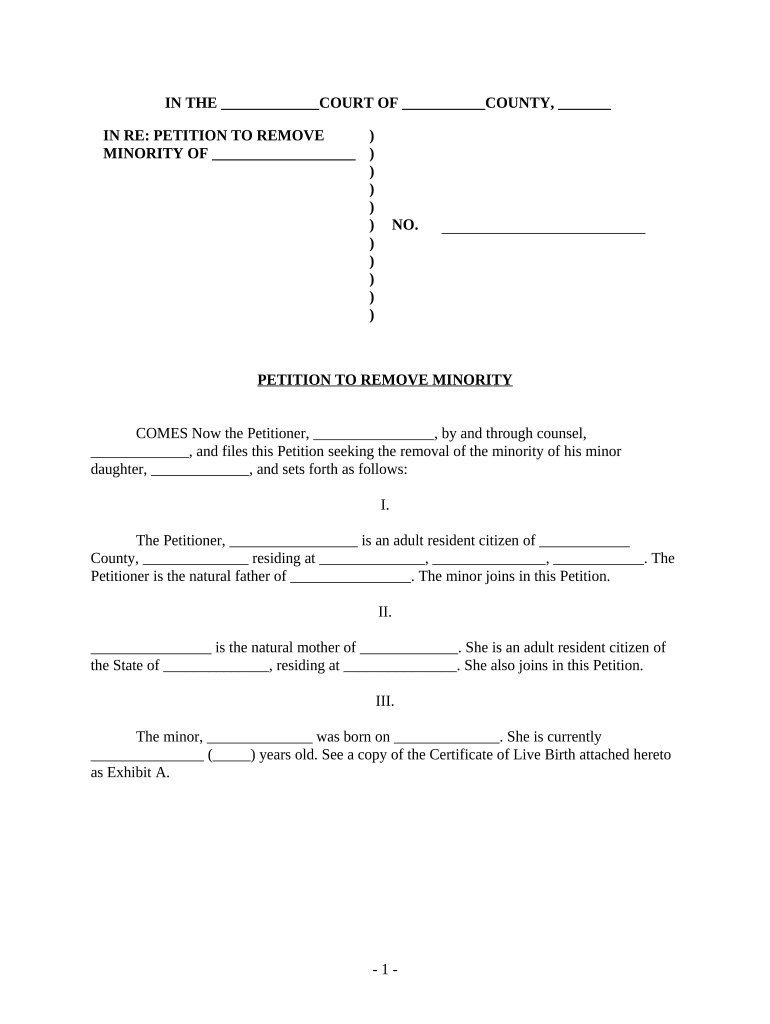
Include the full court name, case number, and party captions so the clerk can route the filing and associate it with existing docket entries; an incorrect caption delays acceptance.
Statement of Jurisdiction

Explain the court’s authority to hear the petition, citing statutes or prior orders when applicable to establish subject-matter and personal jurisdiction.

Statement of Facts

Chronologically describe material facts, dates, and events that justify removal or modification of emancipation, supported by declarations or exhibits.

Legal Basis

Cite controlling statutes or case law that permit the court to modify or vacate emancipation orders and explain how the facts meet those legal standards.

Relief Sought

Clearly state the specific orders requested (vacate order, reinstate guardianship, notice requirements), including any temporary relief during pendency.

Exhibits and Proof

Attach certified orders, birth records, declarations, and any medical or welfare reports that corroborate the petition’s factual assertions.

Comparison: eSignature Pricing and Core Features

Compare starting price, trial availability, bulk send capabilities, audit trail, HIPAA support, and envelope caps across common vendors to evaluate cost and compliance fit.

signNow DocuSign Adobe Sign PandaDoc HelloSign
Starting Price $8/user/mo $15/user/mo $14/user/mo $19/user/mo $15/user/mo
Free Trial 7-day free trial Varies Varies Varies Varies
Bulk Send Yes Yes Yes Yes No
Audit Trail Yes Yes Yes Yes Yes
HIPAA Compliant Yes Yes Yes No No
Envelope Cap No envelope cap 100 envelopes/user/year Varies Varies Varies

Frequently Asked Questions About the Petition and eSubmission

Answers to common procedural and technical questions about preparing, signing, and filing the petition with courts and agencies.


Need help? Contact support

be ready to get more
Join over 28 million airSlate SignNow users